Yes, you can use as many rooWatch apps as you want. No need for another license.
Wow, rooWatch looks so cool!
Two questions:
- It uses a RaspPi. Can this RasPi be the same one as the one which I plan to use for rooDial and the MS Dial?
- The hardware should be a RaspPi zero w2 or RaspPi 4, right? If I buy the RasPi now, which one would you recommend? (Performance-wise plus which one has neater case and power adapter integration?)
Thanks for pointers!
Yes it can. You can run both of my Roon Extensions on a single Raspberry Pi.
I recommend Pi4. It offers Ethernet (what I recommend using rooExtend) and some more USB connections for connecting a DAC for example as rooExtend supports the Roon Bridge and works with most USB DACs.
Best DrCWO
1 Like
Hi. Dr.CWO.
I have been using the rooNuimo, and roodial to control my Simaudio Moon 390 system for years. I went in for roowatch a few weeks ago and it was also controlling the system reasonably well. The issue being the need to choose the correct rooextend Pi every time. ( I have 2 of them - One in my living room for the main system and other in the bed room with the roodial)
A week ago, I had an issue with my ISP services and there were frequent outages. It was during one of these outages that I inadvertently switched on the system to play some music and the Moon 390 did not show up on the network. I have reset and rebooted the system a numerous times . But the Moon 390 mind system just does not get initialized - a requirement to show itself on the home network.
Would the Roowatch app be causing some data corruption in the Simaudio moon 390 Mind module that is preventing it from initializing?
No in no way. rooWatch uses the same Roon API as rooNuimo or rooDial. You can bind the rooWatch App to EXACTLY one instance of rooExtend by using the IP-number of this rooExtend instance in the settings.
Hope this helps.
Best DrCWO
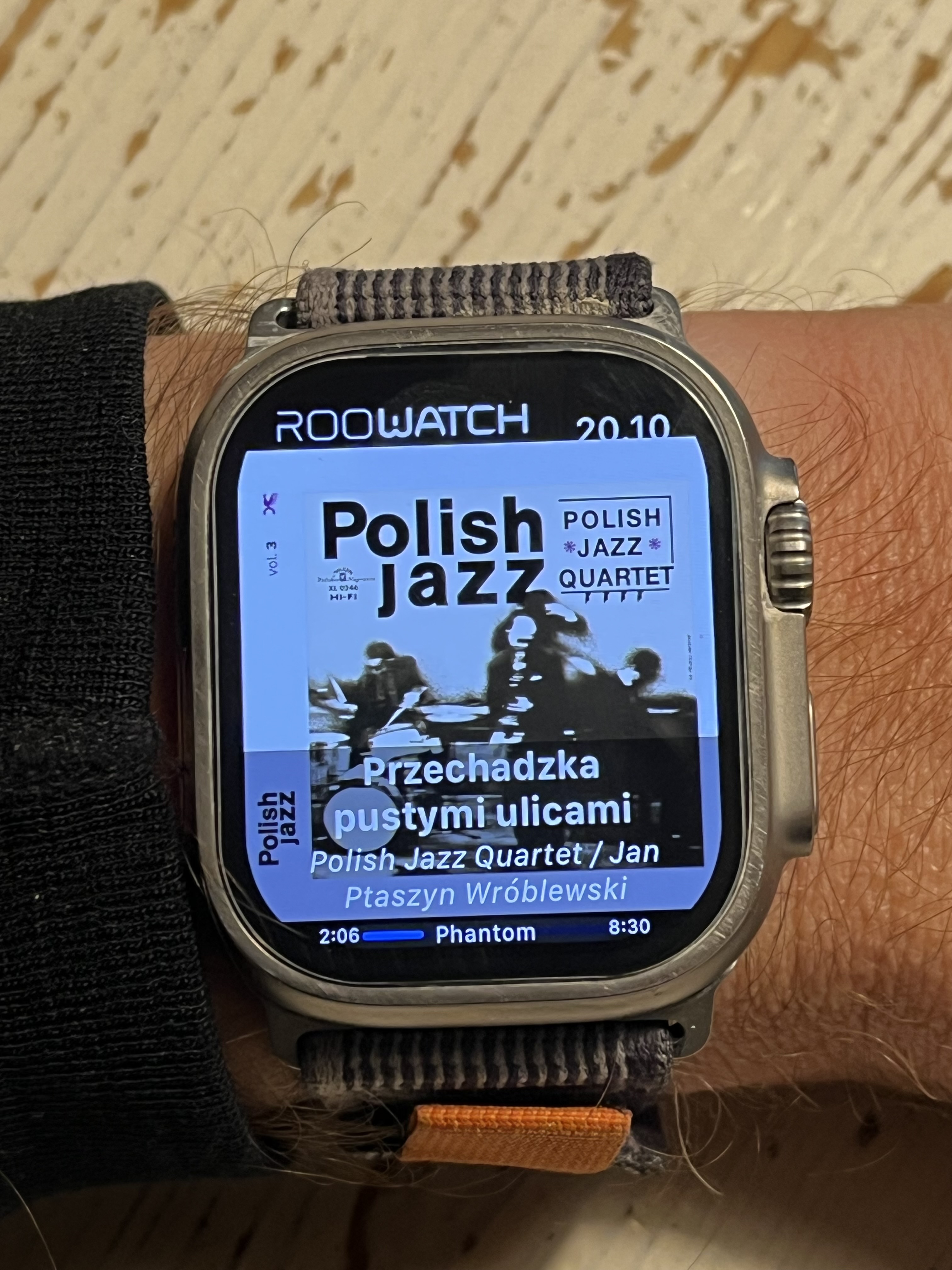
Hey hey I bought roowatch I think last year but took me some time to get new SD card and find my Pi in basement and finally got this up and running and I love it! . Siri works for me she can also play jazz (genre) when I ask her its seams like its track that its in my library but hey now I can crank up music from my bed when I wake up! PS I have older model of Pi3b+ but it works
2 Likes
I started to read this forum, have also seen both youtube videos. Ordered a new rpi4 and now I have to realize that there is no 7-day-test-version anymore? It would be very kind of you if you edit your first post to avoid confusion.
Hi @Nico_Greger,
sorry for that but please don’t worry 
Just get the License and if you dislike rooWatch please let me know and I can refund you 
Best DrCWO
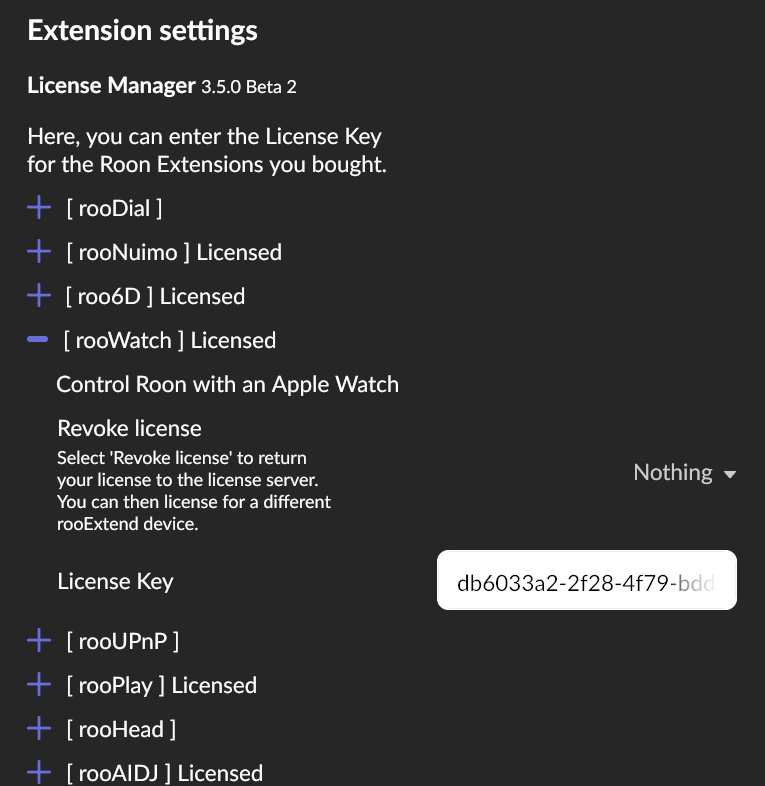
Hi, I already have Roodial up and running and just purchased Roowatch. After entering the license code, the button changed from Enable to Settings, however, there’s an error message below the extension saying “Service Not Running, not licensed”. If I click on the Settings button, I just get a popup providing the IP address, but no way to re-enter my code.
Help!
Chris
You have to enter the License Key in the rooWatch sectio of the rooExtend License Manager.
Best DrCWO
That did it! Thanks for the quick response.
Cheers
Chris
1 Like
@DrCWO My RaspberryPi failed and I’ve had to reinstall on a new one. The new system isn’t accepting my license key. Looking in the system logs I see the message
"This license key has already been used and cannot be used again."
How do I remedy this?
To clarify, I only have one installation of RooWatch running on a single RaspberryPi. The previous instance that used this license key has been reformatted.
Thanks
Hi @matt,
you have to revoke the license on the old device before it can be uses on the new one.
If the old device is no more functional the process is:
- Buy a new License Key of the new device
- Send me this license key and the old one
- I will start a refund for the new key you bought.
Best DrCWO
Is there a compatible RooWatch app for Watch OS 26.3? I am no longer finding the Watch app and cannot seem to install it.
Please install rooWatch from the AppStore on the Apple Watch. It works on WatchOS 26.3.
1 Like