I have a Nuprime multichannel (8 channel) DAC. Can the NAA in Ropieee work with 8 channels?
That depends how it presents over USB… but I doubt it.
Basically Roon only supports multichannel in some narrow circumstances over HDMI. The only way you could use this with Ropieee is if it presents as multiple “devices” that you can enable as discreet zones… not as a single multichannel zone.
No, multichannel is surely working also over usb (Okto Dac8 also very fine under Linux and Ropieee; exaSound e68 only under Windows + Mac → both I’m using) with Roon or HQPlayer.
But for nuprime I’ve never seen, that their DACs can used with Linux and so I fear that it will not work with RoPieee.
But you can use a MiniPC with Windows (this is what do for using ASIO driver with my exaSound multichannel dac), ASIO driver and NAA on it.
Burkhardt,
I tried both Ropieee and ultrarendu and neither worked in terms of outputting multichannel sound: 2 channels only. Which MiniPC with Windows did you use for the NAA? The NuPrime has an ASIO driver as does your ExaSound. And, how do you configure the MiniPC to act as an NAA?
Formerly I’d used a mini pc with NAA client installed (you’ve take care that it will starts automatically) on it.
So download the NAA client for windows from Downloads – Signalyst and install the asio driver for your dac.
At first I would try to get it work as Roon endpoint (so you’ve to install temporary the Roon bridge for windows on it) in 6 or 8 channels and then (deinstall the Roon bridge) as NAA client.
As hardware I’m using here a small mele 4c PC with Windows 11.
Am having trouble with the Windows installation of the NAA. I am getting repeated messages about IP discovery which do not stop. When I tried to open this in HQ Player Embedded, don’t see the NAA. What am I doing wrong? I installed runtime and visual c++ also.
Do you’ve let run the bat script for starting the naa as admin?
Also you’ve to uncomment in the bat file the line in using 8 channels and change from waspi to asio.
If this isn’t working, it’s better to ask @jussi_laako !
I also tried using the NAA OS image, booting from a USB stick on the windows PC. Still unable to output to all channels – getting only the front 2 channels to output sound. Posted this on the Audiophile Style NAA forum. Hopefully they will respond soon.
The NAA OS is a small linux, which doesn’t help you.
Do you’ve tested first your ASIO driver without hqplayer, but with roon bridge on your windows pc?
Do you’ve started your NAA as admin and uncomment the entry for 8 channels?
Do you’ve deactivated your windows firewall for HQPlayer (don’t know the needed ports at the moment)?
Without telling what do you’ve done, no help is possible!
Burkhardt:
I am able to use HQPlayer Desktop with my windows PC and the NuPrime ASIO windows driver. Am able to get full mutlichannel audio on Roon. I also used the ASIO driver directly with Audirvana and able to output all channels.
One thing I am unclear of on the windows NAA set of files. There are three files: license, “networkaudiod.exe” application and “networkaudiod_name.bat”. I tried installing the NAA by double clicking on the application. That’s when I got the endless looping of IP addresses, but not installation. Do I have to click on the application as an administrator. Windows firewall was not an issue. When you mention “uncomment the entry for 8 channels” not sure what you are referring to. The bat file does not have this option. What do you edit?
I see, you’re not really “in IT” 
There isn’t any install prgram for NAA. You’ve only the binary (networkaudiod.exe → daemon), the bat file which you should use for starting the exe and the license file.
The *.bat is a regular text file, which sets all the things for your daemon and starts it.
For the first try the best is, to open a cmd and got to the directory:
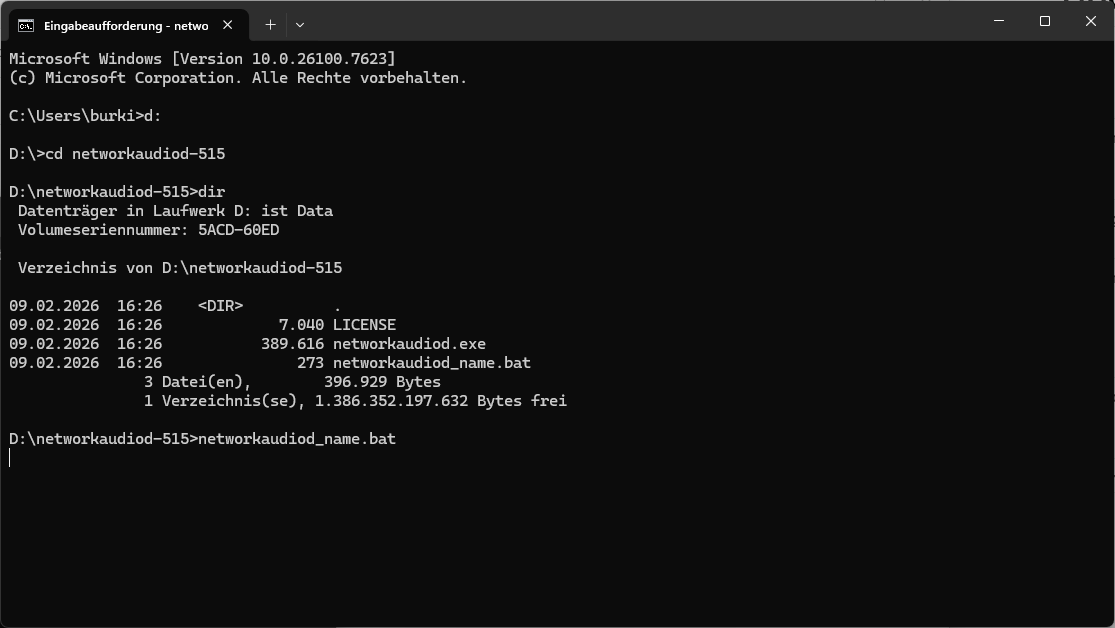
Then edit the bat file:
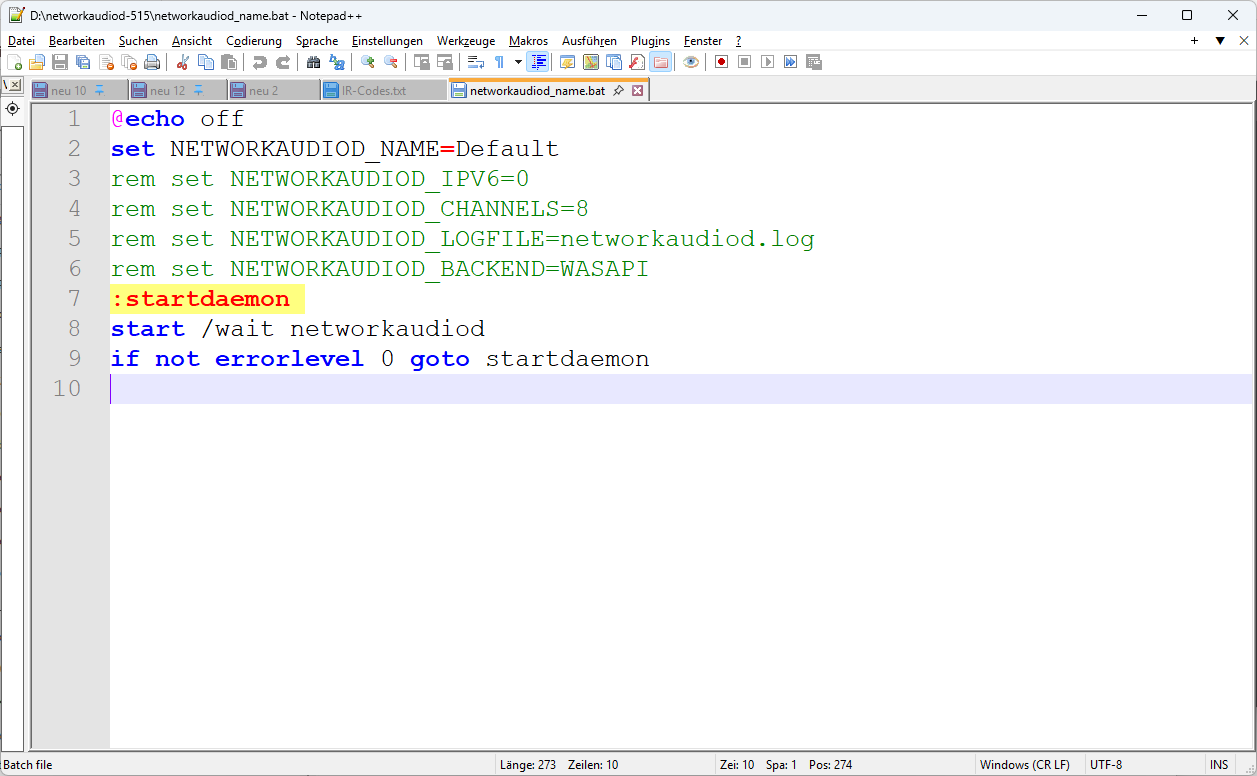
In here delete rem (only this, not the whole line) in line 4, 5 and 6.
In line 6 set as backend “ASIO” instead of WASPI (or let here the REM)
Now start the daemon
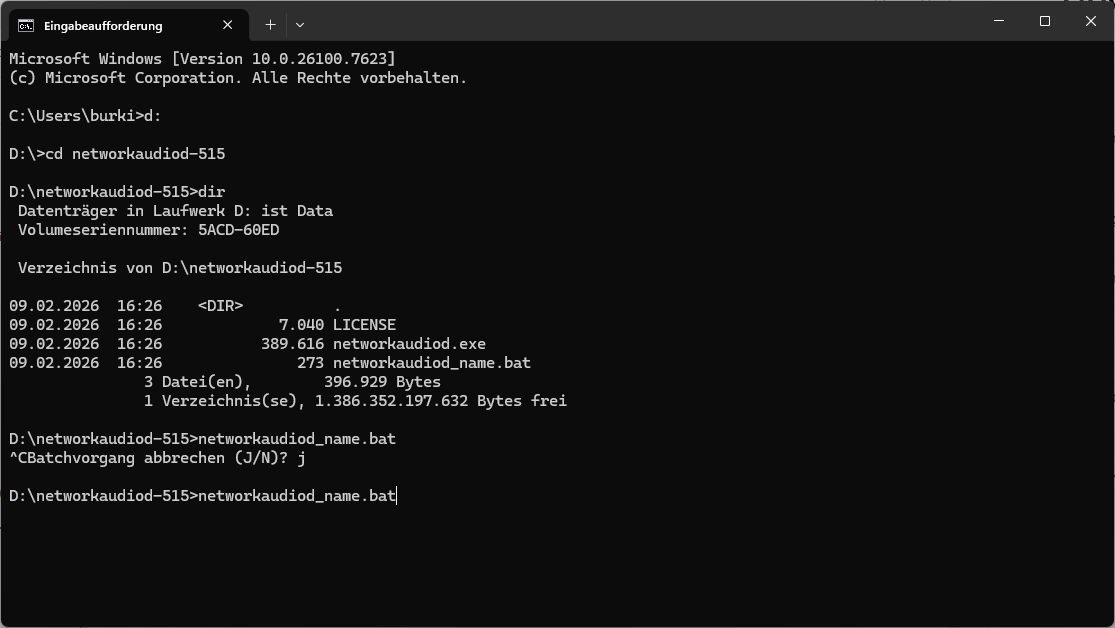
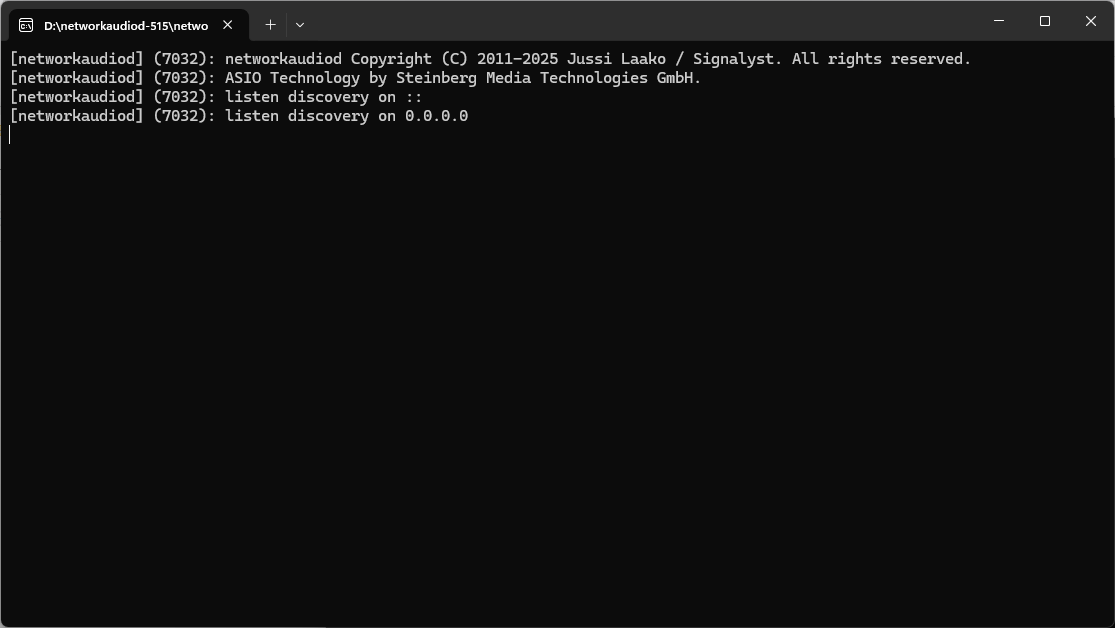
Then you should see one message for open the firewall for this program and another window with the console output from the daemon.
Burkhardt,
I tried your suggestion regarding the .bat file:
Here is what I did:
@echo off
set NETWORKAUDIOD_NAME=Default
rem set NETWORKAUDIOD_IPV6=0
set NETWORKAUDIOD_CHANNELS=8
set NETWORKAUDIOD_LOGFILE=networkaudiod.log
set NETWORKAUDIOD_BACKEND=ASIO
:startdaemon
start /wait networkaudiod
if not errorlevel 0 goto startdaemon
However, when I run the file, I get a blank screen.
What am I doing wrong?
Burkhardt,
I was able to get the NAA running but having no luck with sound. The NAA is recognized in HQ Player embedded but when I try Roon to get sound, no luck. Roon loses control of HQ Player almost immediately and no sound. When I looked at the screen for the NAA, I only see 2 channel activity, not 8 channel. I’m hoping Miska will have some answers. Thanks for all of your help with this but it seems like I’ve reached a dead end.
Some points:
- You’ve to set also in hqplayer 8 channels.
- Disable the roon endpoint on your PC
- Take a look into the logs from HQPlayer (it’s really helpful to enable the logging)
- Take a look into the log files from your NAA daemon
- Ask Jussi, he is the developer and I don’t have more time for your issue
It is best to give the NAA some sensible name. If this is not set, name is the hostname of the NAA. This could be set to something like “Livingroom” for example. But it must be unique within your network.
This is usually not necessary and be left off. Number of channels is typically defined in HQPlayer configuration.
This is the reason. IOW, instead of print out on the terminal, you are asking networkaudiod to write it’s log output to such file.
On Windows, “asio” backend is the default. So it is not necessary to set this, but it doesn’t hurt either. If you want to use WASAPI, you can set it to “wasapi” instead.
I tried to help him and he must use ASIO for his DAC for getting multichannel out (it’s the same like with my exaSound e68).
Only for this he had installed NAA on a windows PC.
I don’t know if @steveoat87 has solved his problem, but it seems that he us not using the correct settings in hqplayer (two instead of eight channels).