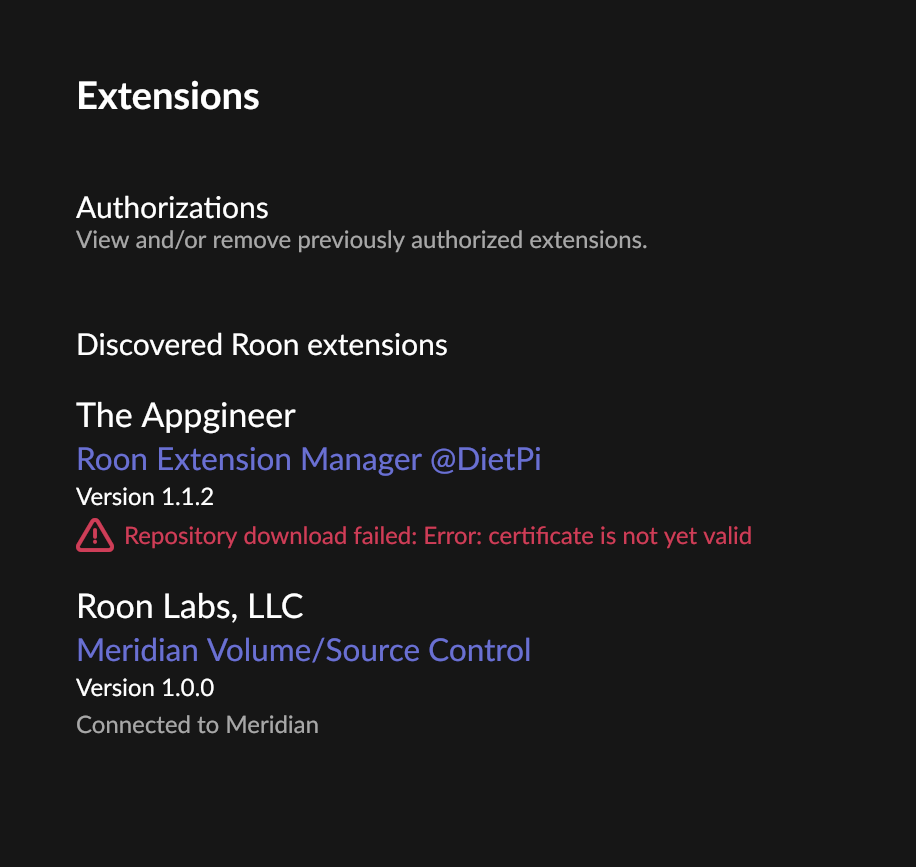
Fix time and date on the DietPi as this is what seems to be off currently. A reboot of the DietPi may do this for you, if not you may have to correct it manually.
Changing the time made no difference. I have managed (reinstalling everything including eeprom boot recovery) to get the zone back as far as Roon is concerned: it is available in Audio Settings and can be activated and played to, but no sound comes out and (most weirdly) it won’t accept a volume level - the slider moves back to 0 if I try to raise the volume.
So the audio HAT it shows up in aplay -l? Does it have controls in alsamixer?
mjw
(You want nice, supportive? Call a damn helpline.)
10
Maybe a goodood start would be confirmation of what hardware and software the zone is running. You posted a screenshot of extenstions (which @BlackJack responded to, i.e. server certfificate issue) and also mentioned Ropieee.
How do I find the answer to this?: “Does it have controls in alsamixer?”
mjw
(You want nice, supportive? Call a damn helpline.)
12
Okay, so nothing to do with DietPi.
I’ll move this back to Audio Gear Talk > RoPieee. If you can play music through the zone, go to the Ropieee web interface, grab feeback and post here with a timestamp, and @spockfish may be able to see what is happening.
Since you said that it does not accept a volume level, I was wondering whether a volume control is available on plain ALSA level. You should see one when running the alsamixer command on the console of the RPi. If there is none, might be some issue with the device tree overlay or driver for the HAT.
So, what do you mean with ‘My only RPi zone died.’?
This is also where I got confused: you showed me a screenshot from some extensions that are running on a DietPi instance, but have nothing to do with RoPieee.
So you can reach the webinterface (otherwise you can’t send feedback), the logs show basically stuff being ok, so what is the exact issue?