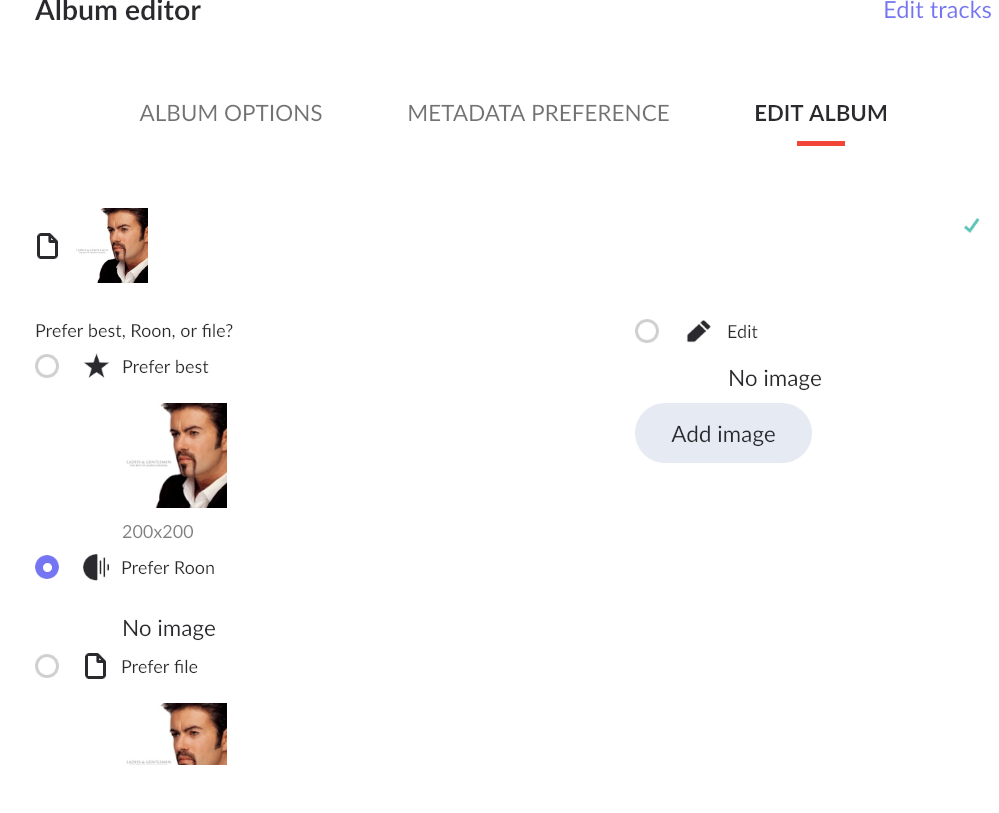
I imported 17k files and most of them are ok and many are wrong because of my own issues. However, there are about a dozen album covers that seem to get re-applied for albums with no art. Roon has “No Image” which is fine. But if I select “Prefer Roon”, I still end up with the re-used image. The only way to make it go away is to select Edit and then just don’t upload an image. No idea how it decided on the 12 or so “master covers” that get applied (maybe by Genre?). But why when it is set to Prefer Roon and I roon doesn’t have a file does it show this seemingly random one.
This guy is on hundreds of albums where Roon doesn’t have art :
More checking and the art is not part of the file (different art is). Roon has none on file, that is ok. It seems that for a folder that had Windows album art files in it - this is one. Say there was a “Remixes” folder that had a few hundred songs in it, many that had album art in the file, and a bunch of jpg files in the folder by guid as Windows does. Somehow Roon picked one of those hundreds of images and is using it for all of the songs in that folder - it seems. It is a pain to have to go into each album with a song in one of those folders (there are many more than the one example folder) and select Edit and then leave it blank before I truly get “No Image” showing. When it is selected to Prefer Roon and Roon has No Image - would be nice to not have an image!