Screen resolution problem on Samsung S25 Ultra with Roon app (ref#QOLG1Y) [Ticket In]

Hi! What’s not quite right with Roon?

· None of the above quite fits

None of the above quite fits

· App interface looks or behaves oddly

Tell us what's going on

· Hi,
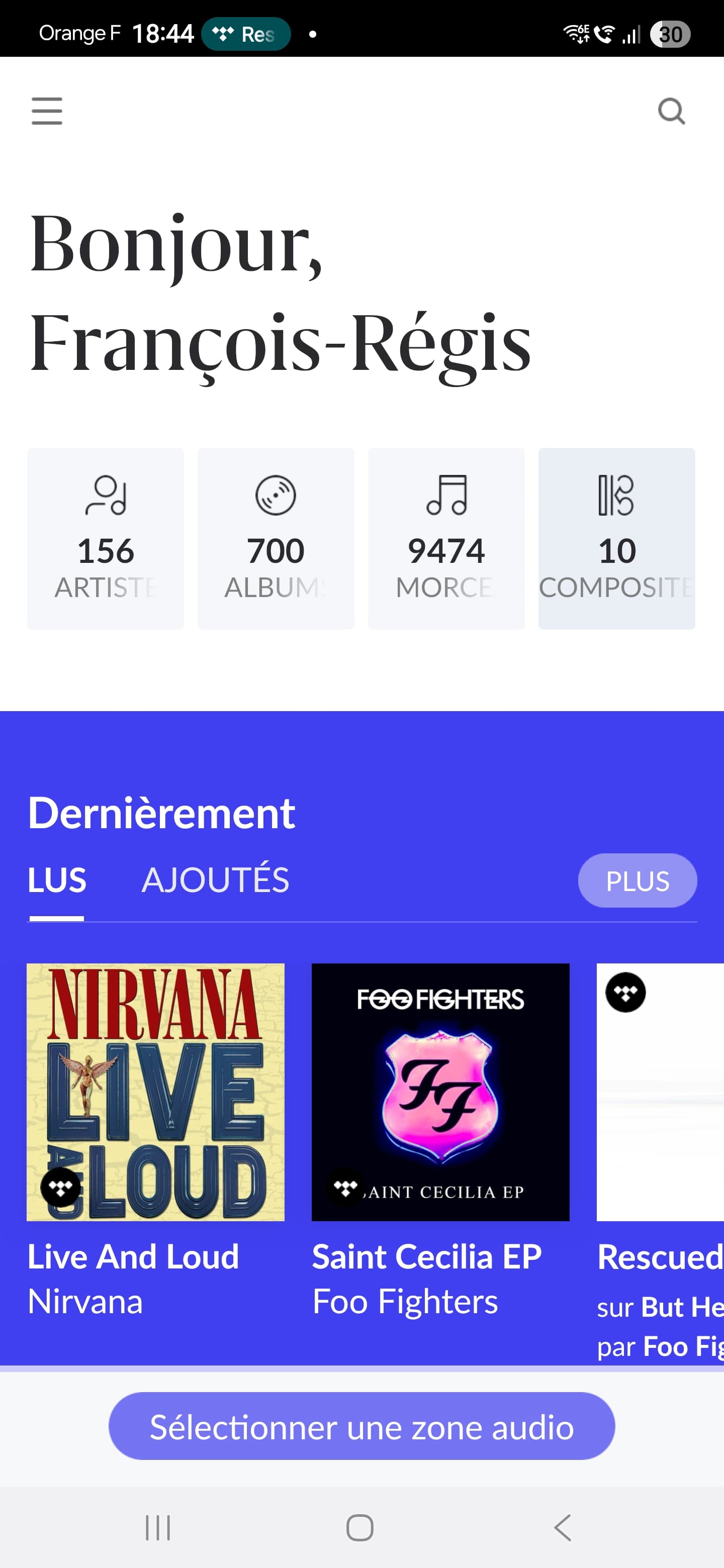
I am using android mobile application and i noticed an issue regarding application screen resolution.
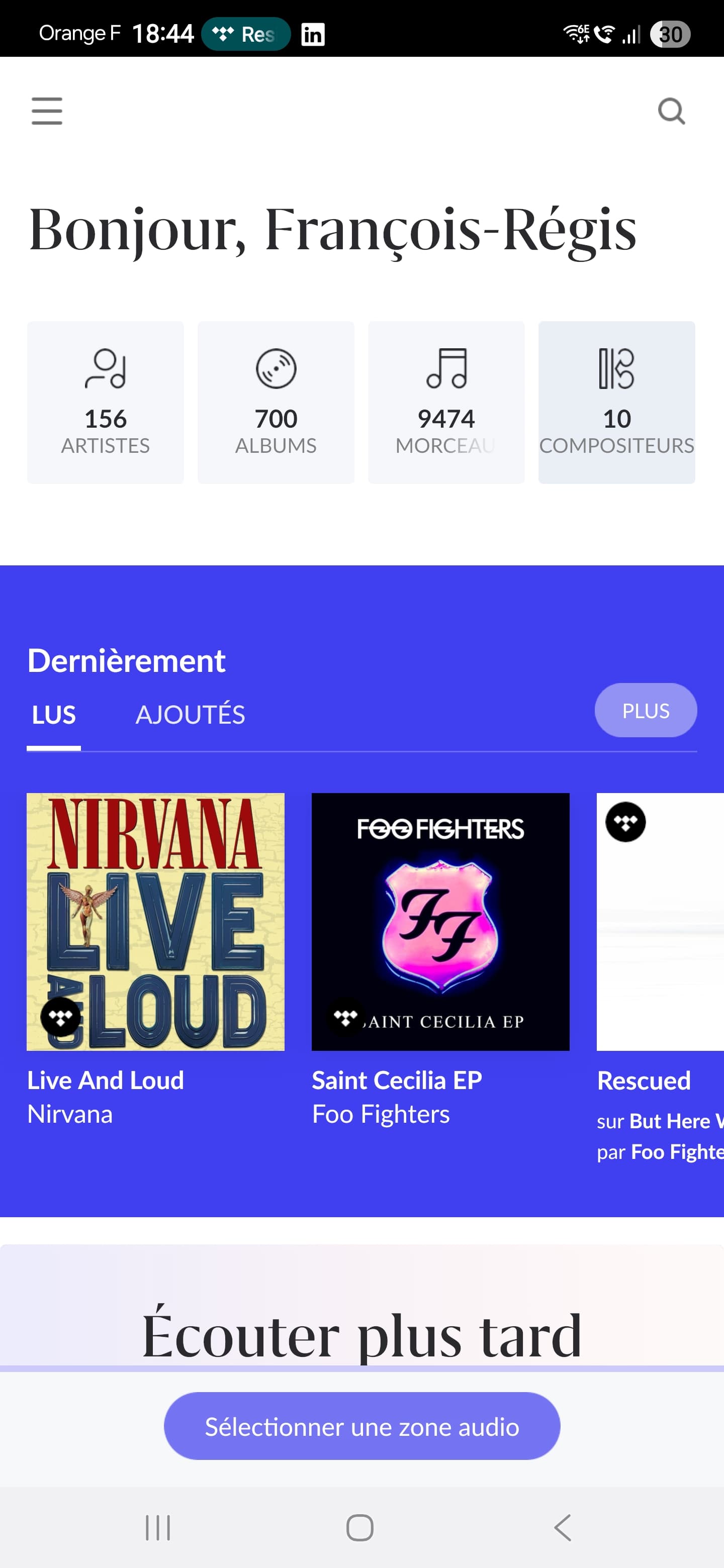
Actually, on application loading, resolution is too small compared to other applications on my smartphone. I have to switch to home screen and go back to roon application to have the correct resolution.

I've already tried to change dpi value (developer options) but it did not worked.

I am using Samsung S25 Ultra under Android 16 (One UI 8)

Thanks in advance for your help.

Tell us about your home network

· Bouygues Télécom Bbox Ultym

Hello @Francois-Regis_BONA ,

Thanks for reaching out. Can you please provide a screenshot of the differences that you are seeing? Does the issue only impact the Roon app, or is the ARC app also impacted? Have you made any changes in Android settings regarding resolution/text size compared to the default values? Let us know when you have a chance!

Hi @noris,

Please find attached screenshots of roon app screen. First is related to first load, second one have been taken after switching from home screen to roon application.

Issue only occur in roon app, not in roon arc app.


Thanks,
François-Régis

Hello @Francois-Regis_BONA ,

We’ve raised an internal bug report on this matter and it will be reviewed by Developers.

In the meanwhile, can you please open the Roon Remote app on your phone and keep it open so your phone can send diagnostics report to us ?

Thanks!

Regards.

Thanks !

I will let opened roon app.

Don’t hesitate to contact me if you need more technical information.

Hi @Francois-Regis_BONA,

We’ll need to rule out some inconsistency in the system settings here in order to proceed since our team hasn’t reproduced so far using the same phone model and Android/OneUI versions.

Roon Remote relies on the DPI and fontscale settings directly reported from Android.

The launch profile is probably providing incorrect DPI or scale settings, which resolve when you foreground the app.

At your convenience, take the following steps and let us know if it changes this condition.
  • Disable per-app display overrides
    • Settings → Display → Screen resolution / Display size
    • Ensure Roon is not set to “High resolution” or “Custom”
  • Turn off Samsung display optimizations
    • Settings → Battery → Background usage limits
    • Ensure Roon is Unrestricted
    • Disable “Adaptive battery” temporarily for testing
  • Lock system font & display scaling
    • Display size: Default
    • Font size: Default
  • Disable “Enhanced processing”
    • Settings → Battery and device care → Performance
  • Reproduce the issue once morevia cold start
    • Force-stop Roon
    • Launch directly (not via recents)
    • Observe incorrect scale
    • Background → foreground → corrected scale
Our team will gather logs again in the background.

Thank you again. We’ll watch for your reply.

This topic was automatically closed 7 days after the last reply. New replies are no longer allowed.