Hi! What’s not quite right with Roon?
· None of the above quite fits
None of the above quite fits
· None of these quite match
Tell us what's going on
· How to setup backups on SSD inside Nucleus One?
Tell us about your home network
· Technicolor XB7
· None of the above quite fits
· None of these quite match
· How to setup backups on SSD inside Nucleus One?
· Technicolor XB7
You don’t. It is not supported anyway AFAIK and highly discouraged to place backups inside a watched (music) folder. Because of how Roon OS (ROCK, Nucleus) works, the first internal drive is off-limits and the second one, if there is, is reserved for music in its entirety.
Please use an external USB drive or a network share for backups. Dropbox may also work with caveats when it comes to restoring backups. See also:
Hi BlackJack,
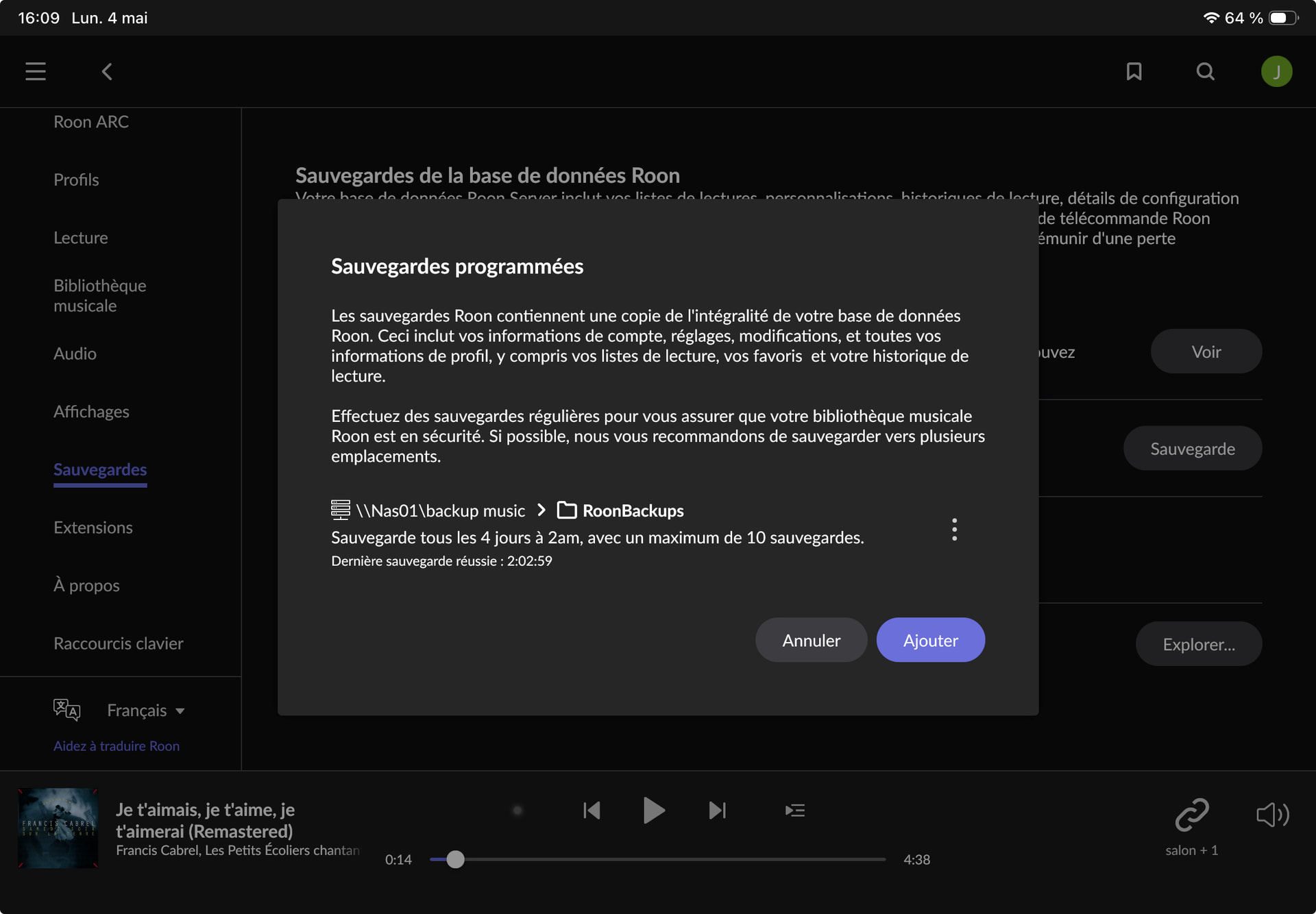
OK I get it. So, since my NucleusOne crashed in March and April, I have been resetting everything including a Backup. It was not programmed by me the previous time. Now my unique backup is programmed on my NAS. The Roon App say the Backups are done as programmed every 4 days (bottom black picture), but on my PC when I look at the NAS, I can’t see my Backups. Weird, no? Worrying I would say.
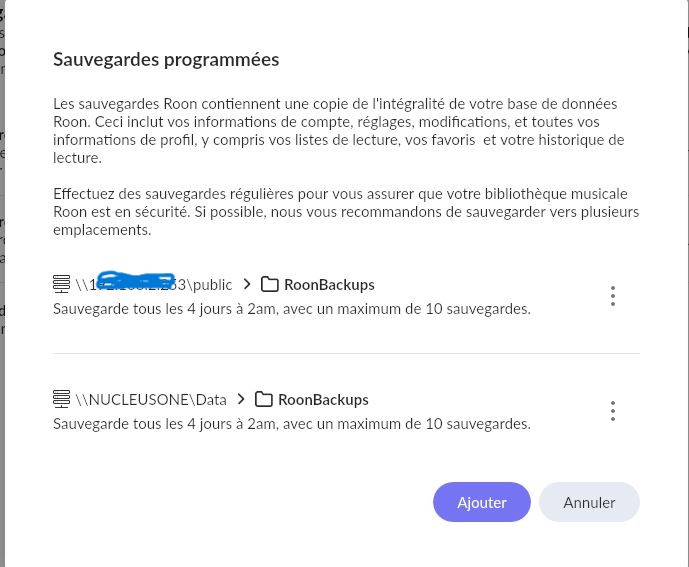
Following the Roon recommendations, I want to program a second Backup as it was before the crash. You will see them on my screenshot of June 2025 (white top picture). The first backup on the picture was programmed on the NAS (IP address hidden). I used it to reset my Nucleus One. The second on the picture is somewhere but I can’t find where? I thought it was on my NucleusOne, on my SSD and that’s where my question came from. So judging by the first screenshot, do you understand where this second backup (NucleusOne\Data) was and how I can program it again?
Jacinthe
It was on your first drive, reserved for the OS and Roon, or even RAM. Please don’t save a backup there, this is either RAM or the same drive that also holds the database the backup is from. It is usually also the first drive to fail in a Nucleus (and usually only a matter of when not if). I hope Roon Labs also blocked the possibility to setup a backup there. Additionally the content of the whole drive might be wiped / replaced on OS updates, they don’t happen very frequently but they do happen.
I’ll do. But you didn’t answer one question: how come the Roon app says that my backups are done every 4 days as programmed and I don’t see them on my PC in the location where they are supposed to be?
I don’t know what you see on your NAS. Is the folder empty or does its content simply not match your expectation. Can you successfully configure a brand new backup schedule pointing at your NAS as backup location?
Yes. I will. Thank you for your help.
Jacnthe
@BlackJack is correct here, please do not save backups on the internal drive moving forward. If you can share some screenshots of the NAS Roon backups folder, we can help clarify whether the structure looks as expected or if there’s anything amiss.
I got everything set up today. One backup on my NAS that works well. I verified it.
I could not find any second backup location to program on my network. Once every 3 or 4 months I usually take a hard copy of my PC out of the house. I would have to manually make a copy of the Roonbackup located on my NAS and store it on that hard disk that will be taken outside my house. That should do it.
Unless you can suggest another option where to program that second backup on my PC?
Please see this article on setting up a Watched Folder on a PC - it’s essentially the same process that you would follow for setting up a Backup Folder on your PC…
Hello @Jacinthe_Larivee,
I also wanted to add one important detail: Roon fully supports creating scheduled backups in multiple different locations simultaneously.
If you go to Settings > Backups under the “Scheduled Backups” section (where you already see your current NAS backup), you can simply click the Add button to create a completely new, separate backup schedule.
This means you can set up the system so that your primary backup is automatically saved to your NAS every few days, while another, completely independent backup is saved in parallel to the shared folder on your PC (the one we discussed earlier). Roon will seamlessly manage both processes independently of each other!
Let us know if you have any questions about setting up this second location.
Got it. First, I’ll have to create a shared forder on my PC following the instructions that Geoff sent me. Thank you.
Hello @Jacinthe_Larivee,
That sounds like a good next step. Once you have the shared folder created on your PC, you should be ready to follow Geoff’s instructions for the backup location.
Please let us know how it goes, or if any questions come up along the way. Thanks!
Actually, everything fell into place the minute that I added a password to my computer (which didn’t have one previously). THAT was causing the access problem to the setup of a backup on my computer. Now I have my 2 backups: one on my computer, one on my NAS. Everything is fine. Thank you.
Hello @Jacinthe_Larivee,
That is a fantastic catch! You hit the nail right on the head. By default, Windows has a built-in security policy that strictly blocks network sharing (SMB connections) for user accounts that do not have a password. Adding that password was exactly what the system needed to grant your Nucleus access to the folder.
I am thrilled to hear you now have a robust, two-location backup system safely in place. Since everything is working perfectly, I will go ahead and close this thread. Please do not hesitate to open a new topic if you ever need assistance in the future.
Enjoy the music!