What best describes your playback issue?
· Music doesn't start when I press "Play"
What type of Zone is affected by this problem?
· *Directly-connected Zones* are affected.
Does the issue affect all file formats?
· The issue affects *multiple/all* file formats.
Does the issue happen with local library music, streaming service music, or both?
· *Both streaming and local* *library* music are affected.
Do you encounter any playback errors with the "System Output" Zone?
· The System Output has *no problem*, it's only my other Zone.
How is the affected Zone connected to your RoonServer machine?
· Cable (USB, HDMI, SPDIF, etc.)
Is your device connected directly to the Roon Server via cable or over the network, or is it chained through another device (such as a streamer, Roon Bridge, or Roon Remote)?
· Connected directly to my RoonServer machine
Does the device show up at all in Roon Settings -> Audio?
· Yes, it shows up there, but it isn't Enabled
Does the "Enable" button unlock the Zone?
· I pressed Enable, but the Zone remains disabled
Does the device play audio from another source when using the same connection?
· The device has no problems with another audio source
Have you checked that Roon is whitelisted in any firewalls?
· I've checked the firewall and the issue remains
If the device has multiple output options, do the other options work as expected?
· Only one output type is affected while the other output type works as expected
Is the device using the latest firmware as per the manufacturer?
· Firmware is up-to-date but the issue remains
What are the make and model of the affected audio device(s) and the connection type?
· Sonicorbiter i7 32meg
Describe the issue
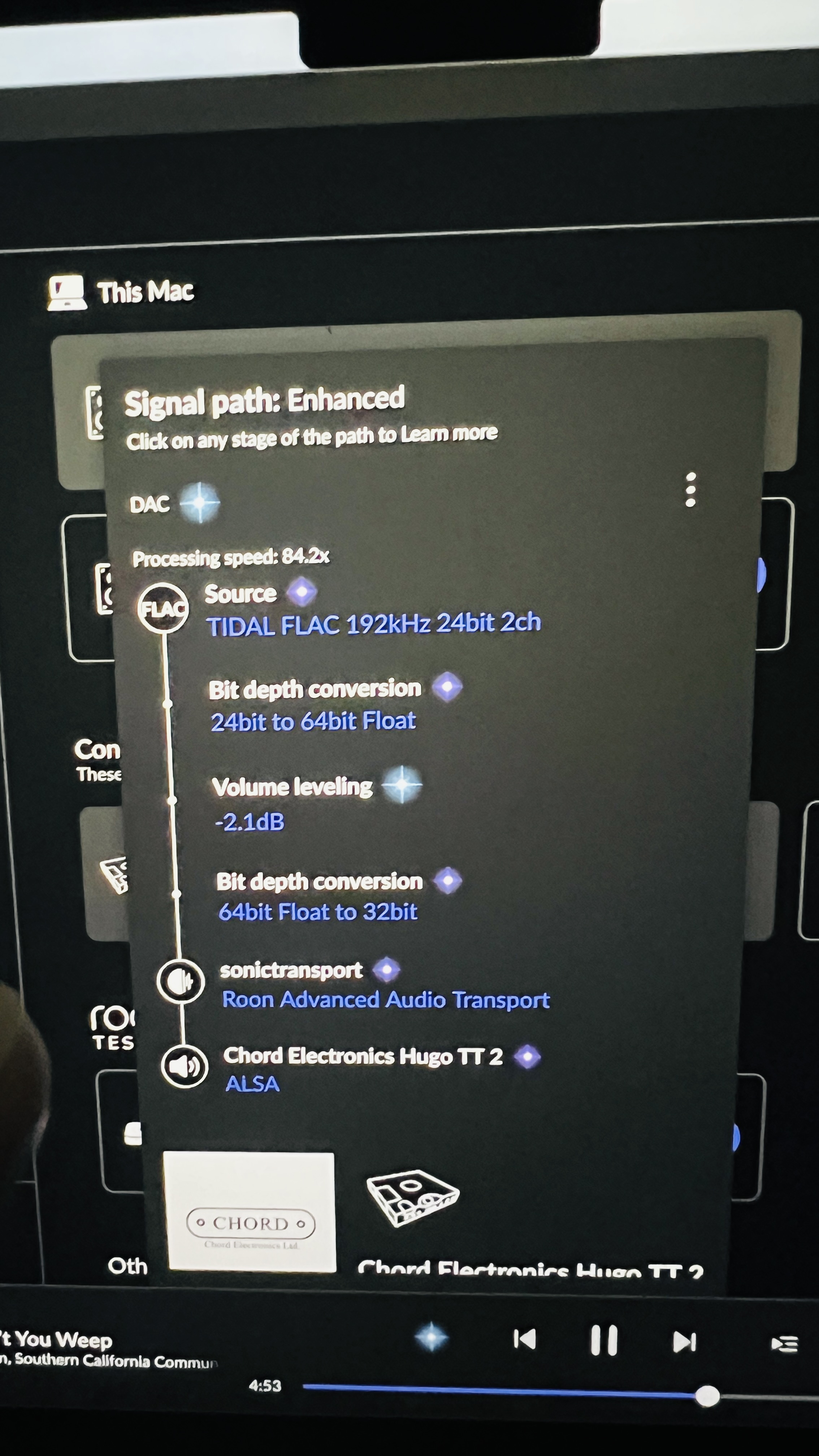
My system was Sonicorbiter>Roon>HQPlayer>opticalRendu>Hugo TT2. It was working fine, until we had a short power cut. Everything seemed to be working, The signal path was correct, The Blue light was on, but the progress bar was static. I thought it may be the opiticalRendu, so I removed it and went from the sonicorbiter via USB to the TT2. I played with the Zones and had Roon>TT2 which worked fine. But Roon>HQPlayer>TT2, had the blue light on but no movement of the progress bar, the porthole light on the TT2 turned blue. Ive done everything I can think of to no avail
Describe your network setup
No, there was a short term power cut, perhaps two or three minutes