· Roon on kef ls60w has static type clicks randomly through all tracks that I play
All other streaming on these speakers is fine. Amazon music and radio.
Roon on any of my other speakers in the house plays with no issues.
I have also connected a wiim pro into the kefs via coax and played roon through that and there are no little clicks or pops in that setup.
It seems to be only via Roon directly on the Kef Ls60w.
I have kef lsx II LT and these work with no issues.
Running Roon Rock in Intel Nuc 8 i7 with 32gb ram. Server version 2.71 (build 1683)
Tell us about your home network
· Home network runs off asus xt8 mesh but a lot of wired networked devices including the kef speakers. 5 unmanaged switches on the network around the house. Have done an iperf3 test between the server and the speakers and there is a good speed of over 300mbps
Do you have any DSP applied in MUSE for this KEF Zone in Roon? What about any DSP in the KEF Connect app?
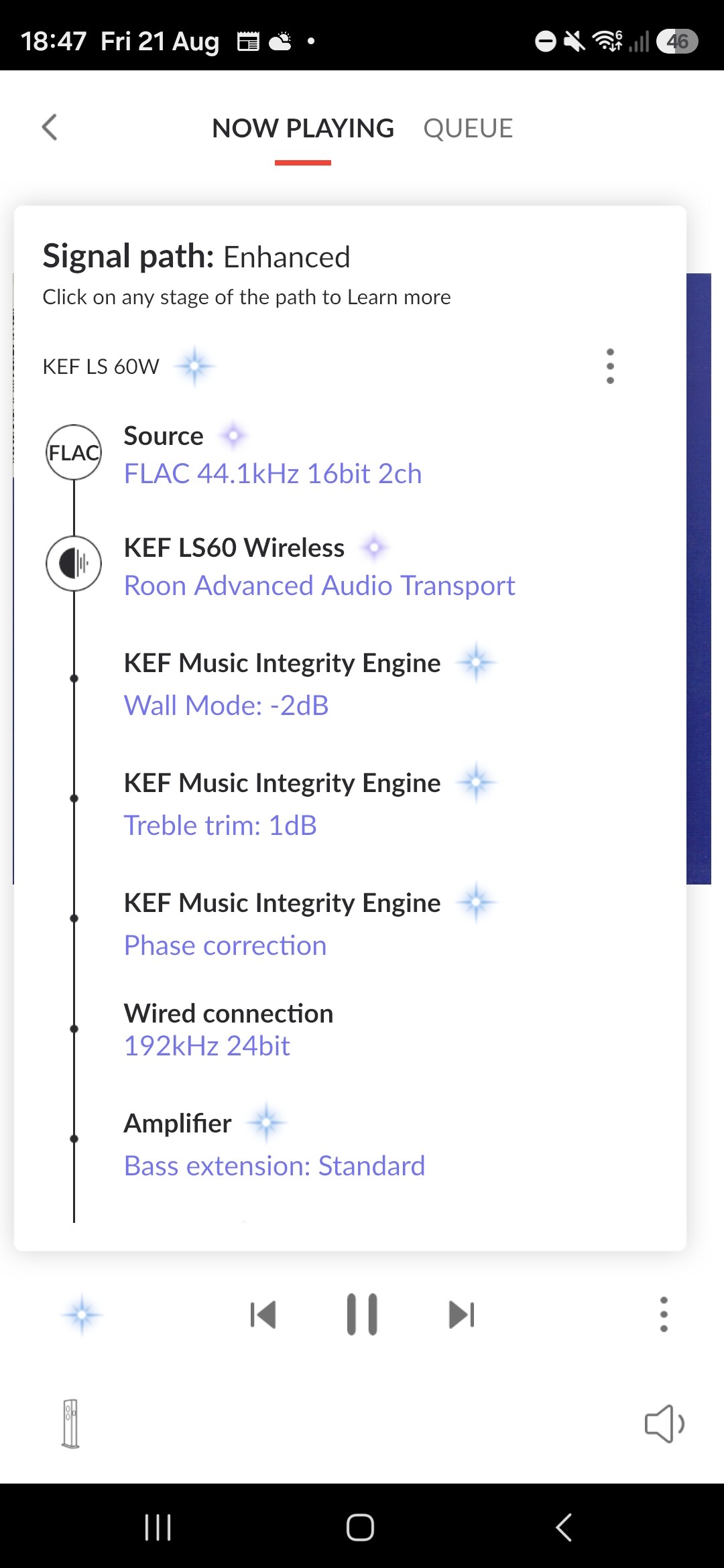
Please share a screenshot of the Signal Path in Roon for the configuration that is causing these audible artifacts.
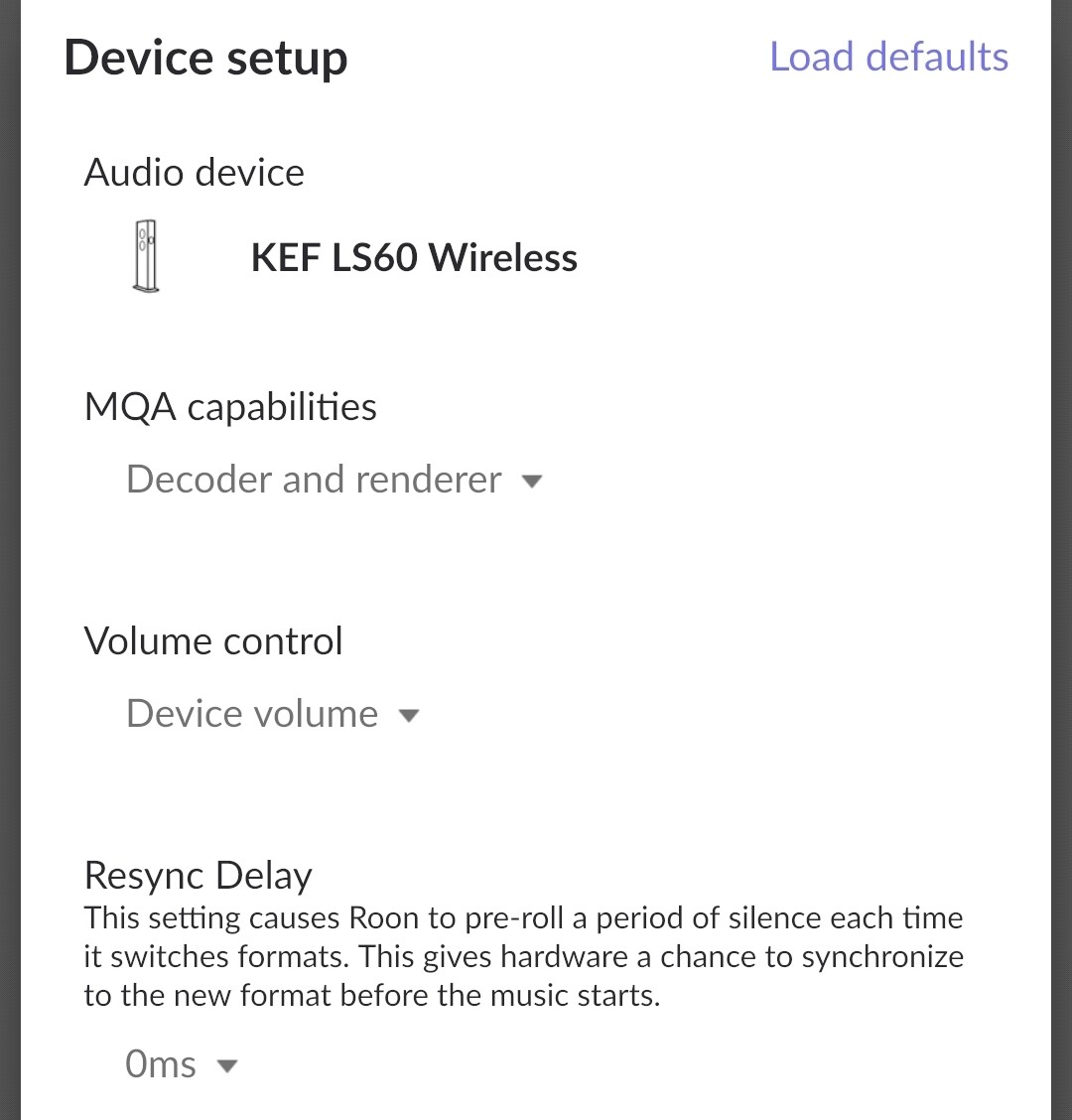
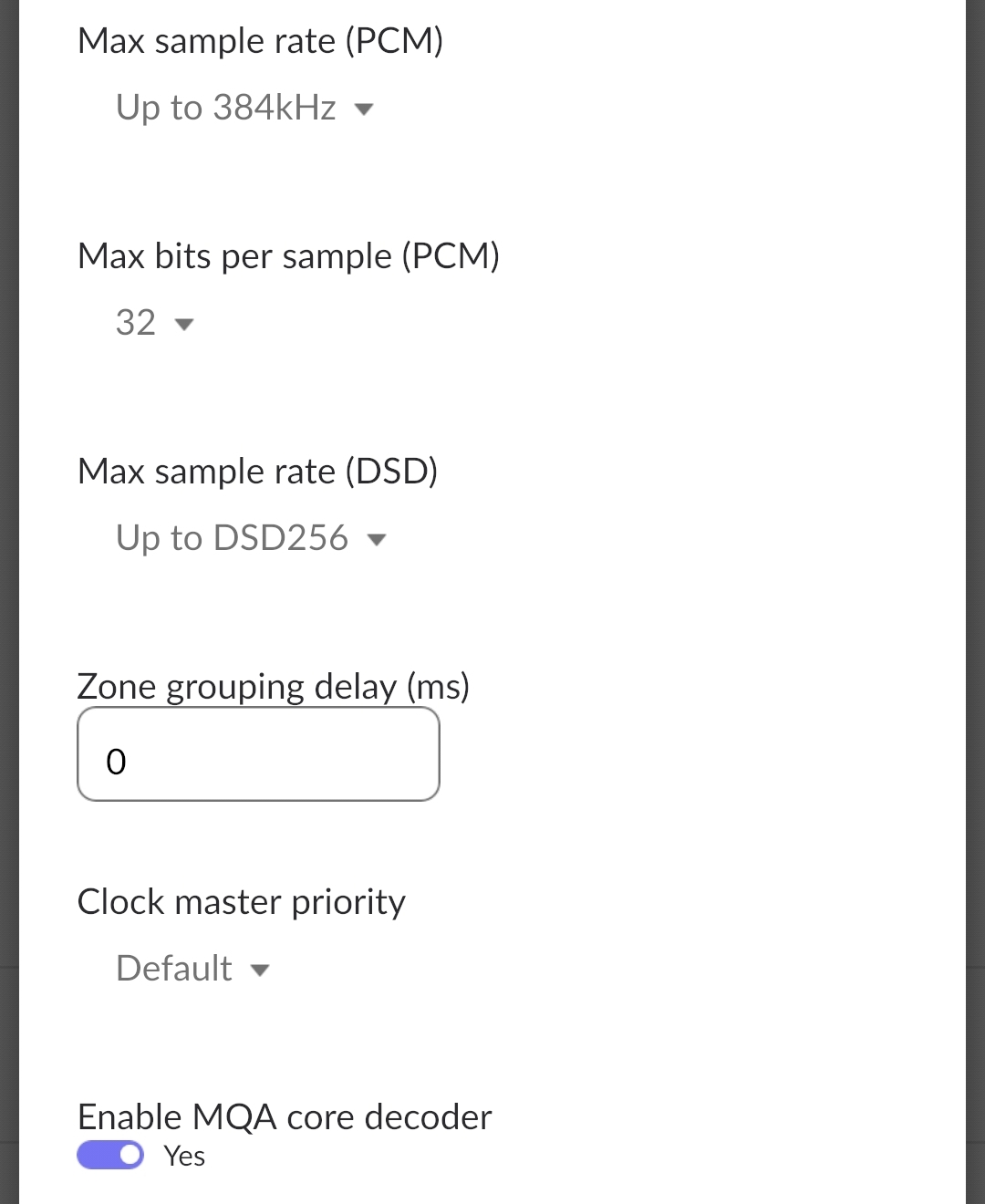
Please also share a screenshot of the Device Setup page itself for the KEF Zone in Settings → Audio (gear icon ).
Do these clicks occur only when you’re transitioning between tracks at different formats? Try forcing a max sample rate in Roon using MUSE or Device Setup to see if that has any effect.
We’ll gather diagnostic logging in the meantime and take a closer look.
Thanks for the follow-up and additional information! Based on a recent Roon Server diagnostic report, it looks like your LS60Ws are currently running the 3.0.131.0xbe9d0a8 firmware, and I believe what you’re experincing is actually a known KEF issue on this specific firmware version.
Can you see if youre able to update the audio devices to firmware version 3.0.132 and see if that helps? I believe you’ll need to open a ticket on KEF’s website (not via the KEF Connect app) and supply the MAC address of the network adapter actually in use.
You are not alone in this issue, check out this thread for others also experiencing it:
Let me know if you’re able to get your KEF devices updated, and if that helps with the issue.
That’s amazing. Thanks for the info, I raised a ticket with kef last night and when I woke up this morning I had a reply back asking me to check the kef connect app as I should be able to download the unreleased firmware. It’s resolved the issue.
 ).
).