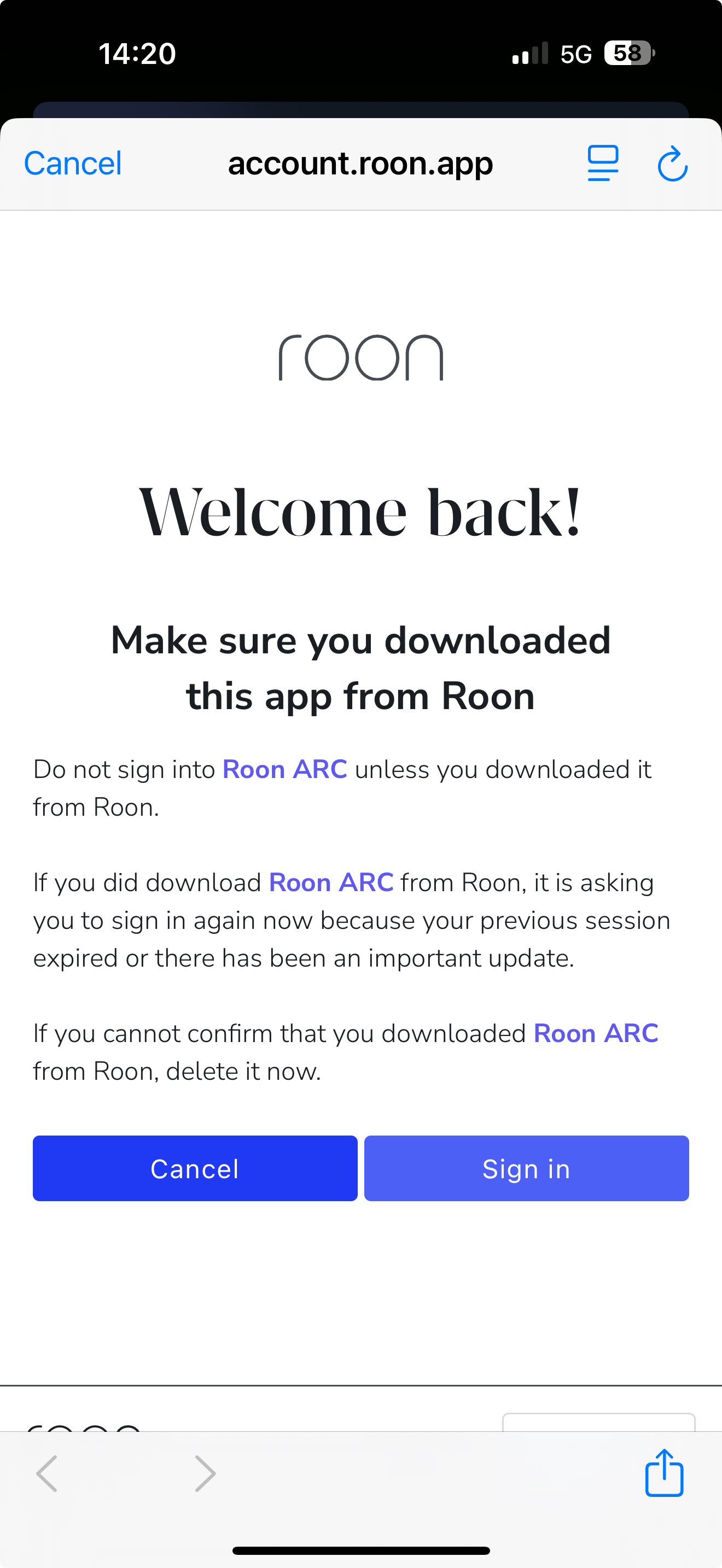
I am stuck on the "make sure you downloaded this app from roon" page on iPhone when trying to log in to Roon Arc. this follows multiple instances of Captcha errors. I have tried wifi and 5g, different browsers, turning off all blockers etc.
Describe your network setup
2.5gb fibre connection. modem to Orbi mesh router. Doesn't work over 5g though either
Hi @Barry_Andrews,
Thanks for reaching out to us about this issue, and I’m sorry you’re having trouble signing into ARC.
Can you please try changing the DNS server that your phone is using? We’ve seen users have better results when switching to public DNS providers like Cloudflare DNS, Quad9, or Google DNS. This article shows how to make that change on iOS devices.
If switching DNS servers doesn’t improve things, please uninstall and reinstall the ARC app and let me know if that helps.
Thanks, but followed the steps, and reinstalled but still the same screen with spinning circles on both cancel and sign in buttons. The app was working last week
Thanks for the additional information! As an additional troubleshooting step, have you tested out using different web browsers on your mobile device as well?
How is your Roon Server connected to your router? Can you setup a direct ethernet connection to your primary router while continue to troubleshoot? See if that helps in the meantime.
If you haven’t yet, I’d also reboot both your Mac and your router and see if that helps. Thank you!
We wanted to check in since a few days have passed - our diagnostic servers don’t show a successful login from the affected devices in the interim. Are you still encountering issues with Google security validation failure?
A few more suggestions I recommend you try in the meantime:
Login via the Accounts page directly in a browser on this phone and/or tablet. The session authorization may carry over to Roon.
Go to Settings > Safari and turn off Prevent Cross-Site Tracking
Try toggling off Private Relay before signing in via Rono
Please reach out if these suggestions don’t bear fruit. We’ll watch for your response.