What is the operating system of your Roon Server host machine?
· Prebuilt Branded Roon Server (SonicTransporter, Innous, Merging...)
What kind of device are you using to perform the login?
· Windows
Where are you trying to login?
· I can't log into TIDAL, KKBox or nugs
Have you been redirected to the Tidal/KKBOX/nugs login page in your browser?
· Yes
Please try clearing the browser cache and cookies for the [l](https://account.roon.app/)ogin page where you have been redirected
· No, the issue remains the same
Content / Popup Blockers
· No, the issue remains the same
Temporarily try to use a different browser
· No, the issue remains the same
Please try to restart your Roon Server by closing the Roon Server app in the taskbar (MacOS), task manager (Windows) or rebooting your Roon Server machine.
· No, the issue remains the same
Different device
· I am able to switch to the diffrent device
Are you still facing the issue on the different device
· No, the issue remains the same
Record the timestamp
· My time zone is UTC-07:00) Mountain Time (US & Canada). I just tested it and the message was displayed at 11:45am.
Describe the issue
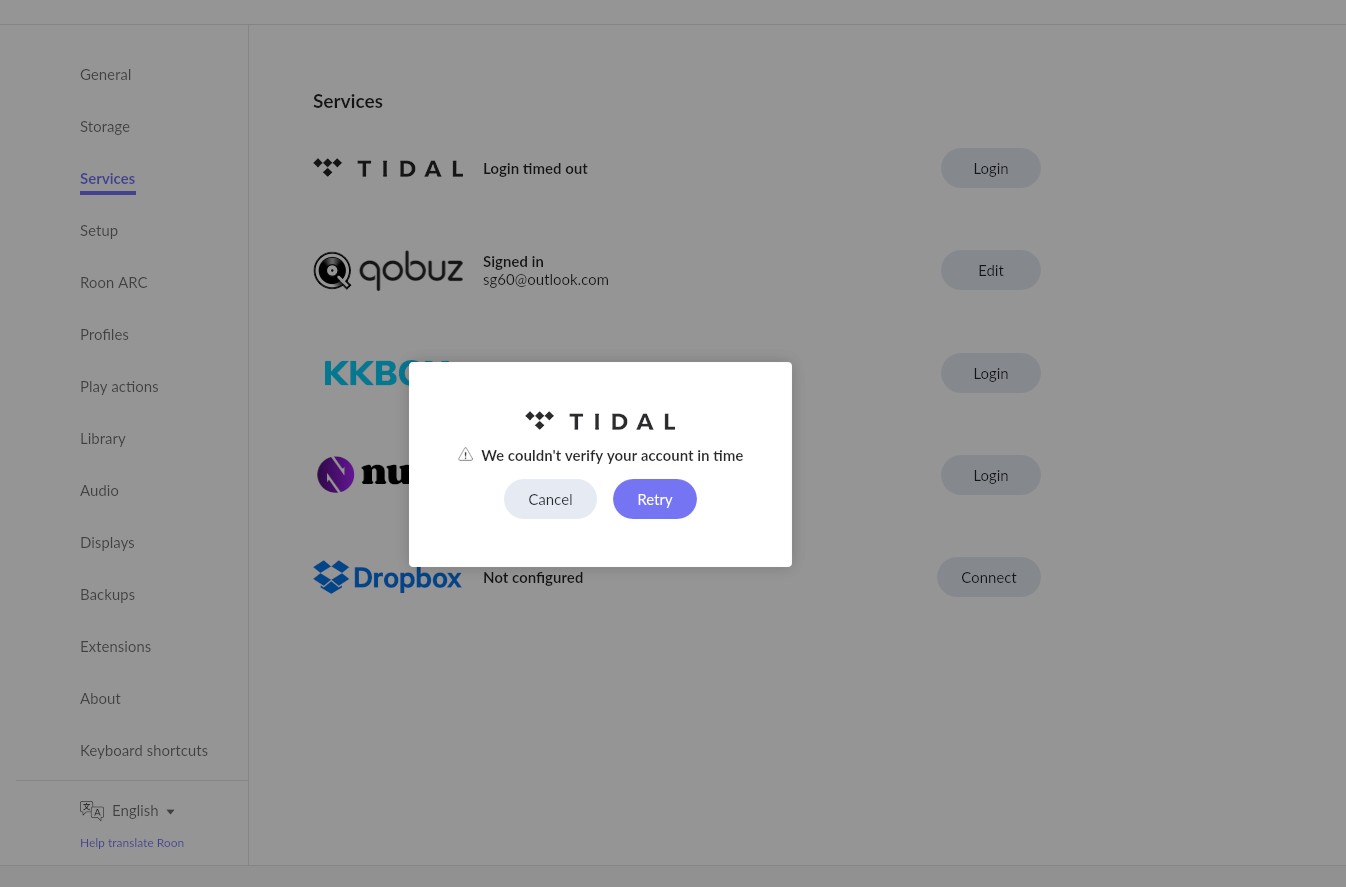
I am unable to connect to TIDAL from within Roon. When I attempt to, I am redirected to the external TIDAL site where I am successfully logging into the TIDAL service, but when I am then redirected back to Roon, the attempt to connect to to TIDAL times out and I am presented with a message that says "We couldn't verify your account in time."
Describe your network setup
My ISP is TELUS. I have a TP-Link AX6000 8-Stream Wi-fi 6 Router (Archer AX6000) and a D-Link DGS-1210 switch.
For the last several days, I have been unable to connect to TIDAL from within Roon. I can login to TIDAL outside of Roon, so the problem does not appear to be with TIDAL itself. I did post to the community earlier today but it doesn't seem like this is a widespread issue as I got no responses and can't find any other references to this issue.
Tell us about your home network
· I have a TP-Link AX6000 8-Stream Wi-fi 6 Router (Archer AX6000)
Thanks for writing in and for sharing your report! Given your setup with the Archer AX6000 and a managed D-Link switch, there are a few networking hurdles that are likely causing this delay. Let’s walk through the most effective fixes.
Standard ISP DNS can sometimes be slow to resolve the specific authentication tokens Roon needs. Switching your router to a faster, public DNS often solves this instantly.
Log into your TP-Link Archer AX6000 web interface.
Go to Advanced > Network > Internet.
Find DNS Address and change it from "Get Dynamically from ISP" to Use the Following DNS Addresses:
Primary DNS:1.1.1.1 (Cloudflare)
Secondary DNS:8.8.8.8 (Google)
Save the settings and restart your Roon Server.
The Archer AX6000 comes with built-in Trend Micro security features (HomeCare). While great for safety, it is notorious for flagging the redirect from a web browser back to the Roon app as "suspicious" or high-latency.
In your TP-Link settings (or via the Tether app), go to the HomeCare or Security tab.
Temporarily disable the Antivirus/Malicious Content Filter.
Try logging into TIDAL again. If it works, you can re-enable it and try to whitelist the Roon/TIDAL URLs, or leave it off for the Core's IP address.
If the above doesn’t help, clearing any stale Tidal cache may allow the login process to complete:
Move the contents of the /Cache folder elsewhere, like your desktop
Try restarting Roon and verify if the issue still occurs
And lastly, because the DGS-1210 is a “Smart Managed” switch, it has features that can interfere with the way Roon “advertises” itself on the network.
Green Ethernet / IEEE 802.3az: Ensure this is Disabled for the ports connected to your Roon Core and your router. This feature puts ports into a "sleep" state that causes the exact timeout latency you're seeing.
Flow Control: Ensure this is Disabled.
We’ll be on standby for your reply and results, thank you!
Yes, flow control was disabled years ago when I was having issues. However, I think the problem has been resolved. A simple solution really after trying so many other things. I didn’t change the DNS server but I did reboot the router and now it seems to be working. I should have tried that earlier because it has been a while since the router was last rebooted.