This issue has been driving me insane. I am not supper savvy when it comes to this stuff, but I have a fair idea.
It was happening when running on Wifi to the Streamer, NAS was hardwired to router but it was only occasionally. This was when I was using copper broadband, at around 50mb.
Now using Fibre, at 150mg and hardwired streamer, it happens permanently. Sometimes I get a few songs, sometimes none. If I reboot the NAS sometimes it gives me a few songs, but eventually the same issue returns.
No issues with Tidal natively, nor any other issues around the entire house running Tidal, gaming consoles, 4k video, streaming from the NAS etc. ONLY using Roon.
Roon is now the ‘cabinet’ version as of the recent issues with the QNAP not meeting some standard or other.
Trouble Shooting
Tried all variations of DNS addresses as suggested in other threads
Changed cabling
Checked NAS and dosent seem to be any network usage from background apps
Stopped HybridDesktop on NAS
I can no longer check to see if stored music will play from my HDD’s as since moving to the cabinet version it no longer see’s my folders and no matter how much I try I cannot get to accept the input location of the NAS
Renamed the ratt folder to ‘old’ as suggested in other threads (didn’t seem to do anything as Roon didn’t lose any of its settings) and yes it was the folder in the ‘cabinet’ version not the original app one.
Logged in and out of Tidal/Roon/NAS/Asus, rebooted everything multiple times
Changed ethernet cable port on NAS from the 10gb one to the 1gb
None of this has made any difference, the NAS resources are less than 50% utilised, mostly 10-20%
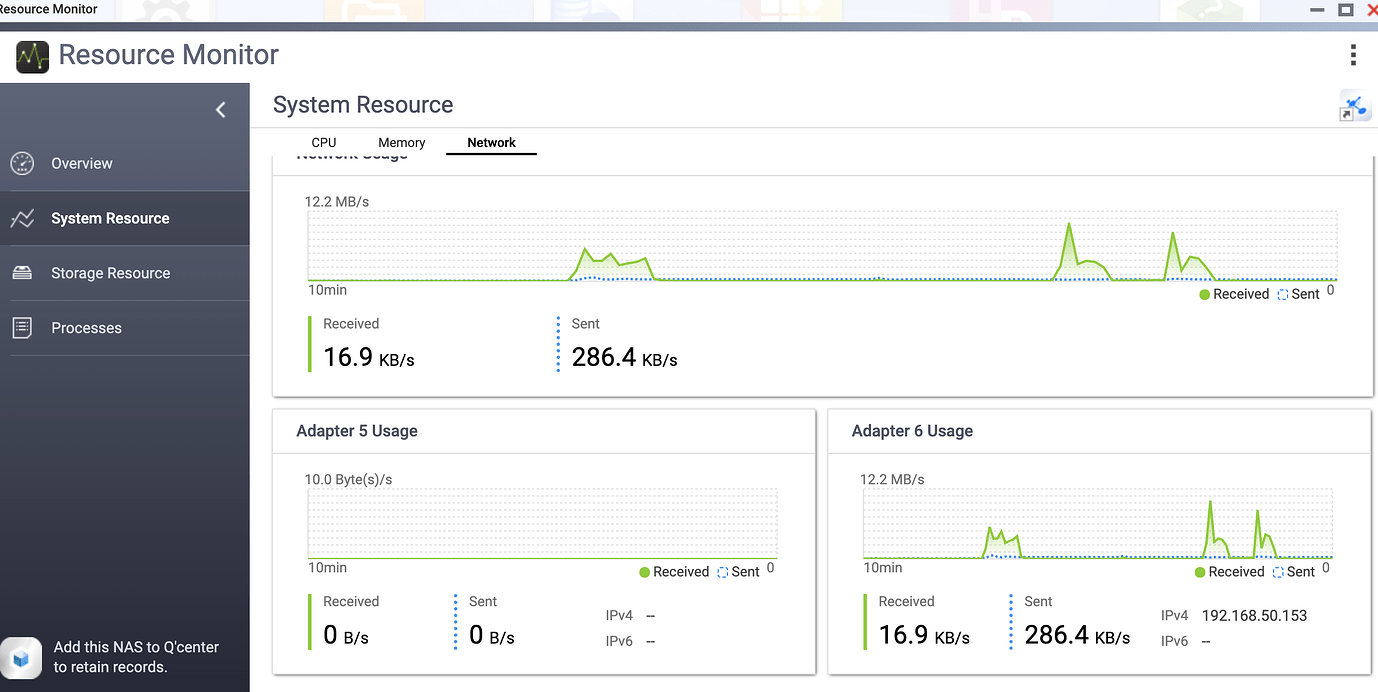
The resource monitor shows these huge data surges when the ‘tidal loading slowly’ appears and it skips the track, its relatively flat when the song is playing..
I think the next step here is to enable some diagnostics on your account so our technical staff can get some more insight into what’s going on here.
However, before I enable this feature, I’d like to ask for your help ensuring we gather the right information.
First, can you please reproduce the issue once more and note the time at which the error occurs. Then respond here with that time, and I’ll make sure we review the diagnostics related to that timestamp.
Following up on our last exchange, just wanted to touch base and see if you’ve had any progress. Please keep us posted with any updates, and if there’s anything we asked you to try that you haven’t had a chance to check yet, let us know. Thanks.