What kind of performance/speed issue are you experiencing?
· Other
Please try to reboot your Roon Server
· No, the issue is still the same even immediately after a reboot
Please try to reboot your networking gear (Router/Switches/etc.)
· No, the issue is still the same even after a reboot
Is there any change in behavior if you try to navigate to Roon Settings -> Library and set both Background and On-Demand Audio Analysis to Throttled or Off?
· No, the issue is still the same
Does the issue happen on multiple Roon Remotes (controllers) or just one?
· Issue happens on multiple remotes
Router Domain Name System (DNS) change
· I don't know how to do this
What is the operating system of your Roon Server host machine?
· MacOS
Timestamp of issue occurrences
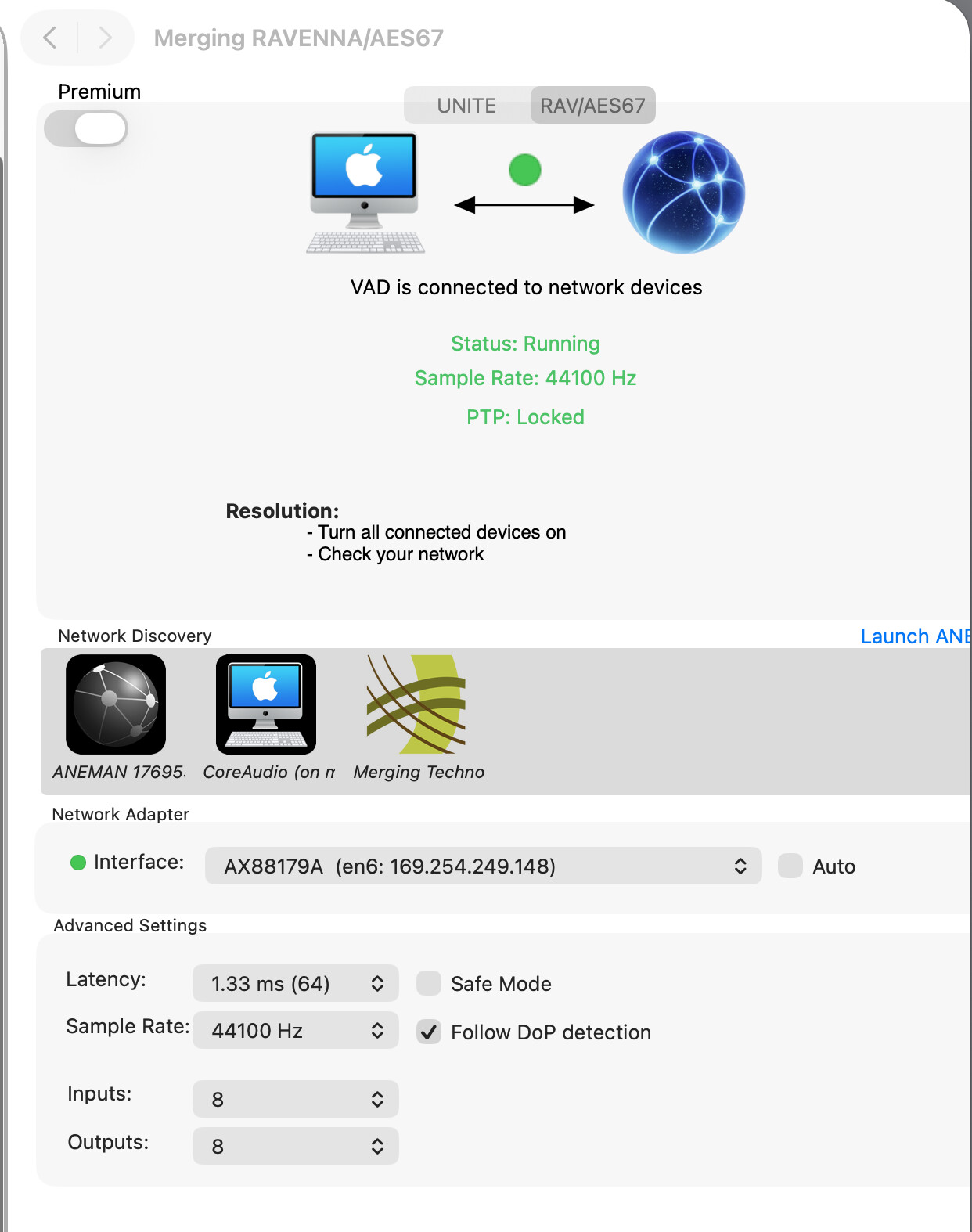
· According to my previous thread, almost fixed by the support team (ROON loses control of device with ‘Initialization failed’ message (ref#1P5KAR) [Ticket in] ) Merging support helped me to fix some issues, essentially because there were Sample Rates conflicts between NADAC (+ PLAYER) and ROON. Actually I still have some issues when some tracks are starting. NADAC tries to find the right Sample Rate coming from ROON. Stuttering starts each time I am choosing a track having a different Sample Rate than the previous one. I mean I change the album I want to listen to : the Sample Rate is different, the Nadac stutters at the start of the first track of this new album. Is there a setting I have to do in the Roon settings to avoid this issue. Thanks.
Describe the issue
The track stutters
Describe your network setup
Mac mini directly to Nadac+Player (Ethernet) / Nadac to Preamp
Can you please let us know the exact local time + date + track when you next observe this issue? We’ll enable diagnostics to check if there are clues in logs, though it’s possible there won’t be.
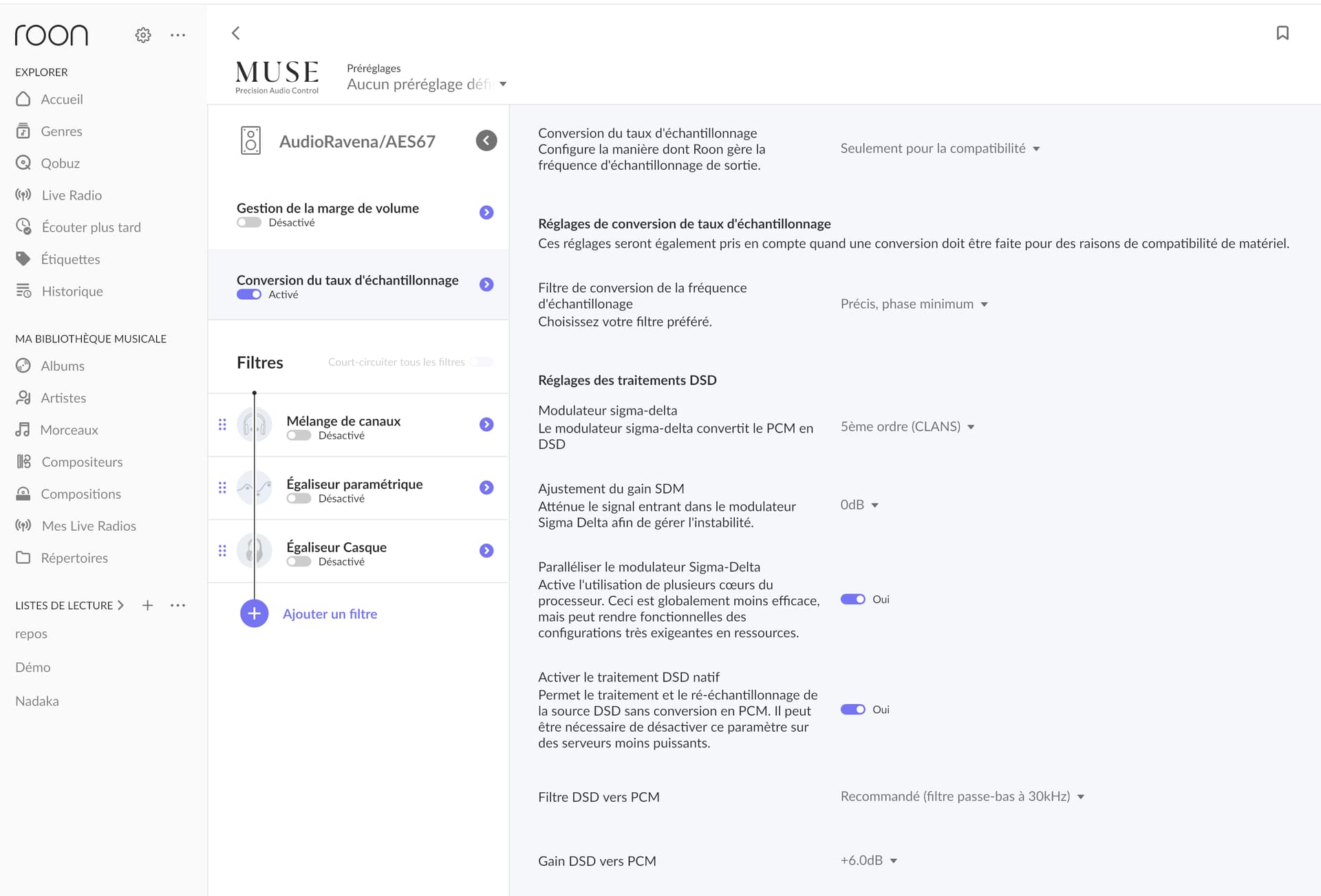
Yes, if you go to Roon’s MUSE (DSP system), you can set Roon to resample all content to one rate, this should help while we look into the issue.
Thanks for the reply! You can access your own Roon logs by following the steps below:
From our analysis, we see the following errors leading to playback stopping:
Trace: [Merging RAVENNA/AES67] [raatclient] GOT [7] {"samples":427990,"status":"Dropout"}
Warn: [AudioRavena/AES67] [zoneplayer/raat] Too many dropouts (>3s dropped out in the last 30s). Killing stream
Trace: [AudioRavena/AES67] [zoneplayer/raat] too many dropouts. stopping stream
Debug: [prebuffer] sleeping in read -- this isn't good
Warn: [zone AudioRavena/AES67] Track Stopped Due to Slow Media
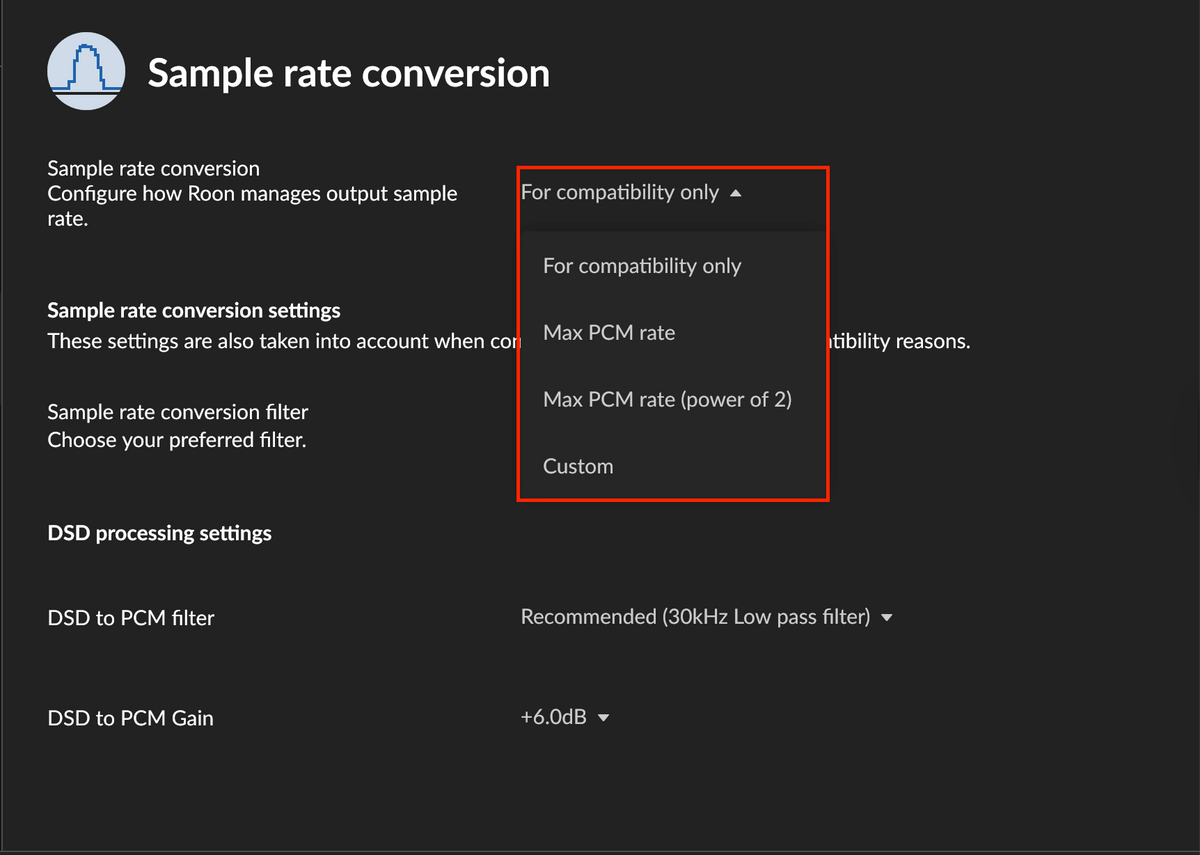
For updating the sample rate - you’ll likely want to select the ‘Custom’ option to make manual adjustments, here’s a screenshot of where this lives:
Well, I have sent the logs (hope you will find them) (Name KDM…).
Thanks for the screen capture but it doesn’t explain what is the right setting I have to do (resample ?)
Or are my settings already right ? (The same than in the red square ?)
You need to click into ‘Custom’ and set up the specific sample rate conversions that align with what your NADAC device can accept.
With that, what protocol are you using to stream audio to the NADAC (+ PLAYER)? I’m having a difficult time seeing any information around the player from your account admin.
You’ll want to:
Confirm what sample rates are accepted for the NADAC and also see what protocols these sample rates can be played over (network, USB, airplay/chromecast etc.)
From there, head into the sample rate ‘custom’ option and make the appropriate edits.
Hello Benjamin. I have asked Merging support to confirm the maximum sampling rate for the NADAC. I believe it is 192kHz, but I am waiting for their response.
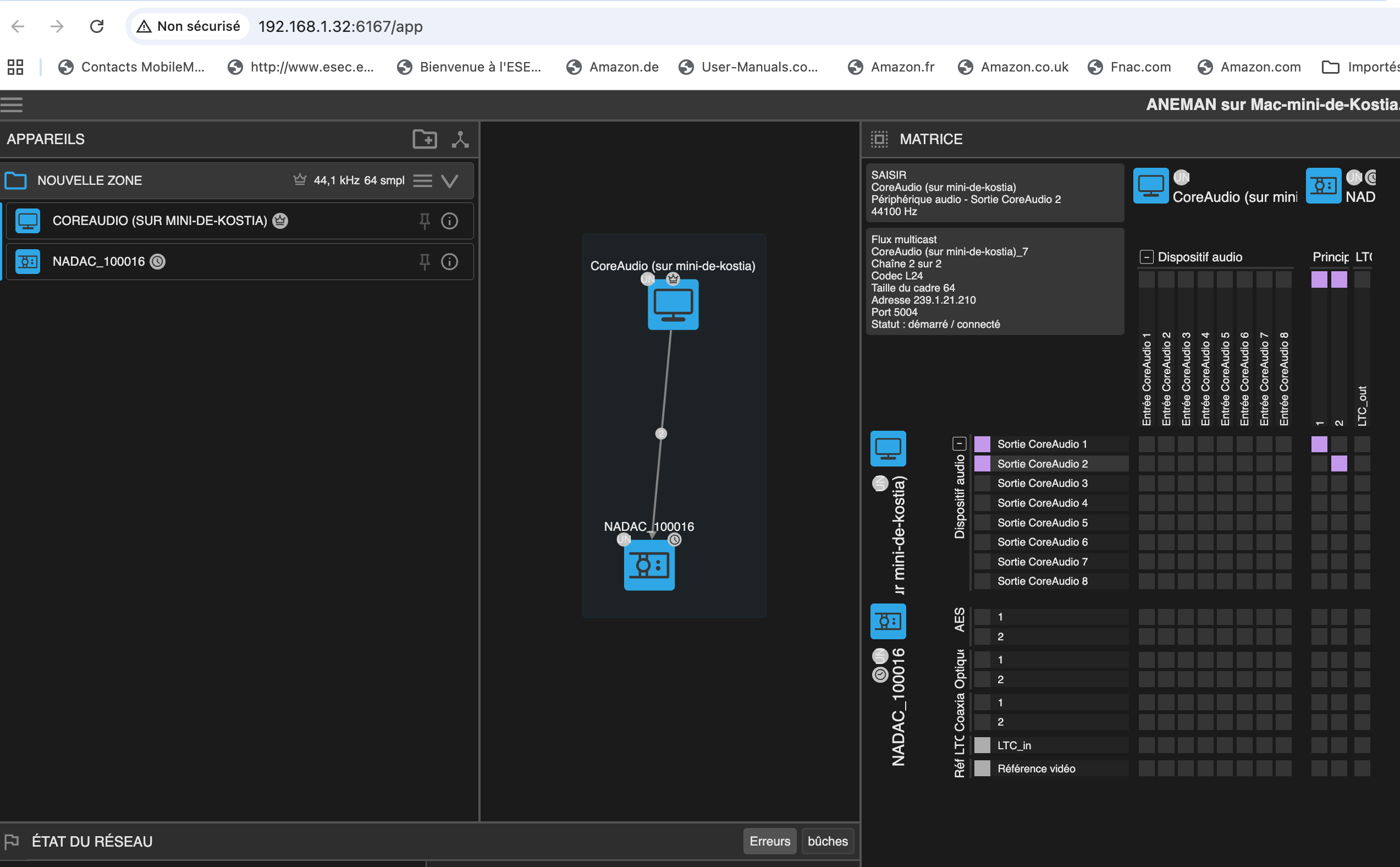
My protocol is: Mac Mini (Core Audio) to NADAC via the RAVENNA AES 67 application (direct Ethernet connection from the Mac Mini to the NADAC).
Have I answered your question? Feel free to ask me more (if I understand the question ).
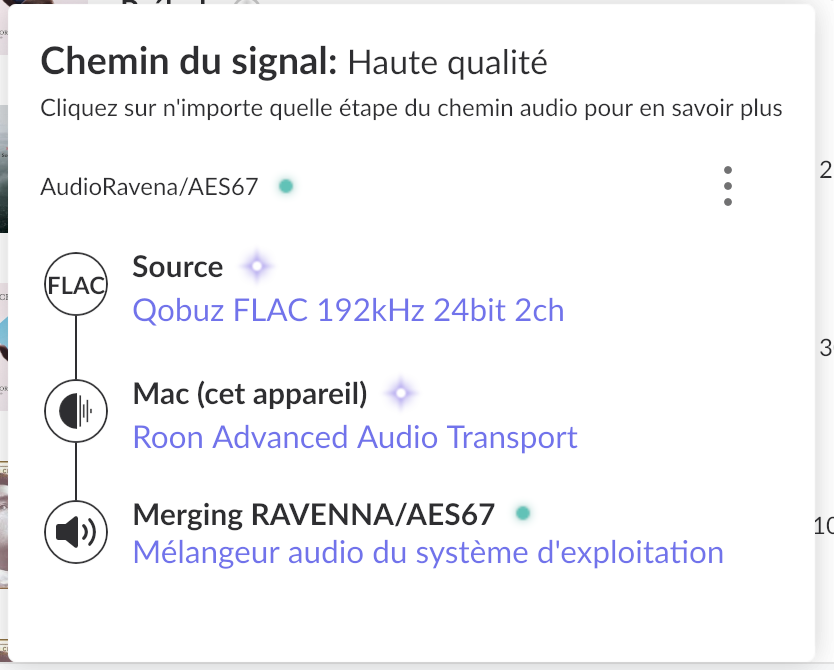
Much better when I disable the exclusive mode = no more issues when I switch from tracks in 44,1 to tracks in 192 : perfect high quality path with the green spot.
In Muse, I chose the sample rate of 192 while waiting for a response from Merging support.
This behavior is consistent with Exclusive Mode forcing a full stream reinitialization when the sample rate changes (e.g. 44.1 → 192 kHz), which can cause brief stuttering with RAVENNA/AES67.
Since playback is stable when Exclusive Mode is disabled, we recommend:
Leaving Exclusive Mode off
Using MUSE → Sample Rate Conversion to resample everything to 192 kHz for now
Please let us know once Merging confirms the supported sample rates, or if the issue returns with this setup.

 ).
).