· Lost music Library following recent software update. Following the recent update, now Roon 2.66 (Build 1658) I followed the guidance as detailed by Roon and went through the process of creating the Container Station with Docker onto my QNAP TS 453 Be. I resolved not seeing Music Zones as this was a subnet issue which is now resoled. Current challenge is that I’m unable to access my Music Library, although it did initially load last week. In setting I’m unable to point to where my music is stored on my NAS. My previous Backup location is also inaccessible.
Tell us about your home network
· Network is hard wired throughout from Virgin Media Router. NAS and Music source connect to Netgear switch all within close proximity.
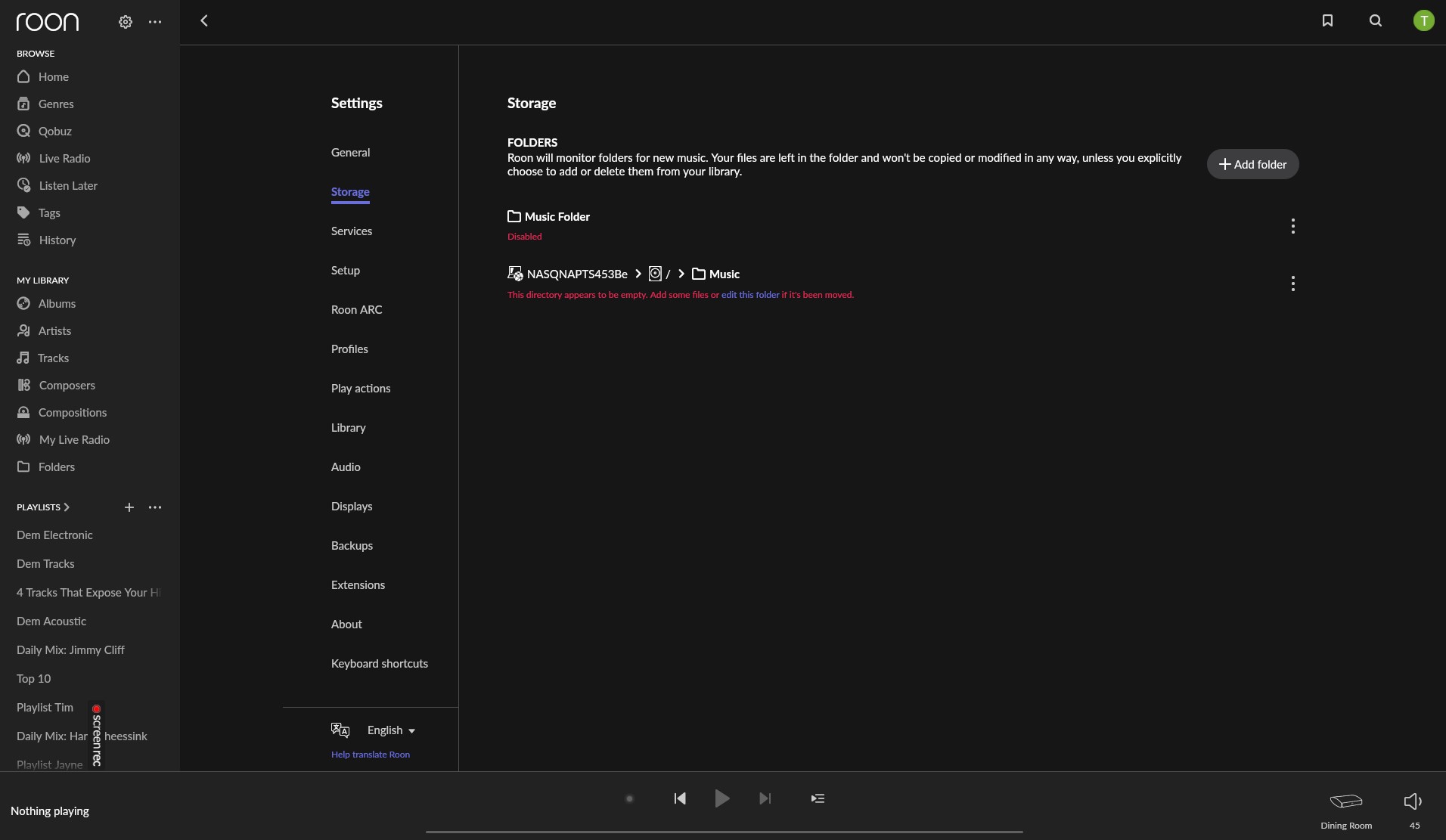
What happens if you enable the main “Music Folder” under Storages? Is it empty?
Your screenshot indicates that you have restored a backup, and roon is still expecting files to be found under the previous folder path, which is not valid inside the container.
If your :Music share path is correct, and enabling the “Music Folder” lets roon identify the tracks in that folder, I would recommend to remove the remnants of the previous file path, before enabling the new one. This helped in my case.
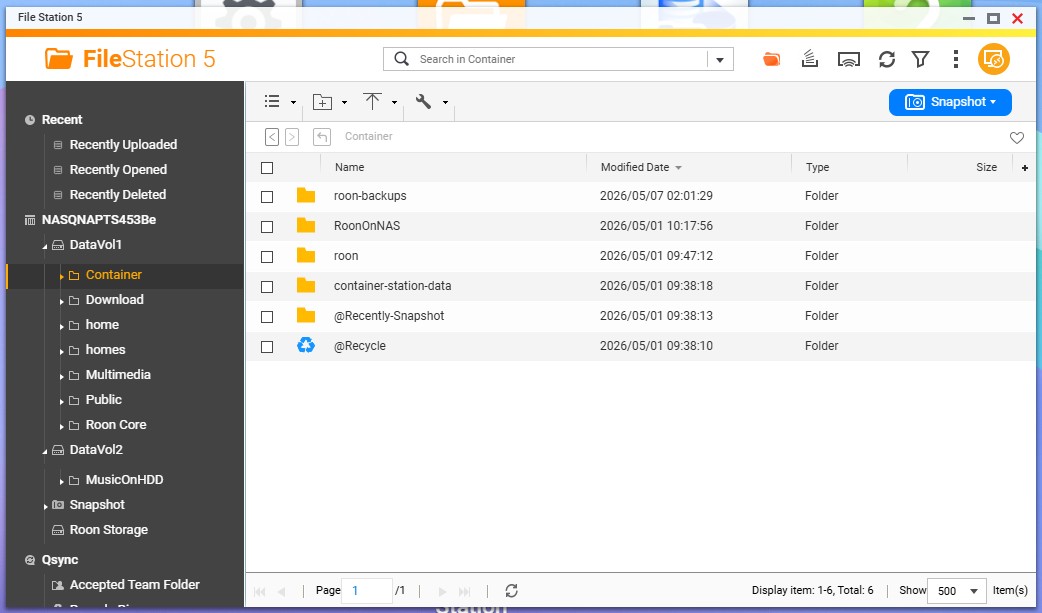
I can enable and the folder then says, ‘ Watching for new files in real time’. If I edit, I’m unable to direct to the location of my stored music. Roon is within the Container on DataVol 1 and my music is in DataVol 2 – MusicOnHDD. Do I need to move the music?
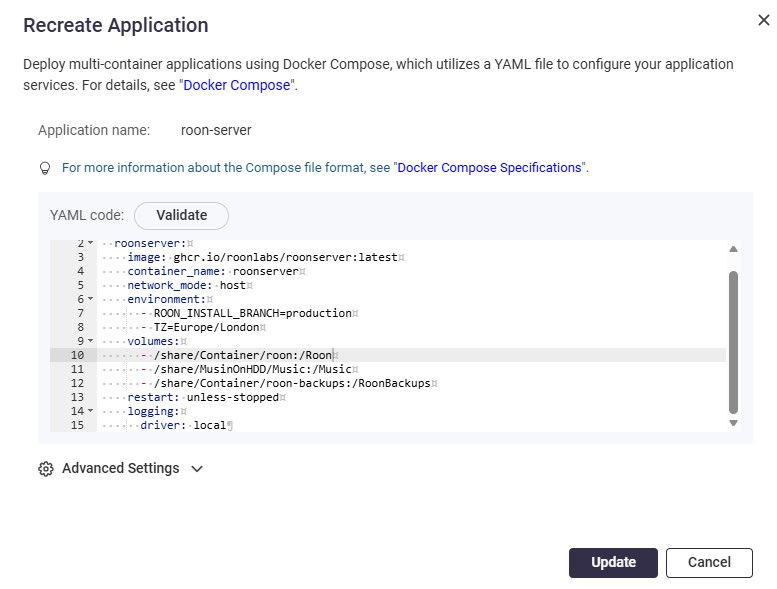
No, that looks wrong, as it lacks the alias names for the folders inside the container, the :/roon and :/Music part. Your original variant was correct from syntax point.
The problem might be originating from a different mistake. You do not have a subfolder named
/MusicOnHDD/Music
on DataVol2, do you?
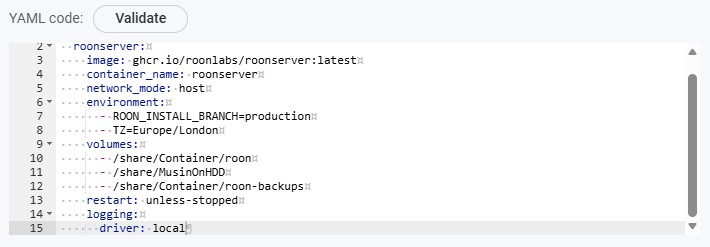
So the second share path for the music files, is leading container to nowhere. The correct paths in this case are:
The backup location is also working and Roon can see the path. I’ll leave it running in the background and check later today. Thanks for all your help with this its greatly appreciated.
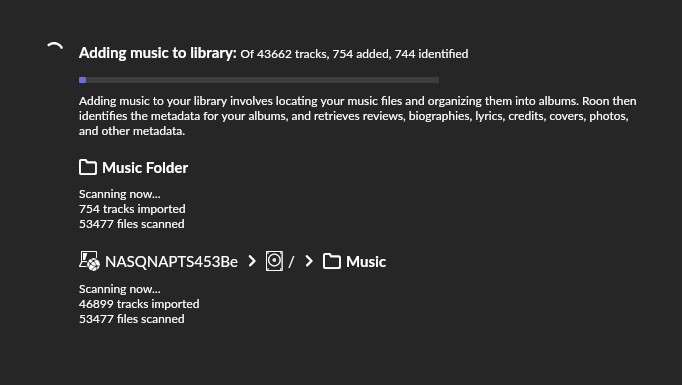
One thing: The two enabled folders, Music Folder and NASQNAPTS… / Music might point roon in container to the same files, so they will be scanned and recognized twofold. This is not advisable.
If you encounter albums existing twofold, i suggest to either disable the main Music Folder, and let roon identify all files in the pre-existing folder NASQNAP…, or delete the latter in > Storages, before roon starts to scan and identify the new main Music Folder. Both methods should work, the first one is a better guarantee that all your files will be associated with with the previously identified albums.
Ive disabled Music Folder as advised. Now I’m just scanning the NASQNAP folder. Initial thoughts are this is feeling smoother and faster to operate. Thanks again. Big help as i was going round in circles! Cheers Tim