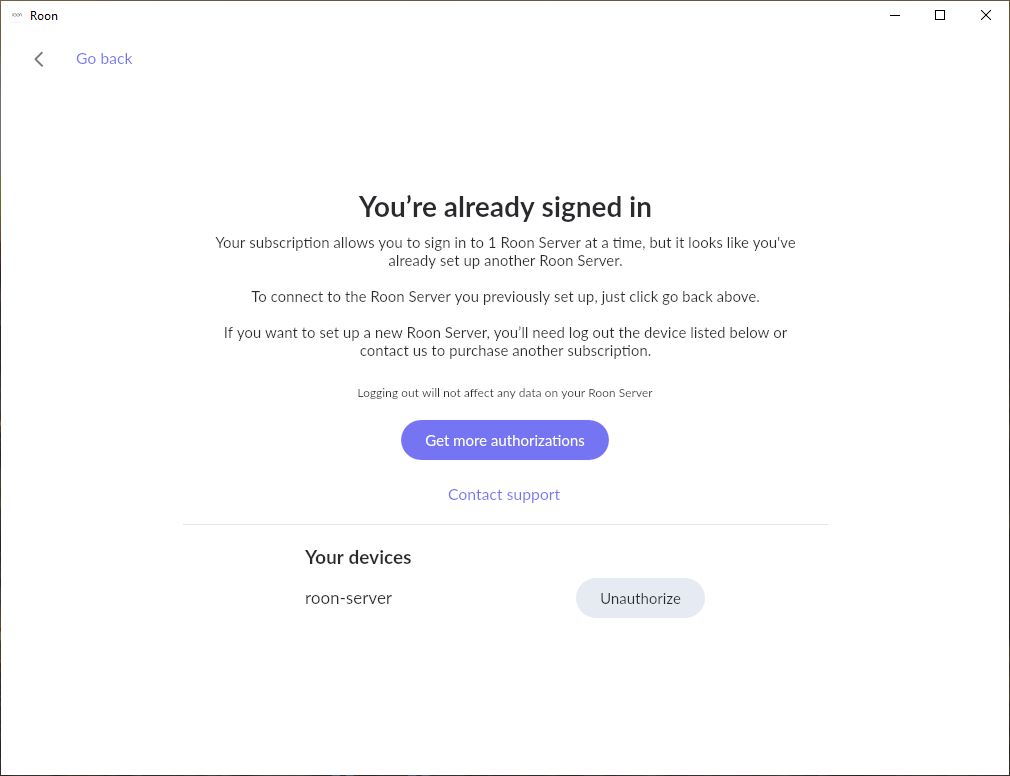
I was migrating from an Ubuntu desktop that was fully functional for almost a year. I now have Roon Server installed on a new Ubuntu server with my database swapped over. I can't connect new server as it says I have another account. Original system is now corrupted and not functional.
Describe your network setup
Network setup is complicated but is fully functional and stable for a long time Not the problem.
As far as Roon knows, and what it says, is that your license is still associated with your previous machine. Simply click the Unauthorize button to remove this association and apply your license to the new machine.
1 Like
AceRimmer
(Smoke me a kipper, I'll be back for breakfast!)
3
As @Suedkiez says, just hit unauthorize, don’t worry about any warnings it may give and then log into your new machine and you should be all set.
Several overlapping RoonServer instances from your account have still pinged our diagnostic servers since you posted.
Are you still having issues after deauthorizing the outdated RoonServer instances?
Do you have a reliable Backup available? You can always fully remove old RoonServer instances by navigating to your RoonServer’s Database Location and deleting the RoonServer folder before reinstalling. Only take this step if you have a recent, reliable Backup, as it fully deletes the database (including your library and customizations). You’ll then restore the Backup, authorize the new machine, etc.
Let us know if you require further assistance. Thanks!
This ticket is now closing due to lack of response/inactivity. If you require further assistance, please create a new technical support request and our team will promptly respond.