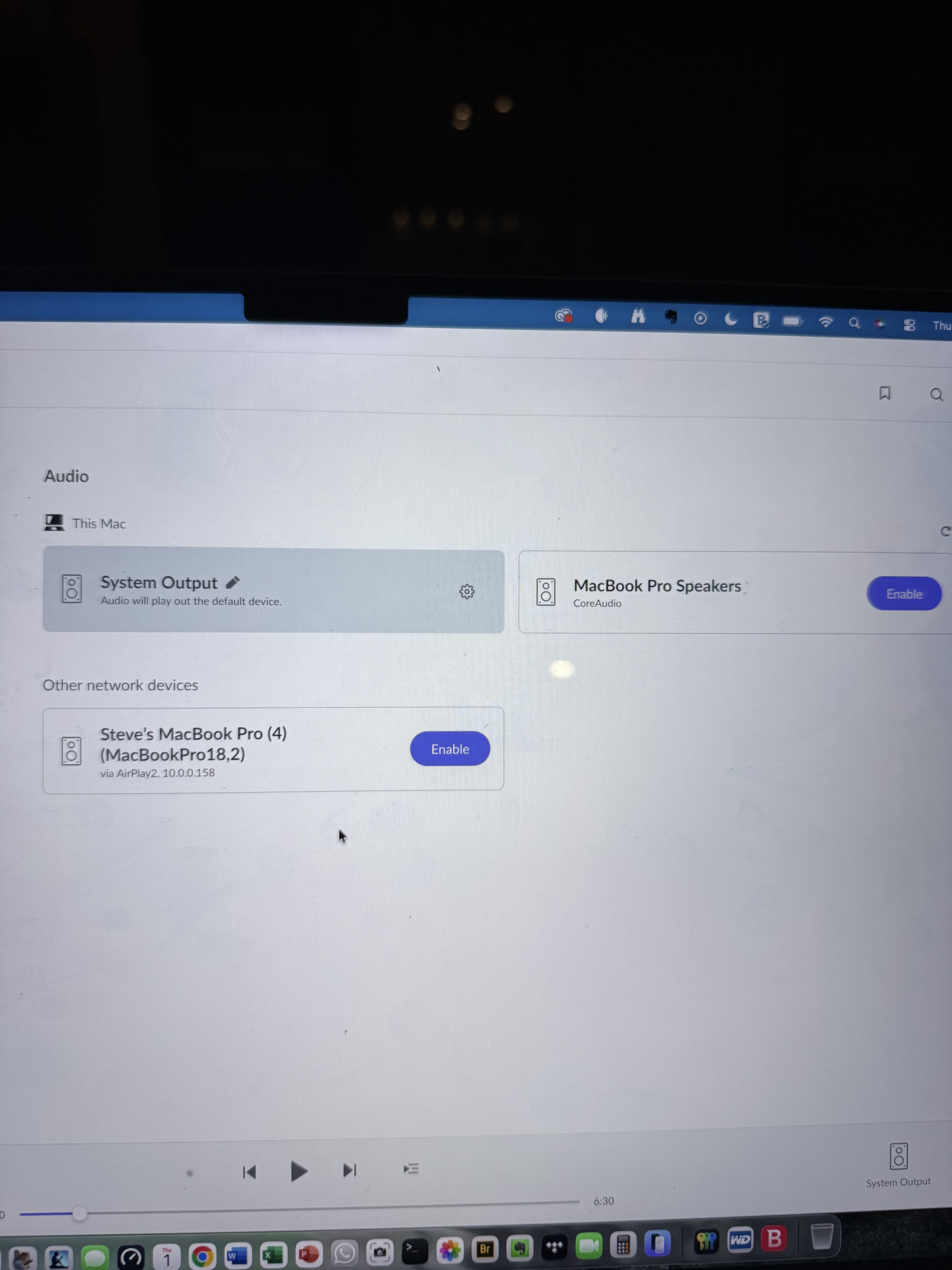
Thanks for the screenshot — that helps clarify what’s happening.
At the moment, Roon is only showing System Output, which means no other audio devices are currently enabled in Roon. Before a device can be selected for playback, it must first be activated in the Audio settings.
Please do the following:
Go to Roon → Settings → Audio
Look through the sections (Connected to this Mac / Networked / AirPlay / etc.)
When you see your audio device, click Enable
Once enabled, return to the main screen and select it from the audio zone picker
We’ll need more information to better process and understand your issue.
Are you only having issues with your optical rendu?
How is your Roon Server, as well as rendu, connected to your primary router?
As a next step, please set up a more simplified network chain - get a direct ethernet connection from your Roon Server directly to your router, as well as your rendu, and see if you still have issues.
If you do, please take note of the specific track playing / date + time of when the rendu disappears. Thank you!
We’re eager to pick up the case, but we will need the information requested above in order to take effective action.
Our account servers show you might have two RoonServer instances active at the same time: one hosted on MacOS, and the second hosted on a separate machine.
If both of these server instances were online at the time of your original post, it’s entirely plausible that your endpoints have already simply connected to the second RoonServer instance, which remains online in the background, and are not sending device discovery announcements. The Zones will not distinguish between the server connections and will simply discover and connect with whichever server announces itself first.
Please try disabling or uninstalling the second RoonServer before performing a device discovery cyle in Roon by clicking the refresh button in Settings → Audio. Do you see the optical Rendu in the list of Zones?
If not, please list out any network hardware you have sitting in between the RoonServer machine and the optical Rendu. This includes any network switches and mesh nodes - we need to understand how multicast traffic is passing to/from the Zone and the Nucleus.
This thread is now closing due to lack of response/inactivity. You can reactivate the topic thread at any time by simply submitting a new support request here and our team will pick up the case.