For Roon connectivity to work properly, both Roon Server and Roon Remote need to be turned on.
· Roon Server is on, but I'm still having trouble connecting.
What do you see on your screen?
· "Looking for your Roon Server"
Please try to restart your network setup by unplugging, waiting 30 seconds and then replugging in your networking gear.
· No, the issue remains the same
Please select how you've connected your Roon Server to the internet
· Roon Server is connected by *Ethernet*
Have you checked your firewall settings to ensure that Roon is allowed through?
· Roon still won't connect even after checking this aspect
Have you verified that Roon Server is on the same subnet as your Remotes?
· My Remotes and Server are on the same subnet and I still can't connect
Sometimes the issues can be resolved with a reinstall of your Roon Remote app. Let's try to perform a reinstall and see if it helps.
· I've reinstalled the Roon Remote but it did not help
What is the operating system of your Roon Server host machine?
· *MacOS*
Select any of the following components that are present in your local network setup
· None of the above
Describe the issue
I cannot connect to my Room Server, I have restarted my modem, Roon box and reinstalled the app. Entering the IP Address/the http://rock/rock.local into my web browser gives no result. I have tried different ethernet ports on the modem itself, all seems to be functioning fine on the network page as I can see a stable connection.
I tried to see if the connection was faulty via the terminal. There was no packet loss or timeout. Just a failed connection on port 443 and port 80. Which I think suggests the web administration/roon server services aren't function.
Unsure of where to go from here.
Describe your network setup
My Roon box is directly connected to the modem via an ethernet cable into the lan port.
Thanks for the detailed write-up, and sorry you’re stuck at “Looking for your Roon Server.”
We’ve looked at the diagnostics that came in with this thread. They came from Roon running on your MacBook, not from your ROCK. When you reinstalled, Roon on the Mac set itself up as a brand-new Roon Server at 16:46 and is now importing your Mac’s music folder and TIDAL library. That’s why the form said MacOS. It also means your license is now attached to the Mac rather than the ROCK, so we’ll want to switch that back once the ROCK is reachable again.
To work out what’s happening on the ROCK itself, could you try the following?
Quit Roon on the MacBook for now, so it isn’t acting as a second Roon Server while we troubleshoot.
Find the ROCK’s IP address in your Virgin Media Hub’s list of connected devices. Look for a device named ROCK or for the Intel NUC. Then try http://<that-IP> in a browser. The ROCK’s web page only runs on port 80, so the failure on 443 is expected.
If you can, plug a monitor and keyboard into the ROCK and power it on. Take a photo of what’s on the screen once it finishes booting. It should show the IP address it got, along with any errors.
Tell us the ROCK’s model (which NUC or Nucleus) and whether anything changed just before it stopped responding: a power cut, an update, or a new drive.
Once we can reach it, we’ll grab logs straight from the ROCK and help you move the license back to it.
Thanks for the update, and for confirming it’s an original Nucleus. That helps.
Unfortunately, the photo of the HDMI screen didn’t come through. It shows on the thread as an empty P1010066.JPG attachment. Could you try attaching it again? Dragging it into the reply box works, or you can use the upload button in the toolbar. Please wait for the preview to show up before you hit Reply. If you can, also add a photo of the back of the Nucleus with the Ethernet port in view, so we can see whether its link lights are on.
While you’re at it, a few things will help us narrow this down:
Do a full power cycle. Unplug the Nucleus at the wall, wait 30 seconds, plug it back in and give it a couple of minutes to boot. Then take the screen photo again.
Compare IP addresses. Note the IP shown on the Nucleus screen and the IP of your iPhone (Settings > Wi-Fi > tap the ⓘ next to your network). The first three numbers should match, for example 192.168.0.x on both. If the Nucleus shows an address starting with 169.254, it isn’t getting an address from the Virgin Media Hub. In that case, please try a different Ethernet cable and a different port on the Hub.
Try the Nucleus by name. The Nucleus calls itself nucleus rather than rock on the network, so try http://nucleus.local as well as http://<IP-from-screen>.
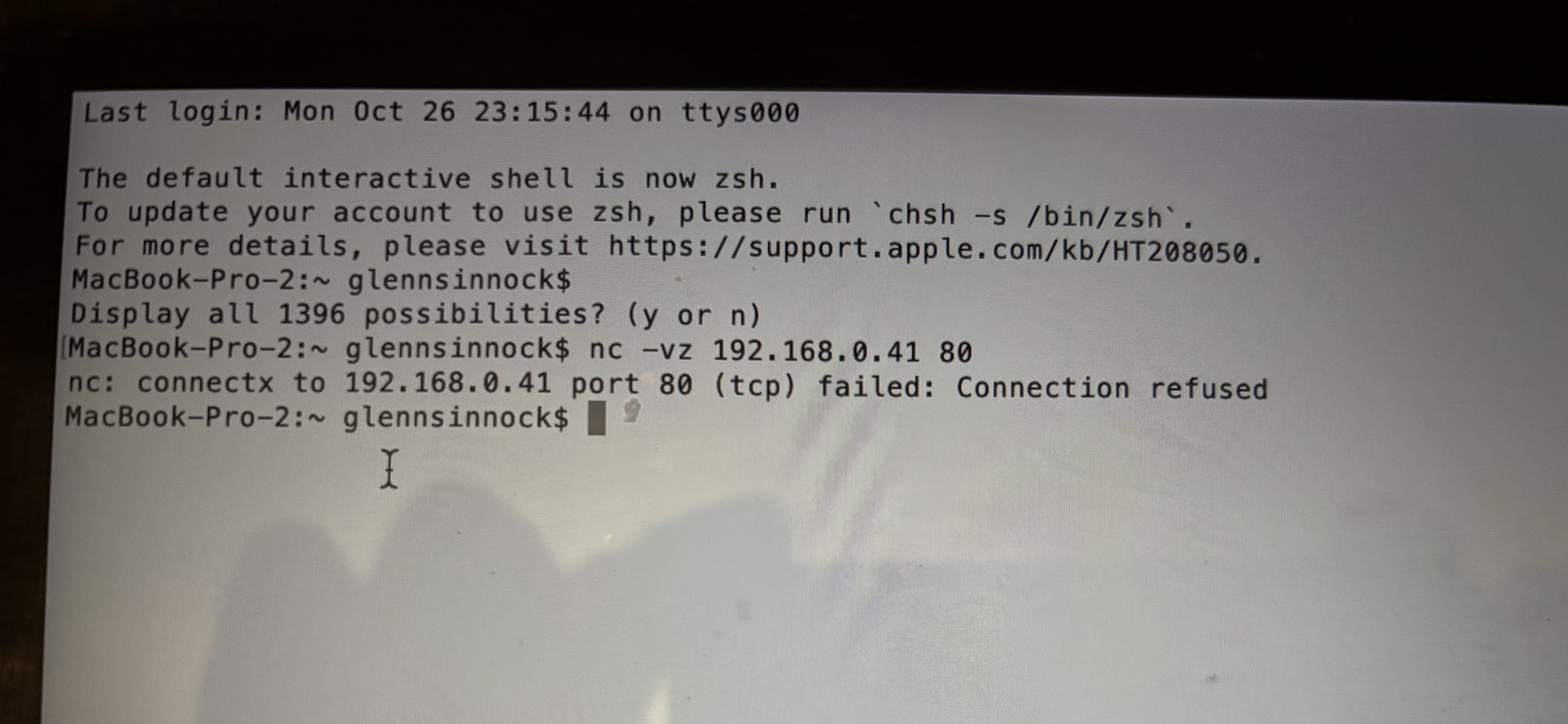
Send us the exact error from the Terminal test. On the MacBook, run: nc -vz <IP-from-screen> 80
Then paste the result here. “Connection refused” and “Operation timed out” point us in quite different directions, so the wording matters.
Once we can see the screen and know which of those you get, we’ll know whether the Nucleus needs a software repair or whether something on the network is in the way. From there we’ll get you back up and running and move the license back to the Nucleus.
Just checking in on this. Were you able to try the power cycle, compare the Nucleus IP with your iPhone’s network range, and test same subnet/IP range on the Nucleus and remote devices? If you managed to grab the screen and Ethernet photos, along with the exact result from the terminal check, please send those over as well, and if you need a quick refresher on capturing them we can point you to our screenshots guide. Reply with whatever you have when you are ready.
Please note, if we don’t hear back from you this thread may close automatically soon. If the thread auto-closes and you need further assistance, please submit a reopen support request via the technical support help form below and specify that the issue should be reopened. Thank you.
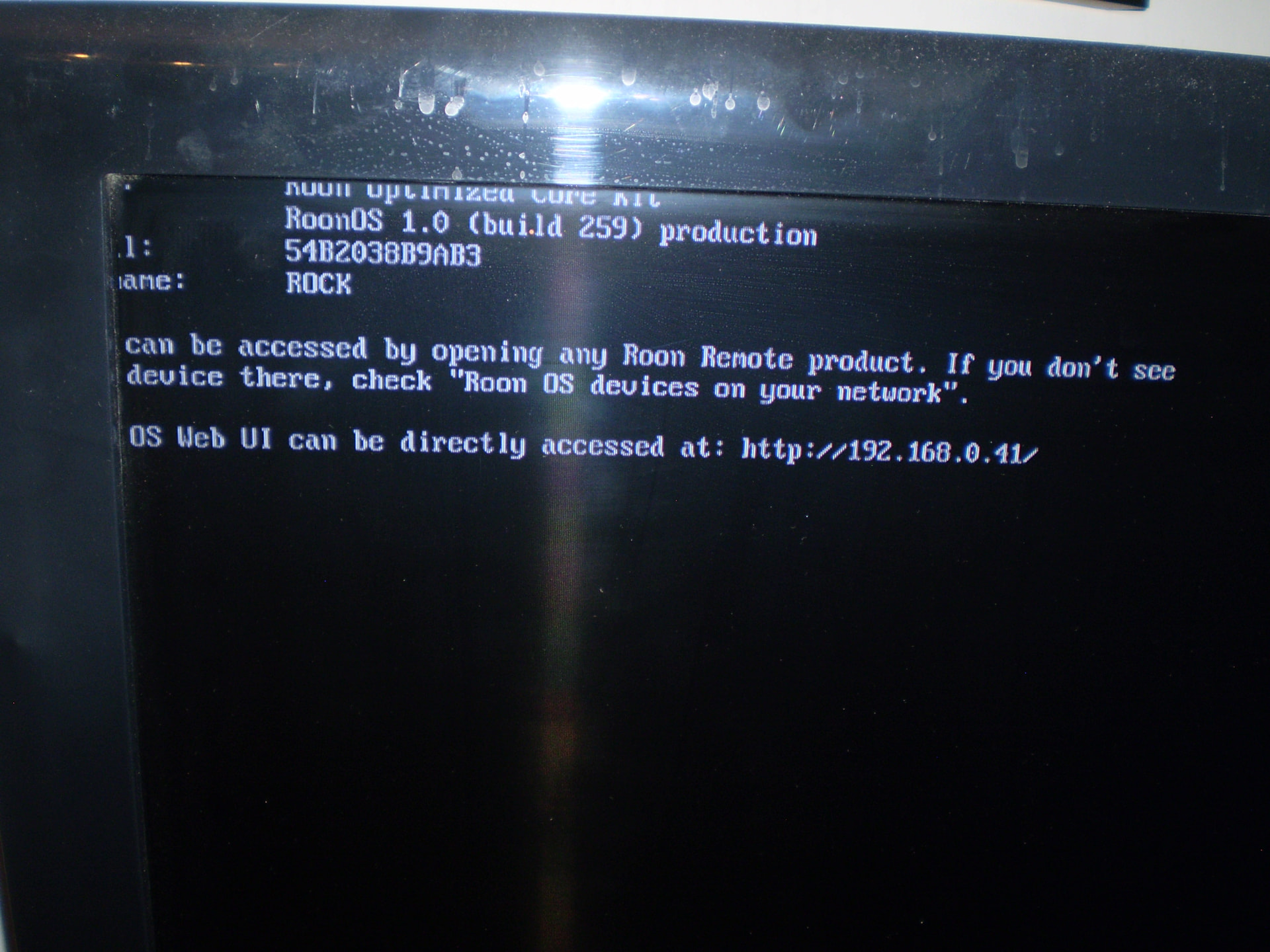
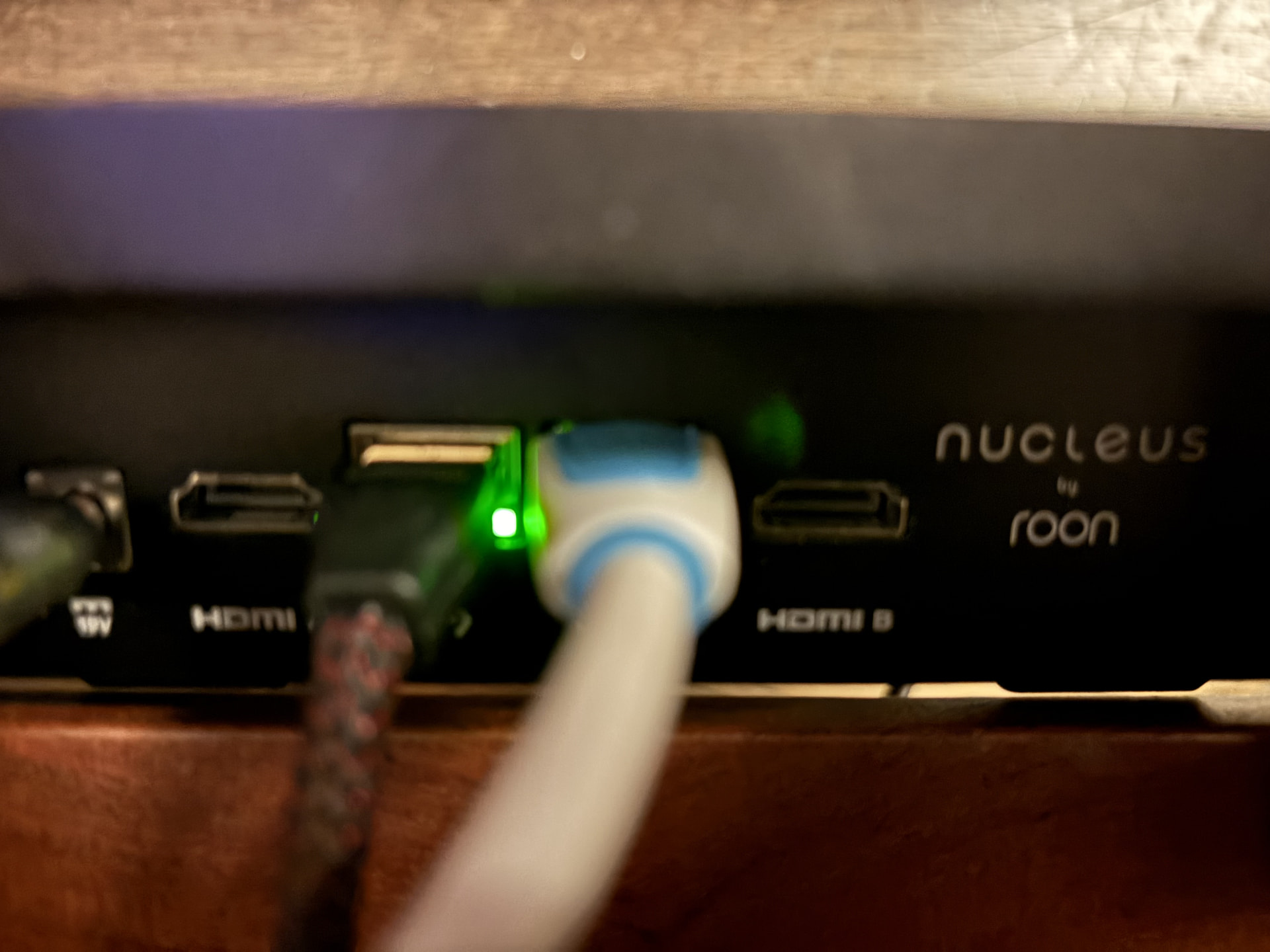
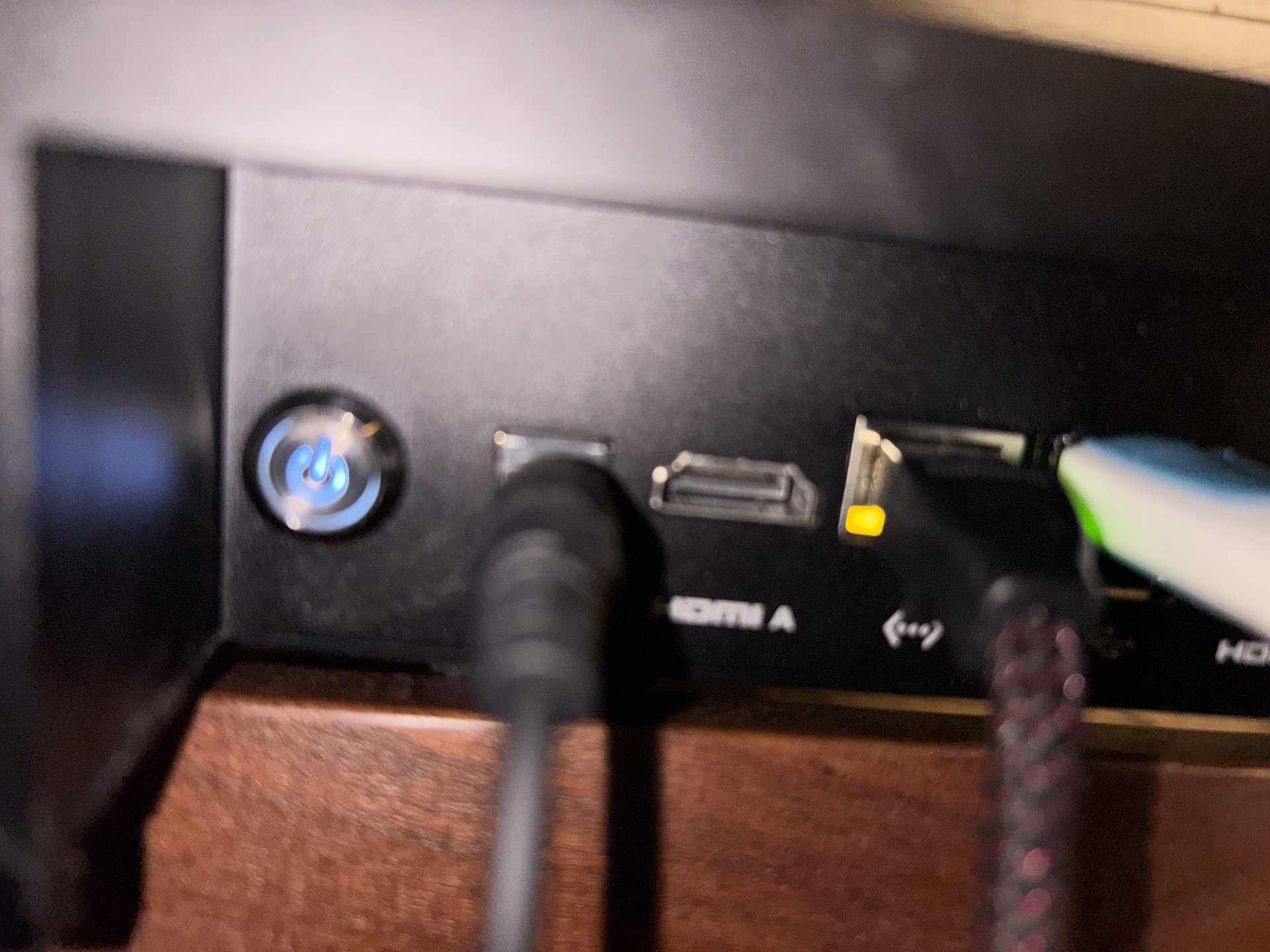
Ok, hopefully you can see the photos now. The first is the HDMI screen, after rebooting I got the same message There are photos of the back of the Nucleus showing the Ethernet port.
I compared IP addresses of my Nucleus and my iPhone, and they match.
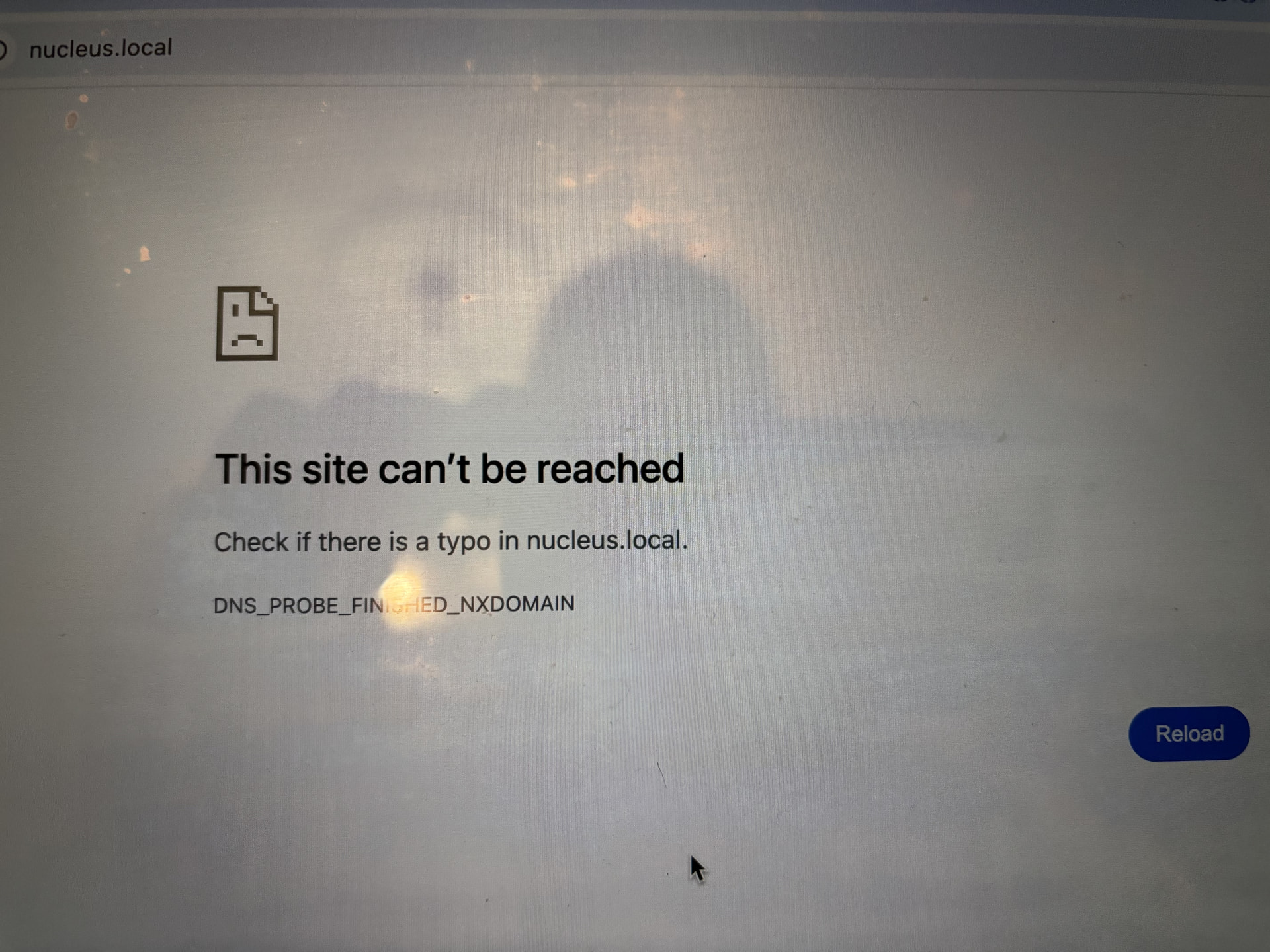
I tried Nucleus by name and got the following screen.
Thanks, Glenn, and thanks to your friend too. The photos came through this time, and they’ve moved things forward.
What the photos show
The Nucleus is running ROCK, not the original Nucleus software. The boot screen reads “Roon Optimized Core Kit” with the name “ROCK”. That’s the software built for Intel NUCs, not the version an original Nucleus ships with. This is also why http://nucleus.local didn’t work, so sorry for steering you there last time. On this setup it would be http://rock.local.
Your network looks healthy. The Ethernet lights are on, the Nucleus has a proper address (192.168.y.41) in the same range as your iPhone, and the Terminal test reached it.
The web interface isn’t starting. “Connection refused” means the Nucleus answered on the network, but nothing is listening on port 80. So the cable, router and firewall aren’t the problem. Something on the Nucleus itself is stopping its services from starting. The usual causes are a damaged software install or a problem with the internal drive the OS runs from.
A few questions so we can give you the right fix
Do you know how it ended up on ROCK? For example, was it bought second-hand, or did you or someone else reinstall it at some point? The recovery steps for a Nucleus differ from those for ROCK, so we want to be sure we send you the right ones.
Is Roon itself running on it? On the MacBook, please run these two commands and paste the results here:
 nc -vz 192.168.0.41 9330
   nc -vz 192.168.0.41 9100
If either one connects, Roon is running and only the web page is down. If both are refused, the whole system isn’t starting properly.
3. Is there any other text on the screen? Leave the Nucleus running for 5–10 minutes after it boots. If any new text appears below the “Web UI can be directly accessed at…” line, please send another photo.
Please don’t reformat or reinstall anything yet. If there’s a music drive inside the Nucleus, we want to plan any fix so your music stays safe.
In the meantime, keep Roon closed on the MacBook so it doesn’t act as a second Roon Server. Once the Nucleus is back, we’ll help you move your license back to it.
We haven’t seen a response in a few days and our diagnostics servers indicate that you’re now using a server on a separate desktop machine.
How would you like to proceed from here? We’ll need a few specifics (see @benjamin’s response above) in order to troubleshoot the Nucleus directly from here. Without any new response, this thread will automatically close in a few more days due to inactivity.
No problem at all, @glennsguitars. We’ll keep an eye on this thread to ensure we see your response.
In non-technical terms, we’re trying to figure out two things:
When and why the Nucleus was reverted to ROCK firmware
Separately, whether the Nucleus has a hardware problem
Normally, we can gather remote diagnostics that answer most of the questions. In this case, our servers aren’t able to reach the unit, possibly because of #2 above.