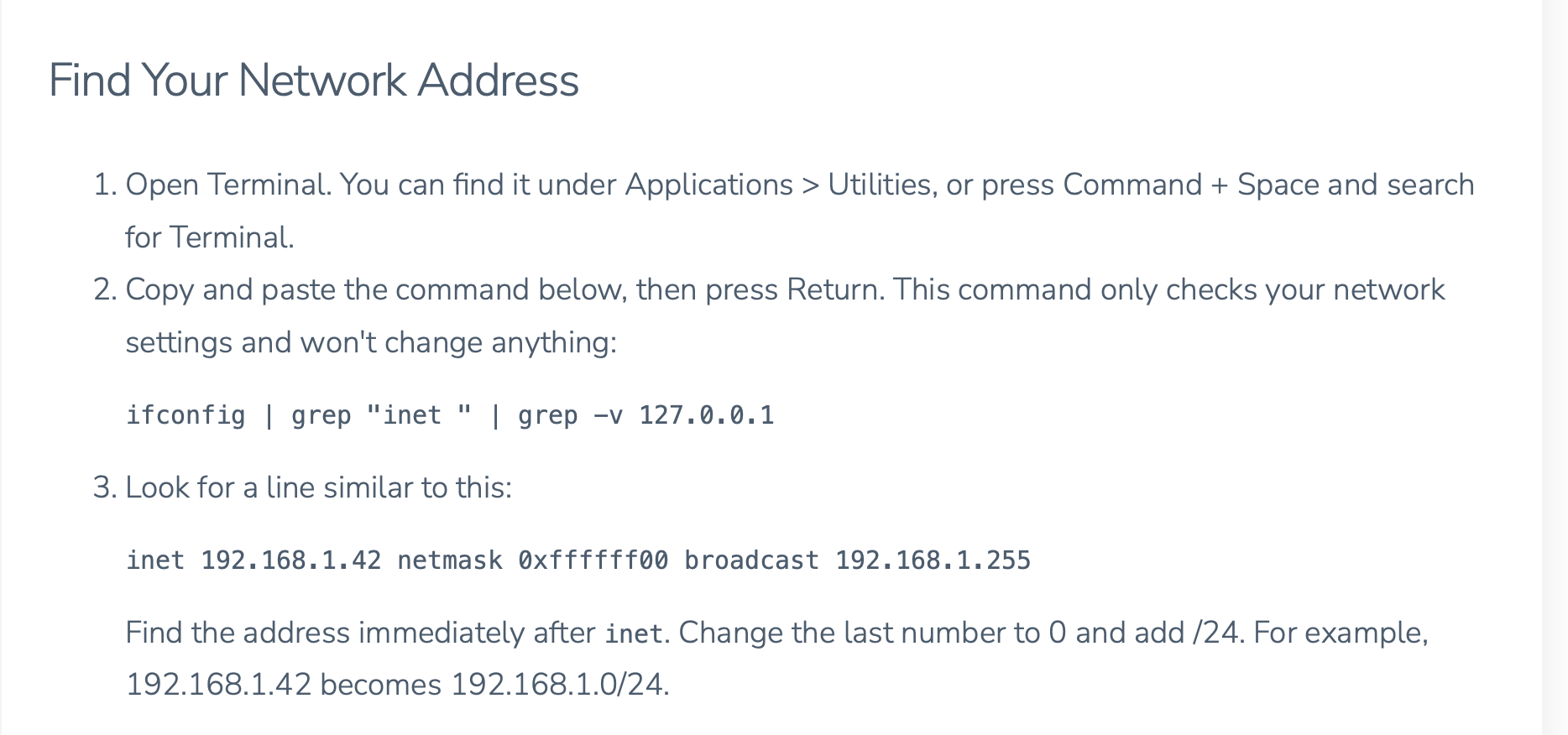
Copy the command from step 2 in the instructions ifconfig | grep "inet " | grep -v 127.0.0.1
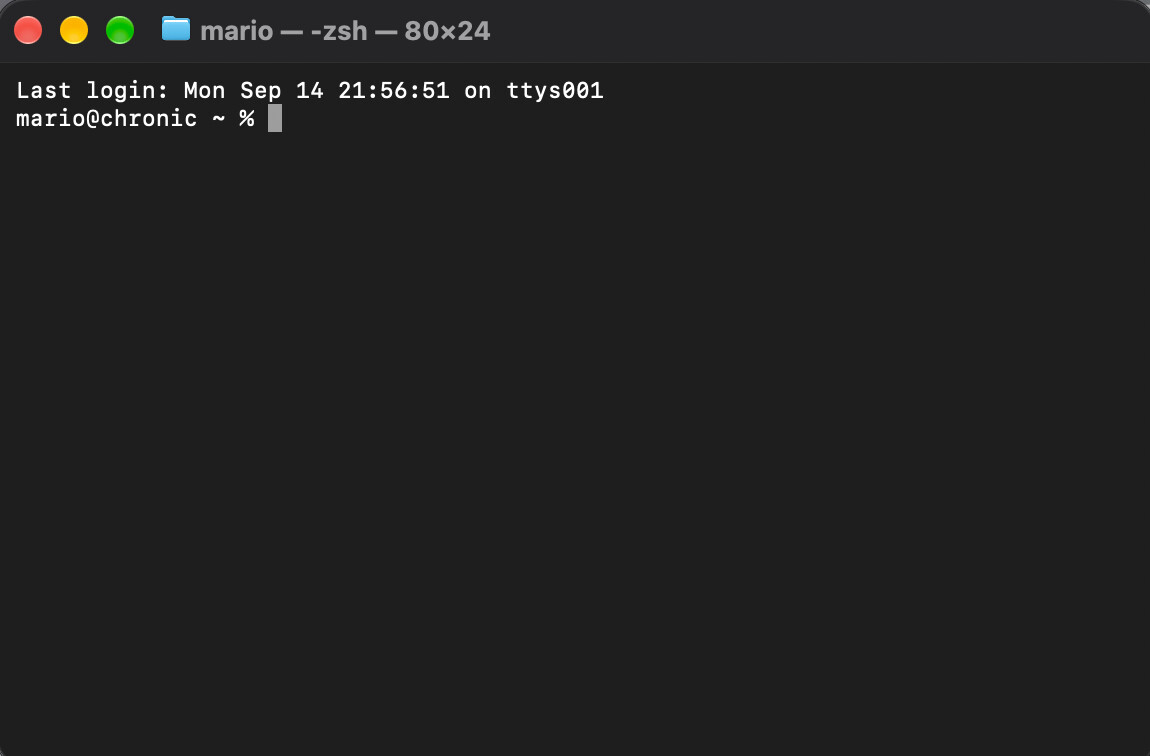
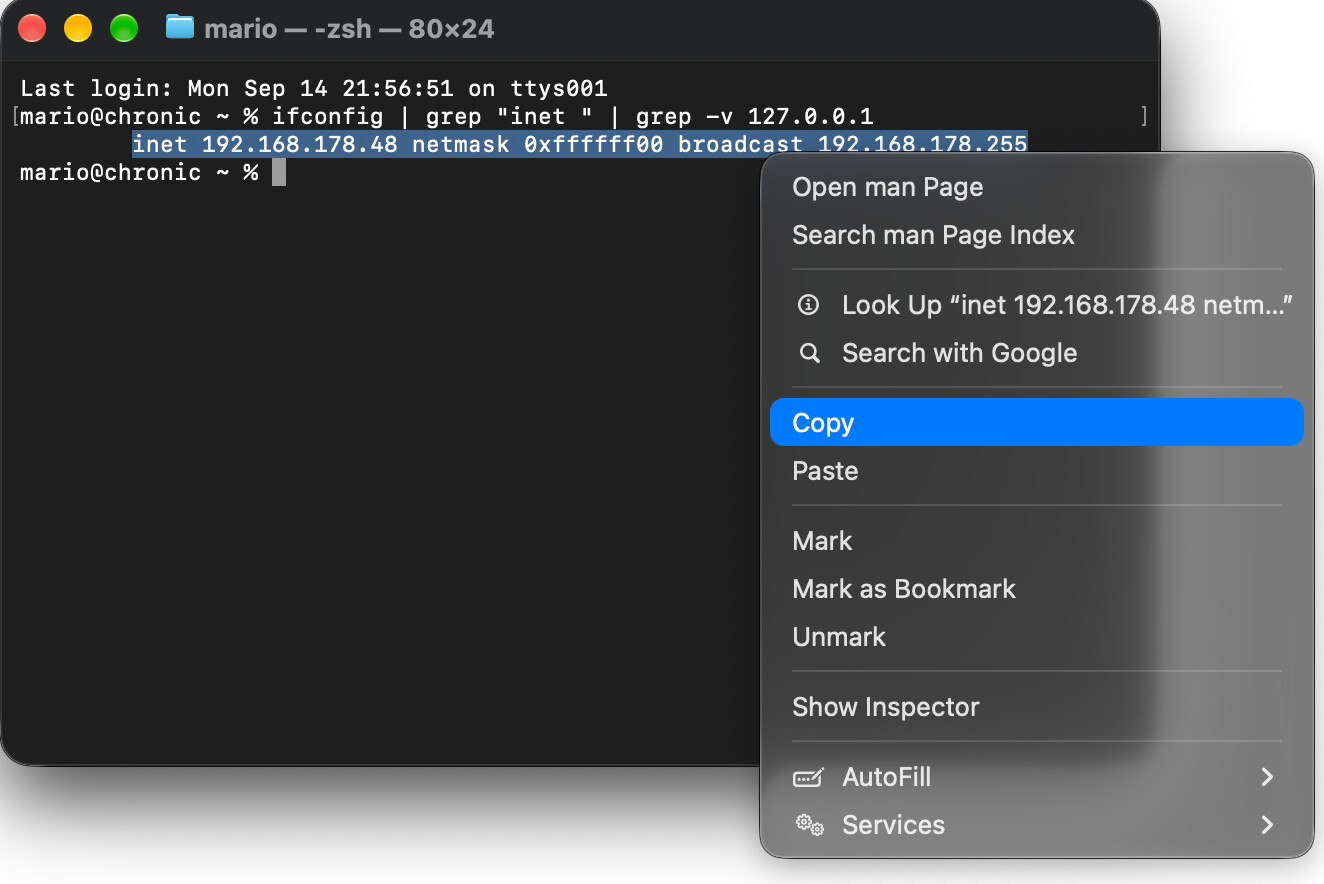
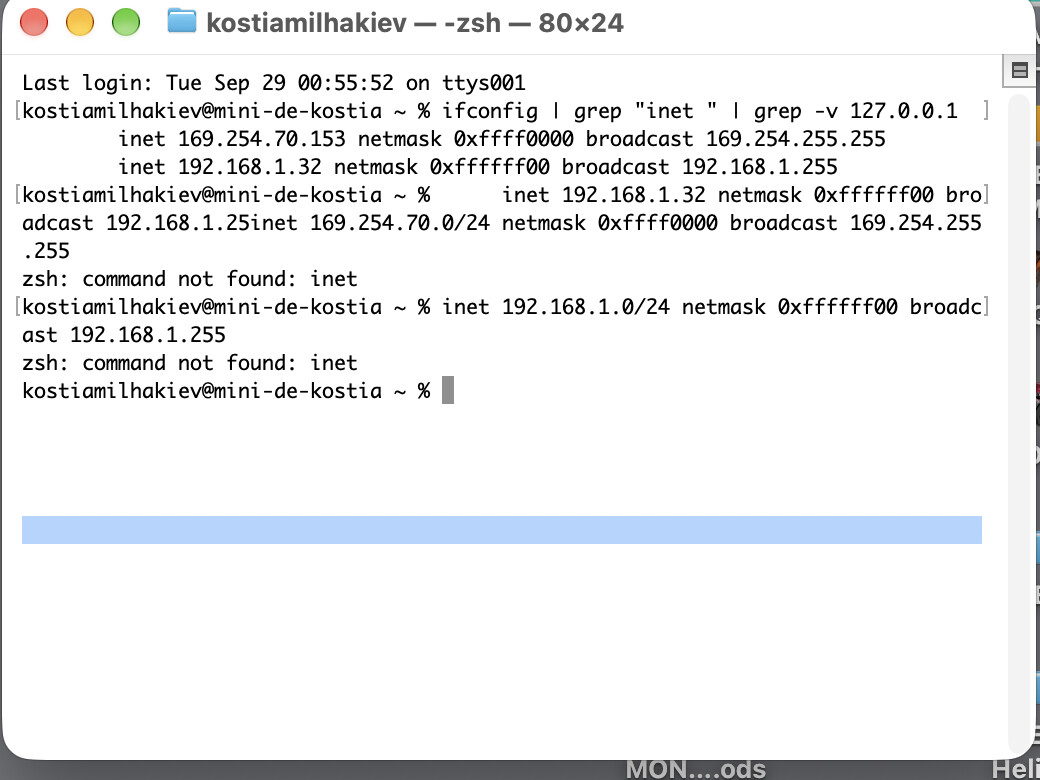
and paste it into the Terminal, then press Enter. It will output one line:
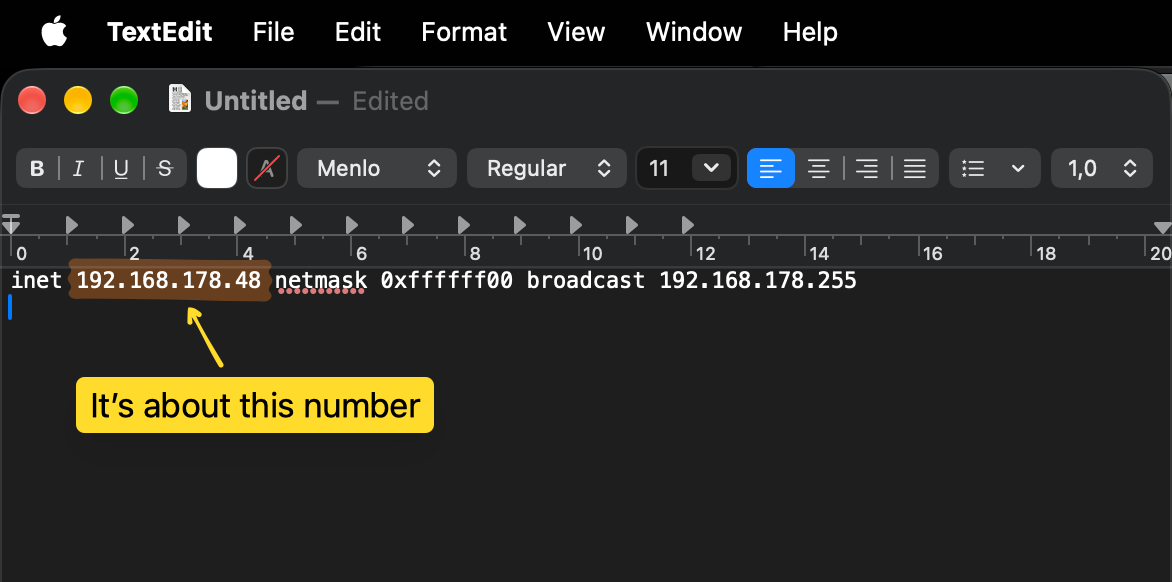
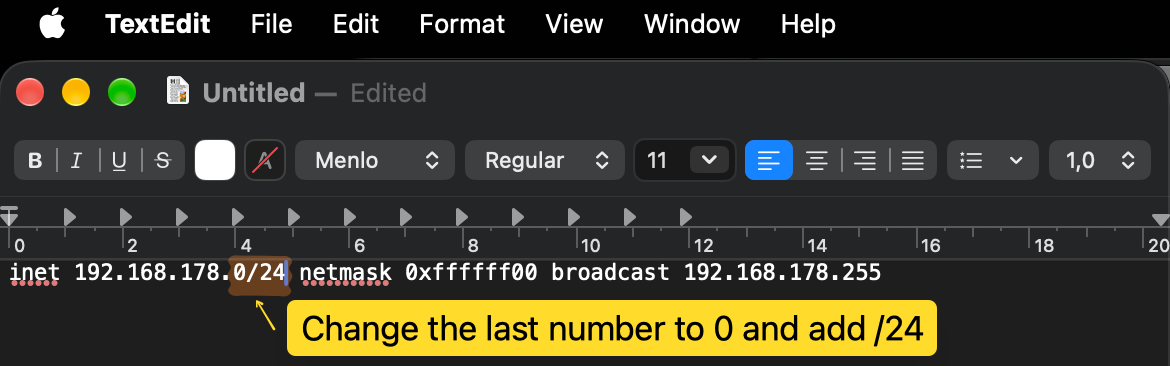
4 You could paste it directly into the Terminal and edit it there, but it may be safer if you start TextEdit and change it there. First paste it into TextEdit:
I doubt it because what it does is to tell macOS that all apps have permission to contact devices on the local network. I.e., it makes permissions more relaxed, not more strict. However, I have no clue about Ravenna, so caveat emptor.
Anyway it’s now next week, so maybe you can hold out for a day or two more. As I posted further up:
Thank you for your post. macOS 27 Golden Gate restricts Roon’s network access at the OS level because it falsely flags the Roon application bundle as a threat.
The team is working on a solution to restore device discovery on Mac-hosted RoonServer machines. We’ll announce this broadly on Roon Community as soon as it’s finalized. We anticipate this should be very soon.
In the meantime, there’s an unfortunately circutious (but effective) workaround you’ll need to take, outlined at the link@Suedkiez shared above.
This requires a few Terminal commands to reestablish Roon’s connection with the loopback ethernet interface. Since it’s deep at the OS level, you can’t take these steps within system settings or within Roon alone.
I am a stupid man. I don’t understand.Please what’s next, I did a french translation, but I am still stupid. Step by step if possible… Thanks for your time.
Sorry, it was my fault This was wrong: 5. Copy the whole line again, copy it, and paste it back into the Terminal. (It will go automatically on the new line in the Terminal)
Do not paste that line and execute it. Nothing bad happened, it refused to run this non-existing command.
After finding the 192.168.1.32 address, you would change this as you did, to 192.168.1.0/24. But you need this address in the other commands (not my wrong one) that are given after it continues here in the documentation:
Copy and paste each command below into Terminal, one at a time. Replace 192.168.1.0/24 with the address you found above. Do not change 224.0.0.0/4.
Note that the example command in the docs already uses the same address you have after editing it.
However, I just read in a post by Roon that they will release the hotfix update “soon”, so maybe just wait. (If you follow the documentation now, you will have to undo it again later)
In another thread somewhere on the forum, the developer wrote that it worked in the macOS Beta version for him. The problem now seems to be that a necessary command line tool is broken. Seeing how Apple released 27 with a completely broken Mission Control and last year iOS 26 with a broken Safari that didn’t even work with Apple’s own support website, I am not surprised. Apple quality is not what it once was. Nobody should update their main machine to a new OS version before the x.1 update.
@KDM sorry for all the trouble. This macOS 27 release has been a bit rough. The fixes have been submitted and accepted. Hopefully the “release machinery” will have it available very soon.
The hotfix is out, and we’d like to confirm whether you are still seeing the same issue after updating to the latest Roon version. If you are, let us know what you are seeing now and we’ll take it from there.
We hope the hot fix resolved the issue for you. Please, let us know if it didn’t.
Otherwise, this support request may automatically close. If that happens and you still need us, please submit a reopen request (None of the above quite fits → Reopen a previous technical support request):


 This was wrong: