I can't play any live radio stations, either the ones in Live Radio or the ones I've added to My Live Radio. No matter which ones I try, I get the same message: "Unable to play this station. Its address may have changed..." etc. I'm new to Roon so I'm sure there's some basic thing I'm not doing, but I can't figure it out.
Separately, I have not been able to manually enter several preferred stations using the "Add station" function and "manually add station." I get a message saying "Roon could not find a radio station at the URL." I read in the Live Radio help page that the URL has to end in .mp3, .aac, .pls or .m3u, but the stations I'm trying to add don't show such URLs. Is there a good way to find them? (E.g. WUMB in Boston has this page, https://wumb.org/online-listening-help/, which lists several URLs, none of which work for Roon.)
Thank you for your help.
Describe your network setup
My router is an Xfinity XB8-T. The Roon device is directly connected to the router via a Cat6 ethernet cable.
Can you give examples of stations you are having issues with?
What device is your server on? There might be a codec issue?
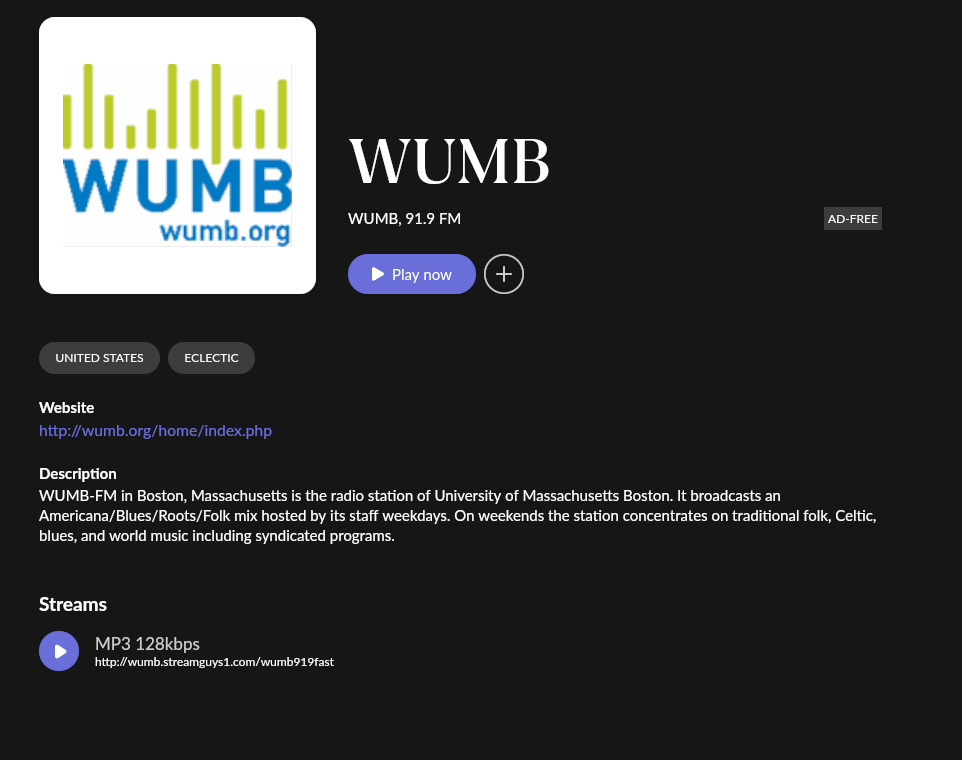
I was able to find WUMB (already in Roon database) and it works for me here in MN/USA.
Every station I tried. I clicked on some the Roon had listed under popular stations and others I found by searching and adding to My Live Radio. Not one worked, hence I suspect I’m missing something basic.
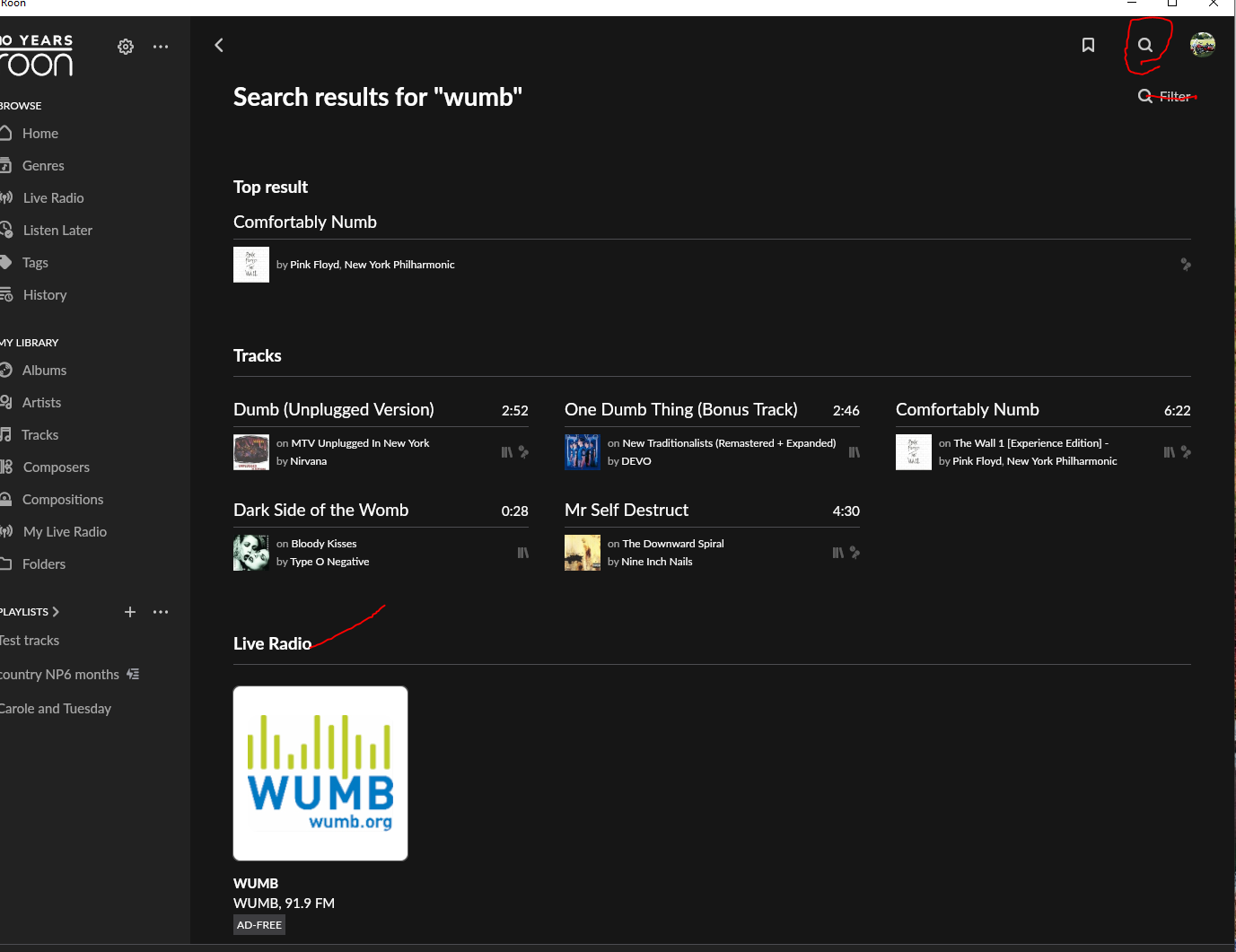
Also, how did you find WUMB? I typed it in the search bar and nothing came up. I must be doing it wrong.
Just make sure you are using the top magnifying glass icon which is global “search” and not he “filter” icon which is local a filter for what is in your library.
You can also do the search from the “live radio” page in Roon:
It “might” be an issue with your server? If they did not load ffmpeg codecs it might have issues with radio stations and certain file formats? Might send a query in to the people that make the media player and ask them if they have seen this?
You could start a server on your macbook (temporarily) and try playing the live radio?
Welcome to the community, and to Roon! We’re excited to have you here - sorry to hear about your issues getting radio up and running.
The message you’re seeing — “Unable to play this station. Its address may have changed…” — typically points to a network issue or an inaccessible streaming URL. Here are a few common causes:
Network/firewall issues: If you're on a managed or restrictive network (e.g. office, university, or using strict parental controls), certain URLs or streaming ports may be blocked.
DNS configuration: Occasionally, using non-default DNS servers (like those from your ISP vs Google’s 8.8.8.8 or Cloudflare’s 1.1.1.1) can affect whether Roon can resolve streaming URLs.
Roon Core’s location: Make sure your Roon Core has a reliable internet connection and isn't behind a firewall or VPN that might block access.
Here’s how to find the correct radio stream URL:
Right-click or long-press a “Listen” or “Play” button on the radio station's website and choose “Copy Link Address.”
Paste it into a browser — if it starts playing audio directly, it’s likely a usable stream.
Check the file extension — look for .mp3, .aac, .m3u, or .pls.
Use tools like VLC — open the link in VLC Media Player, then check the codec information (under Tools > Codec Information) to find the real stream URL.
Thanks Benjamin. Regarding the possible causes you mention:
No firewall here. This is my home set-up.
I don’t understand about using a non-default DNS server. Too technical for me. Sorry.
Roon’s location: No firewall or VPN and the Roon Core is connected by ethernet to the router. Fwiw, everything else I’ve done with Roon works beautifully. E.g. I use Qobuz and it works fine. It’s just the radio that doesn’t work for me.
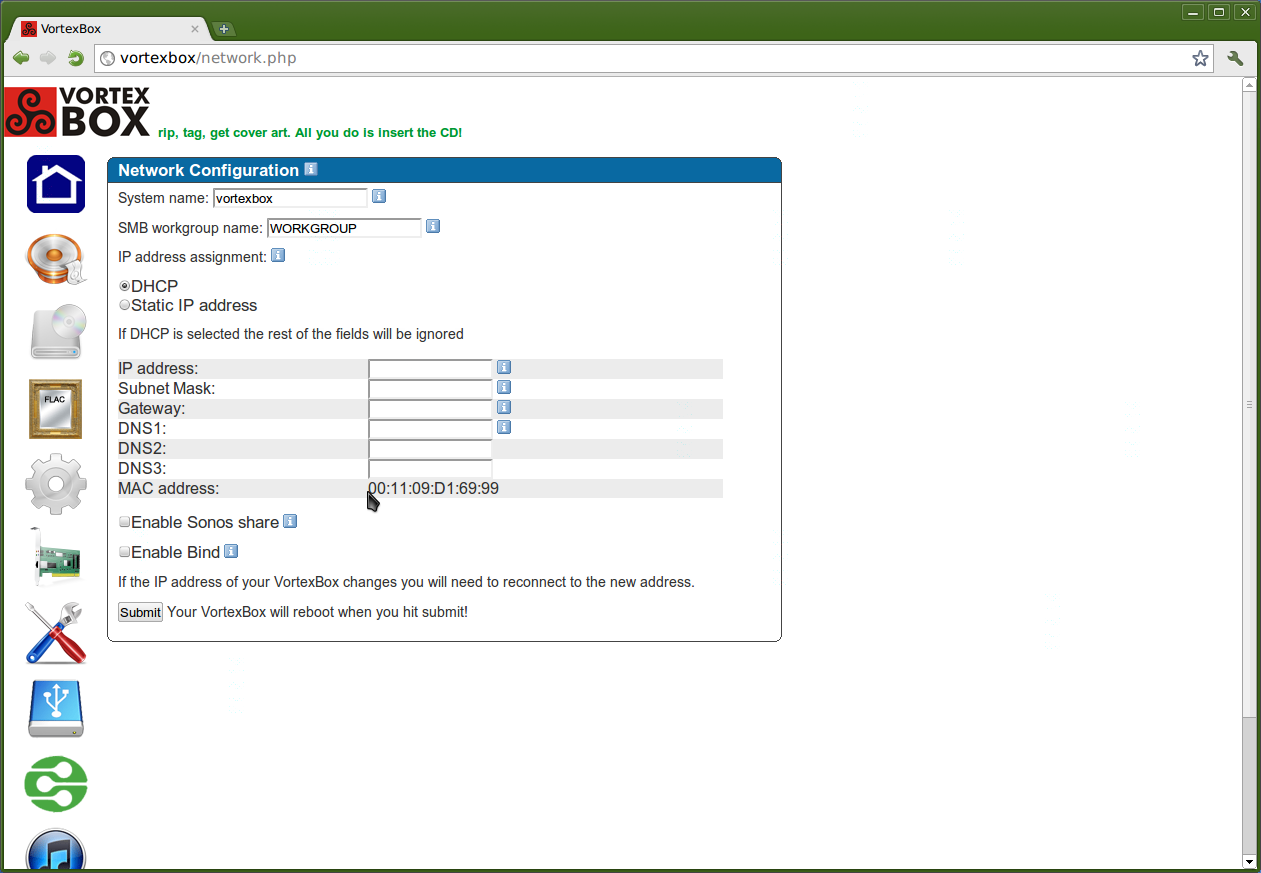
I looked into your router, and it appears your ISP doesn’t allow you to change DNS settings directly on the router. That said, you can change the DNS on your VortexBox itself. Here’s how:
In a browser, go to the Network Configuration page:
http://vortexbox/network.php
or
http://[your-vortexbox-ip]/network.php
The page should look like this:
Locate the fields for DNS1, DNS2, and DNS3. You’ll only need to fill in DNS1.
Enter your preferred DNS address, such as:
8.8.8.8 (Google)
or 1.1.1.1 (Cloudflare)
Scroll down and click Submit to save your changes.
Let us know if you run into any issues or need help finding your VortexBox’s IP address.
What I meant by “preferred” is that either option will work fine. Some people prefer not to use Google products, so I just wanted to clarify that using Google DNS isn’t required. Sorry if that wasn’t clear!