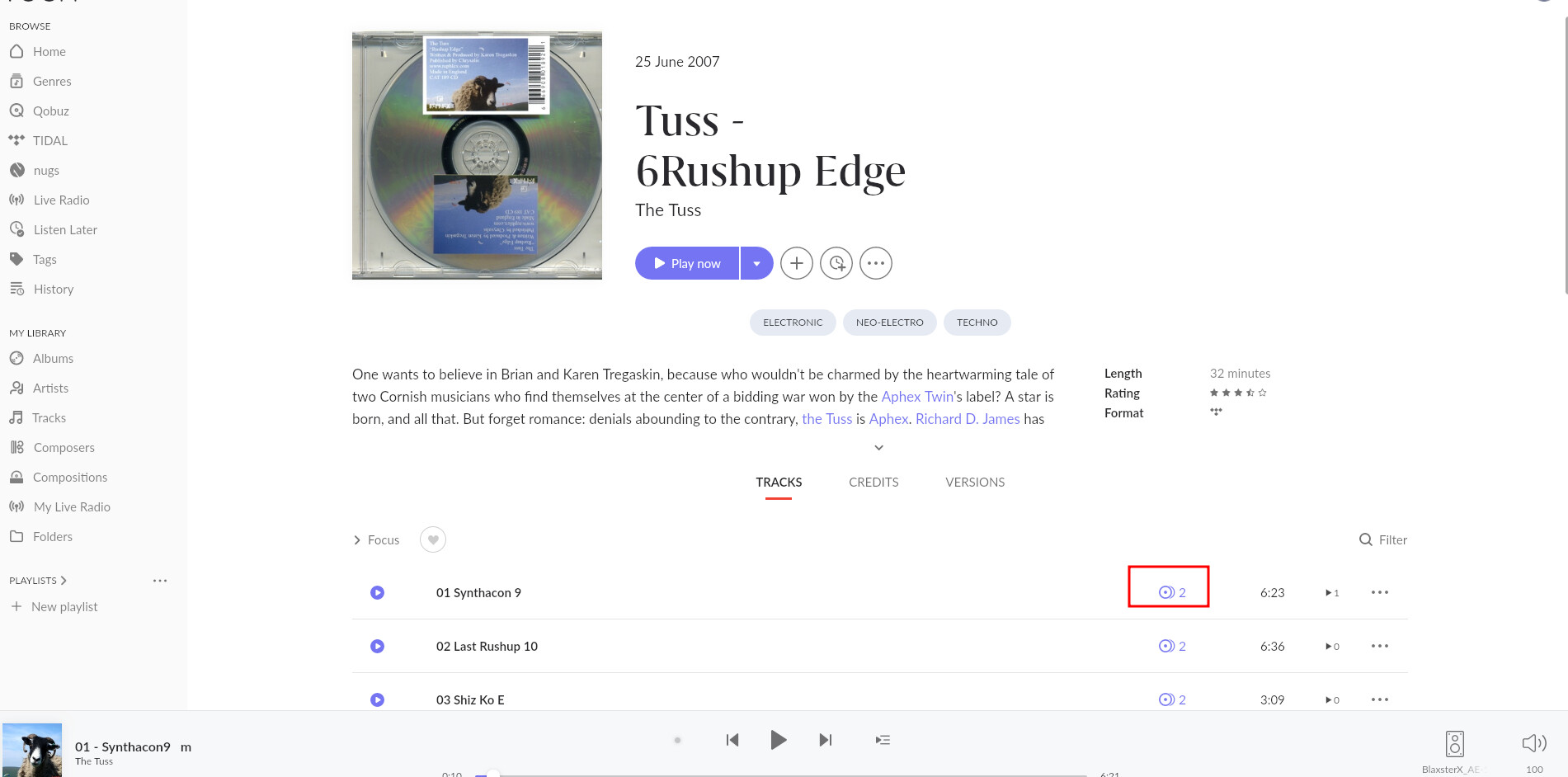
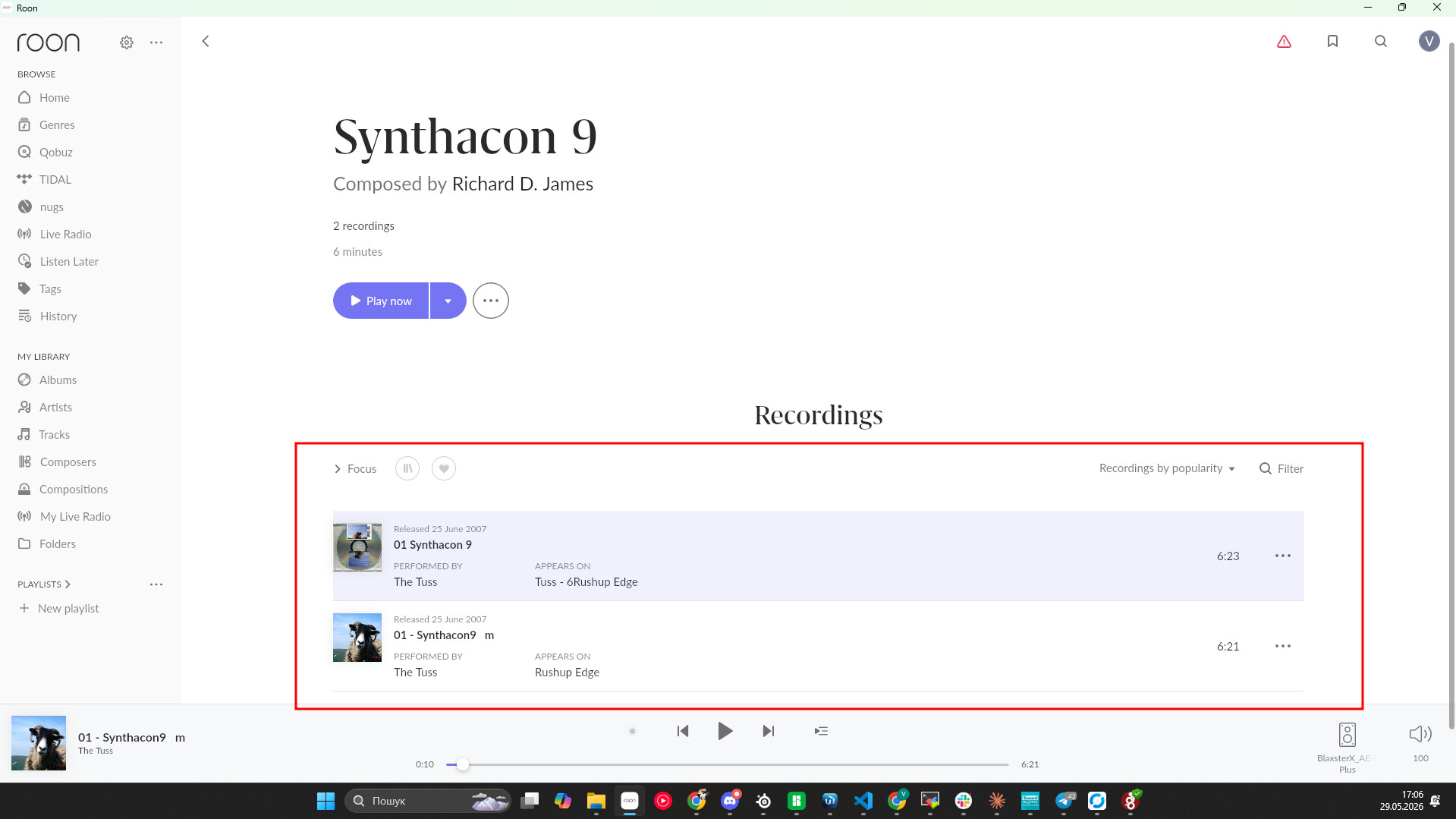
· I am unable to play the first two tracks of an album/ EP from Tidal, Tuss - 6Ruship Edge. Twice now, I've hit play, it makes a couple of loud busts of sound and essentially skips the first two tracks and starts to play track 3. I've opened the Tidal app and it has no such problem.
Tell us about your home network
· Router: Deciso DEC850 running OPNSense. There is a CAT5e cable running to an unmanaged Netgear switch which serves a few wired devices and a cable running to a TPLink TL-WPA8631P Powerline adapter (running Open WRT) which doubles as a wireless access point. The signal goes upstairs to another Powerline adapter (TPLink TL-PA8010P) which then goes into a TPLink unmanaged switch, to which the Roon Core (Intel NUC 8i5) is connected.
Thanks for writing in and for sharing your report! Could you please access your Roon Settings > Services > Tidal > Edit and confirm you have the highest possible streaming setting enabled?
If you haven’t yet, I’d also fully log out of Tidal and log back in to see if the issue repeats.
If that doesn’t help, let’s see if clearing your Tidal cache may help:
Thanks for the update, and for trying those steps. Since the Tidal setting is already at Max, logging out and back in did not change anything, and clearing the cache did not resolve it, the next thing we need is the exact local time, date, and track the next time this happens.
Please let us know those details as soon as the issue repeats. We will enable diagnostics and that will help us line up what Roon is seeing with the playback event.
Just played it again with the same results at exactly 7:45am (GMT). It skips the first track, gives a blast of noise on the second track before starting to play the 3rd track.
Thank you for the update. From the logs, we see the following. Tidal is returning malformed low-quality AAC (~96 kbps) for tracks 1 and 2 of album504886317despiteaudioquality=HI_RES_LOSSLESSbeing requested (HTTP 200 returned with no error). The AAC files for those tracks appear to be corrupted or contain an encoding that Roon’s ffmpeg decoder cannot process, causing:
Warn: [prebuffer] in buffer thread System.Exception: Read failure: ExternalProcFailed
Info: [SB ZxR] [zoneplayer] Track ended unexpectedly: Sooloos.Audio.BufferedReadException
Warn: [zoneplayer/raat] Error during streaming: System.InvalidOperationException:
      tried to get ByteBuffer on non-integer AudioBuffer
Warn: [zone SB ZxR] Track Stopped Due to Error
As we see this track has two different versions. Would you kindly test both of them and let us know the result with the timestamp?
There are two possible problems here:
The Tidal account country in Roon shows Colombia (CO), but the current location is different; this may cause content/CDN issues.
This is may be a Tidal-side problem with those specific track files, not a network/Roon configuration issue — the failures are immediate and the Tidal API confirms the tracks were “found” but delivers corrupt/low-bitrate content.
Hi - those two tracks on the album (as opposed to the EP) play absolutely fine so it’s obviously something dodgy on Tidal’s side with this one. Thanks.