Affected Product
Roon
Roon Issue Category
Playback
Description of Issue
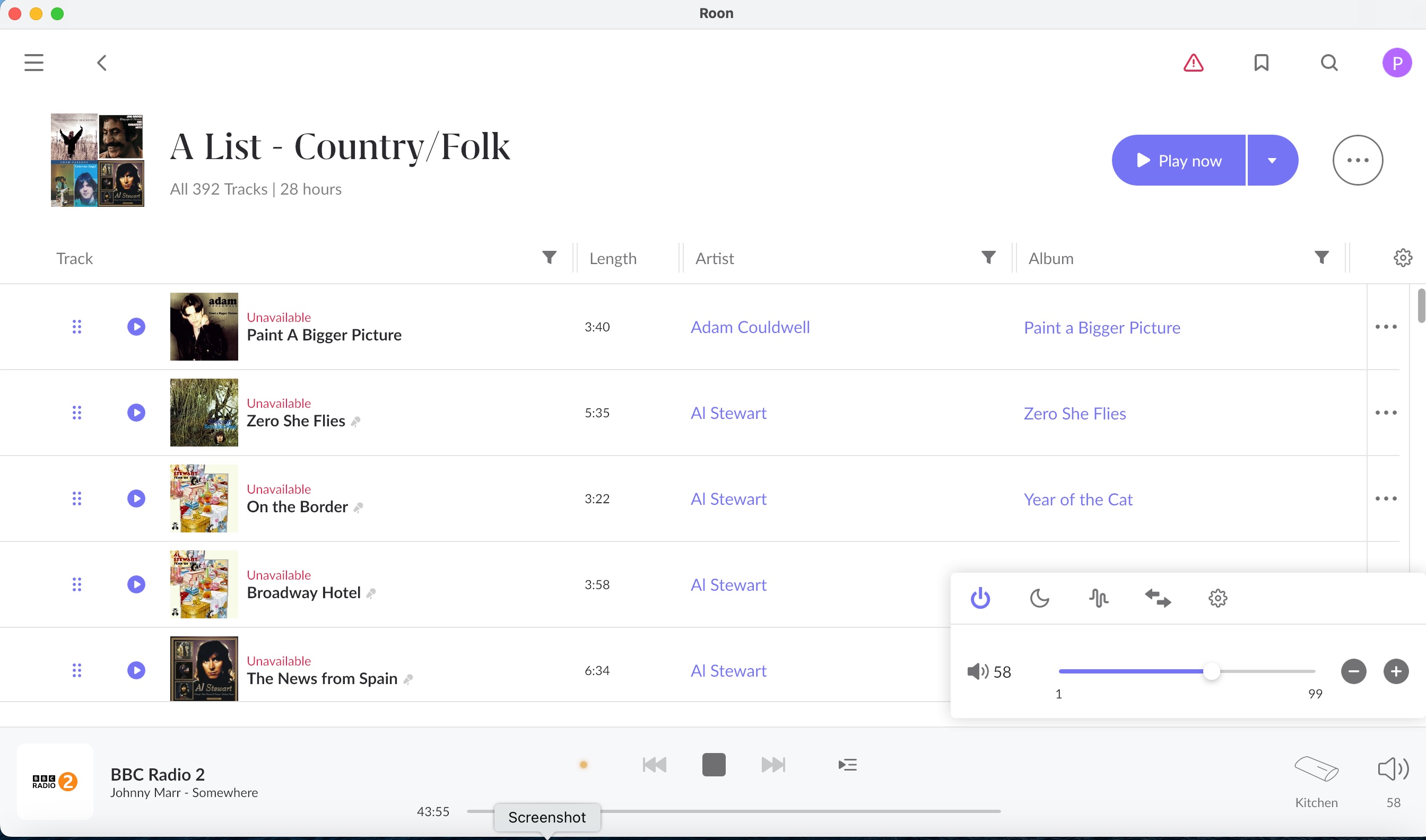
I cannot play my Playlists. Each track has a note in red saying the track is ‘unavailable’ but I can play all the tracks by selecting them normally through roon.
It is just the playlists which aren’t working?
I’m also getting a message saying there’s an issue with my metadata which is on ‘pause’?
Roon Core Platform
Nucleus
Roon Core Specifications
Roon Nucleus s/n 54B2038B9C39
QNAP drive
Meridian Music System
Connected Audio Devices
Meridian
Home Network Details
Ethernet connection, SKY router
Screenshot
What troubleshooting steps have you tried?
The metadata improver has cleared after I rebooted the storage device. But the problem with the playlists still pertains . . . . .
I believe that Playlists (at least for local files) have a filepath that is fixed at the time of creation. So if you move your local library files to another drive/location, then things get broken…
Thanks Geoff, understood but, I haven’t moved my playlists to another file or location.
Can you check the file info for one of these Unavailable tracks? What does it say?
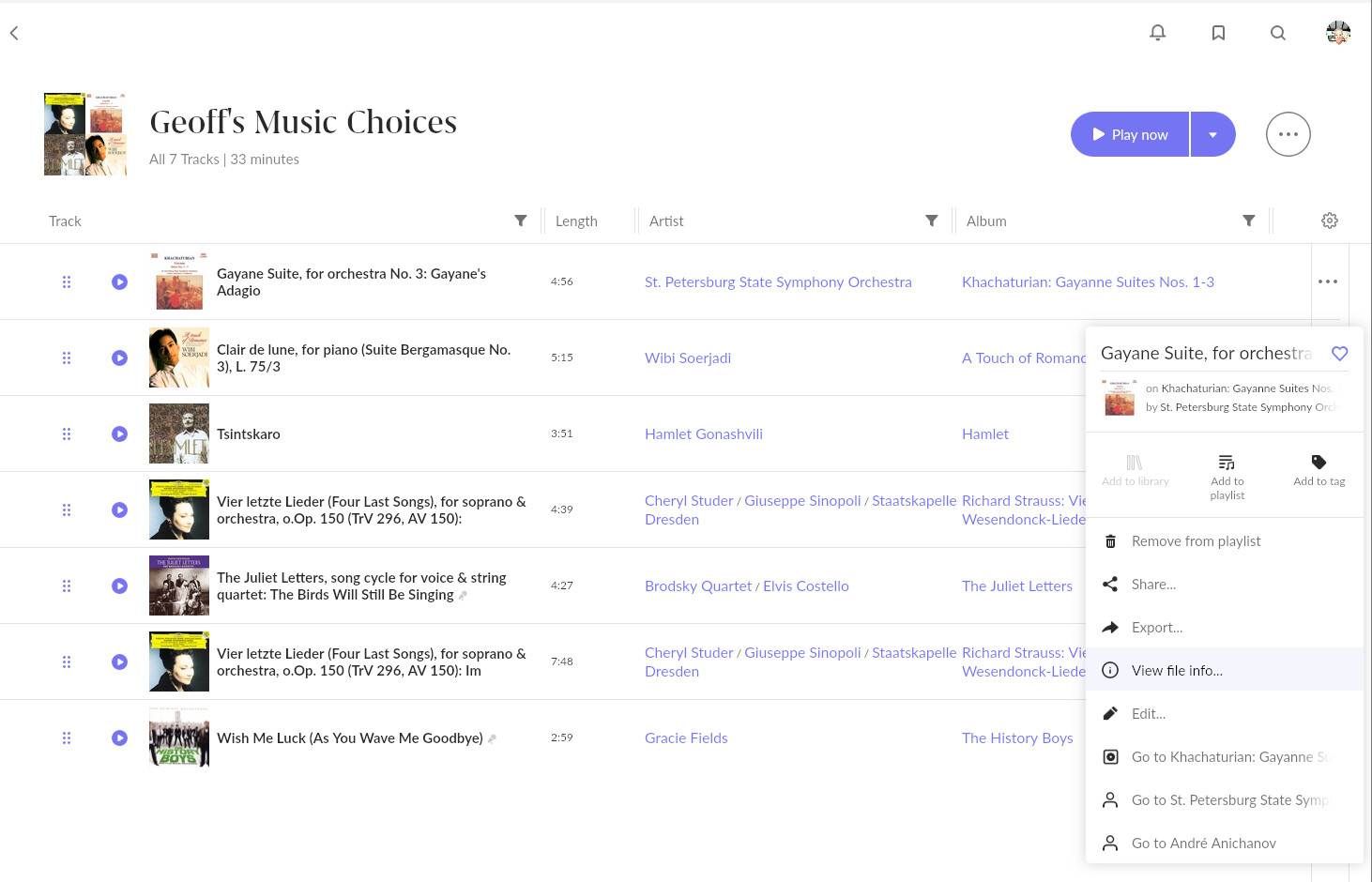
Use the “3 dots” menu by one of the tracks and choose the “View file info” option
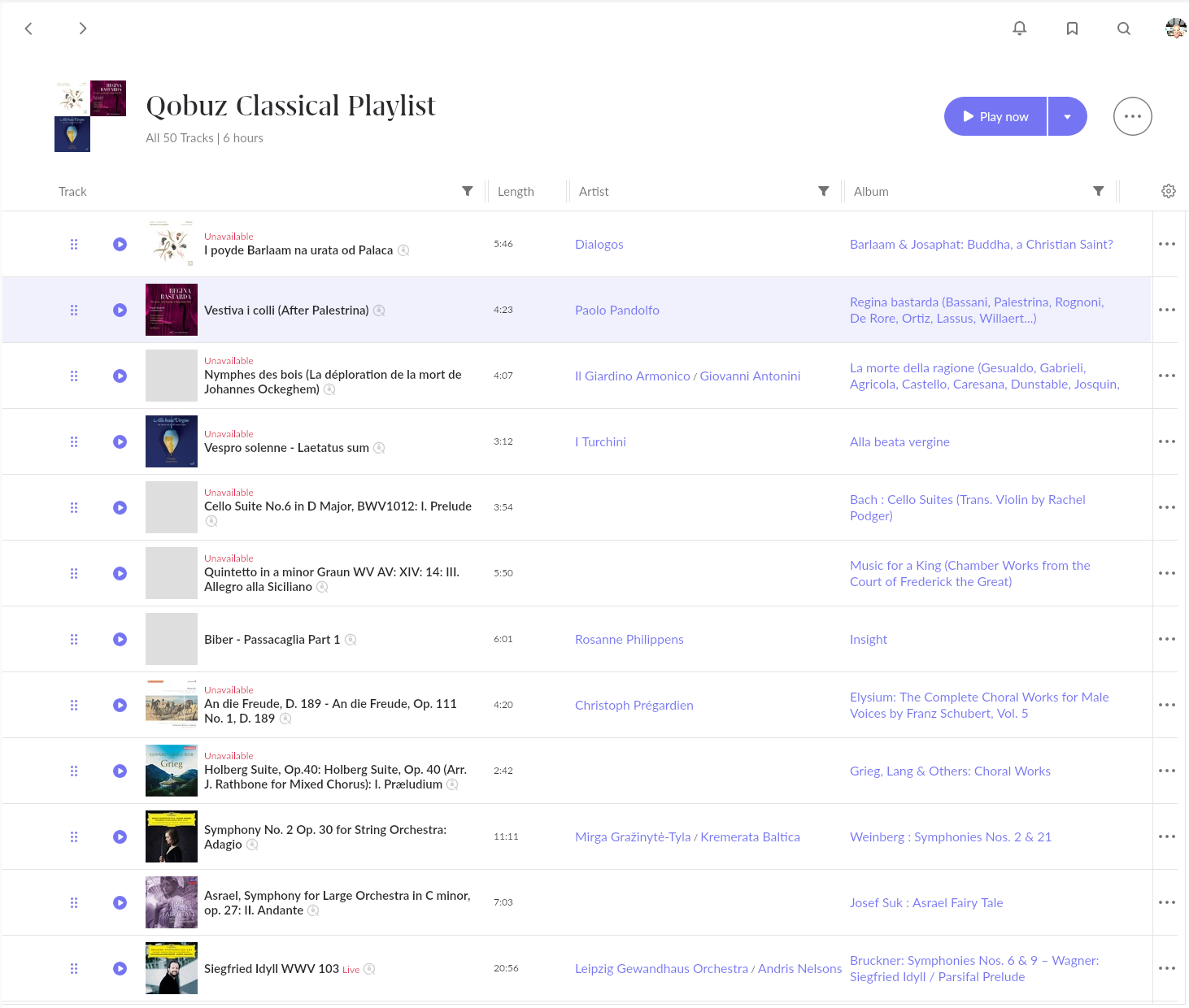
If these tracks are from a streaming service, rather than local, then it’s probable that the streaming service has replaced the album with another version because of licensing changes.
Since the playlist link is fixed at time of creation this will also cause it to break. I’m afraid you would just have to recreate the Playlist with the current versions.
Tidal and Qobuz both have a habit of doing this. Here’s an example of mine that I will have to recreate:
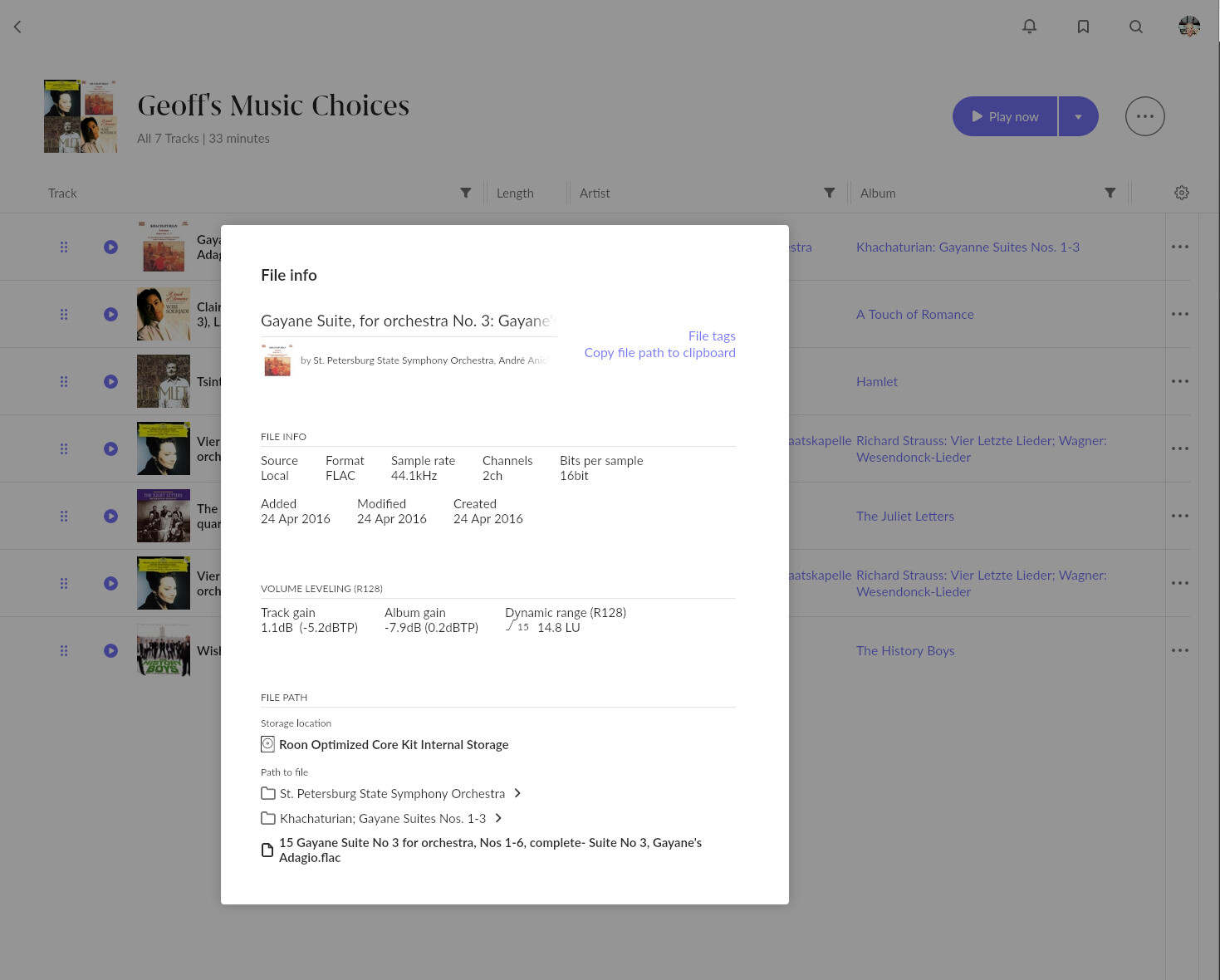
Thanks for your interest Geoff. Please see image of file information.
Interesting, the Playlist appears to think it is a local file, but there’s no File Path information being displayed - this seems to have been lost somehow. You’re sure that there’s been no change to your Watched Folders since the playlist has been created?
You should be seeing the File Path if the link is still valid, like this:
Edit: just noticed that (I think) you are using a QNAP NAS to hold your music files. That I think may be relevant - somehow, somewhere along the line, the file path credentials have possibly changed. Did you recreate the Watched Folder settings at some point?