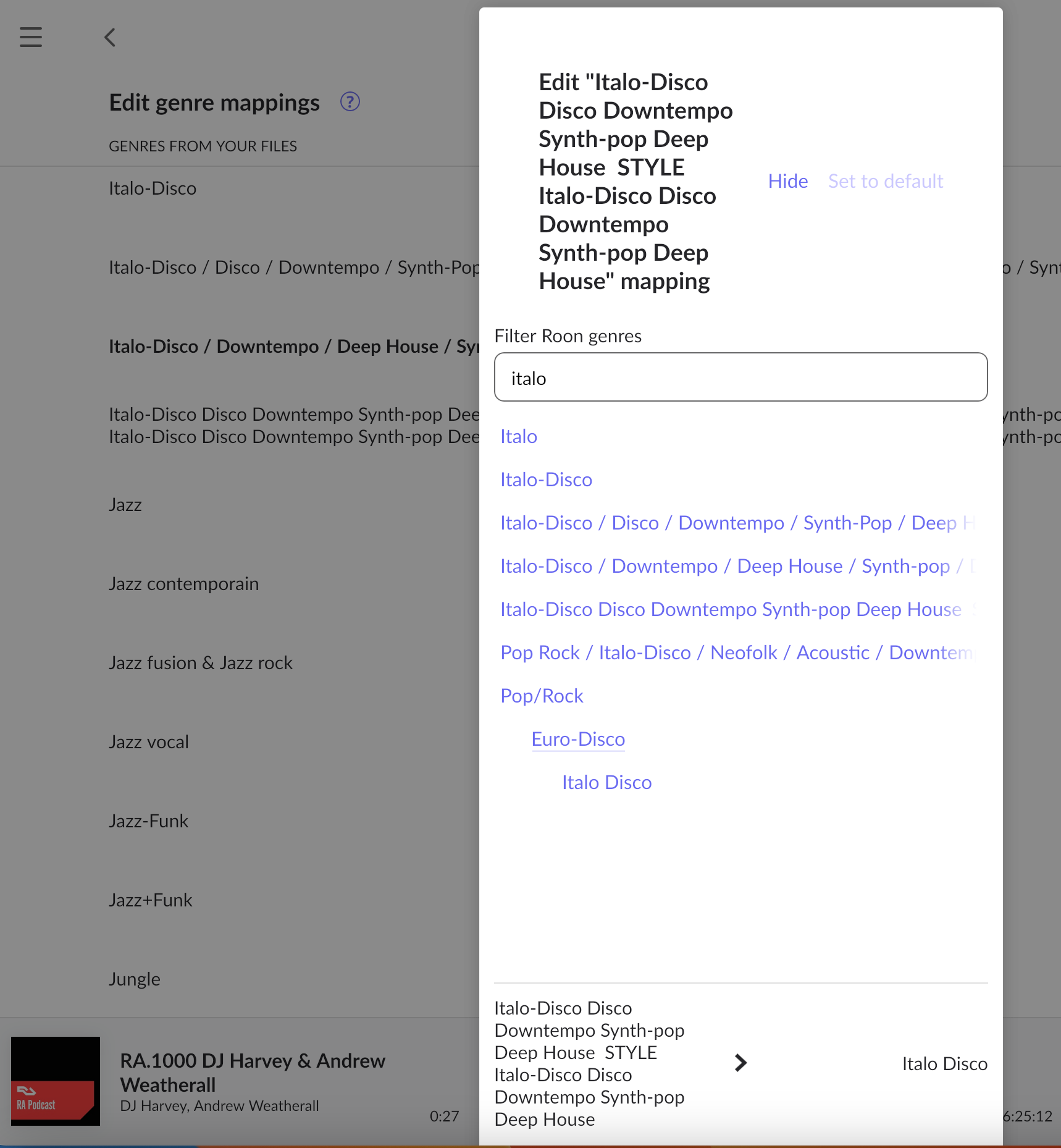
Thank you for the report. We’ll escalate this to QA.
Does this reproduce across your Roon Remotes or one particular device? What if you try to filter by something with fewer sub-genres? It looks like Italo-Disco has quite a few sub-listings in the nomenclature from your screenshot. Please share a screenshot if a second one might be applicable.
It’s on Mac desktop, don’t think you map genre tags on mobile devices can you?
And yes, looking at it again I expect it’s a side effect of such a long (rogue) tag, but I can’t easily see what track it comes from. If I could I’d just remove it from the file. I don’t actually want the tag.
Happy to accept it as an edge case if there’s no easy fix.
Although this probably speaks to a wider issue of needing better tools for tag management, but that’s a whole other conversation
Sorry this inadvertently auto-closed. The team has reproduced this problem and there’s a ticket in the queue for a fix. We haven’t released anything yet to Early Access, but we’ll let you know here as soon as a fix is expected in a release. Thank you!
No fix for this yet but this ticket is moving through the pipeline. We’ll share another update as soon as possible so you can finish editing these genres.