I cannot sign in to Roon. When I try to use the account that I have Roon application sends me to the internet to sign in where I click on the account that I have and it sends me back to the application again and I go round in circles and cannot sign in to the app.
Roon Core Platform
macOS
Roon Core Specifications
Mac Book Air M2 Ram 8 gig. All of this worked fine until I did not use Roon for a few weeks and I could sign in today to start but now I cannot.
Connected Audio Devices
Moon Mind using ethernet cable connected to my router.
Thank you for reaching out as soon as you discover you had trouble logging into your Roon account. We’re really sorry to hear it, but we’d like to do all we can to help. As a first step, could you please try to log into your Roon account page? Is that something you can do?
If the trouble is logging into the Roon software, it is worth noting that the process involves logging in via a web browser. The pop-up might be blocked by the default browser, depending on your settings. In that case, there are a few things that can help:
Rebooting your Roon Server
Clearing the default browser’s cache and cookies
Temporarily changing your default browser
Checking to ensure that you don’t have popup or cookie blockers preventing the redirect
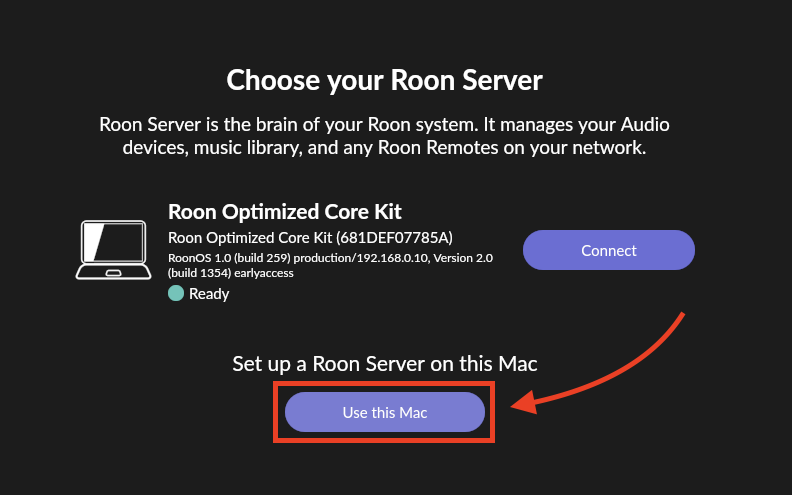
Thanks for your response. I can login to my account on the browser. The problems seems to be that the Roon application cannot find the server. On the page which says CHOOSE YOUR ROON SERVER I can see my MacBook Air identified with a small green light but when I click connect it goes back to the sign in page which goes to the Web sign and then back to the Roon app sign in page which goes back to the Web page etc. When I try clicking on “Configure Roon devices on your network” it goes into “Searching for Roon sever” but does not find it and keeps searching. I have uninstalled the Moon app and that has not solved the problem. So I need further “help”.
Thanks for the update! Could you please test out running things on a fresh database, and let me know if you get stuck int he same login loop?
You can generate a new RAATServer instance on your device by following these instructions, but please be aware that this will reset your Roon Settings → Audio Tab to factory settings and I would advise making a backup of any custom DSP settings you have:
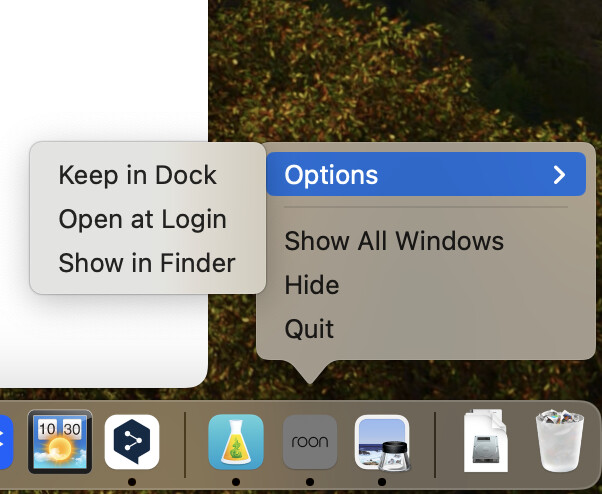
Thank you, Benjamin for your response. I tried as you suggested leaving the previous Roon folder with the changed Roon_old and RoonSever_old on the computer and installing a new Roon app. But the new app did the same circuit and it did not affect the problem. I cannot sign in to the Moon app so I cannot do any backups. I do not care about that now. I am fine to start from the beginning with none of my information in Roon. I think the problem is that Roon cannot connect with the Roon server on the Mac. I will give a few screen shots:
Is it possible that there is some part of Roon left on the Mac after I put the Roon app in the Trash? I cannot understand why a totally clean re-installation should not work as simply as if first did when I installed Roon a few months ago. I am running MacOS system Sonoma 14.1.1 (23B81).
To confirm, you are able to input your credentials from the web browser, which successfully loads and brings you back to the Roon app - but rather than load your account, it reverts back to the initial ‘Connect to your Server’ window?
Yes this is possible - dragging the application icon to the trash will not fully remove all of Roons contents. However, renaming your roon folders to _old like you did above will function the same as fully removing Roon.
Do you by chance have another device you could test out as a Roon remote? It appears that your MacBook air running Roon Server isn’t having any issues, so you should be able to connect from another device as long as Roon Server is running (which you can double-check from the taskbar on your MacBook air)
Thank you again Benjamin for responding. Yes this is exactly the problem.
“Do you by chance have another device you could test out as a Roon remote? It appears that your MacBook air running Roon Server isn’t having any issues, so you should be able to connect from another device as long as Roon Server is running (which you can double-check from the taskbar on your MacBook air)”
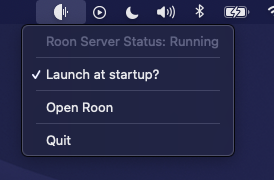
I have a PC which is having sound problems so I don’t think that would work. Can Roon be used from an iPad ? I am including a screen shot of the taskbar which does not indicate that the Roon Server is running,
You could still set it up to run the Roon application, and could still likely setup a different zone to play audio from the PC. If not, it’d still be interesting to see if you can gain access to your account from the device.
My apologies here - I was referring to the top bar on your screen, where your bluebooth devices and wifi options are listed:
You should see the Roon jellyfish here, to which you can click it to check to see if your server is running.
Hello again Benjamin. You were right to suggest I install Roon on my PC and see what happens. I installed it and when I designated the server to be on the PC it works normally well. I realized, as you said, the sound on the PC does not matter because I use Roon to connect to a Moon Audio system which works fine. Since I would also like Roon to work on my Mac, I opened Roon on the Mac and the first time it opened after I selected the server on the PC. The only problem was that there no images of albums loaded. However, after I closed Roon again to see if the images would load, a screen appears which says, “Waiting or your Roon Server, Roon is trying to connect to the server but it is taking longer than usual”. I have checked my firewall on the Mac and it seems to be open. However, I notice on the PC that Windows asks permission for certain Roon elements to work. So, my question now is there something blocking Roon on the Mac but if so why did it work once and then not at all? Thank you again for helping me. At least now I have a functioning version of Roon on the PC.
Sorry, there has been another change after I wrote the last note. Now the Mac Roon program can find the sever on the PC and Roon works on the Mac except there is no artwork. If I want to try to get the Roon sever on the Mac to work with the Roon on the Mac, how would I go about that? Thanks again.
Please know that you’re not alone with your issue at the moment. We’re seeing a handful of users running into similar connectivity issues on both Mac and PC devices, and our team is actively investigating potential causes and solutions.
@Geoff_Coupe is correct in that you’ll need to grant Roon permission from the PC. You can confirm this has happened successfully if the following is listed as exceptions within your PC firewall:
roonserver.exe
raatserver.exe
roonappliance.exe
To confirm your current status: You have Roon Server running on your PC, with control and navigation of Roon on your Mac - which is functioning normally outside of missing artwork and images, correct?
“To confirm your current status: You have Roon Server running on your PC, with control and navigation of Roon on your Mac - which is functioning normally outside of missing artwork and images, correct?”
Yes this is exactly correct. I can also confirm that the exceptions to the PC firewall as listed above did appear as you say.
I guess the new version of Roon 2.0.25 will also add to the mix of complications.
Thanks again very much for your help.
We’re still investigating issues around missing artwork and additional connection issues to Roon Server to which I don’t yet have any next troubleshooting steps. I will certainly keep you in the loop as things progress!
Thank you again Benjamin for you attention to this matter. I tried the procedure your suggested above but when I tried to use the sever on the Mac, it asked me to sign in and then went back into the same loop of click sign in, it goes to the web for my account, I click my account and it goes back to the sign in page again. That is to say back to the original problem. So I guess there is some problem at the level of the sign in for the sever on the Mac, The images are still not available on the Mac. Please let me know what you think and thanks for keeping me posted.
Our team is still working on a fix to this issue, so I don’t have any immediate next steps for you - my apologies there.
It sounds like you were able to at least get some music playing when you had your temporary setup running? If so, this may be your best temporary option while we work on a fix.
In the meantime, a fresh set of logs from your troublesome Mac may be helpful - please use the directions found here and send over a set of logs to our File Uploader.
Thanks again. You are right it is quite reassuring to see Roon work completely well on my PC. I will do the logs in the next few days hoping it will be helpful.
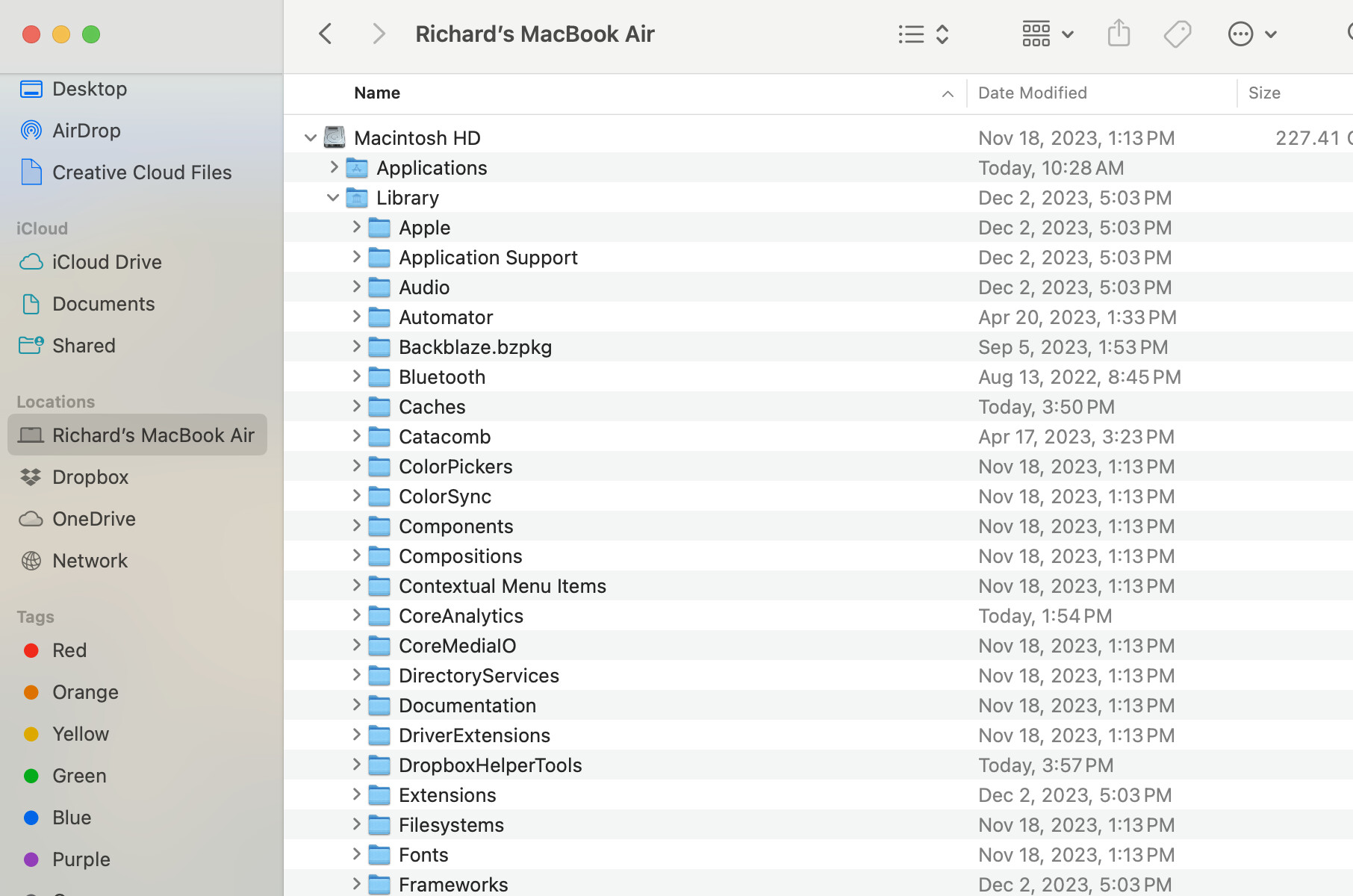
Hello again Benjamin. I am afraid I was not able to find the Logs file on my Mac. The instructions to find Logs on the Roon site do not correspond to what my MacBook Air’s Finder window looks like. Here is a screen shot.
There is a Library file that is visible but there is no Roon or Roon server folder. I am running Sonoma 14.1.2 (23B92). If there are newer instructions that let me find the Logs I would be glad to try again.
Hello Benjamin,
There has been a break for the holiday season, but I just wanted to state again that I was not able to find Logs on my Macbook Air. I was also wondering if there was any progress on the problem of no artwork appearing on the Mac when it is using the server on my PC. My ultimate goal is to be able to again have Roon working on my Mac with the server on the Mac. Hope you had a good holiday season.