EinTo.Shuffle
(// Evolving "MixTape" on Shuffle with Roon //)
1
Hi! What’s not quite right with Roon?
· None of the above quite fits
None of the above quite fits
· None of these quite match
Tell us what's going on
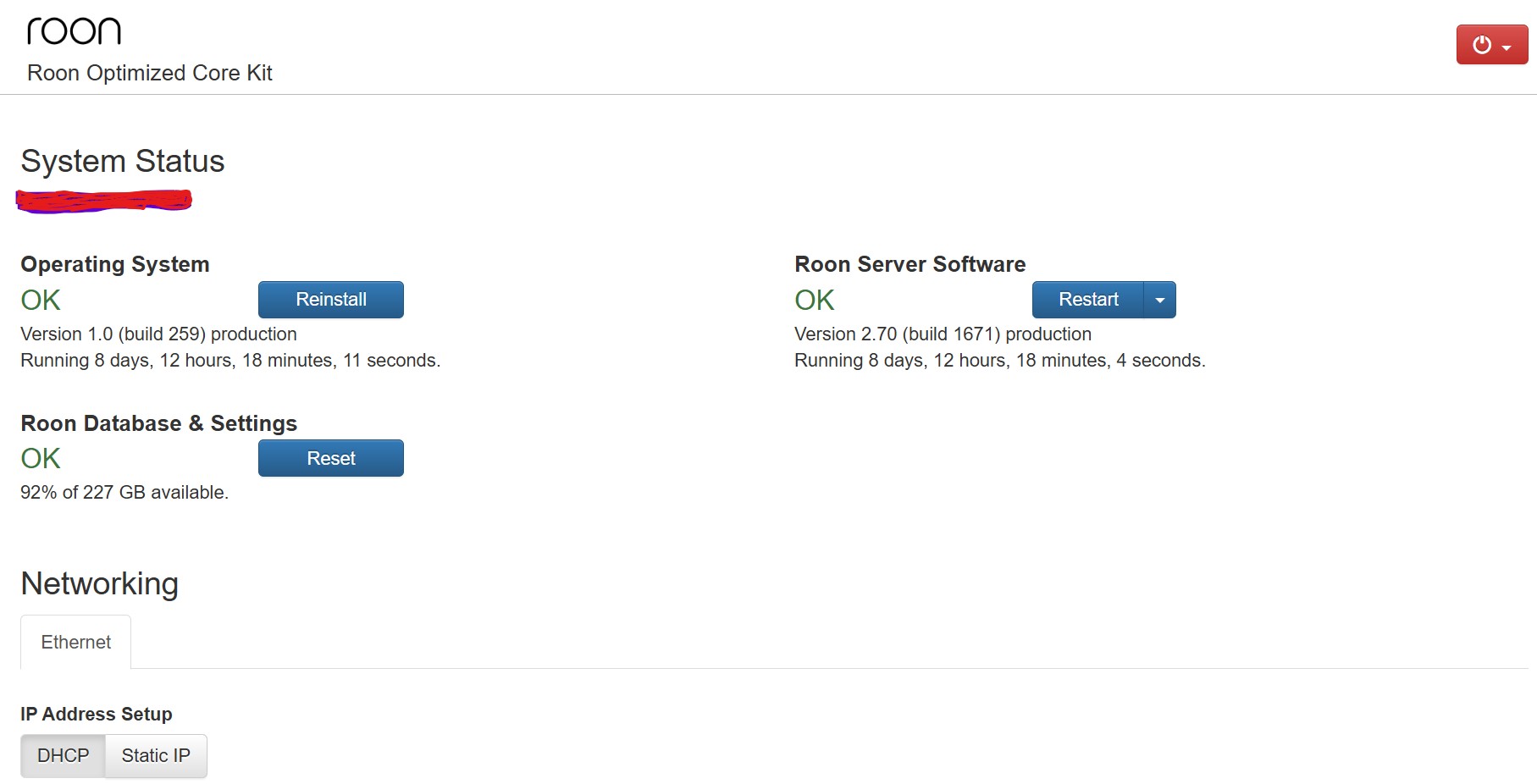
· * Roon version : see attached *OS : this is the issues , i am still on version 1.0 even if the applications has been update all the way * Have tried power OFF/ON and upgrade/update manually from button * SetUp is ROCK, installed initially late in 2022.
The version of RoonOS is limited to version 1 build 259 because that is the latest build that supports the old BIOS boot mechanism.
Newer versions of RoonOS (the current 2.1 build 271 and the future version 3 (currently in early access) require the use of UEFI boot and will not install on a BIOS boot device.
This does not affect the Roon Server application itself which will continue to stay up to date but it does mean that you will not get the later RoonOS features like Tailscale support directly on the server (version 2.1) and USB filesystem repair and the provision of authenticated SMB shares to avoid the issues with the increased security model in Windows 11 (both features coming with RoonOS 3.0).
Note: it is usually possible to install later versions by changing the boot mechanism in the NUC BIOS to UEFI and then reinstalling ROCK. However this will completely reformat the OS drive and thus requires a backup to be performed before the upgrade is undertaken and restored afterwards. Also, the ROCK reinstall will still install an older version but the the ‘reinstall’ button on the WebUI will install the latest version.