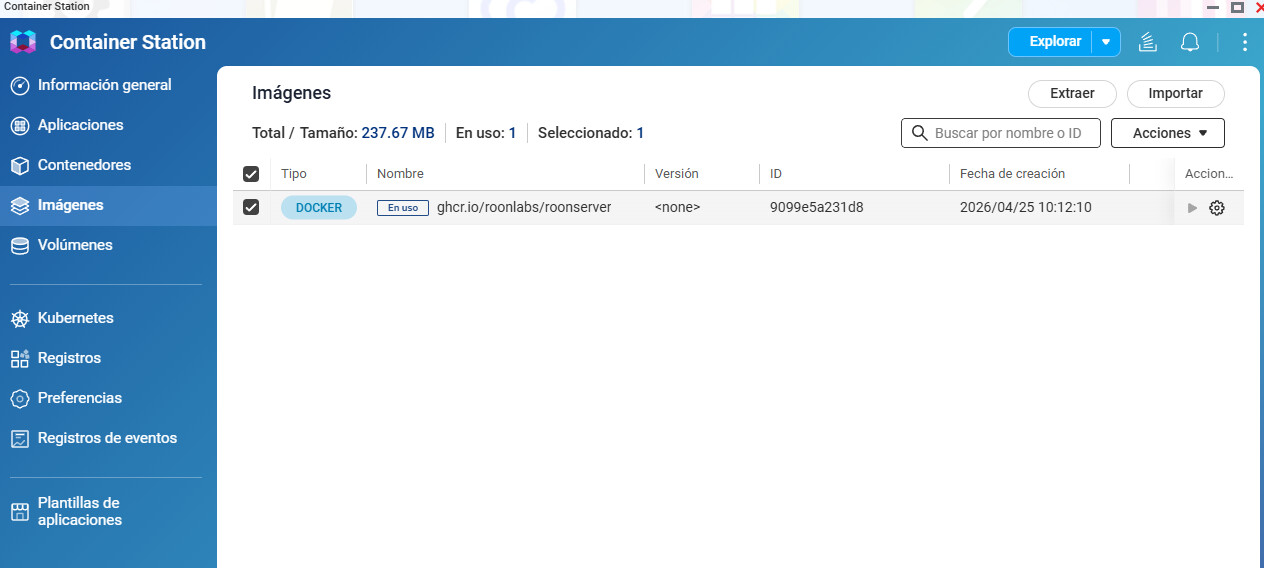
This is a known issue with Roon in Docker on QNAP: older Roon Docker images can’t install Roon updates on QNAP. It was fixed in Roon Docker image v1.0.8, as described in the solution here: Roon Server on NAS not updating (Resolved)
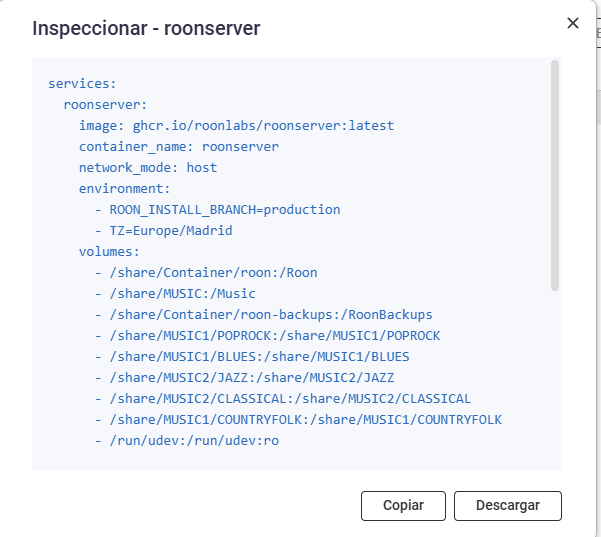
The steps you followed update the image only if the container is set to use the latest one, and the <none> you see in Images suggests yours is still on the old one. Please check the image: line in your Roon application’s YAML in Container Station. If you used the configurator it points to latest. If it points to a specific older version, please change it to latest, then restart (recreate) the application so it starts on v1.0.8 or newer.
After that, please run the Roon Server update from the Roon app (Settings > About). If the update goes through, the image was updated correctly.
I recreate again on container applications and able to update again latest version, delete again on image the old one and roon app updated correctely to latest verdsion.