Call me impatient but this is also my first time upgrading over releases a Debian system. I expected it to go smoothly, which is true 99% of the progress.
After the upgrade, I noticed that my Roonserver is no longer startable, examining the journal, turns out it was missing the ICU libraries
Jul 22 21:33:10 roonserver systemd[1]: Started roonserver.service - RoonServer.
Jul 22 21:33:10 roonserver start.sh[934]: Process terminated. Couldn't find a valid ICU package installed on the system. Please ins>
Jul 22 21:33:10 roonserver start.sh[934]:    at System.Environment.FailFast(System.String)
Jul 22 21:33:10 roonserver start.sh[934]:    at System.Globalization.GlobalizationMode+Settings..cctor()
Jul 22 21:33:10 roonserver start.sh[934]:    at System.Globalization.CultureData.CreateCultureWithInvariantData()
Jul 22 21:33:10 roonserver start.sh[934]:    at System.Globalization.CultureData.get_Invariant()
Jul 22 21:33:10 roonserver start.sh[934]:    at System.Globalization.CultureInfo..cctor()
Jul 22 21:33:10 roonserver start.sh[934]:    at System.Globalization.CultureInfo.get_CurrentUICulture()
Jul 22 21:33:10 roonserver start.sh[934]:    at System.TimeZoneInfo.GetUtcStandardDisplayName()
Jul 22 21:33:10 roonserver start.sh[934]:    at System.TimeZoneInfo.CreateUtcTimeZone()
Jul 22 21:33:10 roonserver start.sh[934]:    at System.TimeZoneInfo..cctor()
Jul 22 21:33:10 roonserver start.sh[934]:    at System.DateTime.get_Now()
Jul 22 21:33:10 roonserver start.sh[934]:    at Base.Utils..cctor()
Jul 22 21:33:10 roonserver start.sh[934]:    at Base.Utils.SetApplicationName(System.String, System.String)
Jul 22 21:33:10 roonserver start.sh[934]:    at Sooloos.App.Main(System.String[])
Reinstalling libicu-dev had it going again.
Not sure at which stage the libs got wiped out, but if you are in the same boat, just install the library and it should be good to go.
Thanks. Hit this error testing the upgrade of a debian incus container in truenas scale.
No problems with my promox roon container (maybe depends on whether you upgrade or dist-upgrade).
The package you need is actually libicu76. Was libicu72 in bookworm, but it is not in trixie. In proxmox I still had the old libicu72.
I have had no issues with Bookworm when adding a network share from Roon client, but with Trixie I keep getting the Could not connect to share: Unauthorized message.
I set up a spare machine today using trixie and had the problem of being unable to connect to a network share for either storage or to restore my backup.
I had no problem connecting to the share from the command line but it failed 100% of the time in the roon ui.
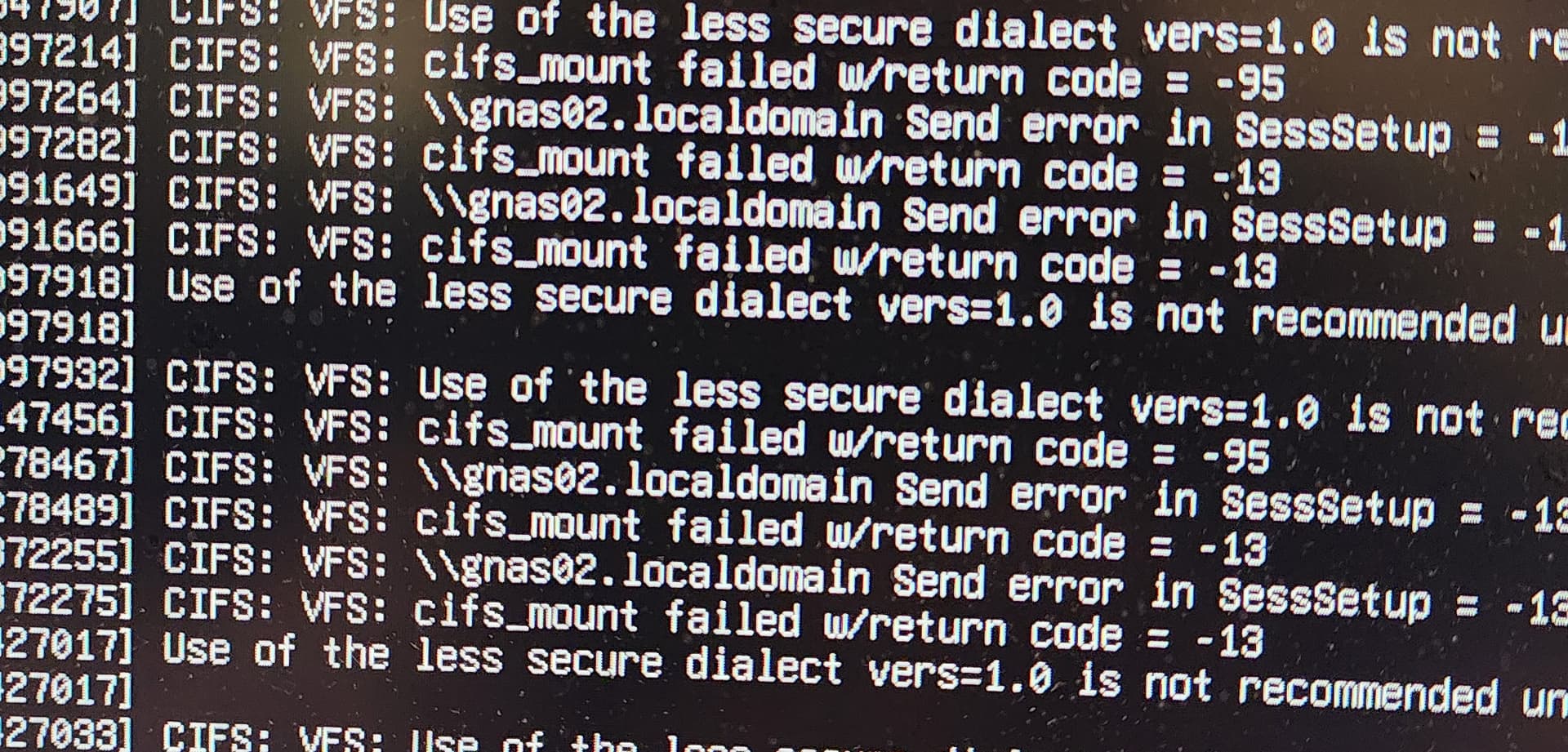
I connected a monitor to the box and every time I tried to log in via the Roon ui, it would post a notice about cifs and not using v1.
I am guessing Roon is using SMB1 (bummer) and it’s disabled in trixie. I made some edits to the smb.conf but an not enough of a Linux guru to make it work.
I installed Debian bookworm (12) and it worked immediately.
A little birdie told me they had to install icu-devtools but wasn’t as a result of a failed access to a smb share.
Whilst it might not directly stop SMB from working, but it could cause issues with internationalised file names or certain operations. However, this is less likely to be the root cause of connection problems.
I ran the dietpi trixie upgrade script again, but this time on my running roon server, meaning the network shares were already connected. Roon is unable to connect to the network shares (qnap) and the console displays almost continuous errors of the type I was getting when I tried a fresh config, likely because roon is retrying the network mounts, which I would totally expect.
I also installed icu-devtools as suggested, it made no impovement. For anyone interested, I took a pic of the console errors, note they don’t appear in a ssh session, only on the console of the host when not logged in.
I had connected before but [without] specifying the version. It this case, it has no issues, connects immediately without error. I appreciate the assist.
root@rcore:/mnt# mkdir roontest
root@rcore:/mnt# mount -t cifs //gnas02.localdomain/musicshare /mnt/roontest -o vers=2.1,username=xxxx,password=xxxx
root@rcore:/mnt# ls ./roontest @Recently-Snapshot musicroot
root@rcore:/mnt#