Have you successfully located and enabled the UPnP or NAT-PMP settings in your router's web UI?
· UPnP is not listed in my router settings
· How would you like to continue with the network configuration? I will configure port forwarding manually.
Is your secondary router in Bridge mode?
· No, it's not in Bridge mode
Have you created a manual TCP port forwarding according to the instructions?
· Yes
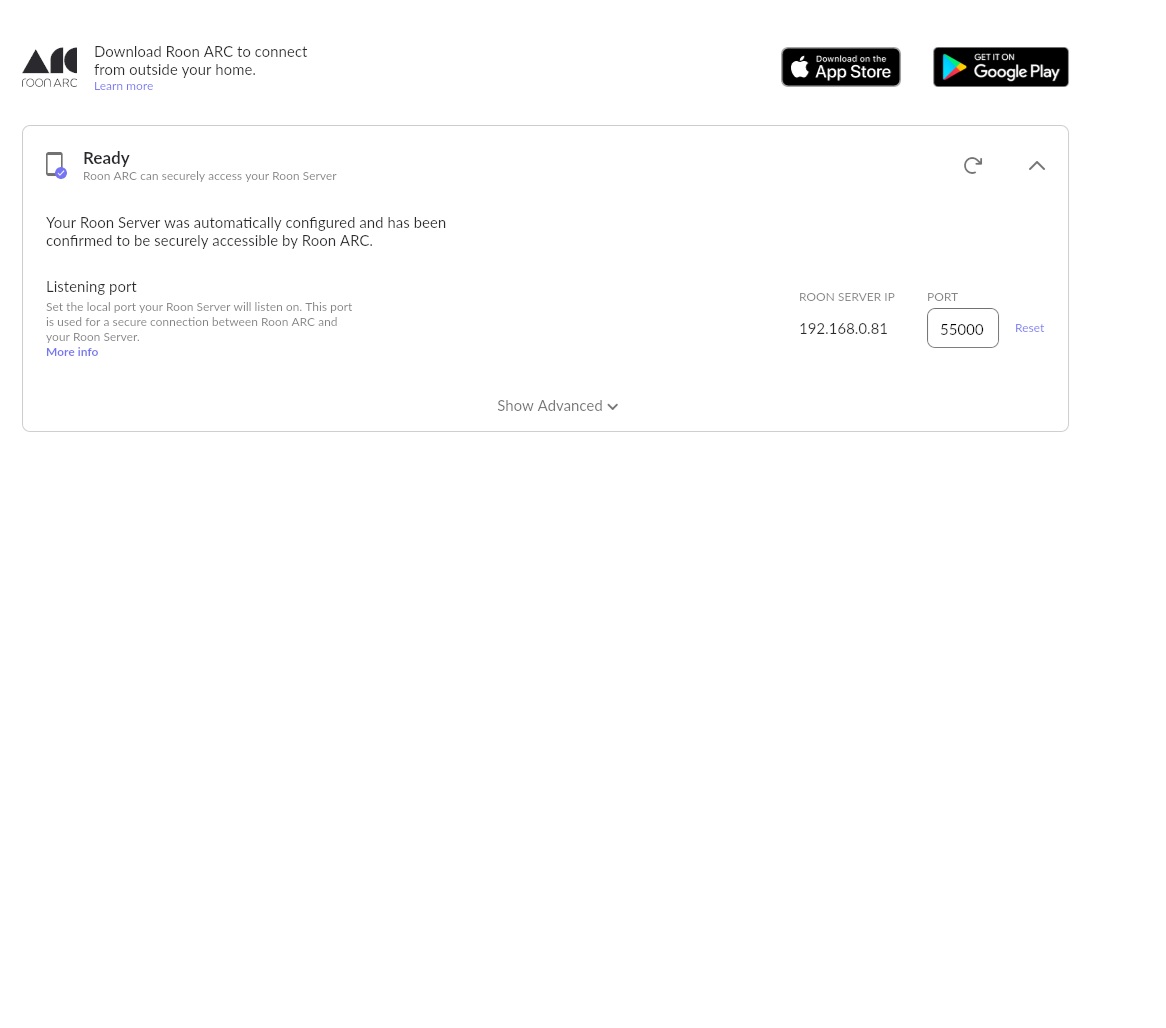
What status do you see when visiting Settings > Roon ARC in Roon?
· ARC is "Not Ready"
Select the Diagnostic Keyword or Text String
· Something else
Don't give up yet.
· I'm stuck. I'd like to create a post to ask Roon Community for help.
Describe the issue
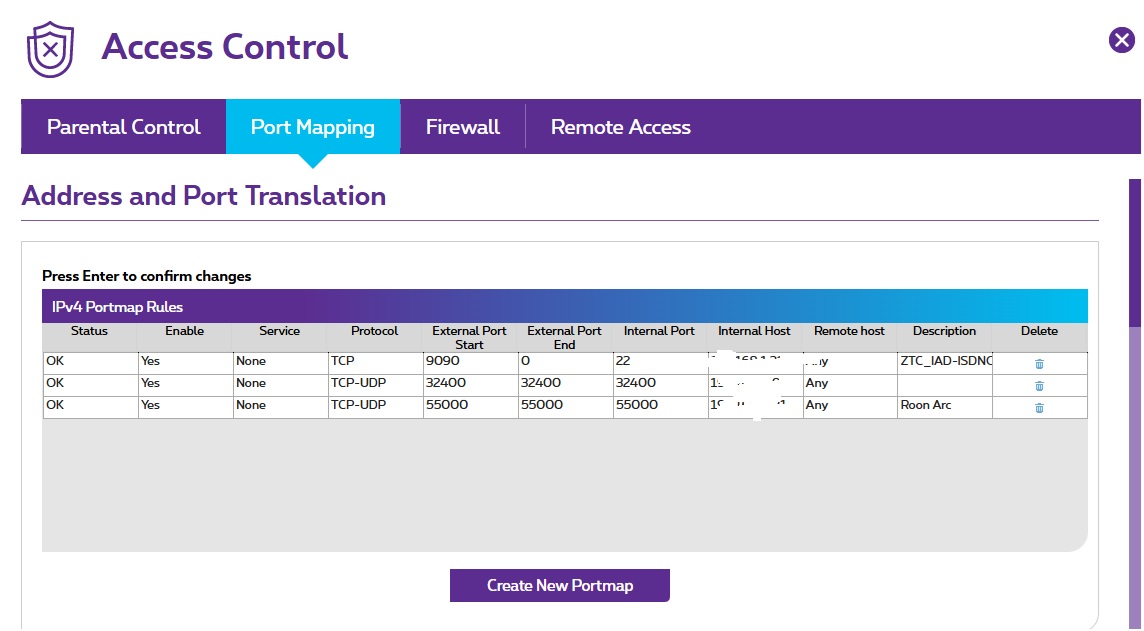
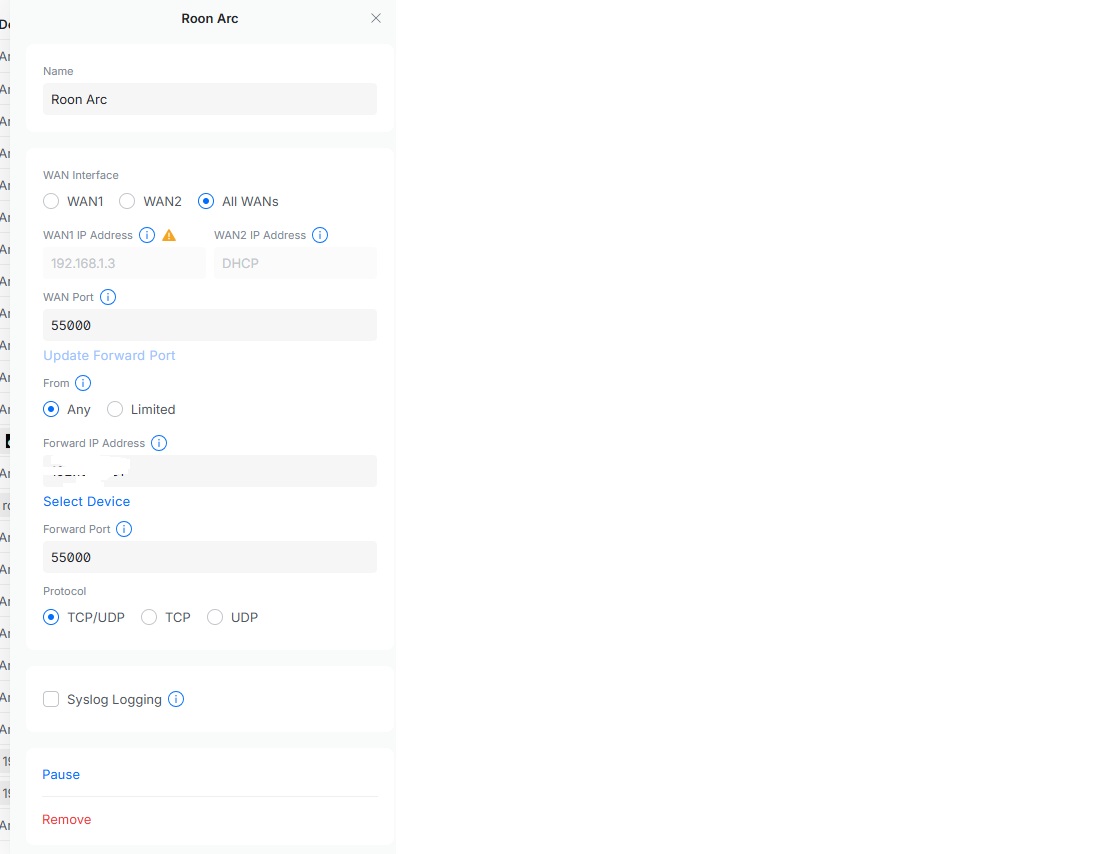
We run a network with a Ubiquiti dream machine. We have set a port forwarding rule in the dream machine. We have also set a port forwarding rule in our modem from our ISP. The modem of our ISP does not have an UPNP setting. It is also not possible to put it in bridging mode. We have several managed swiched from ubiquiti connected to our ubiquiti dream machine. Our roon server is behind one of them. Our roon server is a silent angel rhein Z1 V2.
Describe your network setup
Our ISP is Proximus based in Belgium We run a Ubiquiti dream machine with several managed ubiquiti switches. All audio devices are hardwired(not per wifi) They are all in the same network(192.168.0.xxx) Our roon server is a Silent Angel Z1 V2. He is sitting behind one 8 port managed ubiquiti switch which is connected directly to our Ubiquiti dream machine
Doing this creates an additional, redundant layer of networking, which is the likely reason ARC does not connect.
Ideally, put your ISP router into bridge mode, so it behaves as a modem only. If this isn’t possible, you will need to create a manual port forwarding rule in your ISP router that forwards port 55000 (or the port you are using in Roon Settings → Roon ARC? ) to the IP address of your personal router.
Setting up ARC through a “Double NAT” network—where the ISP modem cannot be put into bridge mode—is definitely one of the trickier configurations, but we can absolutely get it working by creating a port forwarding “chain.”
I noticed in your screenshots that you painted over the internal IP addresses. I completely understand wanting to be secure, but please rest assured that internal IP addresses (like those starting with 192.168.x.x or 10.x.x.x) are perfectly safe to share. They are strictly local to your home and cannot be routed or accessed from the outside internet.
Without seeing those internal IPs, it is impossible to verify if your rules are pointing to the correct devices.
You cannot point the Proximus router directly to the Roon Server because the Roon Server is hidden behind the Ubiquiti Dream Machine. The traffic must be handed off step-by-step:
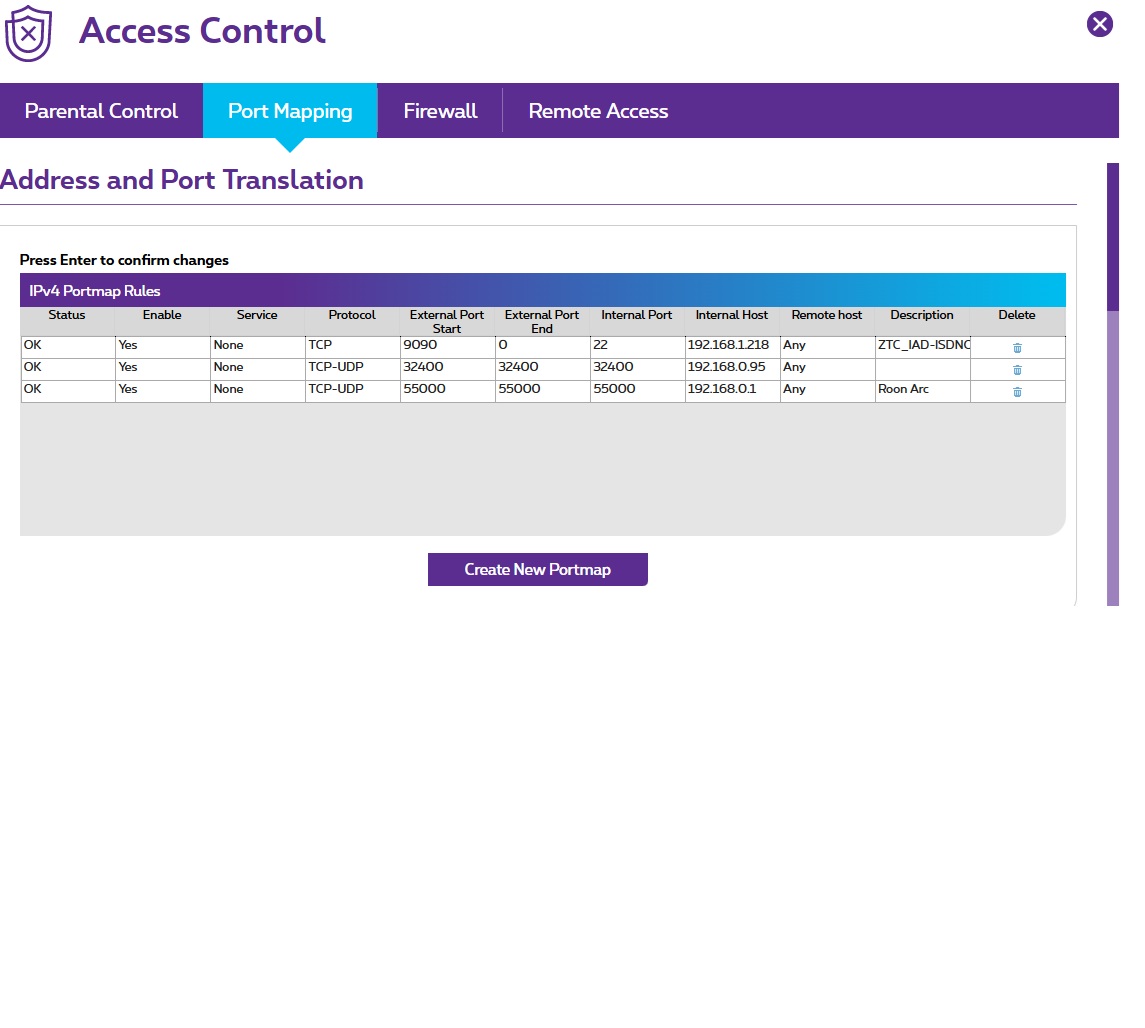
Rule 1 (On the Proximus ISP Router): This rule must forward port 55000 to the WAN IP of your Ubiquiti Dream Machine (the IP address the Proximus hands to the Ubiquiti).
Rule 2 (On the Ubiquiti Dream Machine): This rule must forward port 55000 to the LAN IP of your Silent Angel Roon Server.
Information Needed
To help us tell you exactly how to write these two rules, could you please reply with the following internal IP addresses?
The WAN IP address of your Ubiquiti Dream Machine (Look in the Proximus interface to see what IP it assigned to the Ubiquiti).
The IP address of your Silent Angel Roon Server.
Screenshots of the actual rules you created on both routers, with the internal IPs visible.
Once we have those addresses, we can map out the exact sequence to get ARC successfully connected outside your home!
Thank you very much for your detailed answer. I will do my very best to answer your questions. I will provide you with fresh unblurred screenshots.
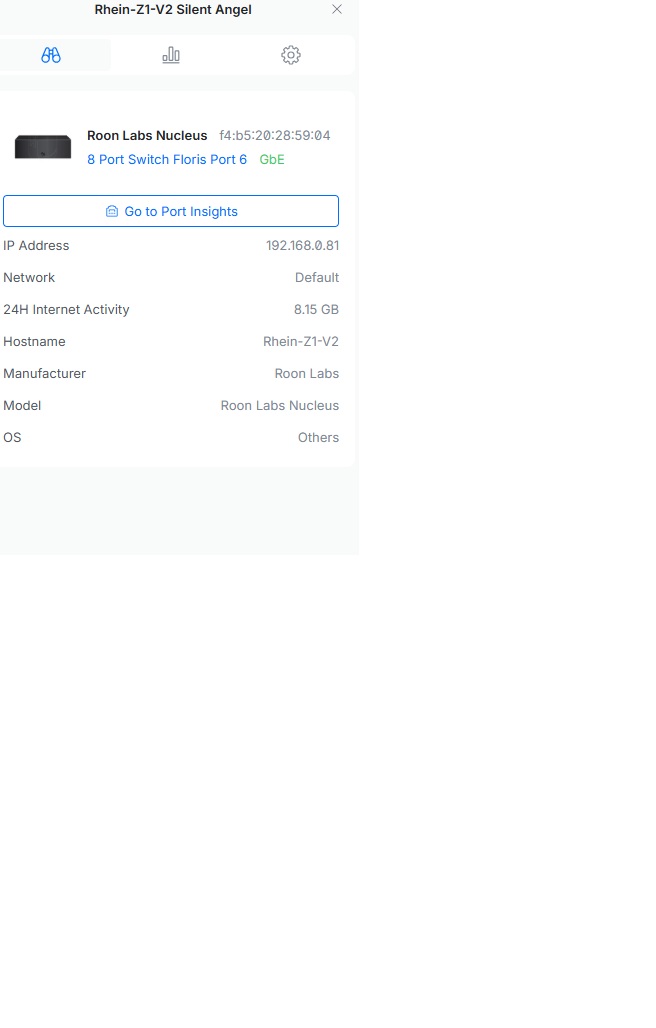
The ip adres from roon core (silent angel) is 192.168.0.81 that i am sure
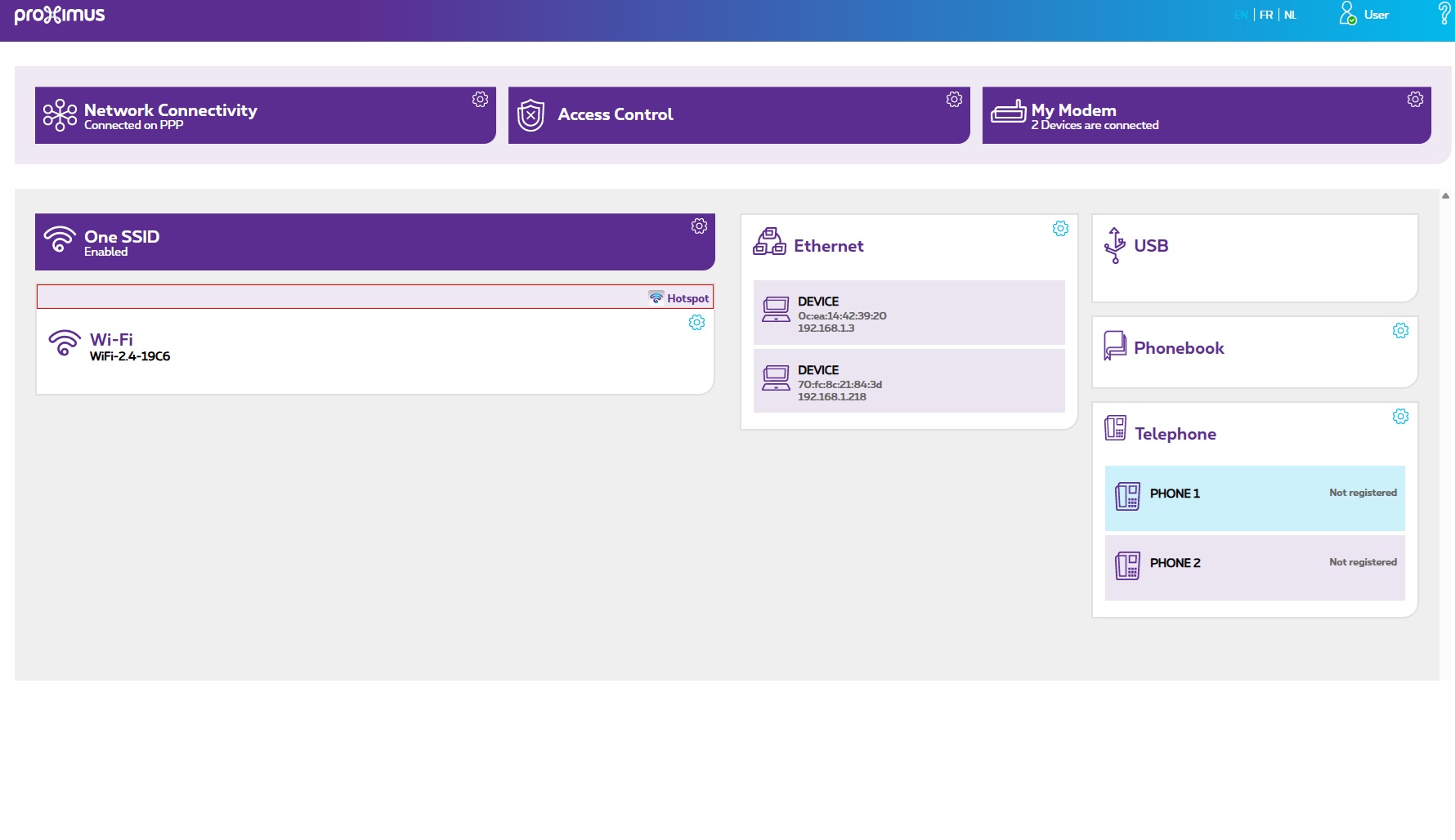
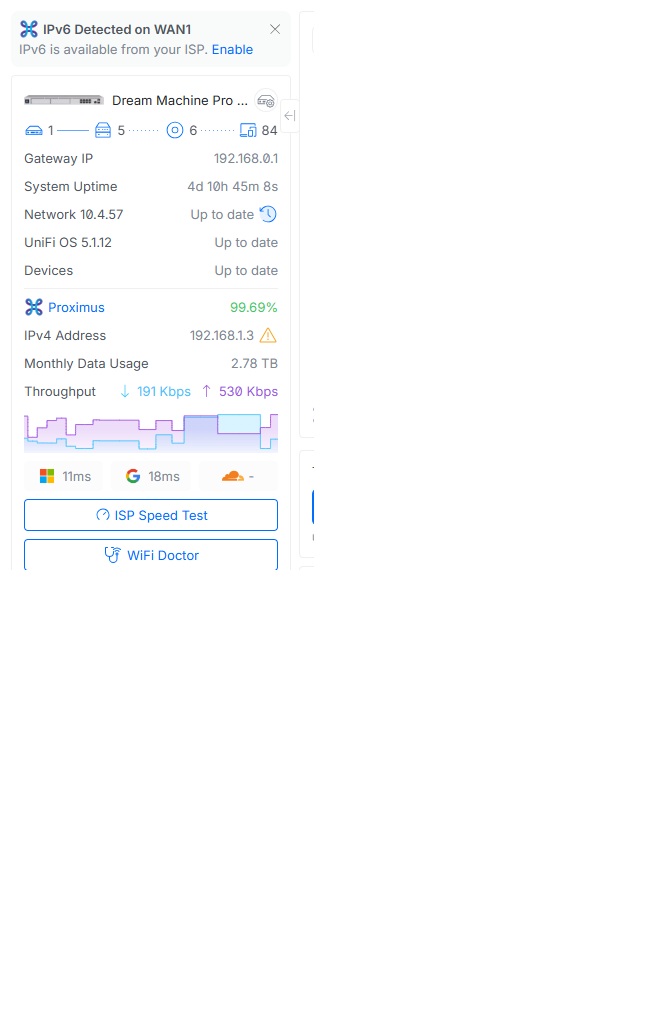
The ip adres the proximus router is giving the ubiquiti is somewhat confusing to me. I think it is 192.168.1.3
In the ubiquiti dashboard I see 192.168.0.1. In the proximus dashboard I see 192.168.1.3
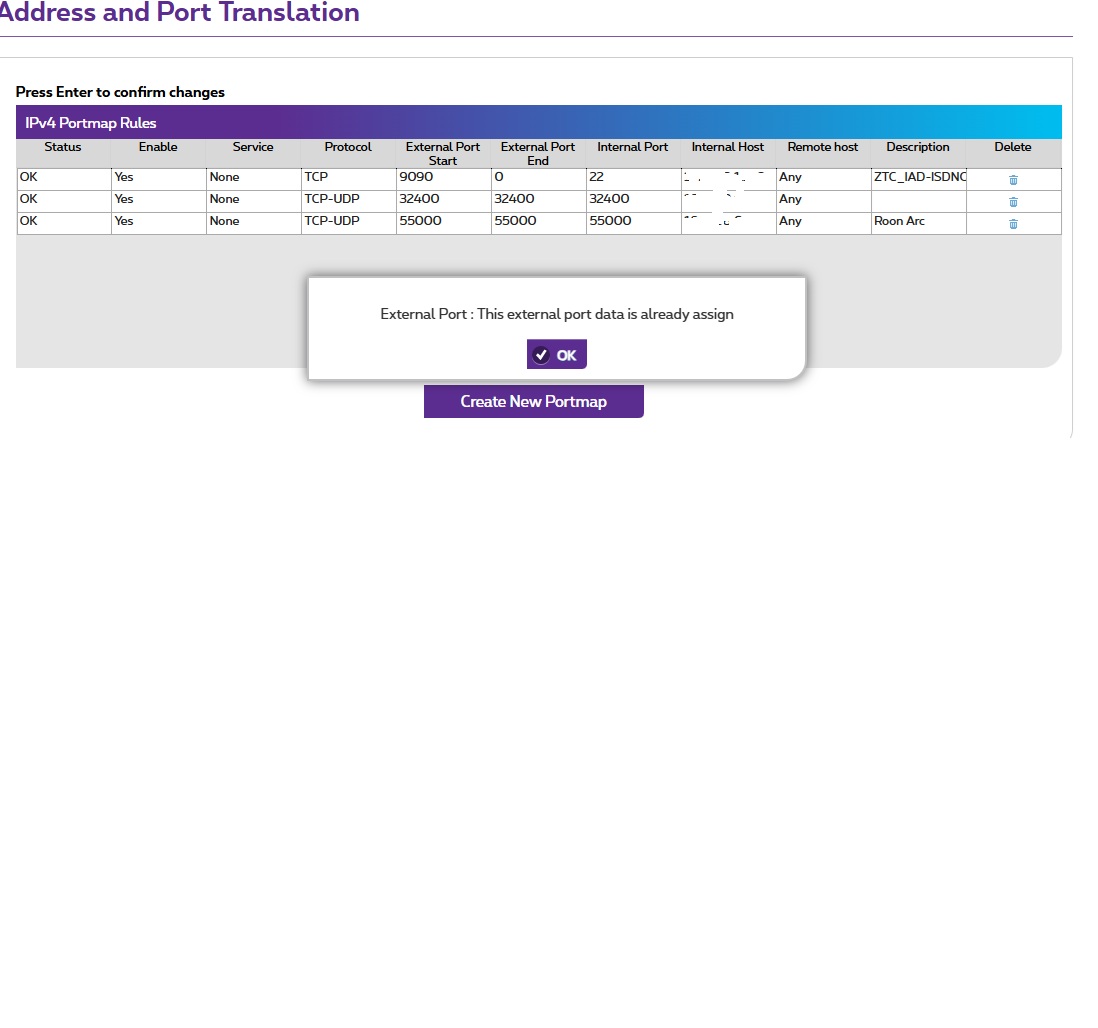
I attached screenshot with the port forwarding rules set up in the proximus router and in the ubiquiti dream machine. The ones with purple in it are the proximus router. I hope you can help. Many thanks
Glad to hear that setting up the port forwarding rule in the Proximus router resolved this. Enjoy the music, and we’ll go ahead and close this one out.