Here’s an incredibly informative piece of information about tag sorting, courtesy a question from @Olivier_Lengwiler and an answer from @Suedkiez:
Here’s another cool tip I’ve implemented recently:
Apart from this tip, about albums never played:
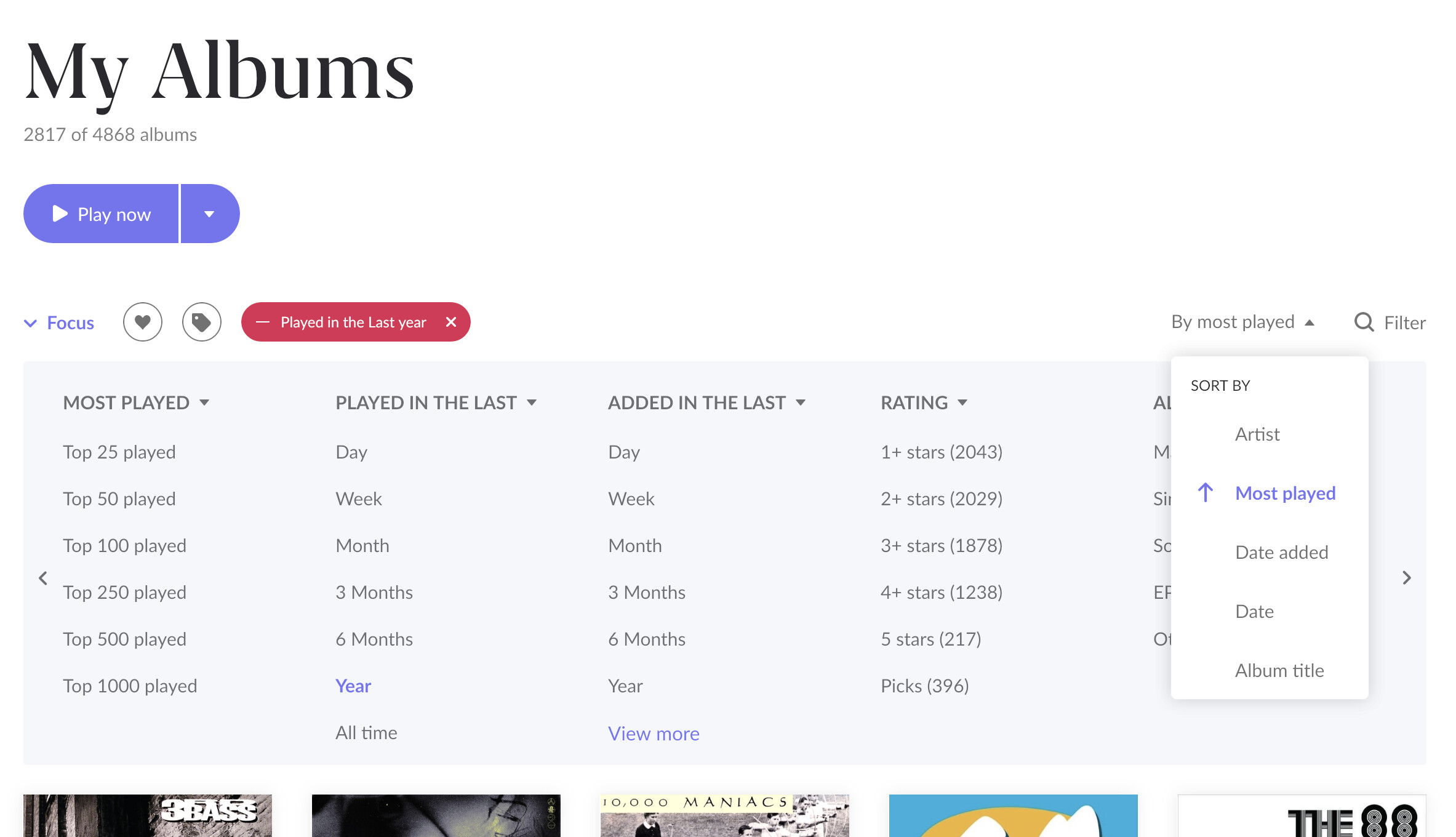
…here’s a related tip that gets you prompt attention to music you haven’t heard in a while (or at all):
-
Create a focus on albums “NOT” Played in the last year AND sort by “Most played” in ascending fashion.
-
Save it as a bookmark called “Long Time No Hear” and use this to explore the stuff you haven’t heard in a while.
Adding this succinct tip from @Marin_Weigel to show how to swap left & right channels:
I would seem that the introduction of the SPL’s now does offer a solution.
Building on the knowledge that tags are “inherited” from a playlist to the track, I was wondering if an album would pick up tags from individual tracks. And the good news is: it does! This allowed me to do the following:
- Create a track SPL with focus on reversed last played “All Time”.
- Create a tag called “Unplayed”
- Add the tag to the SPL. This will result the unplayed tracks in picking up the tag.
- Navigate to My Albums and focus on the “Unplayed” tag. You now have a list of albums for which at least 1 track has never been played.
I am not currently testing out SPL as I am spending more time using LMS, but this sounds like a really good use case. It replaces something I do very manually.
Correct. I just converted my “Full Albums Never Played” bookmark to a SPL the other day as a matter of fact, to achieve this very same thing. It’s the only SPL I have right now because all of my other PL needs have to be met by Synology DS Audio and are imported to Roon as .m3u playlists, as they all rely on track dates, which Roon still does not support…
Late to the game, I just encountered this wonderfully informative thread, and thought it was worth adding to this thread (I hadn’t known it was possible for us to add our own synchronized lyrics to our own songs):
There is one downside: If the song has synchronized lyrics in Roon metadata and they are wrong, you MUST use synchronized lyrics to override them. Regular lyrics won’t have an effect. Just sayin’ before someone tears out their hair. (Feature suggestion: Override Roon-supplied lyrics with user-supplied lyrics regardless of type)
Yup. I’m still on 1.8. Roon’s refusal to budge on this is one of the reasons why.
Most Users will most likely already know this, but I didn’t until yesterday:
I imported some Albums with front & back cover. I could view them in the Album Art viewer but was unable to set the covers in the Album Editor. I tried many things until I found the solution: When you are in the Album Art viewer you can click on the image info Link and then on Set as album cover. Again most Users will already know this, but since I took so long to find it, I thought it is worth a mention here.
Here’s a clever way to get a list of “deep tracks”:
A new piece of great information that I learned today: