My fault sorry 
I reckon it’s still a good tip to avoid your Roon server melting .
I still believe restarting the server for whatever reason is giving me less issues than some users hence the tip 
My fault sorry
I reckon it’s still a good tip to avoid your Roon server melting .
I still believe restarting the server for whatever reason is giving me less issues than some users hence the tip
My biggest Roon tip that made the largest audio difference was to use the Convolution filter or PEQ (you can add more bands once you reach the bottom). Roon with an inexpensive UMIK 1 with REW, made my inexpensive desk speakers sound amazing and fixes many of the issues created in your room. ROON DSP is on a different level then other streaming software that many people ignore. For headphones, use the crossfeed to your taste for imaging.
Here’s another tip.
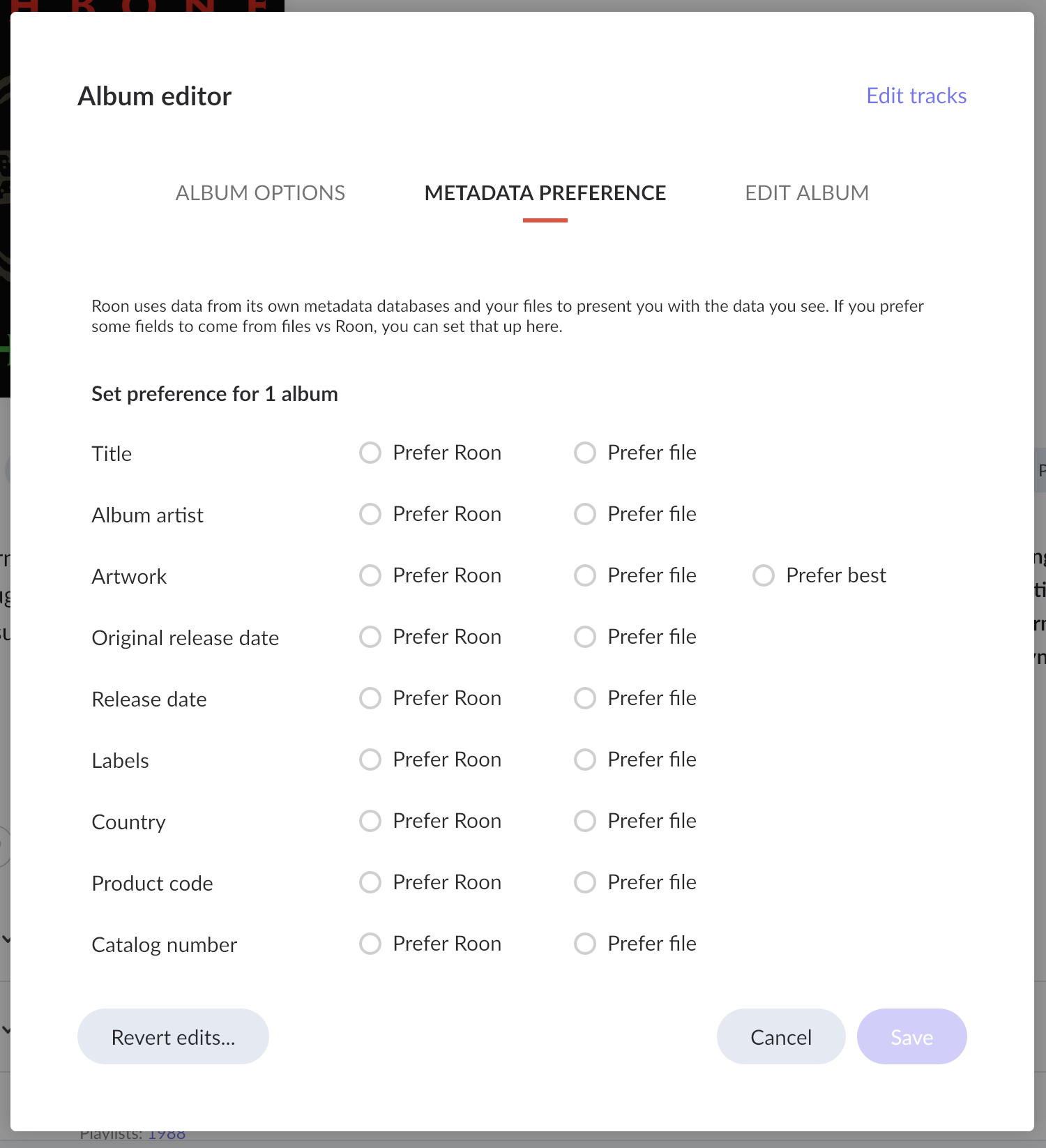
When you have an album that has been “identified” by Roon and you want to make some refinements to what it’s showing because you prefer some of your own file-based metadata, your probably know you can “edit” the album and use the “Metadata Preference” section of the user interface:
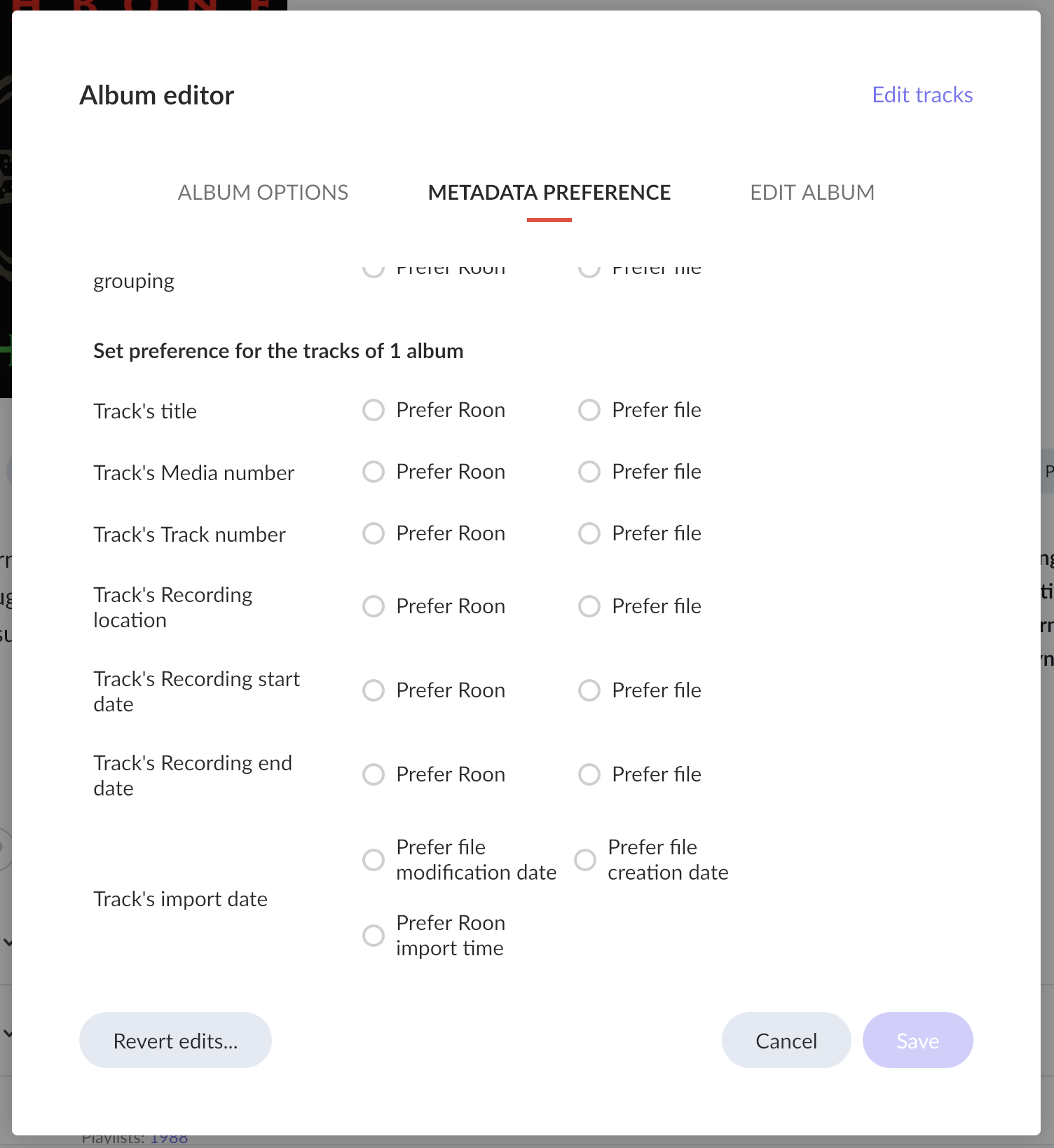
After using Roon for a couple of years — and watching others use it as well — I’ve found that people are not aware (insert complaint about lack of scrollbars here) that the potentially most powerful part of this metadata chooser sits “below the fold” - that is, you need to scroll down to see it:
This is where you set the preference for the track display of the selected album, rather than the data for the album as a whole. So, if Roon’s identified album has track misspellings or labels or track/disc numbering issues, etc., you can choose to use your local metadata for your album’s tracks in this section.
Wow, I can’t believe even though this apparently is possible to detect by Roon they didn’t implement it as a warning then you add a track that’s already in a playlist.
Thanks for the tip though!
I added a whole long post this morning that is a tip worth linking here:
Does anyone have a tip on how the easily alphabetize Bookmarks? Has this feature been added yet and I’m just not finding it?
It does not exist yet. Many bookmark sorting and grouping issues are desired and discussed throughout these forums.
Yeah, I’ve developed my own set of tricks for organizing Bookmarks but was hoping that the Roonies had finally succumbed to our requests for auto alphabetizing of them.
I have to thank a thread between @Dextro and @Suedkiez this morning for making me aware of a feature that I have not yet had a need for in my Roon journey, but which I am glad to have discovered. We are all probably used to editing Albums, but there are times when you need to edit Artists, too, and Roon provides a capable Artist editor function that is worth your attention:
Thank you both!
Adding this nice tip from @StreamOn :
I can’t believe I never noticed this!
Funny you say it is easy to click by mistake, in 6 years using Roon I never even knew there was a way to mute! I’m sure I’ll hit it by mistake all the time now 
Love love love the bookmark for the Discover section. That is the bookmark I use most. It’s a pity it is not in the main menu anymore.
Just add a number to your bookmarks in the order you want them listed. They sort by number.
You are aware that you can sort them manually? It’s not an automatic alphabetization, but better than nothing
it certainly will come back … but as it is right now, “Discover” is not really worth the bookmark. I’m convinced the Roon team is working on presenting library content in a more appealing form.
But I do love the bookmark function in general, I use it mainly for focus prompts, to find music I love in a certain genre, but neglected for a year for example.
Yes, I’m aware that I can do that but it would be so much easier to be able to do it with just the press of a button.
I just want to add that I discovered this morning that there is one additional file you might want to clean out when resetting Roon; it’s a hidden file in your main user directory called “.rmembid” that is used to store (only) your local computer’s audio output configuration. My updated script is below:
#!/bin/bash
rm -rf ~/Library/RAATServer
rm -rf ~/Library/Roon
rm -rf ~/Library/Saved Application State/com.roon.Roon.savedState
rm -rf ~/Library/Caches/com.roonlabs.raat
rm ~/.rmembid
@Wade_Oram ’s networking tips for double NAT situations is quite lucid and worth including in this thread -
@DDPS : Thankyou for the compliment.
The only thing I would add is that the above response was dealing explicitly with a situation where there was double NAT on the local Lan.
It does not explicitly deal with ‘how to identify your ISP’s use of CG-NAT’ which can look similar.
One clue to CG-NAT that you may see is a mention of a router WAN side ip address in the range 100.64.0.0 to 100.127.255.255. This ip address range is reserved for CG-NAT but beware that not all CG-NAT implementations use it.
If you do identify the presence of CG-NAT, it can only be resolved by talking to your ISP and requesting a solution that supports port forwarding - often a static ip address which you may get asked to pay more for.