i don’t think so personally
no need in my opinion
i don’t think so personally
no need in my opinion
Does RPi5 support iPad input (HQP NAA 5.0.2) ?
Theoretically yes, but testing that would be more recommended on latest HQPlayer OS release, as I’ve made some related fixes. In fact it should work out of the box there.
But as warning, there are a few different hardware revisions of RPi5. I have two, where the type-C USB port is different from software point of view… Maybe the current defaults work with the most common/recent one…
I have a new WiiM Ultra box to play with. Part of the reason for purchase is to hook up my vinyl record player to my system, as well as using streaming services that Roon can’t handle. I run hqplayer on a beefy ubuntu box based on a Gigabyte AORUS ELITE AX motherboard, 14900K and 4070 GPU. So far so good.
I’d like to ideally use the usb output from the WiiM to feed into hqplayer. However experiments this evening with trying to get a USB interface working, via an OTG connector into USB-C, and trying to use the DWC3 input that’s built into hqplayer embedded, are getting nowhere.
2024/08/07 20:01:30 ALSA input device: hw:CARD=UAC2Gadget,DEV=0
2024/08/07 20:01:30 ALSA snd_hctl_open() failed: No such device
2024/08/07 20:01:30 ALSA snd_mixer_attach() failed: No such device
2024/08/07 20:01:30 clReadAudio::Open(): clALSAEngine::Initialize(): snd_pcm_open(): No such device
I don’t think the MB supports changing the USB port mode. I can’t see anything useful in the BIOS settings. lsusb shows me nothing other than the controllers themselves.
So I changed tack and thought about using a spare rpi4 to link to the WiiM. Here’s where I get confused though:
Can I use hqplayer OS on the pi to pretend to be a DAC, then stream network audio to the “real” hqplayer server, and have things like rate switching work?
If so, do I have to buy another hqplayer licence? Or is there another way?
I feel that a good easy (ish) way to hook up the WiiM Ultra to hqplayer would be quite a popular solution…
Cheers
Paul.
You only need preferably Raspberry Pi4 (Pi5 also works) to act as an input NAA. Regular PC hardware doesn’t have device side USB hardware at all, so such won’t work for this purpose. For the input side you need hardware that has the required device side functionality.
On NAA OS image, you need to modify two lines in the config.txt file to swap the type-C interface from host mode to peripheral (device) mode. That’s all.
Since Pi also gets is power from the type-C interface and can draw notable amount of current, you likely need a powered USB3 hub (with 12V PSU!) where you connect Pi to the regular USB3 side port using A-to-C cable. And your WiiM connects to the host port. This way the hub provides power for the Pi instead of WiiM, while data goes through.
As referred earlier in this thread, I’m using a TP-Link USB3 hub for the purpose. I have also some powered Lenovo Type-C USB docks I’m going to test for this purpose (these should be sufficient for Pi5 as well, with high power Type-C outputs).
sorry, how to do it with command line in the config.txt file ? is the following correct ?
#dtoverlay=dwc2,dr_mode=host
dtoverlay=dwc2,dr_mode=peripheral
Thanks for your reply Jussi. I had a feeling the answers were buried in this thread but it’s a bit daunting to go through >1000 posts. A search for “tp-link” worked. And I had managed to not be aware of the existence of NAA OS until about 5 minutes ago! I’ve ordered the hub and will get the pi4 imaged today, very exciting. I’ll report back on progress.
Best Regards
Paul.
Yes, that’s correct.
I’m happy to report that everything is working now, using an rpi4 with the NAA OS installed. As discussed above there were two main steps:
# Enable USB output on Holo Audio Red and similar
# (change this to device mode for UAC2 input)
#dtoverlay=dwc2,dr_mode=host
dtoverlay=dwc2,dr_mode=peripheral
<input address="naa-1f7812b1" device="USB Audio (RPi4)" ipv6="1"
 name="NAA USB Audio" samplerate="0" short_buffer="0" type="network6"/>
(replace the naa-* string with whatever your NAA OS sets up as its network host name)
Then it’s a case of selecting that input in the hqplayer embedded input page when you want to use it.
Interestingly the WiiM appears to be capable of powering the pi directly from its usb port. I haven’t hooked up a monitor yet to see if the low power lightning symbol is showing up. I did purchase the tp-link USB hub but have not yet tried it.
I am very pleased with all this, I managed to listen to a vinyl record from my Rega Planar deck last night.
Cheers
Paul.
@Paul_Davison congrats on your new toys! Especially interesting is the “Rega” part. If you don’t mind, could you describe your final chain - what is feeding what?
I have bluenode+usbstrramer for airplay streaming to HQP but also remote Naa setup to have CD Transport feed via HQP. The latter is an absolute bliss!
But cool to learn new possible chains…
I also like to know how vinyl is incorporated into hqplayer!!
Thanks
My setup is straight forward, jplay iOS on my iPhone for qobuz and local library to rpi4 input NAA to hqplayer desktop
HQPlayer has digital RIAA correction feature, if you have a pre-ADC front-end without RIAA EQ.
Hi both, it’s possible because the newly launched WiiM Ultra has analogue inputs for vinyl playback. Obviously internally it’ll be using an ADC to convert to digital, which is then passed on. The specs in the WiiM Ultra Manual say:
Gain: 41dB MM / 59dB MC
MM: THD+N -75dB, SNR 76dB@5mV;
MC: THD+N -58dB, SNR 56dB@0.5mV
RIAA accuracy: < ±0.5dB / 20Hz - 20kHz
So my specific audio chain for vinyl:
Rega Planar 2 → Wiim Ultra → Pi4 with NAA OS → HQPlayer embedded → RopieeeXL as NAA receiver → Holo Audio Spring 3 KTE → Bottlehead BeePre 2.0 → Bottlehead Kaiju → Klipsch Heresy III and REL Sub
I don’t expect the vinyl playback quality to be that great as it’ll be constrained by the quality of the analogue to digital conversion in the WiiM, but that’s OK for me as I listen to >99% streaming or local FLAC, I just sometimes like to have a vinyl night. For me the primary motivation for sending through hqplayer is to use the room correction filters that I have loaded up in hqplayer.
Thanks Paul. That is exactly what I am thinking as well, an easy way to incorporate vinyl into hqplayer to take advantage of audiolense convolution and yes dsd upsampling!!! That from the wiim ultra is really the only piece I am missing in my current setup.
Please do report back on sound quality compare to just playing the Rega planar to your preamp without the conversion…
Cheers
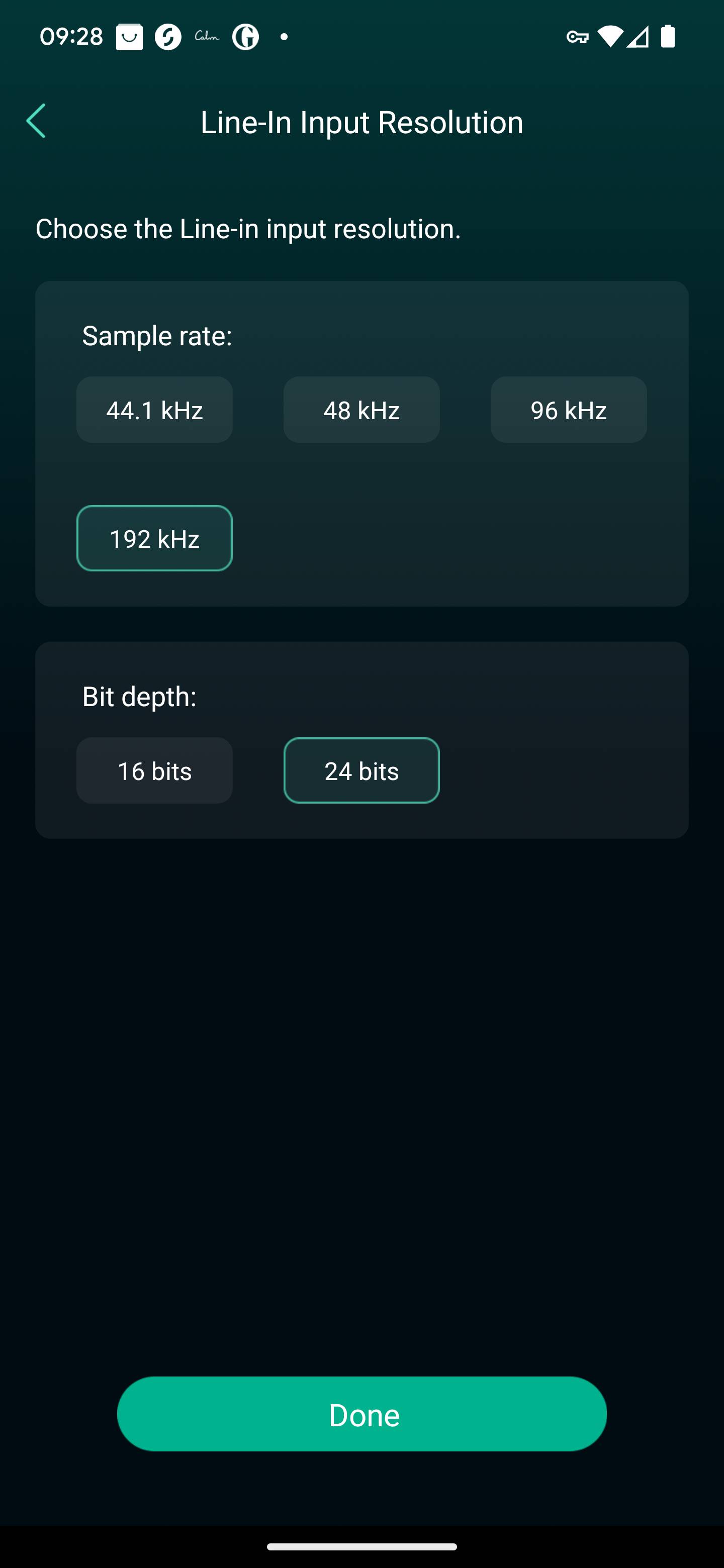
Awesome ! Thank you for sharing. What is Wiim AD conversion capable of? 44/16, 48/24 or 96/24?
Wow! This is quite cool actually. I’m sure there would be a sweet-spot in these settings for an AD converter. Unless its conversion is fundamentally bad, which I doubt, IMHO digital room correction plays more dramatic role for the SQ at the end, unless you have a perfect room and a perfect speakers, hehe 
Some time earlier, thinking of turntable connection, I was eyeing this device:
Swissonic Converter AD 24/192 – Thomann United States (thomannmusic.com)
With such the “simple” chain would be something like that with few variations:
option a. Turntable → Phonostage → Swissonic → “HiFiBerry Digi+ I/O” (as remote NAA) → etc… similar to what I made with my CD Transport…
option b. Turntable → Phonostage → Swissonic → “USBstreamer A” → etc…
The problem is that “HiFiBerry Digi+ I/O” is out of stock for the last 6 months or so… and “USBStreamer A” is discontinued, well may be some one has tested MCHStreamer Box for 2CH listening… in theory should work…
But than I made my CD Transport → HQPlayer set-up and since than I’m in CD collecting… but friends are asking
There are plenty of USB connected ADCs on the market, so I would say it is better option to get such instead of complex chain. Something like this maybe:
There are many more similar ones, but usually the input side is TRS/XLR instead of RCA. But there are also simple TRS-RCA adapter plugs…
Have you measured the DO300EX? I’m looking for a DAC that can handle DSD natively. Currently I have an ADI-2 DAC (ESS) so I guess my choices are either AKM or R2R-based DACs.
Also, for HQPlayer usage, should I even consider the DO400 (9039PRO)?
For HQPlayer use, it is best to focus on bit-perfect DACs.
For example a discrete DSD DAC (T+A, Holo, Marantz, TEAC, etc). Or a suitable chip-based, like ones based on TI/BB chip or RoHM. With AKM it depends on the particular DAC firmware and on ESS it is never bit-perfect.
This doesn’t mean that the non-bit-perfect DACs wouldn’t work great too. It is just partial HQPlayer experience.