I have the HW setup to route Apple Music from the iPhone into a RPi4 running NAA. This has been working fine for me and I have been using it with my headphone setup. I just added a Pi2AES in my living room. I can route the audio from the iPhone to this unit as well. One mild inconvenience here is that the iPhone is in a different room.
Screen mirroring or iTunes Remote do not work for this. I am wondering if someone has a suggestion on what I could do here. I am fine using an iPad or a Mac. Thx!
I have iPad Mini in living room for music control duties and also to connect to the RPi4 input NAA. There are also some stands available that can hold the device. I have automatic screen lock / screen saver disabled. So it is sort of music remote controller, running HQPlayer Client in usual cases (local library or Qobuz), without wired connections, or for Apple Music / Spotify running wired to the input NAA.
I was hoping to avoid getting additional HW, but I might just have to go down this path. Thx!
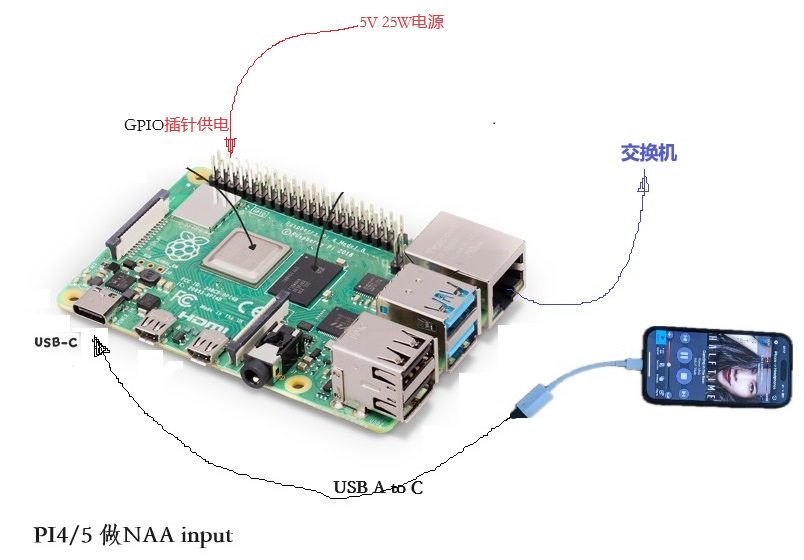
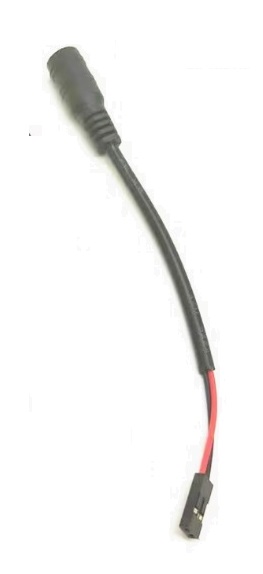
Is it possible to power PI4/5 through GPIO pins?
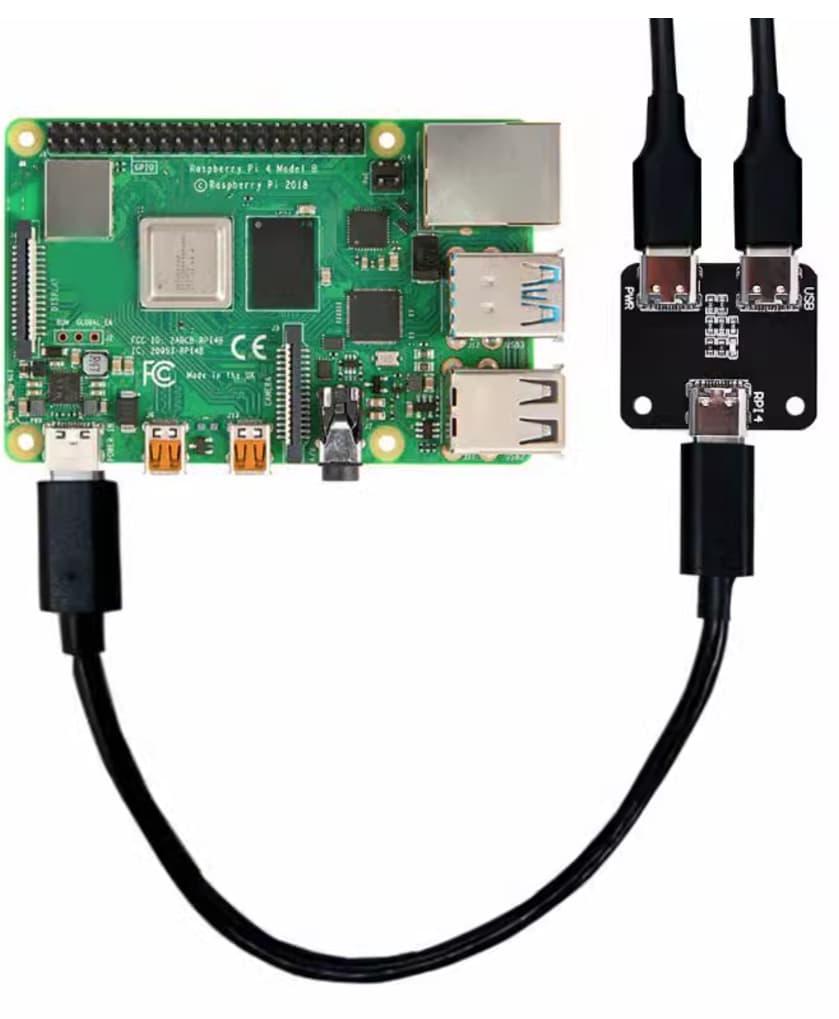
What I see is that the USB HUB with power input is used, and the pi4/5 USB c port realizes data and power input at the same time。
Yes this is a good thing though? Both power and data over USB-C cable
This is what I use for NAA input into HQPlayer, for iPad source
Any reason why you don’t want to do this and want to use GPIO pins?
As @dabassgoesboomboom said, it should work. There are for example PoE hats for doing that. And some other PSU hats that can be used for the purpose.
I personally see it most useful for PoE, if you have for example a PoE capable switch.
1 Like
What is the reason?
Are you trying to power the RPi via “clean” 5Vdc power? For a HQPlayer NAA input ?
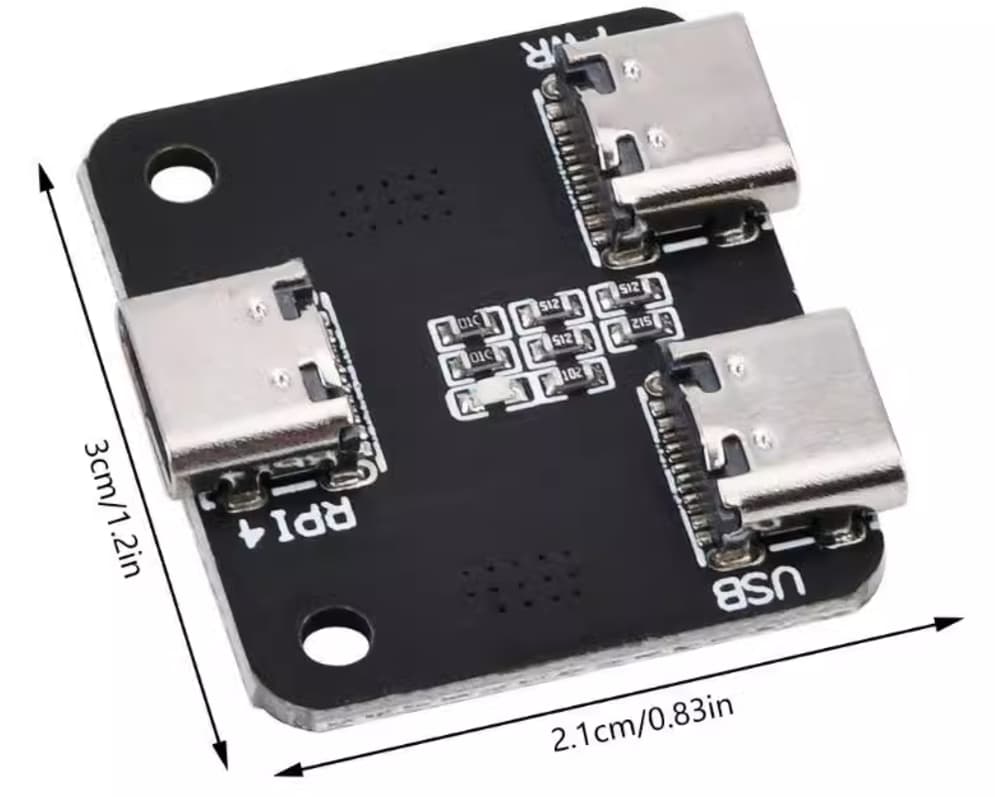
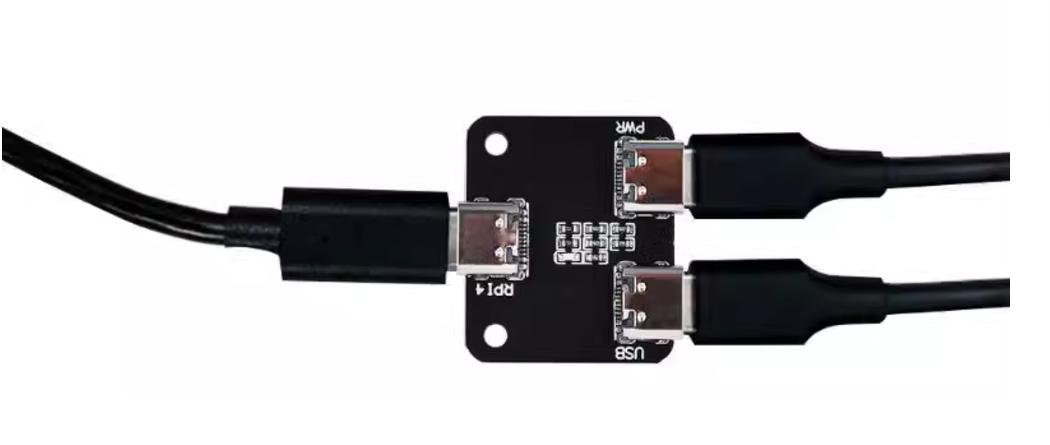
I use PI4/5 for NAA INPUT, but I don’t like to the solution by the USB hub, so I power PI4/5 through GPIO, and the USB C of PI4/5 is only used for data input.
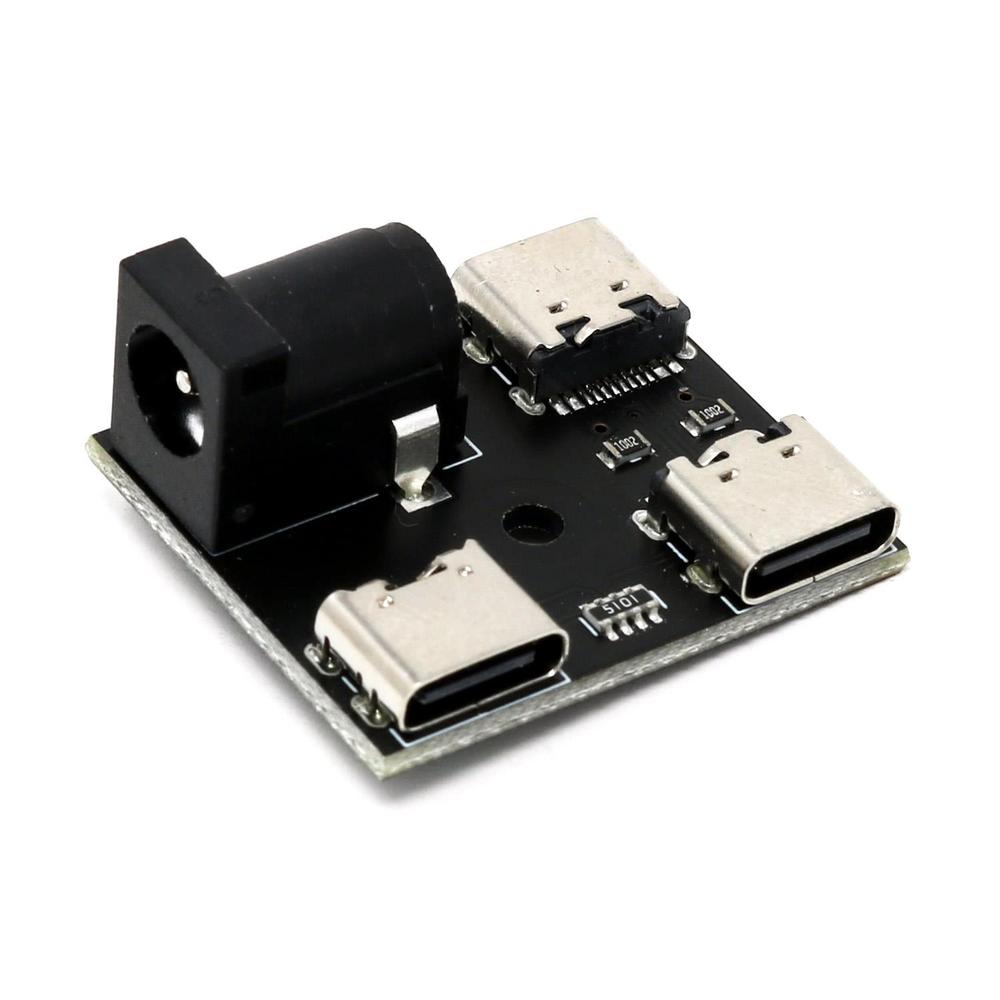
In addition, these two USB-C Data/Power Splitters can also replace USB HUBs。
Would it be hard to code some sort of driver/software virtual device, becoming selectable as PC system audio output. Also selectable as system audio output e.g. in Spotify? So when choosing the device (or default system audio output), this very same device could be selectable also as input in HQplayer? This way anything could be played back from a pc and selected as an audio inpur in HQPlayer. There are pepople that play from this streamer service and I cannot make my wife back down. Instead, if you can’t beat them, join them. Spotifi will never be actually hardwired but instead the virtual output/sound card is selectable from any service or any playable source on the PC including e.g. YouTube from a browser.
That already exists. I use BlackHole on my Macs, creating a virtual output device for Spotify and input device for HQ Player:
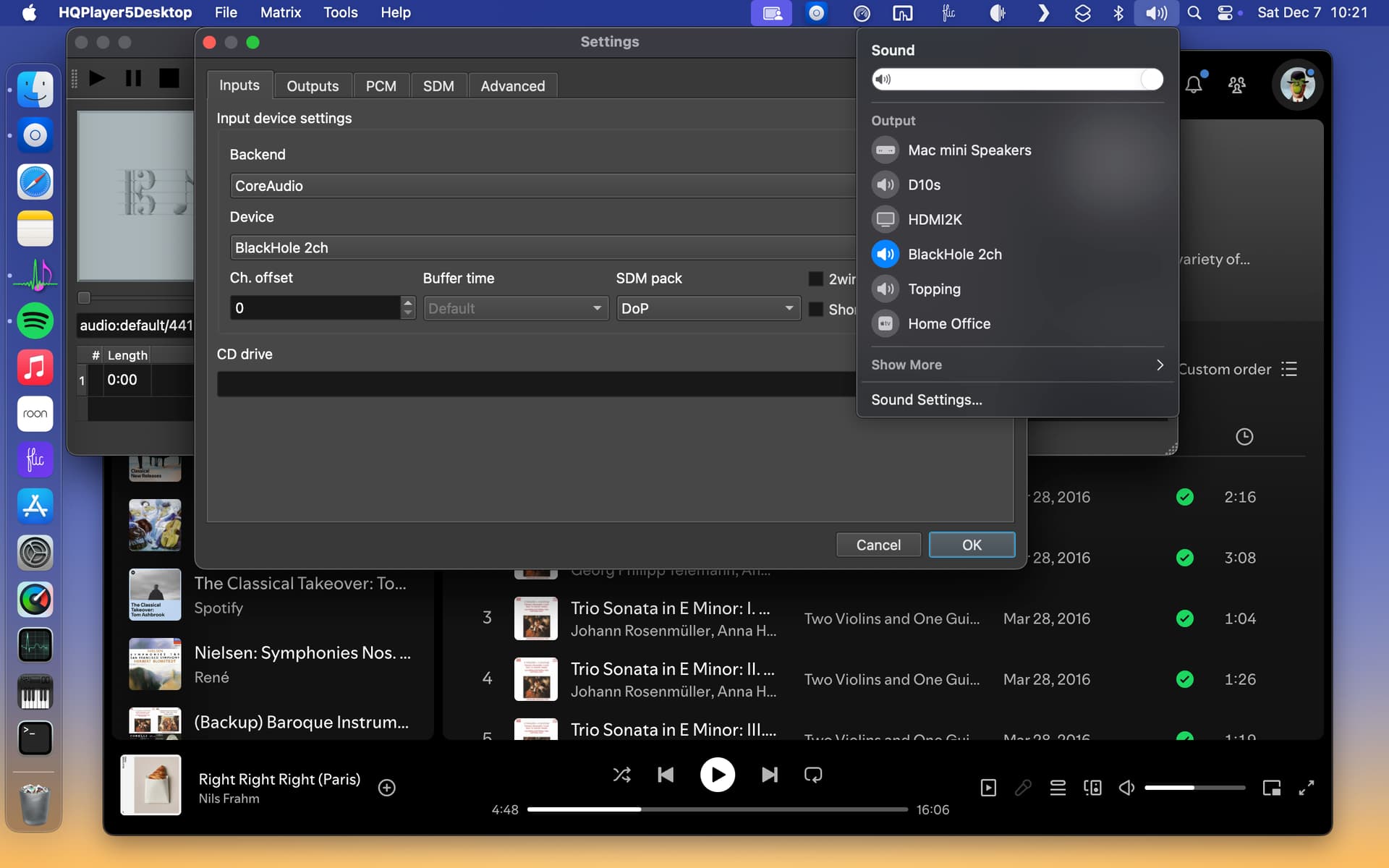
Surely alternatives exist for the Windows world, but I rarely travel there.
1 Like
I thank you for the tip. I found and installed the VAC470Lite, Virtual Audio Cabel 470 Lite as it seemed to be able to process what I expected. And checking all possible control panels in windows, it plays Spotify out on Line 1, set up by the VAC software. It plays 16/48.
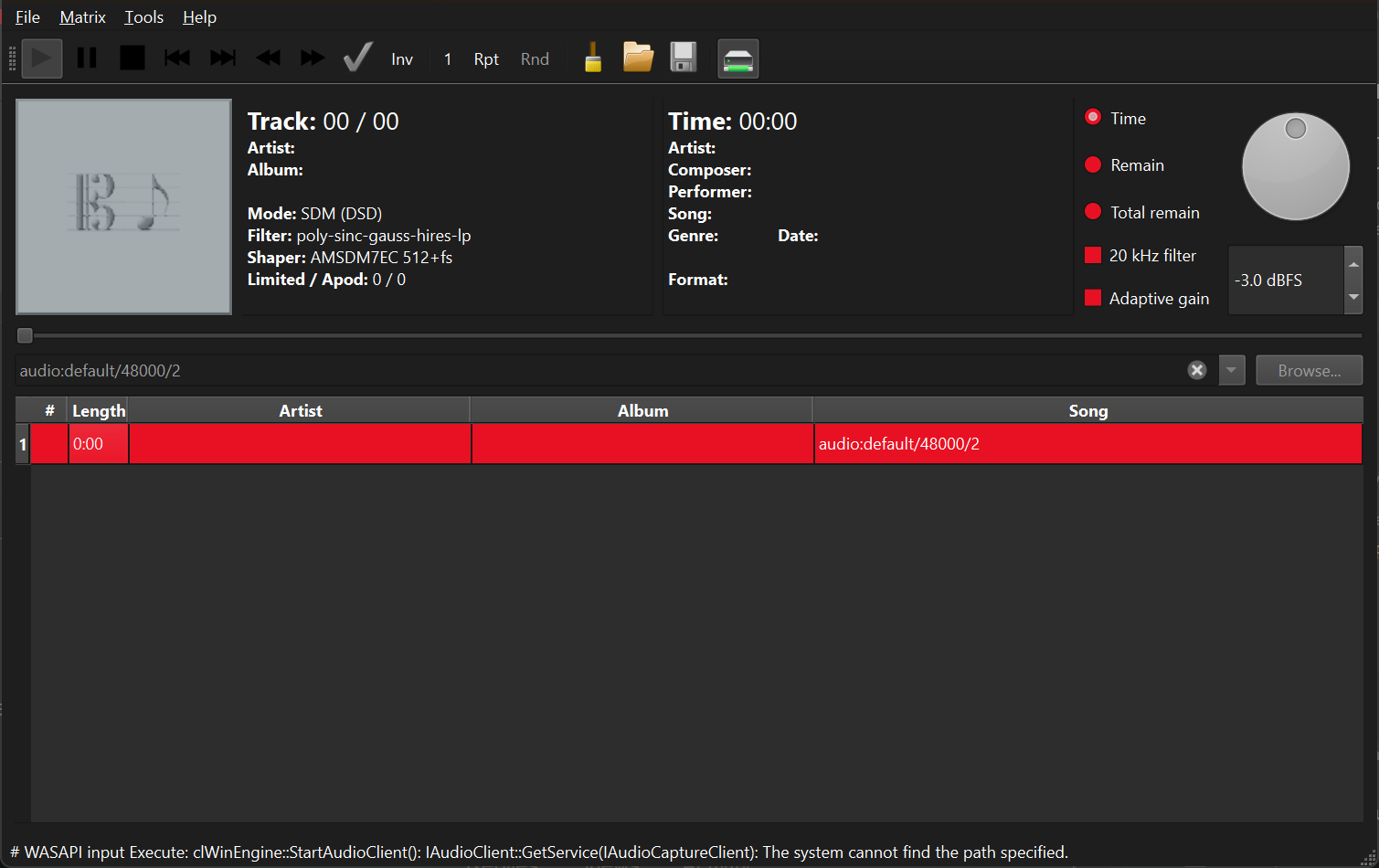
I do not know if you can answer, or if anyone else, HQPlayer does not seem to pick up the sound from Spotify. I have set the PC default audio output to Line 1, Spotify plays to that Line 1 output according to control panel. Windows system audio control panel detects that audio is played on Line 1. HQP does not seem to pick that up. In the HQP settings input section the Line 1 option shows together with wasapi kernel.
haloh
did you select the rate in desktop dropdown?
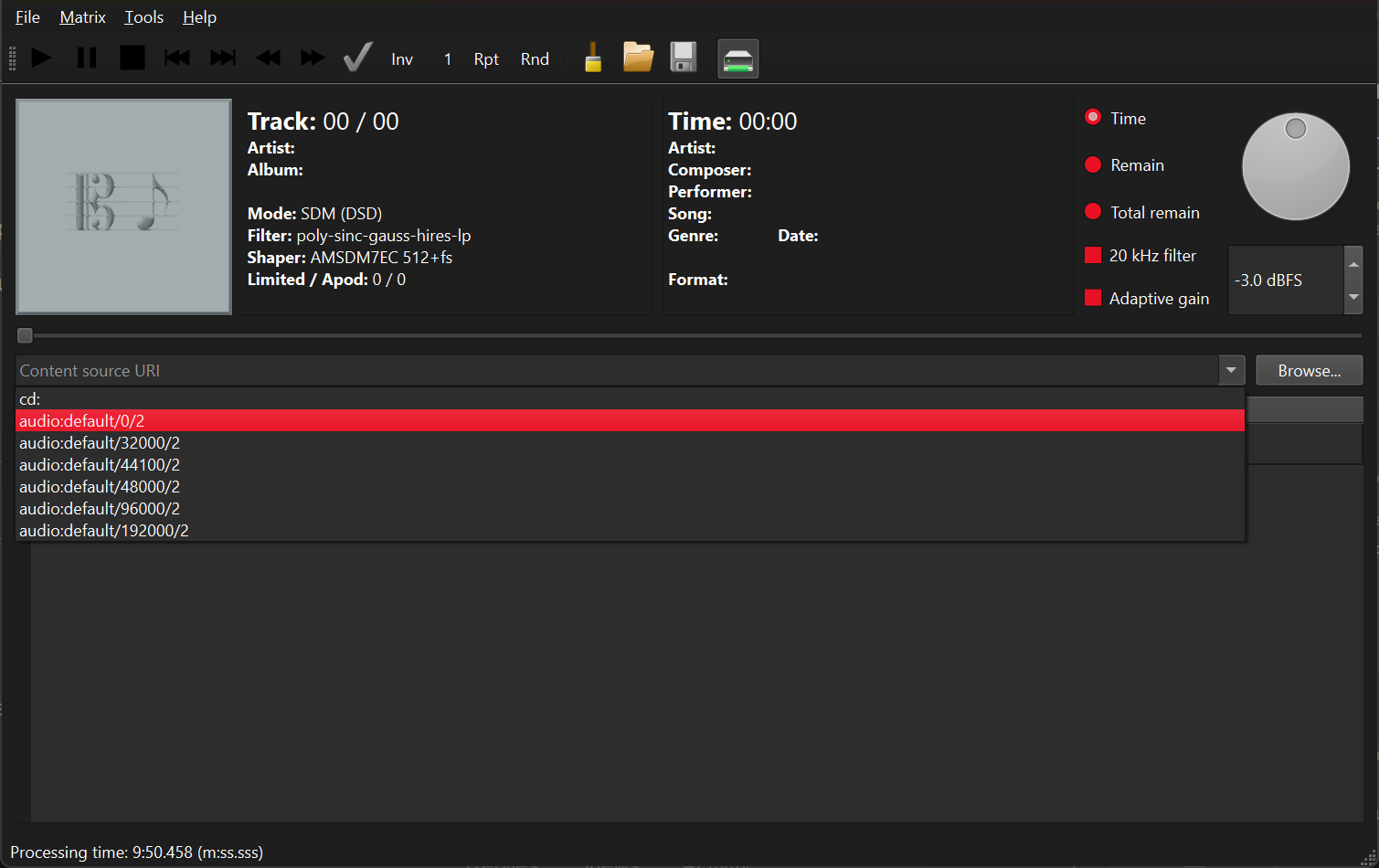
then select the option by double click or press play to begin processing
after which you can begin playback with audio player
Will try! Thanks 
It works!!! Yesss! Thank you! Wonder where I would be without you guys here …
4 Likes
Since Android 14, Android technically supports bit perfect audio output (I have linked source earlier in the thread already).
I have a Samsung 14 tablet but haven’t found an app where it works. Ultimately I think but OS and the app need to both me configured properly to support this.
Curious if anyone has the latest Pixel phone and seen if Tidal or Qobuz or Apple Music apps work with auto sample rate switching?
Is anyone here feeding Amazon Music UHD bit-perfectly through HQPlayer ?
Or am I the only one still ? 
I still think the WiiM devices are the only ones on earth that do Amazon Music casting (like Spotify Connect, Tidal Connect).
Works great, using the official Amazon Music app, cast to WiiM Mini → my old RME ADI-2 → RPi4 NAA OS for NAA input.
Samsung’s Android is always heavily modified, so this is not surprising. Since Pixel is stock Android, it should work there, since it’s the reference.
I have just one Android phone, with AndroidOne (so pure unmodified Android), but it is Android 12…
I sort of have the Amazon Music working too, but at the moment my WiiM Pro is feeding Ferrum Wandla through S/PDIF and Wandla running my filters inside.
While my WiiM Mini has bricked itself, all by itself, it doesn’t appear on the network, it sort of starts up so the lights come on, but factory defaults reset doesn’t work as instructed in the manual. And the management app cannot access it through Bluetooth either. It worked for six months or so before breaking.
Amazon Music UHD doesn’t work through USB from iOS devices with rate switching? The same way Apple Music does? I have to admit I have not tested recently, and I cannot remember how it went last time I tried.
1 Like
Amazon Music UHD still outputs PCM192kHz from iOS app, always fixed output rate.
Apple Music and Tidal and Qobuz iOS apps work correctly
1 Like
For iPad as source, my USB-C iPad Air doesn’t let you set battery charge limit to 80% like the newer M4 iPad Pro and M2 iPad Air : Charge and maintain your iPad battery - Apple Support
This is obviously better (for the battery health) than leaving your iPad at 100% and charging for long durations.
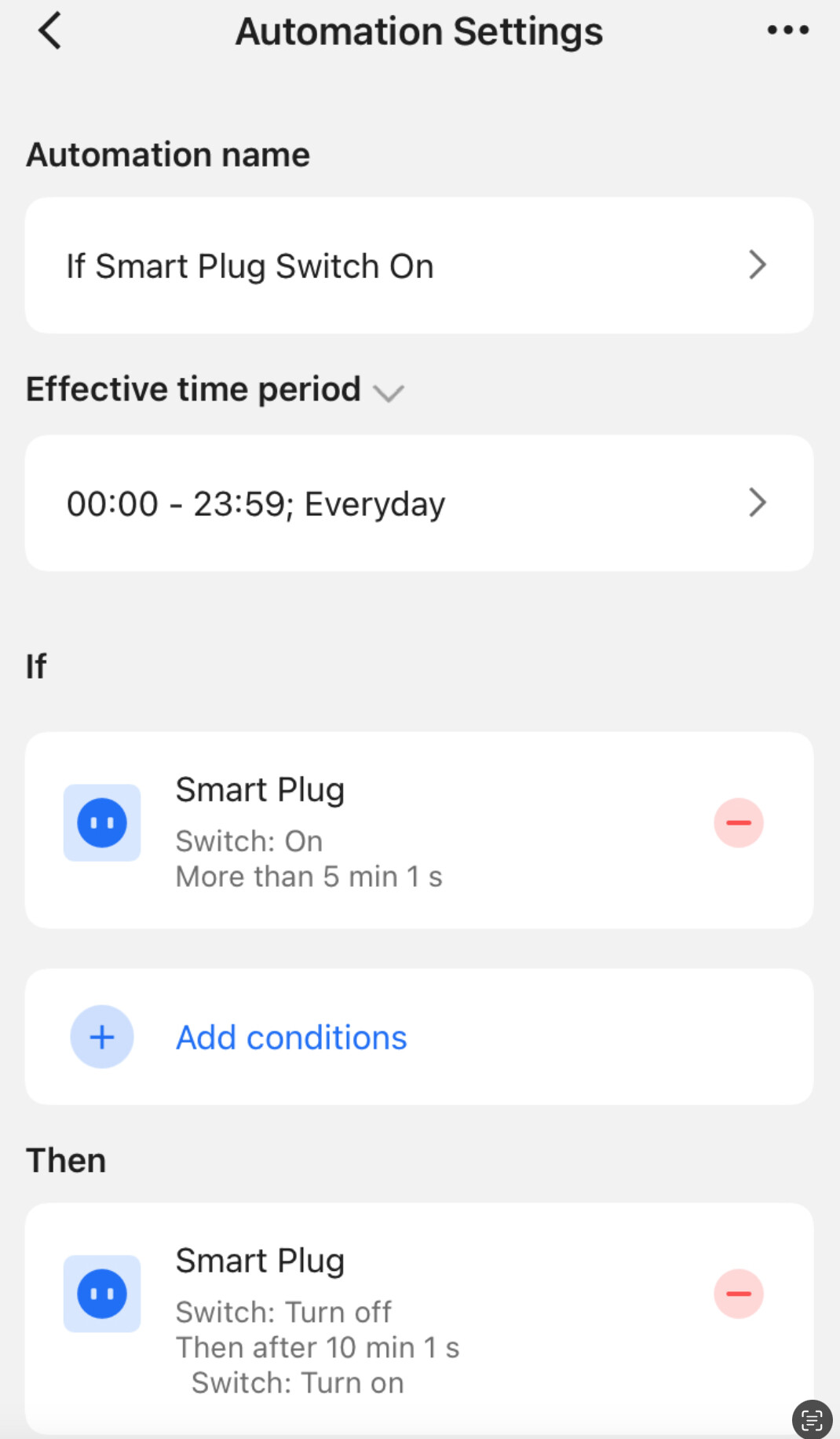
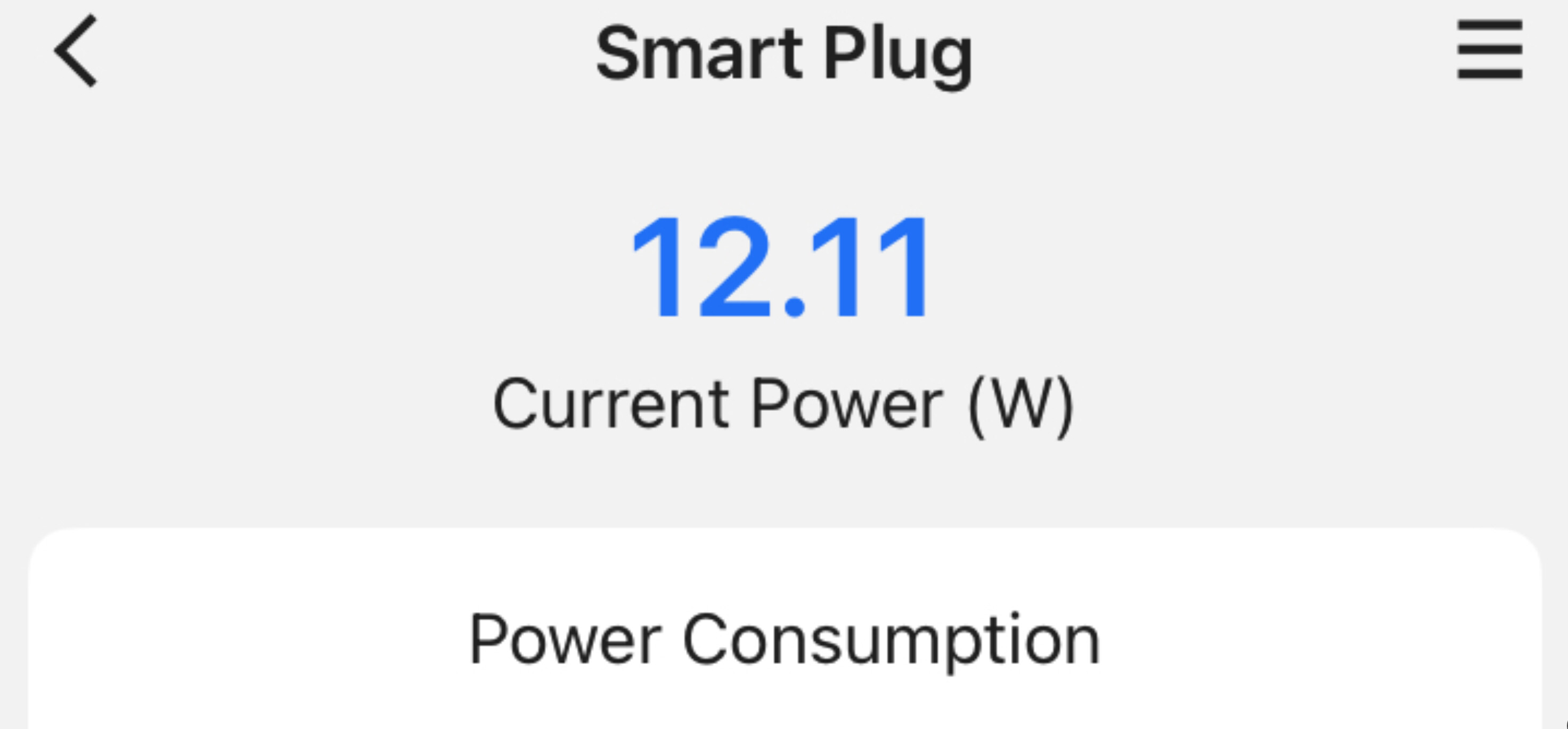
So I bought a WiFi Smart Plug which lets you set auto on and off intervals.
The only thing plugged into this Smart Plug is the charger that powers USB-C docking station in between iPad and RPi4 NAA.
This combo basically keeps my iPad cycling between 75 to 80% charge.
Cool thing about the USB-C iPad is when the charger stops, the iPad itself powers the RPi4, until the charger powers on again, to charge the iPad. There’s no stop in music - RPi4 NAA stays on and connected.
These smaller cycles are better than big battery cycles and much better than staying at charging 100%.
You hear the relay clicking each time it comes on and off. I might lengthen these durations a little, maybe for 70 to 80% cycling, to save life of the relay
I could have bought the newer iPad Air which limits charging to 80% for this kind of desktop use but this iPad is fine and the Smart Plug was around $12
Apple HomeKit compatible also.
1 Like