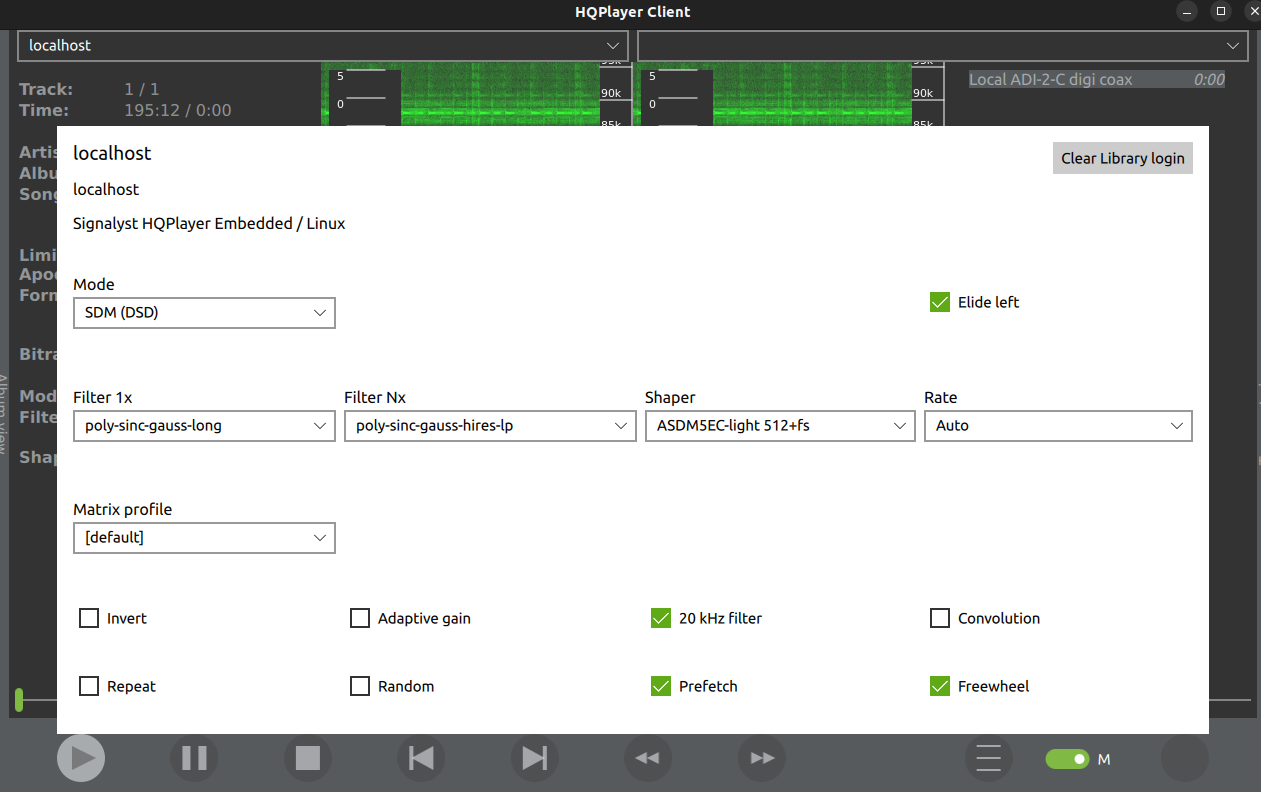
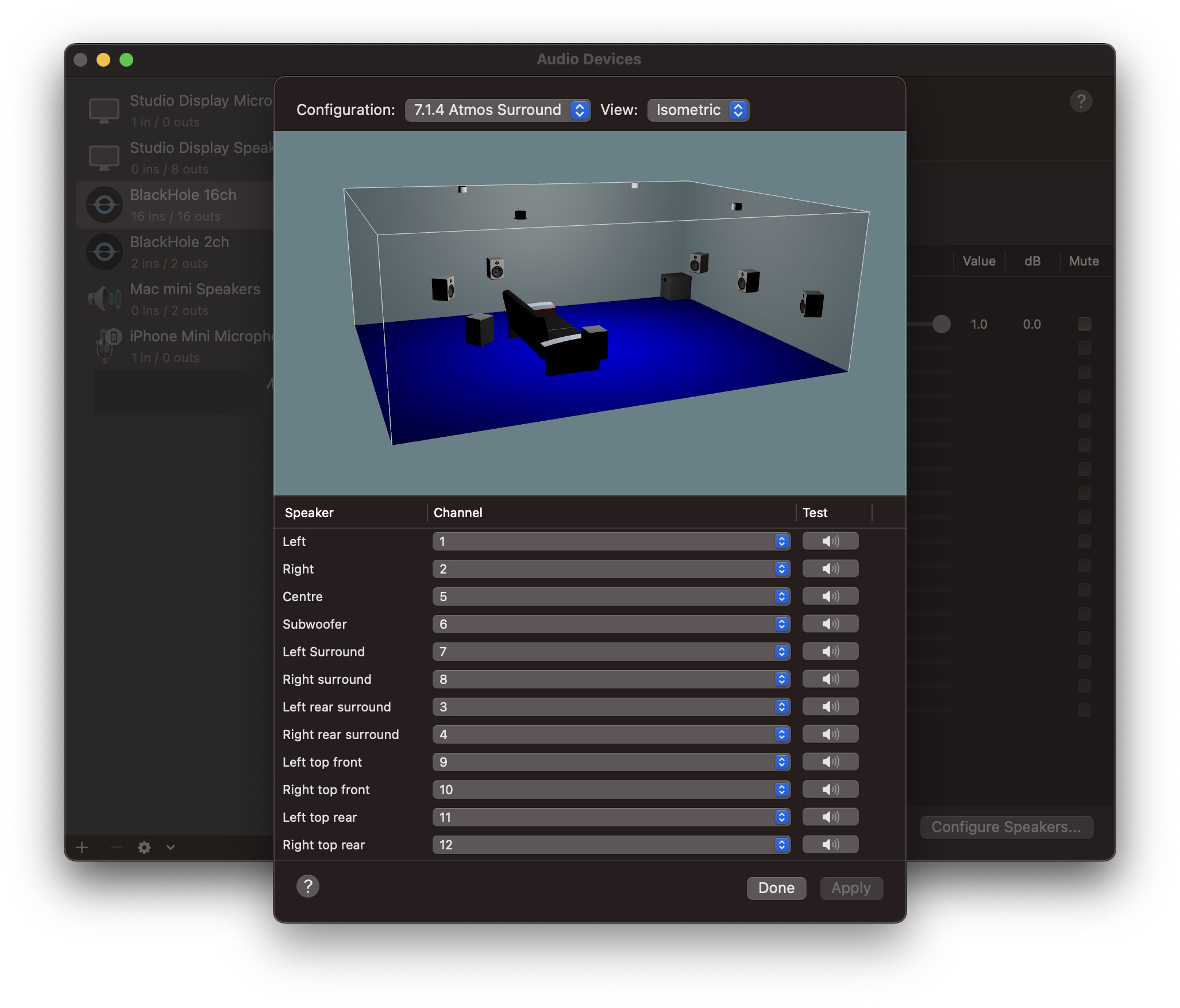
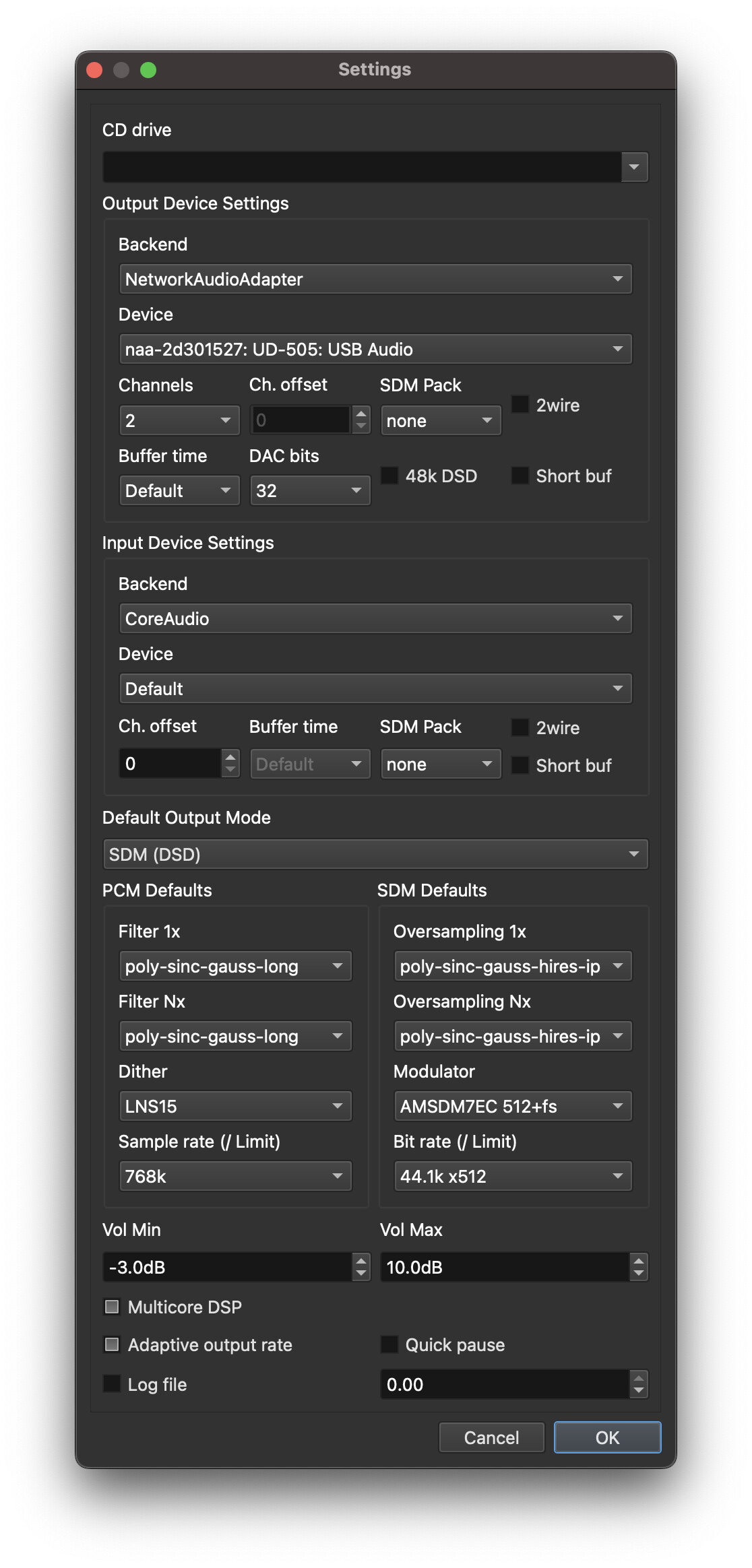
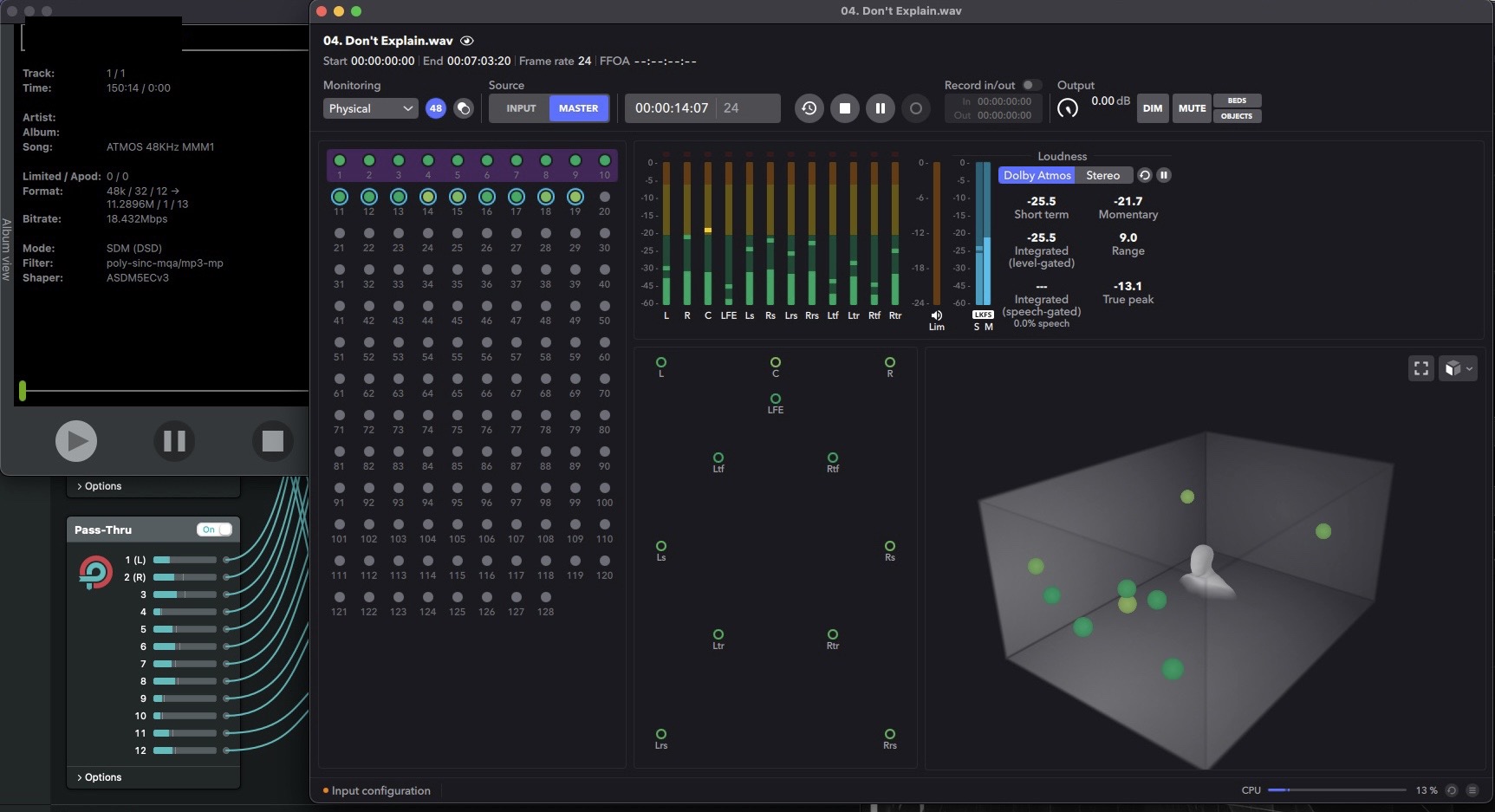
Can you share screenshots of all your HQP settings?
And what is the NAA device and DAC you are trying to output to?
It works if you connect DAC directly to the same Mac ?
Can you share screenshots of all your HQP settings?
And what is the NAA device and DAC you are trying to output to?
It works if you connect DAC directly to the same Mac ?
For anyone using Apple Music Hi-Res on Mac or Windows, where there is still no proper ‘Exclusive Mode’ to a USB device, here is an option if you don’t want to buy expensive hardware.
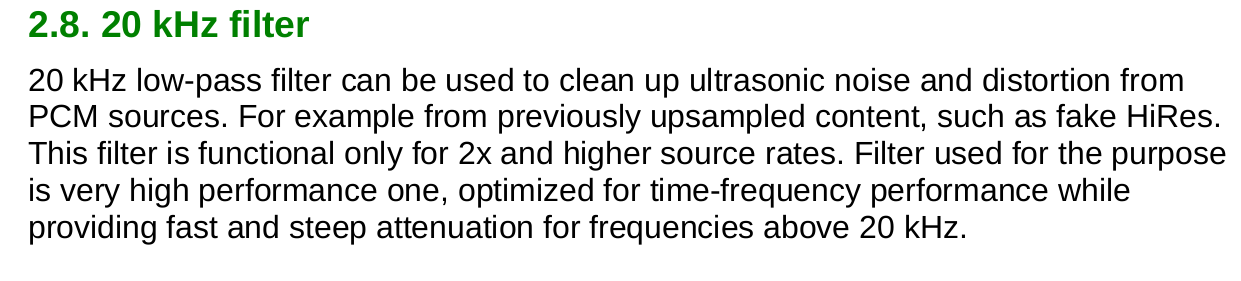
Set Mac/Windows to output PCM192kHz and engage HQPlayer’s “20kHz filter”
Same applies for Amazon Music UHD app also, on Mac and Windows - and on iOS because this strangely only outputs one rate PCM192kHz from Amazon Music app.
Obviously this is not ideal for ‘proper’ hi-res material and is not bit perfect, but at least you will just get clean 20-20k Hz region for all all music and you won’t get any junk above 20kHz associated with crappy upsampling of fake hi-res.
It will be a clean 20-20kHz region.
So it’s kind of a halfway solution but will still sound very nice and won’t need any hardware for Mac users - maybe just a miniDSP USBStreamer at most for Windows and iOS users.
I’m not sure what rate Android outputs.
I can feed bit perfect straight from Amazon Music HD app , casting to the WiiM Mini but this needs an expensive RME ADI-2 to feed HQPlayer
I also use the RME to feed bit perfect from Apple Music on iPad, using cables.
But the above method will still sound great and be clean.
And most importantly better than switching Apple Music and Amazon Music to ‘lossy’ AAC and MP3 modes… if you just want one fixed sample rate into HQPlayer
And obviously neither of these services have a fixed CD quality output mode otherwise none of the above would be required  … Apple’s ‘Lossless’ output option is both 44.1k and also 48k.
Hence why it is kind of a halfway option some might find useful in some use cases
These are all the setting of blackhole, logic pro project and HQplayer. I don’t have time to describe it yet, you check and then ask if you experience problems setting it up. You should adjust corresponding settings if you want to use HiRes Source. For me I am satisfied with 48k, because its the native sample rate of Dolby Atmos.
I was asking for your details to try and help your issues 
Oh sorry lol
About that I solved by myself already.
I played around the “set this device for sound input” or “sound output” and somehow the problem is gone.
I don’t know what exactly I have done because I was trying around, but its about those settings.
Lol nice that it was resolved
Super interesting setup with the Atmos material, outputting to headphones?
Did you get inspiration from @Chunhao_Lee here or did it yourself ?
Someone did similar thing and posted on the web.
But I enhanced it by using DearVR Monitor plugin in logic pro, I like it more than Dolby Renderer or Apple Spatial Audio Renderer. All of them are binaural converter to create a virtual room effect from the headphone.
DearVR Monitor adopted the Sennheiser Ambeo technology.
And then I upsampling by HQplayer at the end of the chain.
The end result is a very good Dolby atmos listening experience on my headphone. In fact it also works for stereo source, which standard Apple Music app on Mac can’t offer.
Now I can’t listen music on my headphone without this setup.
Very cool indeed. I think I will try it.
What did you mean with this, about the Mac can’t offer?
When you play stereo source with Apple Music on Mac to DAC and headphone, there’s no spatial audio effect.
You can only do it with my setup, and apply either Dolby renderer or Spatial Audio renderer of DearVR monitor plugin in Logic Pro. Then the stereo will be “spatialised”
Ah yes I follow now. Only iOS has ‘Spatial Audio’ output.
Ok this looks like fun, I need to try.
There’s some people doing crazy (advanced) stuff in HQPlayer world - I love it
No kidding. The sound is phenomenal. Opened a new world of headphone listening. Must try.
About 3 years ago I used similar plug-in for 5.1 channel playback. Then Atmos music came out I used HRTF in HQPD playback 7.1.4 → binaural for headphone. All I can say nothing can beat physical 12+ channels DRC + upsampling to DSD256 thru HQPe5 so I never turn back… imaging playback the ADM BWF (studio original files):
Dolby Atmos Renderer < Loopback > NAA for Mac < GbE > HQPe < GbE > NAA for Linux < Ravenna/AES67 > Merging DACs MCH DSD256
Audiophiles must listen such way of music playback. 
How is Merging’s Linux ALSA driver these days @Chunhao_Lee ?
Is the stock official ALSA driver install instructions working stable?
Or have you had to do some custom changes?
I followed your recommendation year ago to setup HRTF in HQPD but never found the sound right. It sounded very hallow and diffuse.
Just studied your screen capture. Its the dolby atmos renderer app. In fact its’ the same with the one bundled with logic pro, with more settings.
Please try DearVR monitor and share your opinion.
Got my Fitlet3 with SFP+ option. Installed Ubuntu Server 20.04, networkaudiod 4.3 for Focal and current Ravenna/AES67 Linux driver. Works o.k. so far. But switching between DXD and DSD sometimes would see kernel panic (hopefully @jussi_laako would update the networkaudiod for kernel 5.15’s Focal someday). 
About the custom change for the NAA → Ravenna/AES bridge: have to built the libcurl locally using Focal’s libssl. Can’t use Jammy’s due to Merging_RAVENNA_Daemon binary executable still bounded to ancient libssl. That’s the major reason I must setup an NAA for HQPe5 running on Jammy (if Jammy could run Ravenna/AES67 driver normally that’ll be perfect world).
The other change: I built a PTP grandmaster clock + boundary clock for my Ravenna network. The GPS PTP GMC I bought is very affordable, worth to take a look: TM2000B. But that GPS PTP GMC is too sensitive for media so I configured my HQPe5 server as the boundary clock for my Ravenna network. The boundary clock itself can reach 15ns ±5ns clock accuracy after synchronized with GPS PTP GMC. Not sure it would help when running HQPe5 embedded but it could gain clock accuracy from <±8ppm to <±4ppm, almost 100% performance gain for my Ravenna network. If you have a spare PC and a dual-port Intel NIC (for example, i350 controller) you can try to build your own PTP GMC this way. 
Will try. But so far I personally still prefer Dolby Atmos Renderer.
Did you reach out the Merging? And did they reply that they are working on Jammy support?
When I look on the “commits” page I see a Merging engineers name “Florian”. He must be their Linux guy
Maybe email Merging Support and ask them to forward your query to Florian 
https://bitbucket.org/MergingTechnologies/ravenna-alsa-lkm/commits
I would say if they would like to change, it’s already changed. I don’t believe they don’t know this issue since Ravenna daemon is executable binary. Only they have source code and know which platform to compile.
It’s possible they think everyone is happy to be on Focal and assume there is no rush to Jammy.
So if more people request Jammy support they may get the idea to hurry up
On Linux, applications and kernel versions are not related. There’s nothing to be updated in networkaudiod, since there’s nothing kernel specific there.
But why Focal? 5.15 is standard kernel for Jammy (22.04). And HQPlayer OS v4 ships with 5.15 kernel and RAVENNA driver (if you need NAA).