Hi folks.
I have done a search for an answer to this question, but can’t find anything definitive. I’m running Roon Rock on an NUC and I have a combination of FLAC files that have been audio-analysed by Roon when imported onto the internal SSD, plus a number of Tidal albums added to my library. I notice that when I have create a playlist which comprises a mixture of Tidal tracks as well as tracks from my FLAC library, the volume varies considerably. Comparing the Tidal versions of albums that I have imported as FLAC files, the differences in volume when played can be as much as 6 or 7 decibels (FLAC files always louder). This makes mixed playlists annoying to listen to.
I would have thought that Roon would apply the same volume levelling to imported FLAC files as it does to Tidal tracks. Or at least allow that as an option that the user can select.
Anyone else noticed this? Or found a solution?
Thanks in advance.
TIDAL (and Qobuz) include ReplayGain data, so volume levelling should work fine (I have no issue in this regard.)
Have you enabled volume levelling for the audio device? Please refer to the guide.
Yes, I use the volume levelling option. That’s the whole issue here: Roon is applying a different volume level to tracks it has imported to the level it applies to the same Tidal track. Album, Track or Auto makes no difference - there are still volume differences. I don’t have Replay Gain tags on most of my FLAC files as I was told Roon prefers to do its own thing when analysing the audio.
What is set under Settings → Library → Import settings? For example, I do use the REPLAYGAIN_* tags, so my settings look like this. You need to ensure at least one of those settings is disabled.

Yes, as per my last message: the Auto, Track or Album options all suffer from the same problem (to differing degrees, obviously).
As I say, most of my FLAC files do not have a Replay Gain tag, so there’s no point selecting either of those options. I guess the answer is that Roon is applying an arbitrary gain of -18, which is odd if it has analysed the audio on the track.
Generally, it does. There are a couple of ‘yes, but’ scenarios (like replaygain… ) but if it’s very obviously wrong on most tracks, something’s amiss. Can you post a couple of signal chain screenshots?
I agree, which is why I suggested you check / verify the correct settings.
ReplayGain generally works well, so there is probably something affecting your setup. As @AndyR proposes, sharing the Signal Path of a selection of local and TIDAL tracks would be helpful.
OK, two screenshots for you. The first is the FLAC library version; the second is the Tidal version…
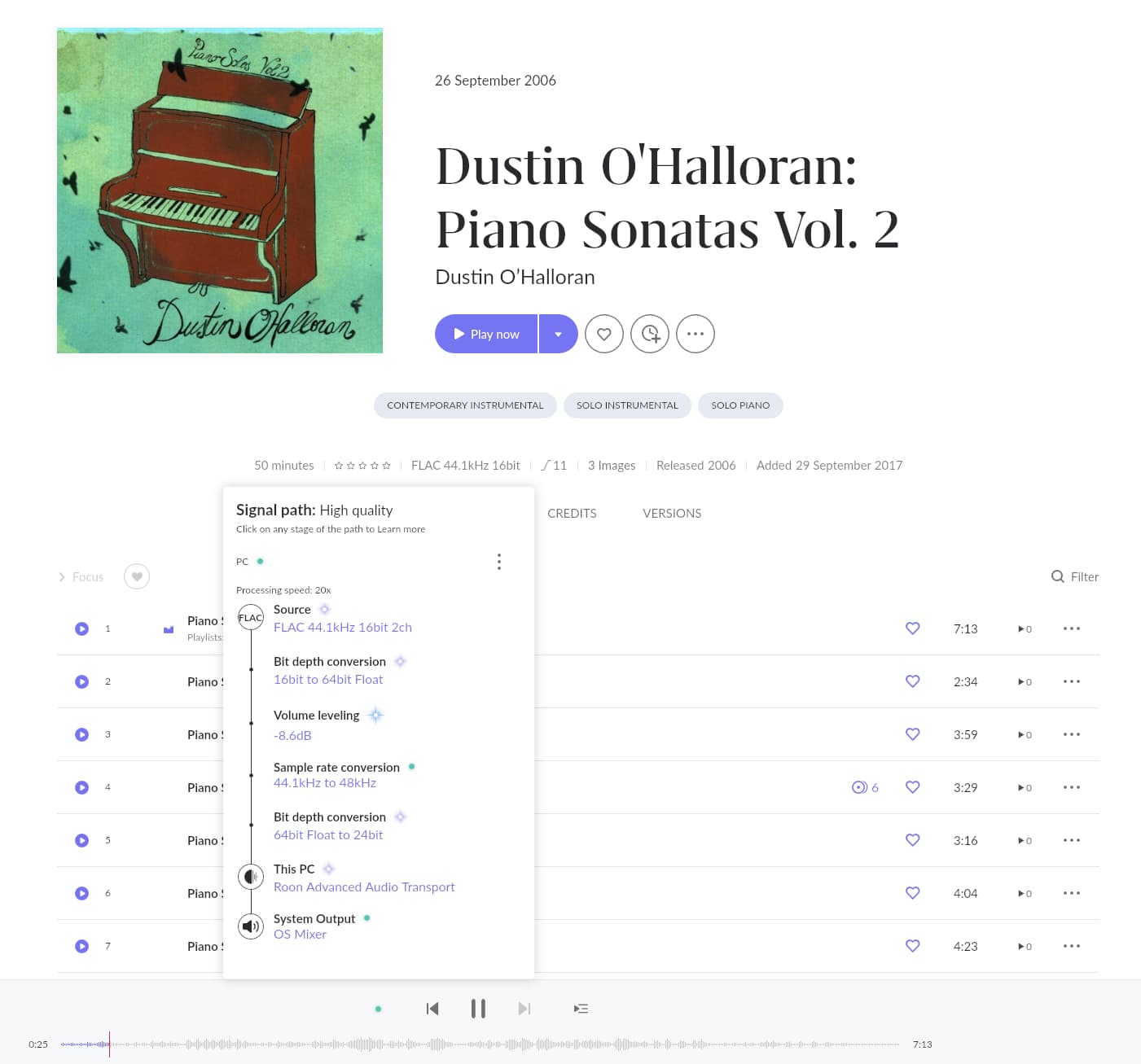
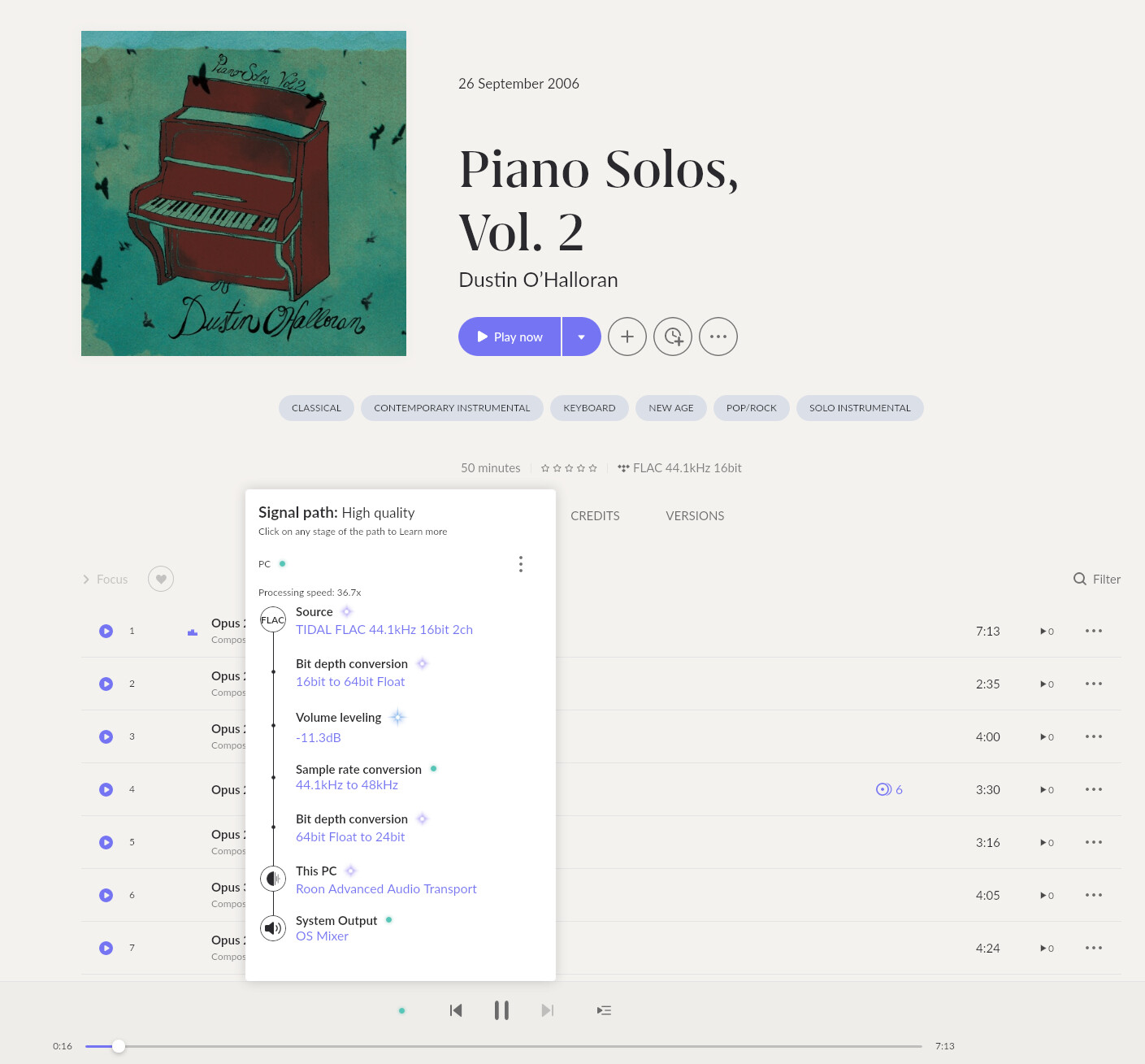
Try changing the audio device from system mixer to system output (so Roon has exclusive control.) This device is causing a sample rate conversion to 48 kHz,
What DAC is connected to the PC?
I’m just listening on my work desktop right now. No DAC connected to the PC. It’s just playing out of the system device (built-in speakers). But I have this issue if listening through my main system with a DAC connected directly to the Roon core, or on another endpoint with a DAC connected to the streamer. Basically, it’s a glitch common to every method of playback I have.
My target LUFS is set to -14dB (default). I get +0.1dB levelled on the Qobuz version of that track so that’s already a big difference. I don’t have a local version so I cannot make a direct comparison. But I must say that first track seemed a little quiet, not much, but enough by comparison for me to reach for the volume control to level out the rest of the queue. I don’t think I would have noticed very much if I had been playing the albums back-to-back, it was a small difference. But I did find it noticeable with Qobuz and local tracks shuffled.
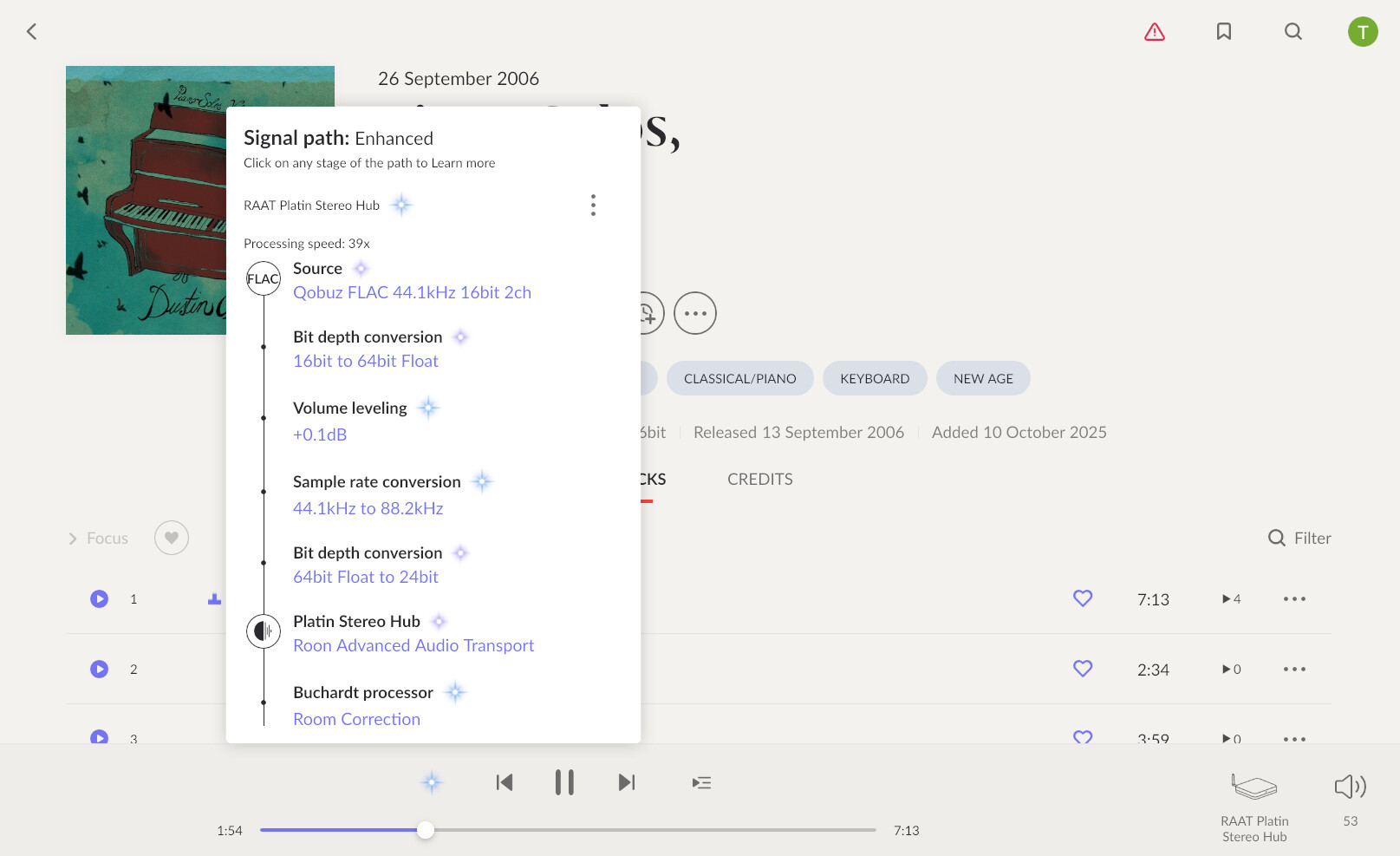
Both streaming and local album are the same title, but not necessarily the same release. They could have different loudness and dynamic range etc.
Is the issue affecting the same title only, or when mixing up TIDAL / local with entirely different tracks from different albums?
One thing you could try is changing the target level from -14LUFS to -18LUFS or even -23LUFS. I had forgotten about this rather lengthy discussion here:
The conclusion was that at roon’s default of -14LUFS, highly compressed modern recordings may not be levelled as expected to avoid clipping. That might be what you are hearing, especially if your local rips were some time ago. My own experience is that it is much more noticeable with playlists and shuffles. I did briefly try a -19LUFS but didn’t like the results on my equipment so I am now back at -14LUFS.
No, largely the inverse of that conclusion.
Highly compressed modern recordings will get leveled quite effectively at the -14 LUFS setting. Because those recordings average around -8 LUFS in their native state, they require about -6 dB of attenuation to get to -14 LUFS. No problem.
On the other hand, high dynamic range recordings that might be around -20 LUFS natively would require +6 dB of gain to reach -14 LUFS. However, that much gain would push many of those recordings into digital clipping. Uh oh, problem. So, to prevent clipping, they may get little, if any leveling adjustment.
AJ
I thought it might be the LUFS too, but no: I always listen at -23 now, and the problem is still there. And it’s not a result of different versions of an album or track, either: it’s common across every local album I have, and I spent an hour or so checking tracks against their Tidal counterparts. It’s something to do with how Tidal is processing my local FLAC files, and I fear I may never get to the bottom of it. I may have to rebuild my playlists using 100% Tidal versions of the tracks, which seems like an unnecessary waste of my time. And the ultimate sound quality would take a slight hit too. Plus Tidal simply doesn’t have some of the music I own.
As someone who never use volum leveling - why are you listening at -23LUFS and why would you want to spend so much time rebuilding playlists to get everthing matching perfecly?
Asking because I dont know to much about the subject and when I have played with volume leveling I usually end up turning it off.
Volume levelling is essential for me. Maybe I’m a bit OCD, but the promise of good volume levelling was what first attracted me to Roon. I hate constantly having to reach for the volume control when listening to playlists. -23 LUFS (as per the link posted earlier in this thread) covers off even highly dynamic recordings where a lower setting may not be able to handle the large dynamic swings.