When I first bought this, I had been playing files off my PC by adding a folder. I had thought these files were getting loaded onto the nucleus itself, but I think the nucleus is just playing them off my computer.
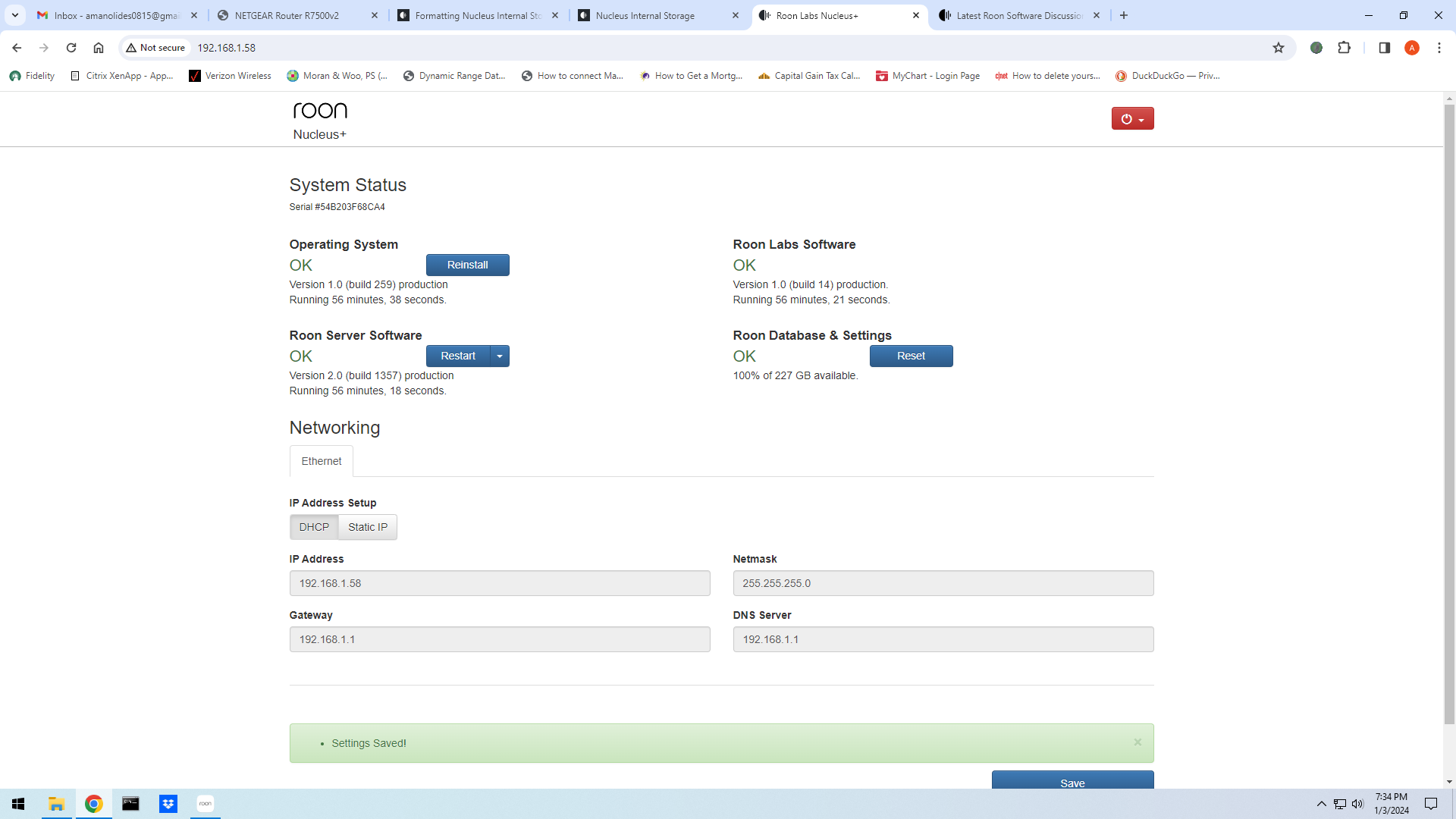
So, I tried opening the nucleus web administration interface, and there is no internal music storage space to format as suggested in the " Formatting Nucleus Internal Storage" Roon article.
Where can I find it? Or was it never installed into my nucleus? See image of the interface below…nothing about internal storage:
But then it should also appear in the Web Administration interface - and from his screenshot, it’s not there. So it’s likely that neither is the 2.5" internal drive…
Thanks all! After chatting with the dealer I bought it from, I did indeed pay for a 4TB drive. It should have been loaded inside the nucleus and connected before shipping it to me. I will open it and look tonight after work and let you know what I learn.
In the mean-time, is anyone from support or elsewhere internally at Roon able to tell if it was loaded with a 4TB drive? The serial number is seen in the screenshot I included. I have had the Nuc in for service at Roon once. Is it possible it was removed or disconnected for some reason?
Did the dealer confirm it had been fitted or have they forgotten to install it.
As others have said. Undo the case screws and see if it is physically in place and connections are secure, both power and data.
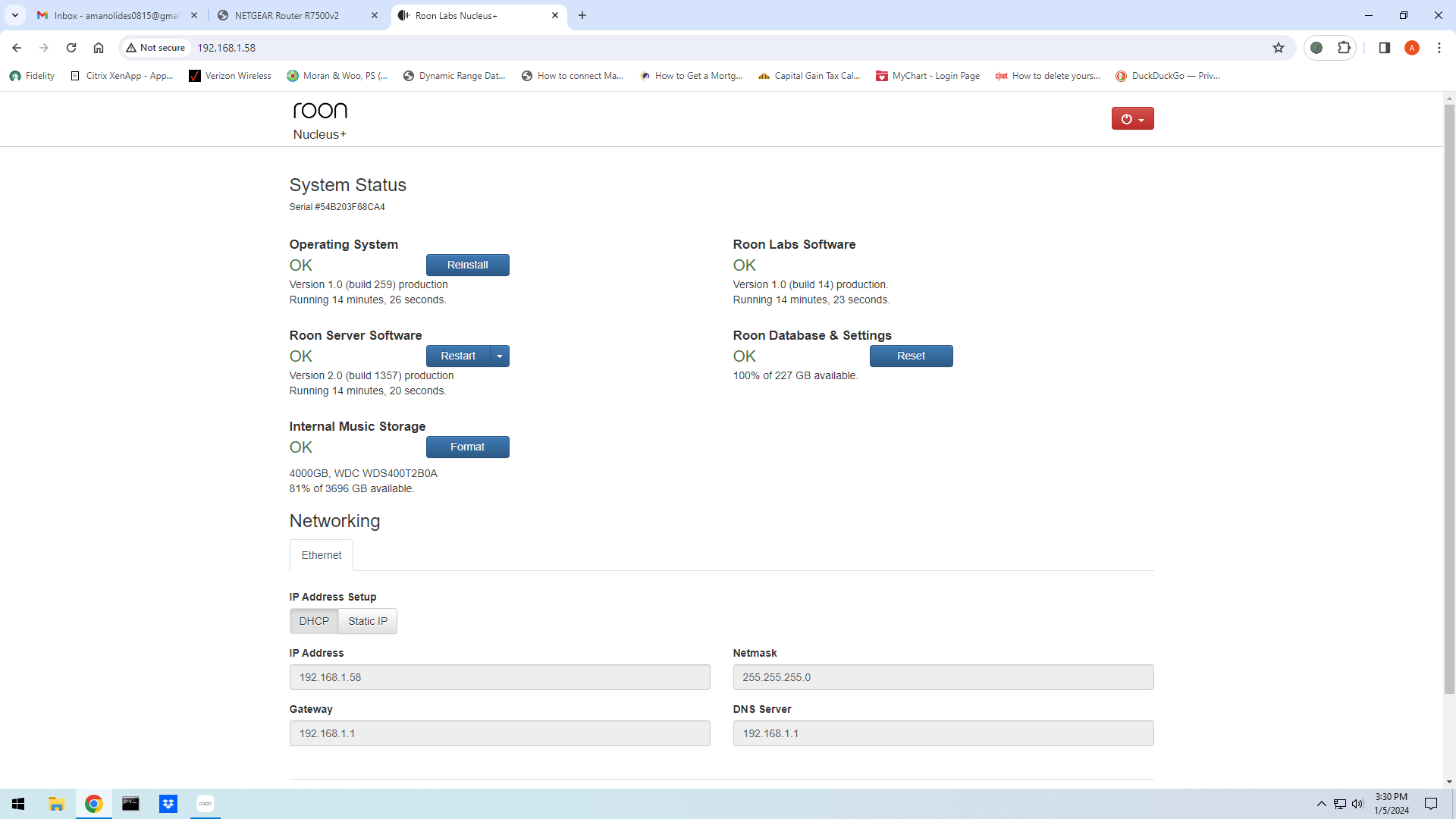
Well, I opened the Nucleus and drive was there, appeared to be connected but just in case I unplugged everything and plugged back in again. Now the drive shows up!