Yes, you can freely route channels using the matrix pipeline processor. You can save different matrix settings as profiles that you can switch on the fly.
DSD256 is not particularly difficult, but DSD512 with those setting is. My M1Max manages ASDM7EC-light to DSD512 with default filters.
1 Like
Totally understood, as I already have different saved profiles that, using Roon, require me to remotely access my Roon server running HQP to import each profile.
But now, to the practical. Here is a sample of my pipeline matrix for a 5.1.2 array:
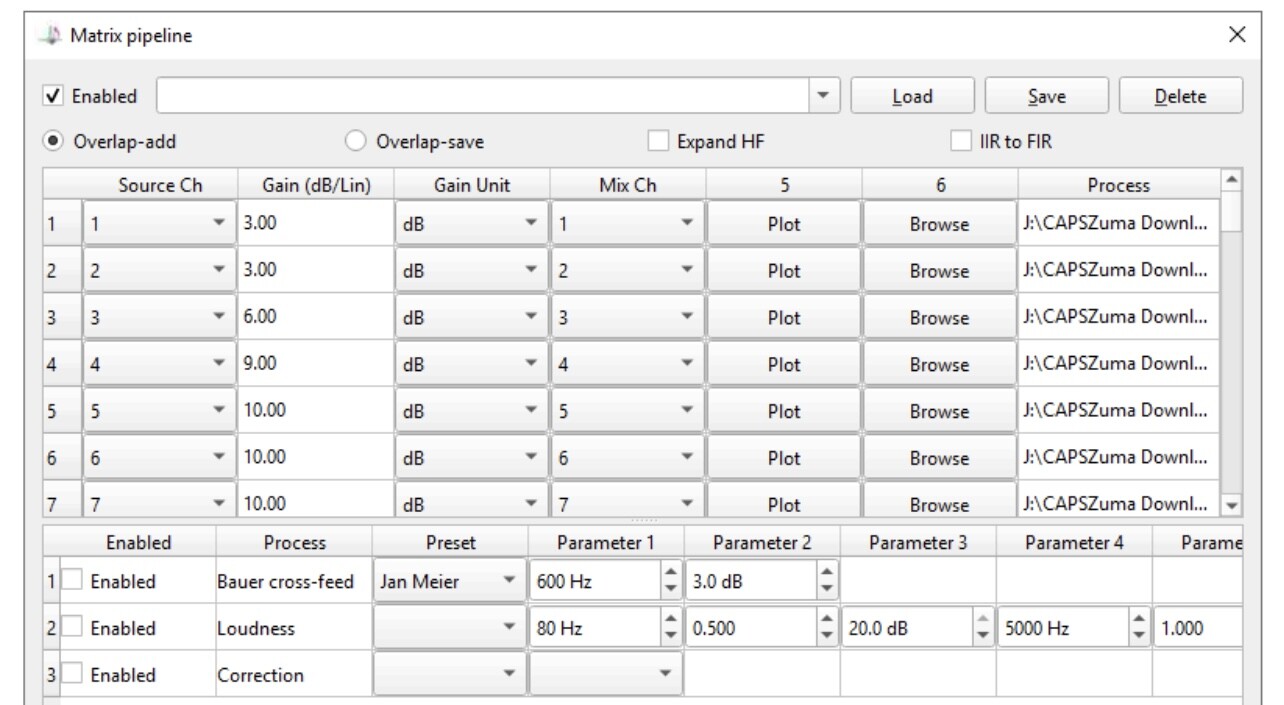
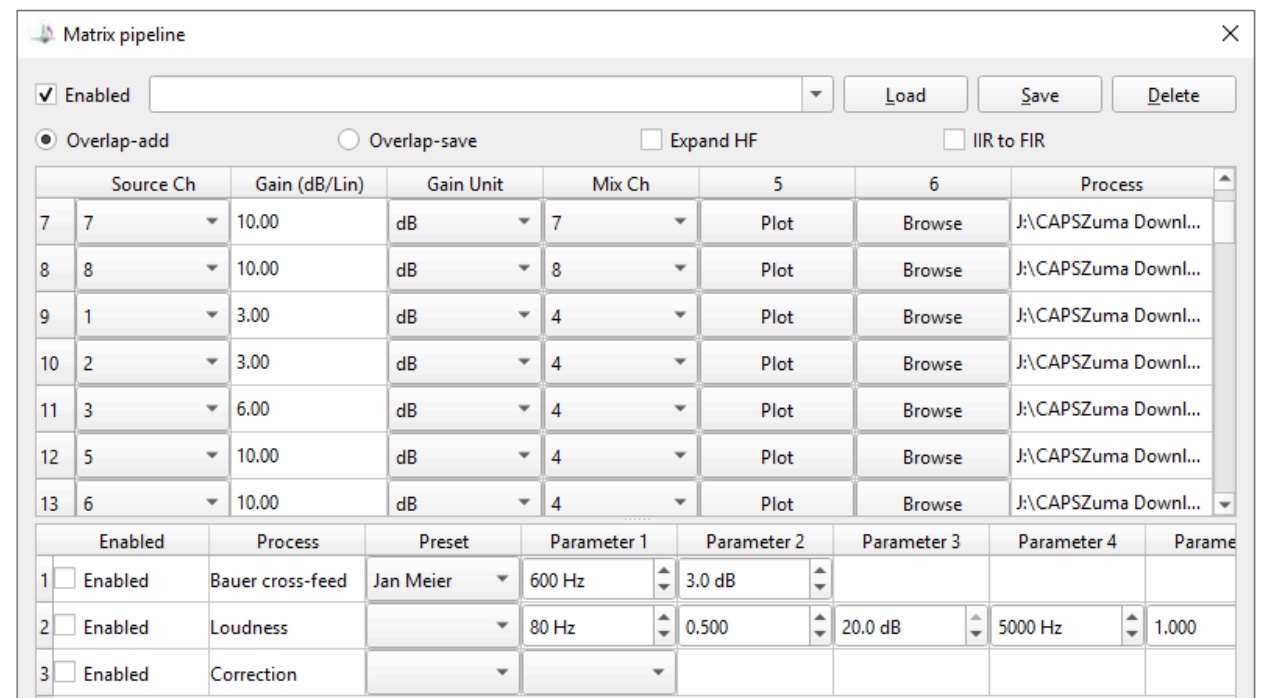
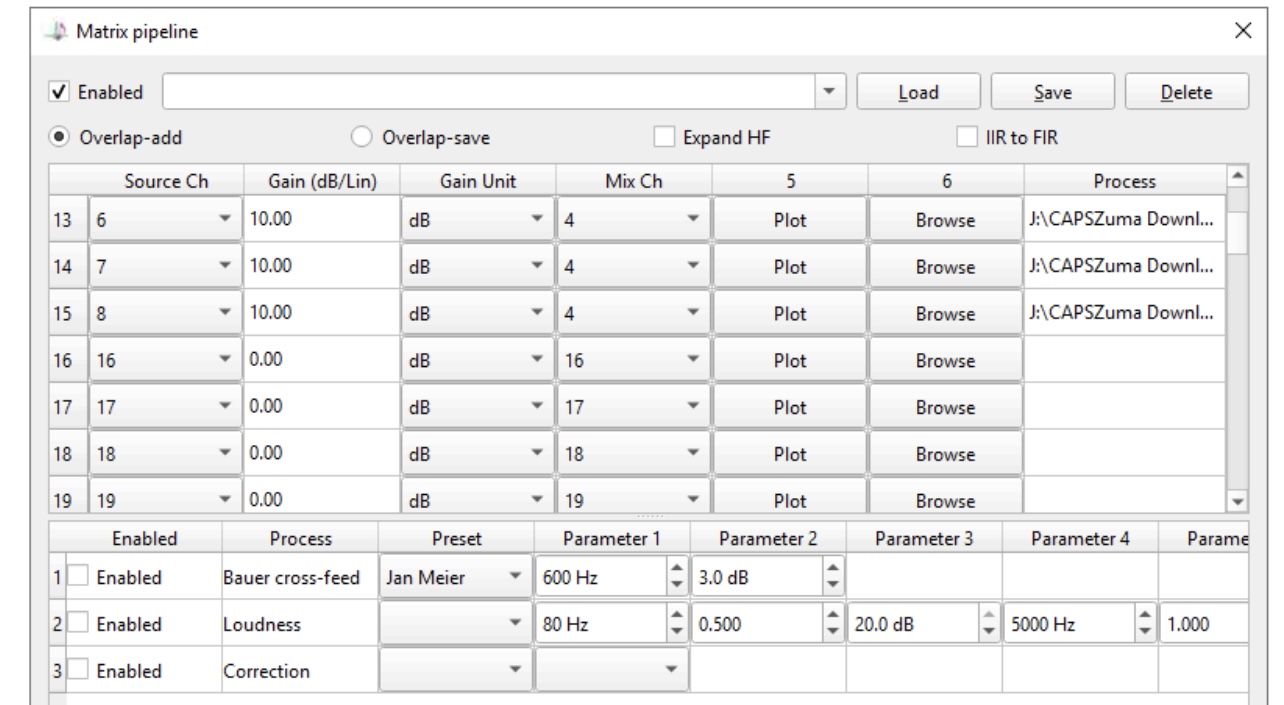
If I want to swap channels 5 and 6 for 7 and 8, how would I modify this profile, managing the correct mix channels, gain and processes? Thanks. JCR
You can freely choose where channels 5, 6, 7 and 8 go. So you can do for example 5 → 7 and 6 → 8 and vice versa 7 → 5 and 8 → 6. This way those channels get swapped.
But what is that channel 4 output that has so many channels mixed with 10 dB gain each? The output level gets pretty high there. Let’s say you have mono source on channels 1 and 2, and you mix these together, then you should use -6 dB gain for both to keep the resulting mix at max 0 dB level. (1 * 0.5 + 1 * 0.5 = 1)
Do I swap based on source or mix channels? For example, swapping 5 for 7, do I swap source channel line 5 for 7 and visa versa, and source channel line 12 for 14 and visa versa?
But what is that channel 4 output that has so many channels mixed with 10 dB gain each? The output level gets pretty high there. Let’s say you have mono source on channels 1 and 2, and you mix these together, then you should use -6 dB gain for both to keep the resulting mix at max 0 dB level. (1 * 0.5 + 1 * 0.5 = 1)
I have no preamp and my main and center channel amps are more powerful and efficient than my surround and front height amps. I know it looks strange, but I worked with Mitch Barnett to develop the convolution filers in Audiolense for the system. It really does sound great, despite what you see on the numbers. Additional gain rebalancing first occurs in my Okto dac8pro DAC. JCR
It depends on what you want to do. It just tells HQPlayer that you want source channel X to end up on output channel Y. And since there’s a mixing capability, you can have multiple pipelines pointing to same output channel.
It would be better to have all gains in one place and ensure that there are no cases where output could exceed 0 dBFS.
Hello
I’ve just installed a new server based on an HDPLEX H5 box.
- Asus TUf Gaming B650 + motherboard
- CPU AMD Ryzen 9700 X
- Memory 2 x 32 GB GSkill Trident NEO 6000 CAS 30-40-40-
96 - Music storage on Samsung 990 Pro SSD NVME 2 TO
- JCAT netcard Xe
all on a suitable linear power supply
I use Gentooplayer + Roon + HQpe to a Host Diretta DST 00 PC to a Holo Spring level 2 DAC.
I would like to know if the HQPlayer settings seem optimal to you?
I listen to TIDAL streaming music and local Flac or Wave files.
Thanks for your feedback
Jean-Luc 
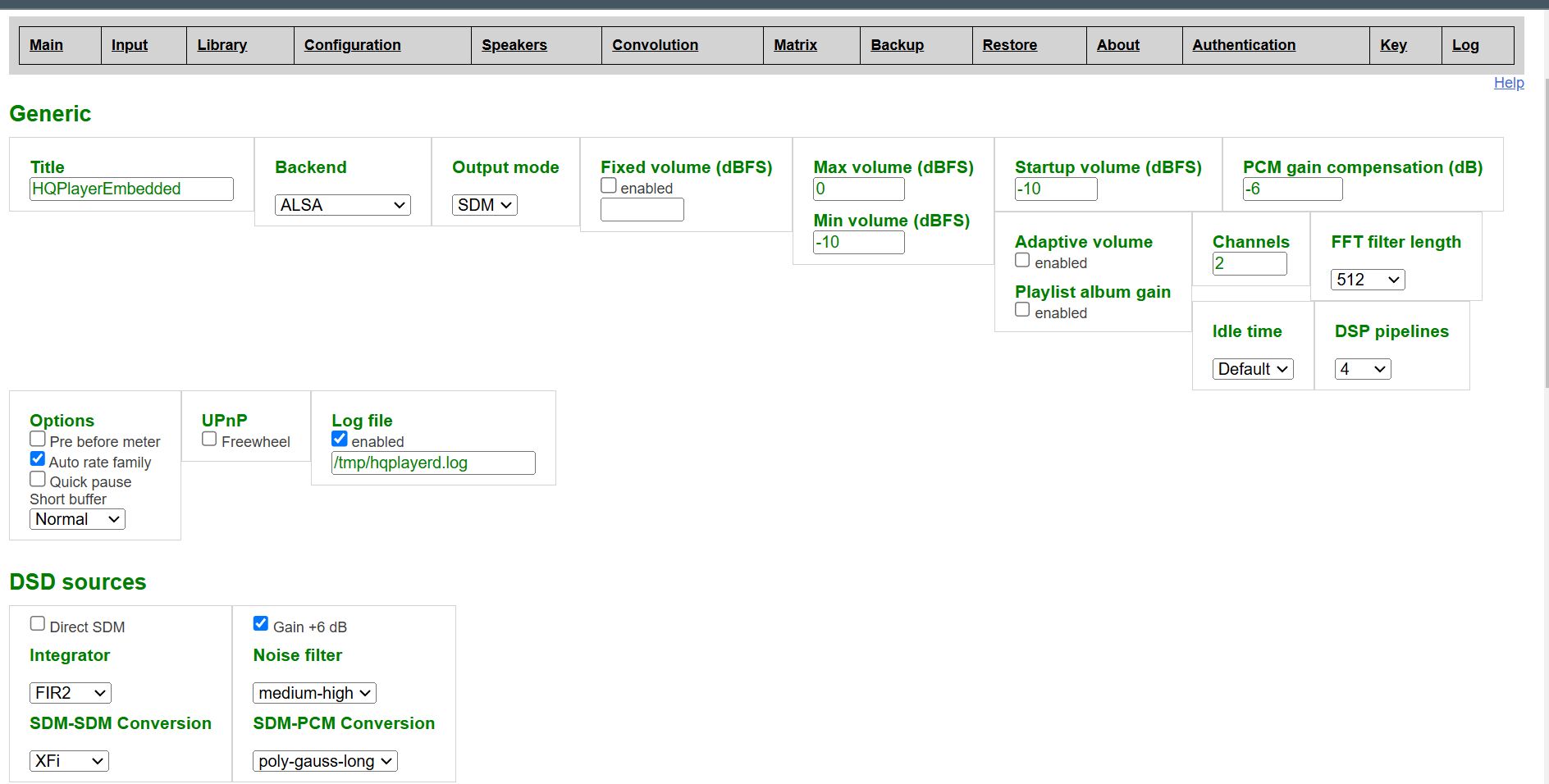
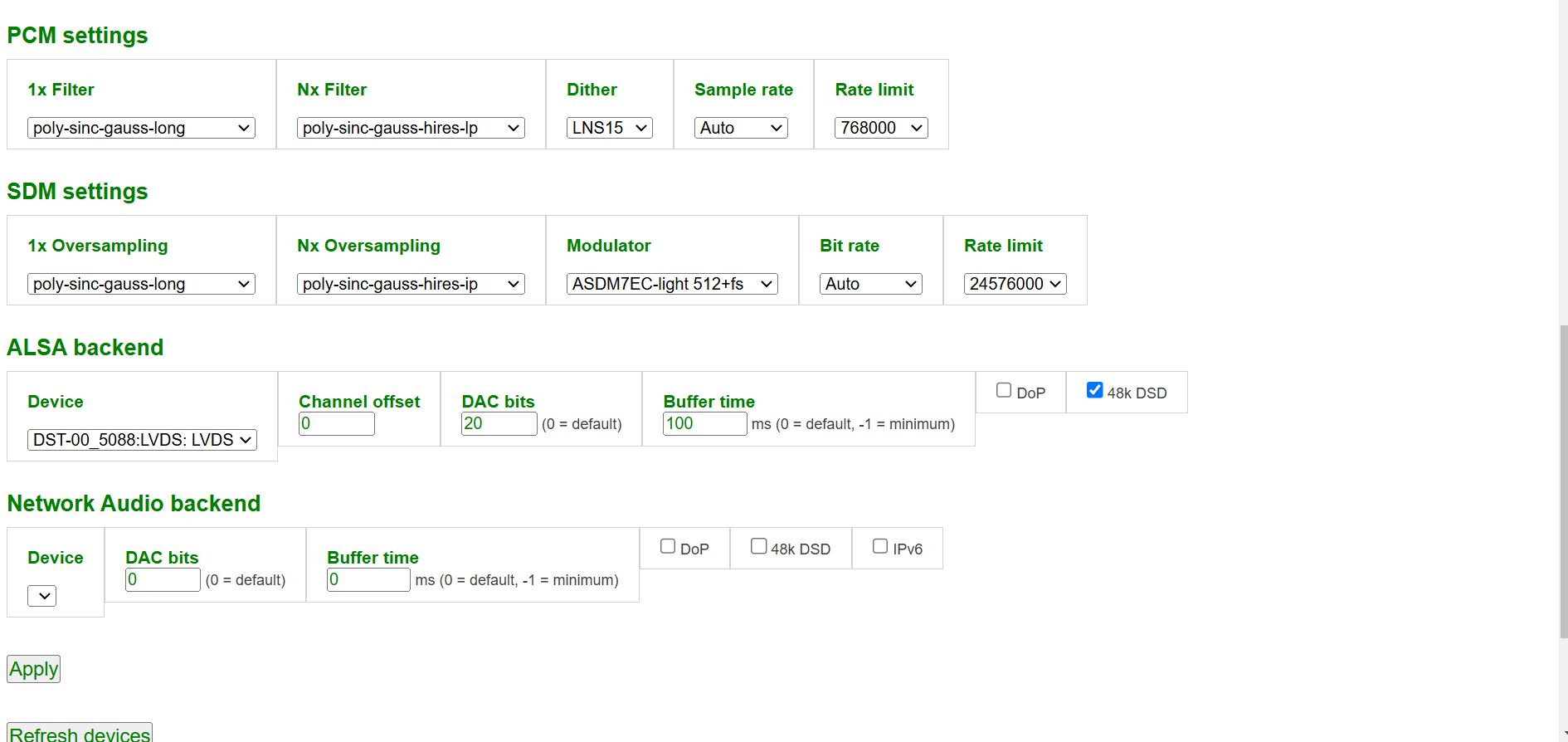
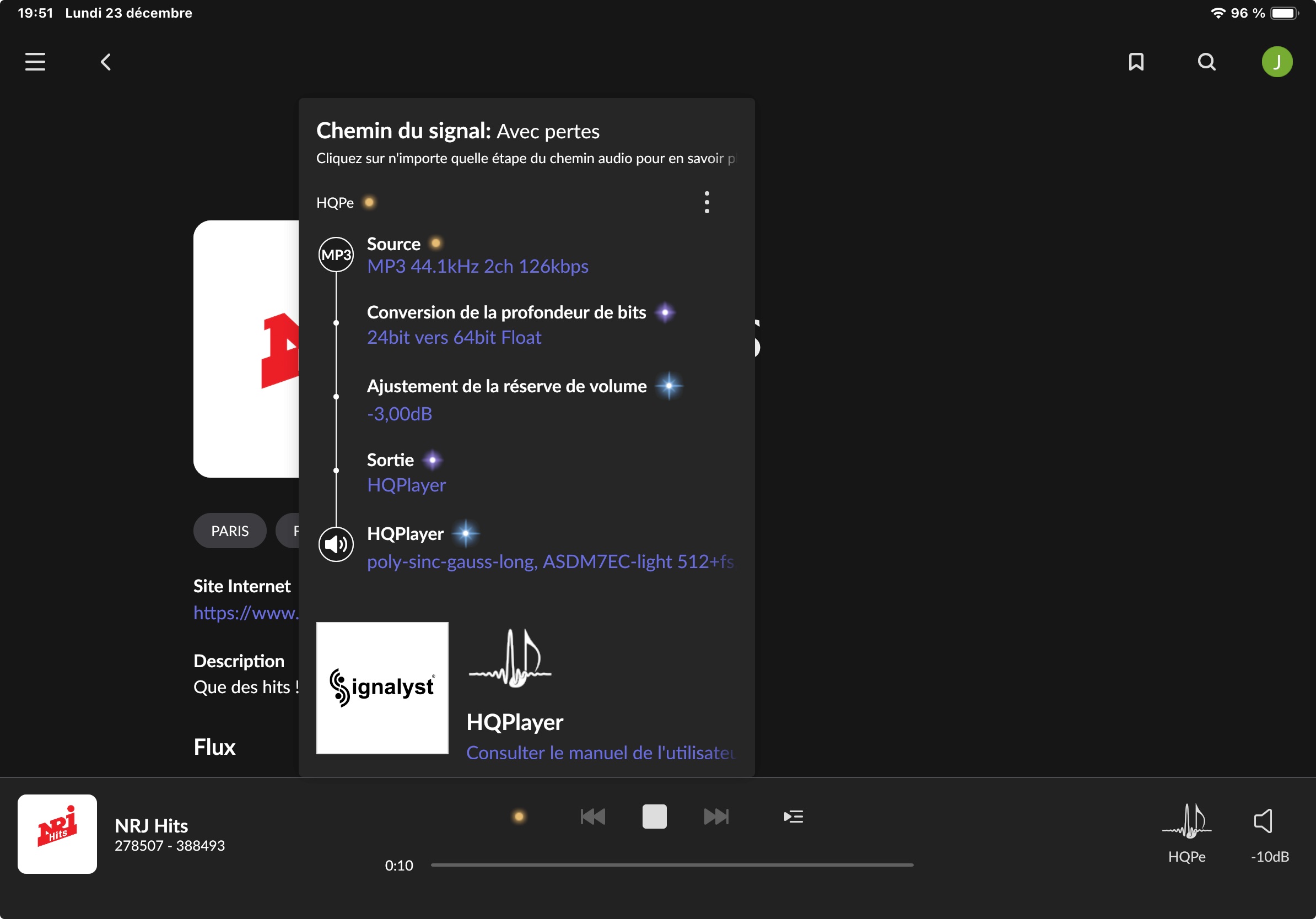
I would remove that Roon DSP from the path, so that it outputs bit-perfect data to HQPlayer.
Hello Jussy
what is indicated with the red arrow ???
if not, do the other parameters seem ok and optimal for the Holo Spring 3 level 2 DAC?
Thanks for your feedback
Jean-Luc
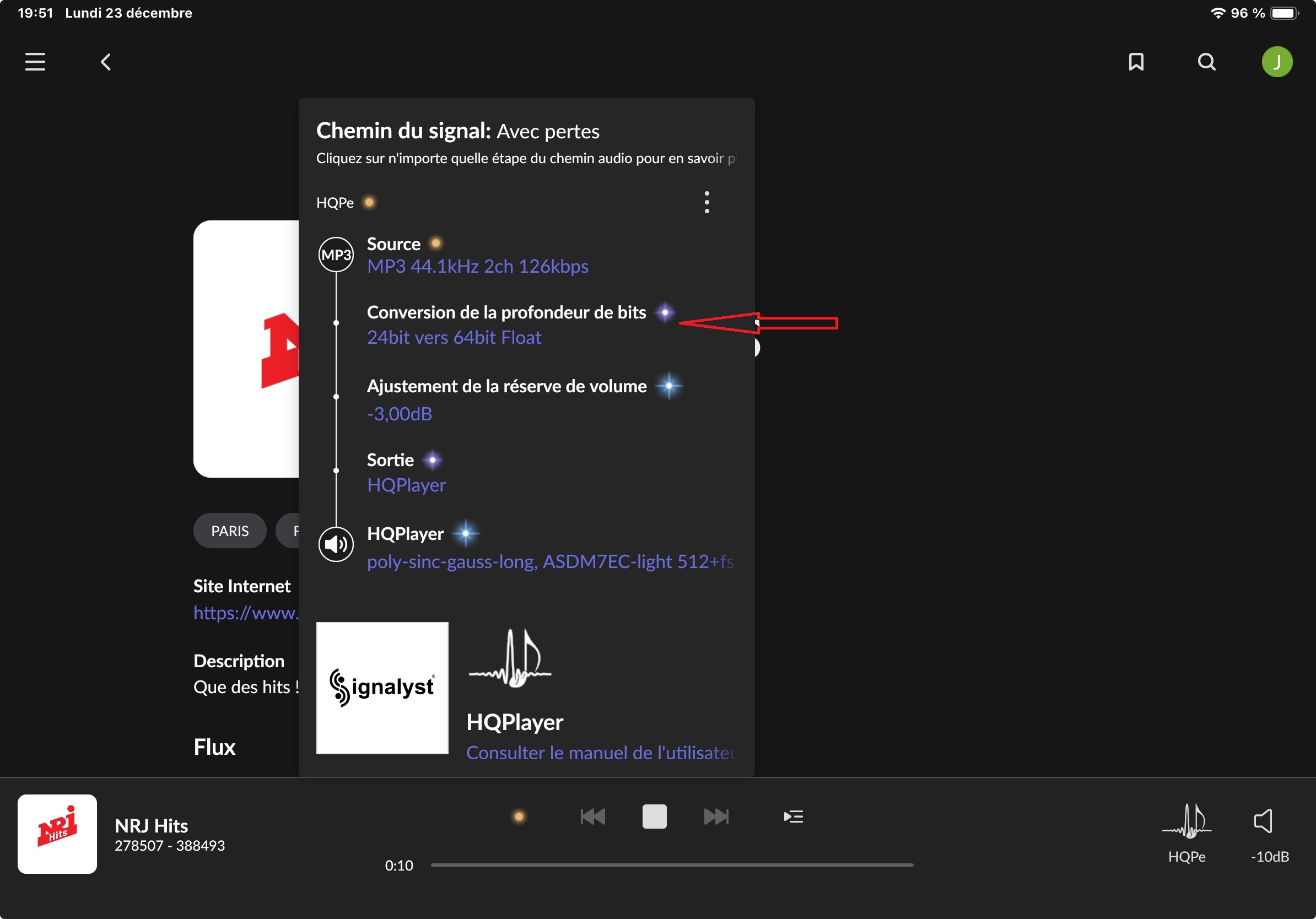
You are applying -3dB headroomn Roon
Why should not apply volume leveling in Roon?
I far master the soft, if you can tell me more about it??? 
I was answering your question.
You asked what was happening indicated by the red arrow you drew. That line of the signal.path is part of the -3dB headroom process.
Edited to correct.
To me it looks like Jean-Luc is using the option to use -3dB headroom and not the volume leveling option.
Thanks, yours right. Corrected my posts.
It’s better to apply the -3dB in HQPlayer, instead of Roon.
2 Likes
For a bit better quality, one could also play that MP3 internet radio stream straight on HQPlayer without Roon in the middle…
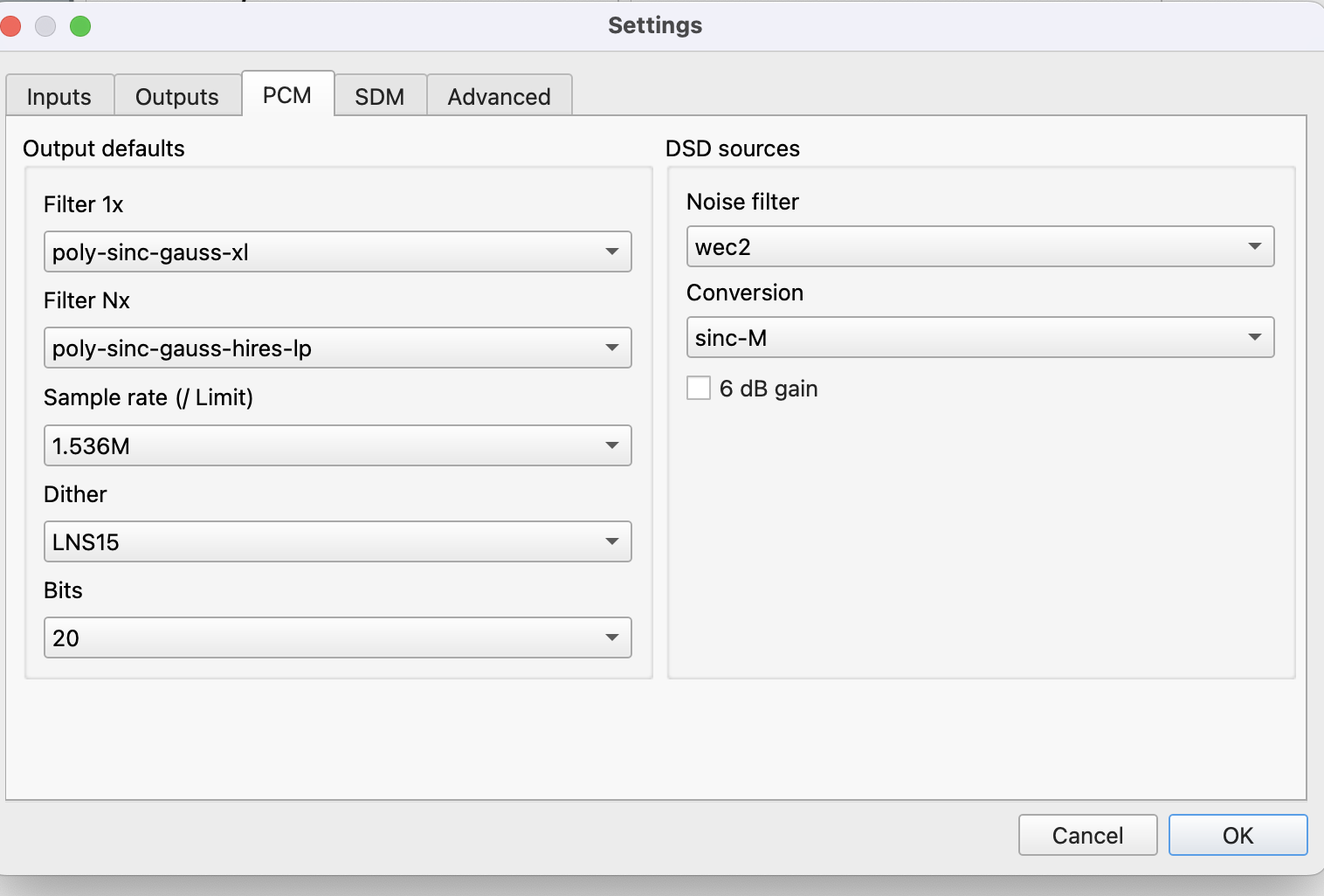
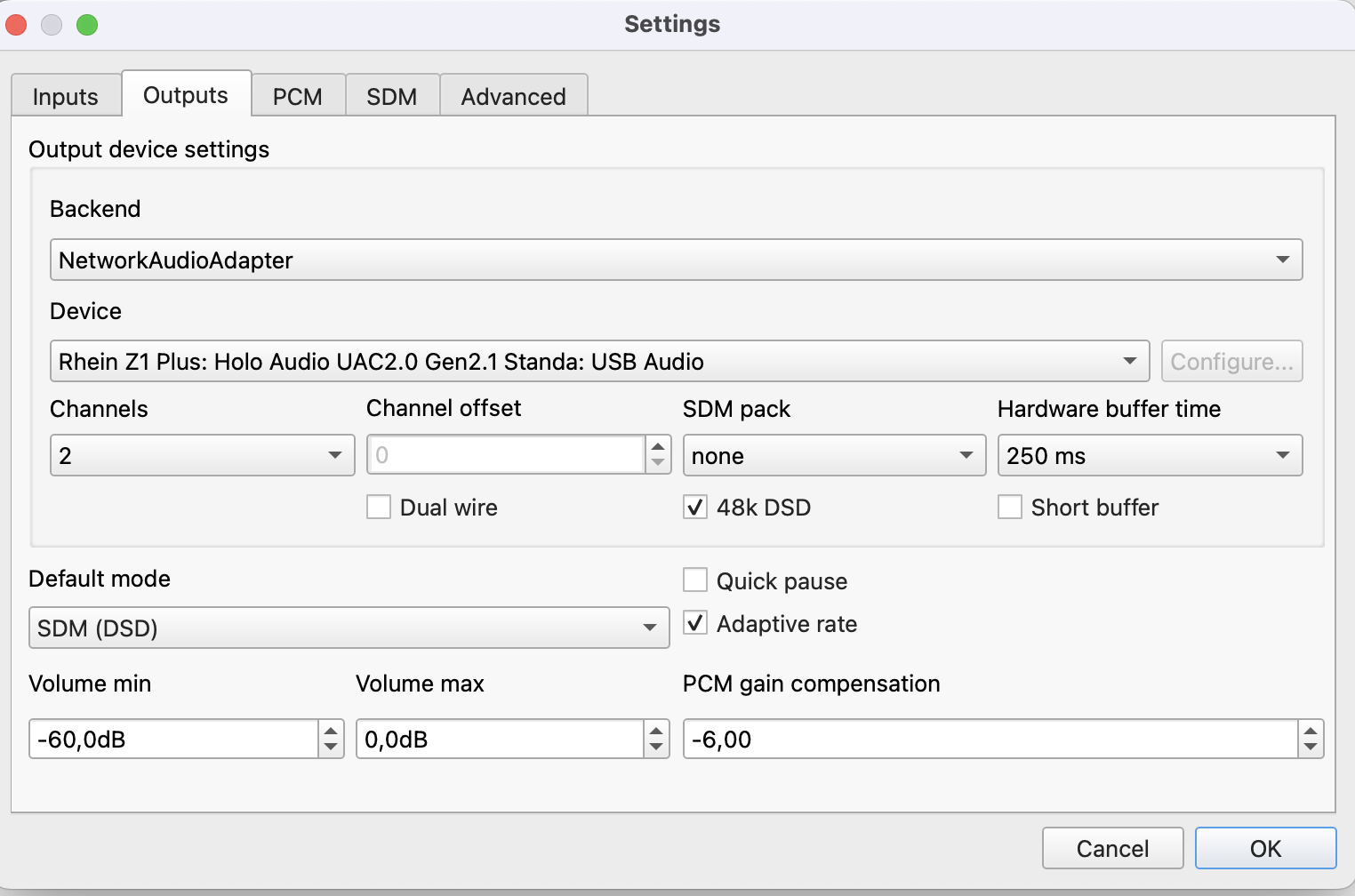
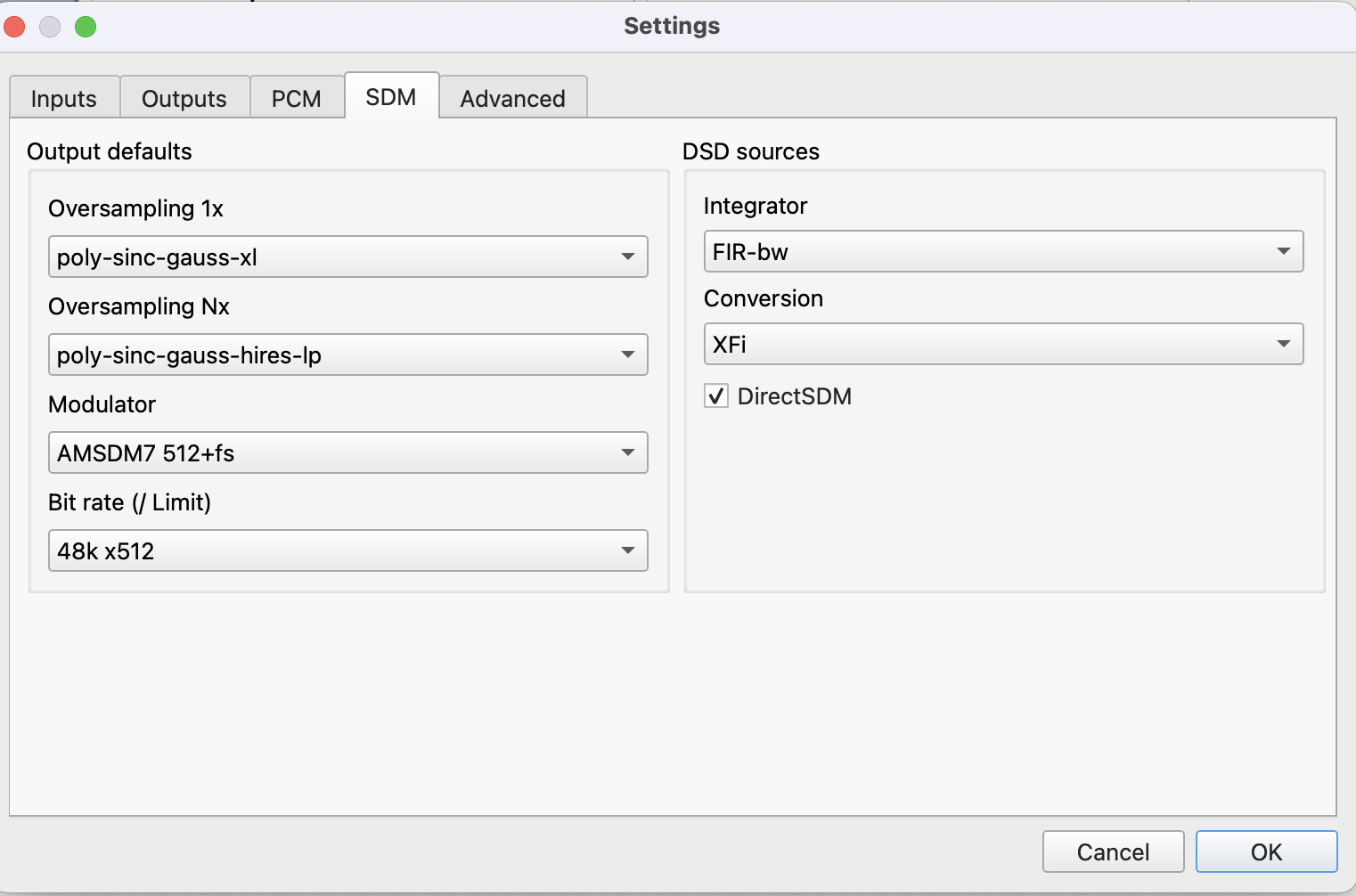
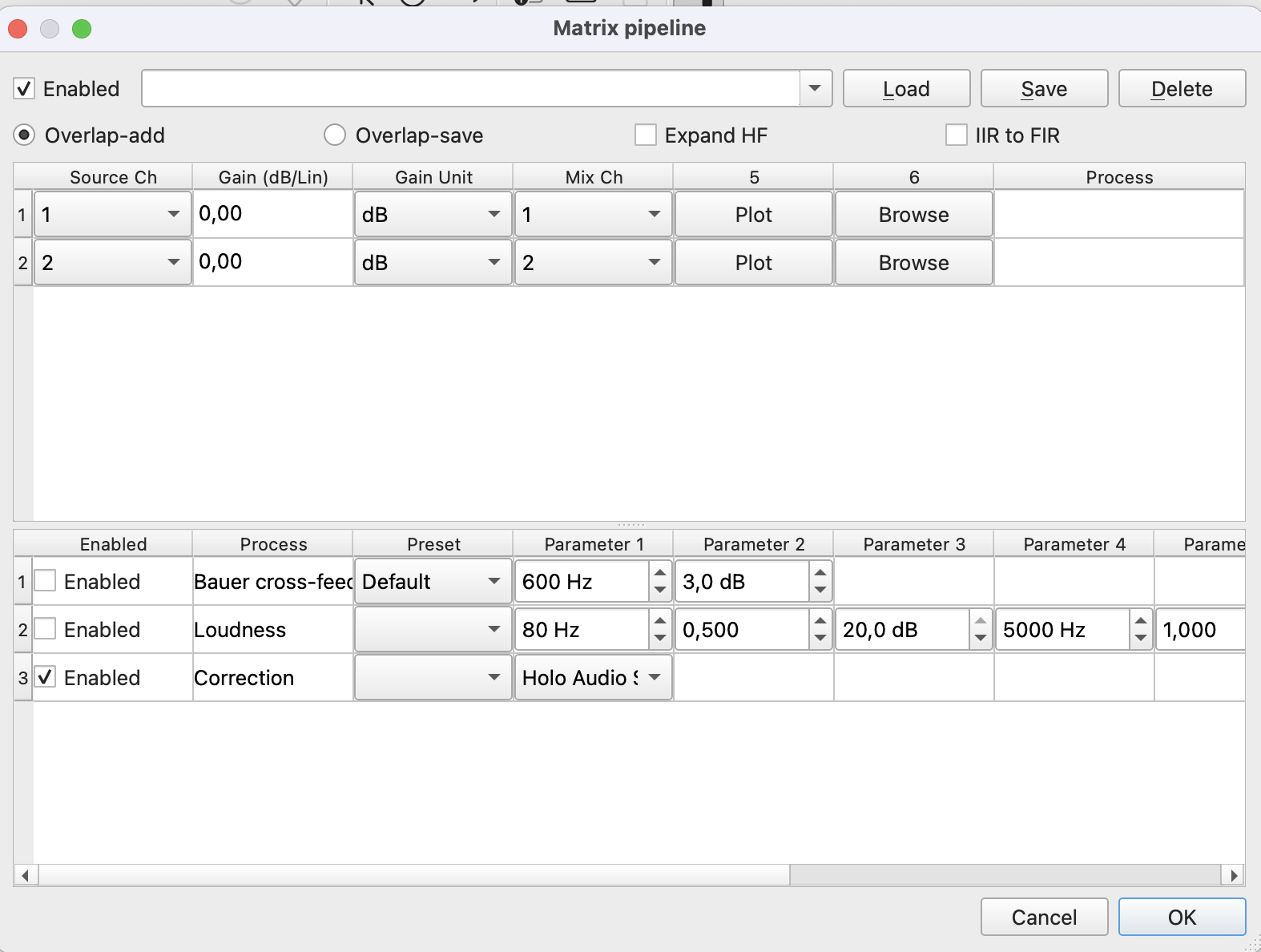
That’s great! I have a Mac Mini M1 and am thinking about upgrading to the M4. Would you mind sharing the specs for the M4 you purchased (M4 or M4 Pro and the memory).
Thanks
I have the Mac mini - M4 (10x CPU | 10x GPU) with 16gb ram and 256 gb SSD
Thank you. That’s pretty impressive. I just ordered a Holo Audio Spring 3 L2 a few days ago and looking forward to receipt.
Are you running both Roon and HQP on the M4?