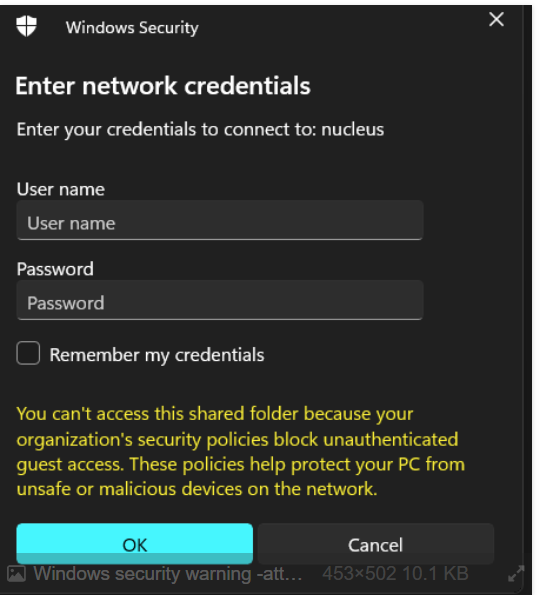
What’s happening?
· I'm having trouble connecting to Roon. Clarification. I am able to listen to music just fine. The goal is to consistently be able to view all the music files on the Nucleus, from using a short cut on my Windows 11 desktop.
What type of connection issue?
· Something else
How can we help?
· None of the above
Other options
· Other
Describe the issue
Please refer to ticket Windows security warning during Nucleus connection (ref#STGC4F)
In Dec 2024 after an Windows 24H2 updated my Windows 11 computer, I received a log in screen, asking for a user name and password--when I tried to communicate (via a short cut) with my Nucleus. When I REMOVED the update, I was able to communicate with the Nucleus. Now I have the SAME problem when updating to 25H2, namely the errant log-in screen. When I REMOVE the recent Windows update, I am able to recover communication with the Nucleus. I have reread the ticket referred to above. Apparently there is a new security patch to SMB. I was hoping that ROON software updates over the last year would resolve this--but obviously this has not happened. I see instructions in https://techcommunity.microsoft.com/blog/filecab/accessing-a-third-party-nas-with-smb-in-windows-11-24h2-may-fail/4154300. I am seeking reassurance that this is the path I should proceed to resolve the problem. Thanks for your help.
Describe your network setup
I have a Nucleus, Serial #54B20383D5EB --connected by ethernet to my Windows 11 computer.