ZEN MINI MKIII Roon Core connection issues after power outage (ref#WK2BB4)

Hi! What’s not quite right with Roon?

· None of the above quite fits

None of the above quite fits

· None of these quite match

Tell us what's going on

· ZEN MINI MKIII (Roon Core mode) when clicking connect RONN logo keeps spinning and not connecting. When it connects (sometimes) it shows a new Roon set-up and not my account I have for years.

Have tried all solutions *login all out, taking power off, reset DECO, deleted and installed apps, cleared cache on all devices. Reset router, etc. etc. but it does not connect to my zen mini MKIII

This all happened after a power outage.

Tell us about your home network

· DEco BE3600

Hi @Olaf, welcome to the community, and sorry this is hanging up after the power outage.

What you’re describing sounds like the Roon Server on the ZEN Mini may be starting with a fresh database state, or it may not be reaching the existing one after the outage. Before we guess further, there are two things we’d like to check:

  • Can you open the ZEN Mini’s web administration page and confirm whether Roon Server is running normally there, or if it shows any errors?
  • When it does connect and shows a new setup, do you see your old library and backups anywhere, or is it treating the device as completely new?
  • Have you tried restoring a saved Roon backup yet?
Since you already covered the router, app reinstalls, cache clears, and power cycling, the next useful step is to look at the ZEN Mini itself and confirm whether the stored Roon data is still present. If you can also let us know how the ZEN Mini is connected to the Deco network, wired Ethernet or WiFi, that would help us narrow down whether this is storage, network, or startup related.

Send back what you find and we’ll take it from there. :+1:

Hi Benjamin,

Thanks for the response but I finally managed to get it working.

Sorry to say but as mentioned in antoher thread I’m a long time user and life time subscriber but won’t be using Roon as primary music app any longer.

The amount of times this product gives me headache is absolutely unacceptable.

From all programs I work with (for me) it is the most unstable one. It never was perfect but I accepted it.

Lately it becomes a real nightmare, bug after bug, after bug…

How hard can it be, one server → distributing files… That’s basically it.

Cheers

Hey @Olaf,

Glad to hear you got it working again, thanks for coming back to close the loop.

I’m sorry the last stretch has been this frustrating, especially as a long-time user and lifetime subscriber. That’s not the experience we want you to have, and I won’t try to talk you out of how you feel about it.

If you’re open to it, the most useful thing you could do is point me to the specific issues that have been piling up, either here or in the other thread you mentioned. Even if you move Roon out of the primary spot, I’d like to get those in front of the team so they’re logged properly and looked at. Recurring instability after events like a power outage is exactly the kind of thing we want to run down.

Either way, thanks for the years of support, and the door stays open if you’d like us to dig into any of it.

Hello @Olaf ,

This thread has been reopened at your request, can you please let us know the latest status when you have a chance? Thanks!

Hi,

Roon keeps starting from “set up” position altough account is active an my music is playing.

This happen every time I open the control app (both laptop and mobile) when I want to select another album or song.

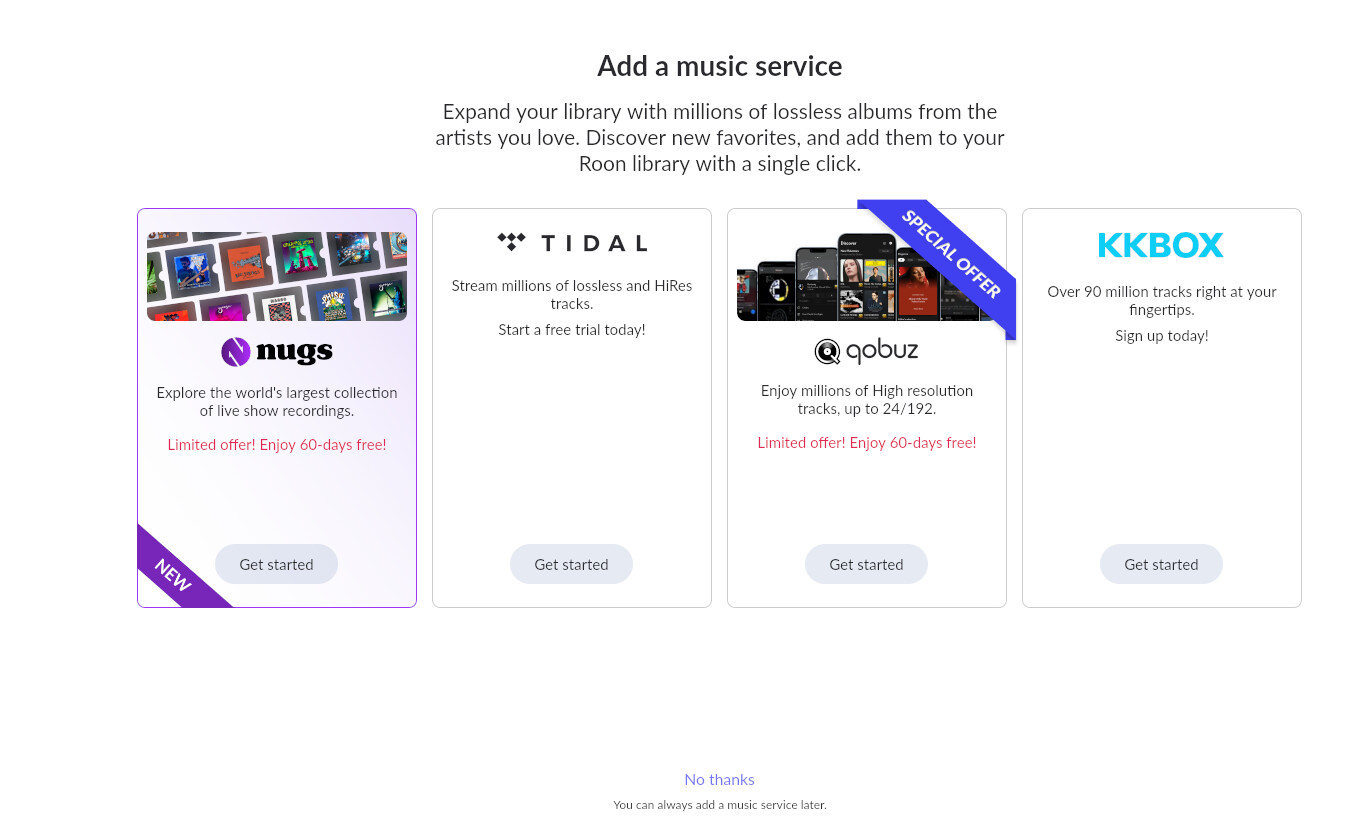
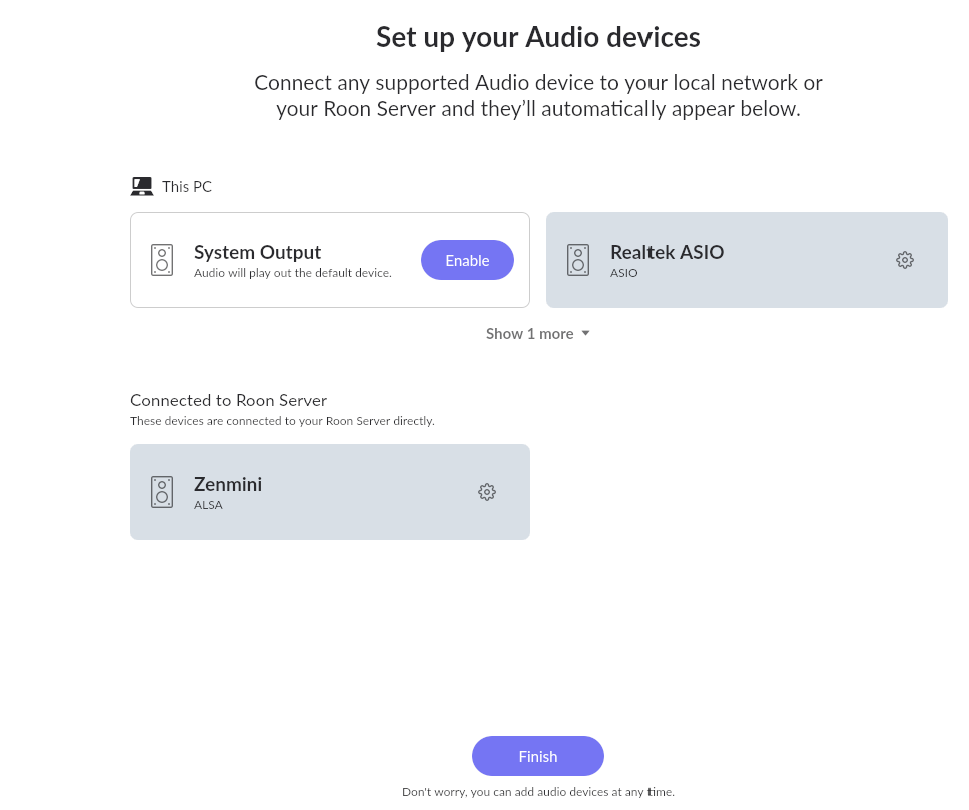
See screenshots.

I click “continue”

I click “no thanks” as the music is playing already and logged in to both my Tidal and Qobuz account already.

I don’t select anything here and just click continue.

Hello @Olaf

Thanks for the screenshots, that’s helpful.

We checked your ZEN Mini directly, and your account and library are intact on the Core side, your Tidal and Qobuz logins, your saved preferences, all of it is exactly where it should be. Nothing was reset or lost there, which matches what you’re seeing: your music keeps playing correctly the whole time.

On the “Add music services” and “Setup audio devices” screens, there are two things that could be causing this, and they’re not mutually exclusive:

The first is that clearing the app cache on your devices while troubleshooting the original connection issue would have reset each Roon Remote app’s own local record of whether it’s already been through that onboarding flow, which would bring those screens back the next time it connects.

The second is that your Core itself looks like it went through a fresh reinstall around the time this started. If that changed the Core’s internal identity, each Remote app connecting to it could be treating it as a new server the first time around, which would explain it showing up the same way on both your laptop and mobile.

Either way, it should settle down once each app has been through the screens again (Continue, then No thanks, Finish, same as you’ve been doing). Could you please confirm it stops appearing after that on both devices? If it happens again after a successful login, please let us know right away, ideally the same day, so we can pull fresh diagnostics while it’s still fresh and pin down which of the two is actually going on.

We know the last stretch with this account has been rough, and we appreciate you sticking with us on it.

Hi,

as in my initial post, i have tried everything, even deleting apps (after clearing cache) on phones, ipad, laptop etc. and re-installing them, it keeps happening.

Refreshed and updated the Zen mini too…

Hello @Olaf

These may be the consequences of the database corruption during the power outage.

  • Make a Backup of your current RoonServer Database
  • Exit out of RoonServer
  • Navigate to your RoonServer’s Database Location
  • Find the folder that says “RoonServer”
  • Rename the “RoonServer” folder to “RoonServer_old”
  • Reinstall the RoonServer App from our Downloads Page to generate a new RoonServer folder
  • On the Roon Remotes, press “Use another Roon Server” and connect to the new database

Thanks, but could you elaborate a bit on the steps as it didn’t work.

I followed all the steps, deleted old Roon, chose new and restored with a back-up (pulled this morning) etc. etc. and exactly the same happens (asking as if new account)

And second to that, I can’t play over my DAC any longer, when selecting it I get the following error: “Too many failures. Stopping playback”… (nothing changed on my hardware set-up)

Hello @Olaf

Two tests, and please do them in this order. The first is quick and may settle it on its own.

1. Properly remove the Roon app on your Windows 11 laptop, including its data.

This is not the same as what you have already done. Uninstalling Roon on Windows leaves its data folder behind, so reinstalling picks the old state straight back up. That folder holds the flags that record whether the app has been through the setup screens, which is very likely why your reinstalls changed nothing.

Please do this:

  • Uninstall Roon through Settings, then Apps.
  • Press Windows and R together, paste %localappdata% and press Enter.
  • Delete the folder named Roon.
  • If you see a folder named RoonServer, leave it alone. Your server is the ZEN Mini and that folder is not it, but there is no reason to touch it.
  • Reinstall Roon and connect to the ZEN Mini.

Then open and close Roon a few times and tell us whether the setup screens still appear every time.

Your iPhone and iPad do not need this. Deleting an app on iOS removes its data with it, so those were already clean.

2. Only if the setup screens still appear: a genuinely empty server database, with no restore.

Last time you created a new RoonServer folder and then restored your old backup into it. If the problem travels in the backup, restoring it puts the problem straight back. So this time, rename the RoonServer folder aside, let an empty one be created, and connect without restoring anything.

Your library will be empty and you will go through setup once. That is expected and temporary, and your old folder is still there so nothing is lost.

What we want from that is one answer: does it stop asking you to set up on every connection?

If it stops, the problem was in your database. If it still asks every single time on an empty database, then it is not the database at all, and it means the ZEN Mini cannot save the server’s own state to disk. That would fit everything, including why nothing has stuck and why this began with a power outage, and on an Innuos unit that becomes theirs rather than ours. We would tell you that plainly rather than keep you testing.

Please leave the DAC error aside until we have the answer to test one. We will come back to it and we do not want two changes in flight at once.

Hello @vadim

Did step one, deleted (uninstalled) everything on both laptop and Samsung s23 ultra, problem still the same.

Sorry but have no clue what you mean with step 2. You guys are coders and it might be simple for you but I really have no clue what you on about. And sorry, for sure you are doing the best but I can not read true endlessly long pages to get a solution. This should be user friendly for anyone not for coders and geeks only. Roon is becoming un uncontrollable jungle of software glitches for the average joe.

Third, maybe my problem isn’t clear. Roon Core is fully working in the Innuos, I only have the problems with the “remotes”. When I start Roon on my phone to play music it keeps asking me the three steps (screenshot in the thread) I get acces to all my music, nothing is lost or so.

When click the three steps, Contniue, No thanks and Finish, all works as it was.

But for sure you understand it is pretty annoying when every time I open the “remote” and I need to go through these three steps. It just needs to work as intended.

I have downloaded the Roon logs. I have no Roon backup from before the power outage; my available backups are only from after the outage. Before I use InnuOS’s “Clear Roon Database” function, can you determine whether anything can be recovered from the current Roon database?

Hello @Olaf

Short answer to your question: no, nothing can be recovered from a corrupt database. There is no repair for it, on our side or yours. Once the records inside it are damaged, a new database is the only route.

Corruption means the records Roon reads back are not the ones it wrote. The usual causes are a failing drive or an unstable power supply, which fits your outage exactly. It can also sit undetected for a long time, which is why a backup taken afterwards carries the same problem forward. That is why restoring yours changed nothing.

So please go ahead and use the Clear Roon Database function on the Innuos. That is the right step, and it is far simpler than anything we asked you to do by hand. Please ignore step 2 from our earlier post, this replaces it.

Two things to know first. Your music files, your Tidal and Qobuz accounts and your subscription are not held in that database and are not affected. What you will lose is playlists, favorites, tags and any edits you made, and your library will need to be scanned again.

Once it is done, please open Roon on your phone and on your laptop a few times, and tell us whether those three setup screens still appear.

If they stop, that was the cause and you are finished with this.

If they still appear every single time on a brand new empty database, then this was never the database. It would mean the ZEN Mini cannot save Roon’s own state to disk, which would explain why nothing you have tried has stuck. At that point it belongs with Innuos rather than with us, and we will say so plainly instead of sending you round again.

The DAC error we will pick up once this is settled. One thing at a time.

Got it sorted now, Roon back to the old version, Innuos recognized in the system, DAC recognized in the system but now it does not find my Android phone…

(Same wifi network, no firewall)

It discovers my iPad and Volumio without a problem and Roon ARC works on my Android.

Hey @Olaf

Glad to hear the main issue is sorted. What is the exact error you see on your Android phone? If you tap Select a different RoonServer, does your server install show up there?