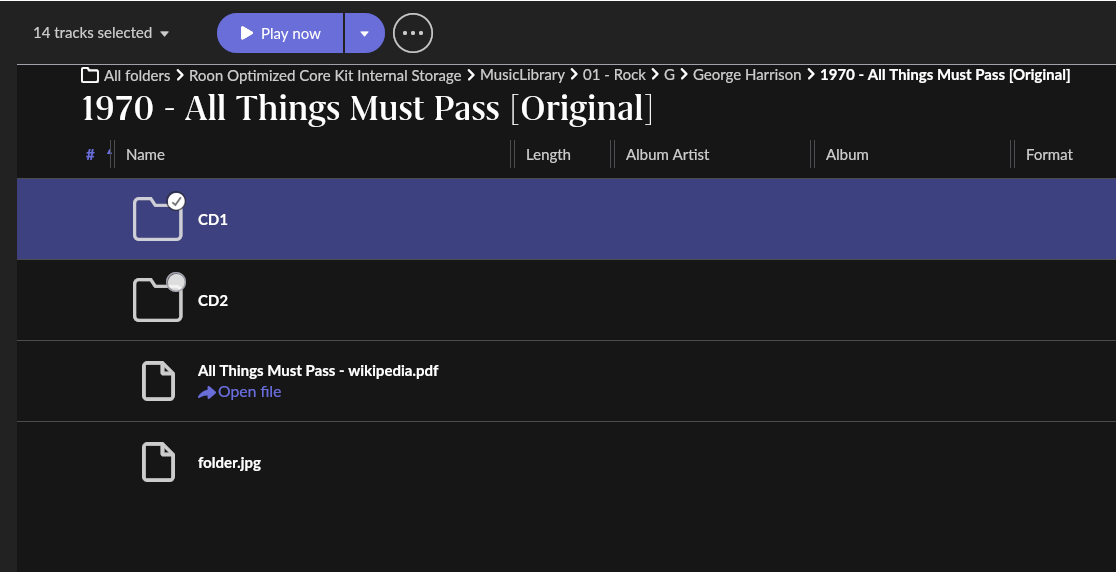
I store my music files on an internal SSD disc in my Nucleus REV A.
Today, I added a 3-disc album to that location but It didn’t show up in My Library. I forced a rescan, but to no avail. I then added a folder for Roon to monitor, i.e. as the full path (\nucleus\data\Storage\Internal Storage\Muziek) just to be sure, and disabled the original path, which just said “Nucleus Internal Storage”. Al 21,000+ tracks were dutifully imported, but still the recently added album is a no-show.
What, if anything, am I doing wrong?
Thanks for any advice on this.
Thanks for reaching out. I actually did add this like I always do. The band has its own folder with a sub folder for each album, and, in this case, 3 sub folders named CD1, CD2, and CD3, with all file names as: artist - album title - cd no - track no - track title.flac.
I just looked at the folders via Roon’s folder view and all files have a warning in red “audio stream format not supported”. So, I will first have to check what’s going on there. Will be continued…
Okay, I checked the files and they all play in VLC media player and other software without any problems. I tried finding an app to check flac files, but the ones I found don’t do what I expect them to do. Anyway, I asssume the flacs are OK as they play in VLC. So, what could make Roon choke on them? Even so bad that it won’t even list the album in My Library?
I could use a tool to re-encode them as flacs, see if that helps…
Ah, yes, Sorry, I overlooked that tip. Indeed, all of the files are listed there with the same reason “audio stream format not supported” (and a bunch of others from many years ago with “file is corrupt”). But this doesn’t provide me with any additional information. Obviously, it’s not the file format, as they all play perfectly well in other software, but some obscure “streaming format”.
Could it be a codec problem? If so, how can I re-encode these files with a correct codec? I tried Flacgui, but that doesn’t help. And can I somehow force a rescan on just the affected folder?
Thanks for all your patience.
The plot thickens… I just converted all the files to FLAC again with DBPoweramp and checked that their modification date is today. I forced a rescan. Still Roon only sees the flacs from yesterday (in folder view). I then manually changed the file dates into today (via Total Commander > change attribute) and forced another rescan. Roon stubbornly only lists the files as being of yesterday (with the same error message). I’m beginning to get pretty confused by now. Will try and reboot the Nucleus, see if that helps…
Okay, so rebooting the Nucleus and do another rescan didn’t help, although Roon now recognizes the new file dates. I guess it is a codec issue then, but I’m clueless as how to solve this. I’m giving up for today…