Streams to a Bluesound, which is connected to my DAC
Number of Tracks in Library
Not very large. A few hundred tracks.
Description of Issue
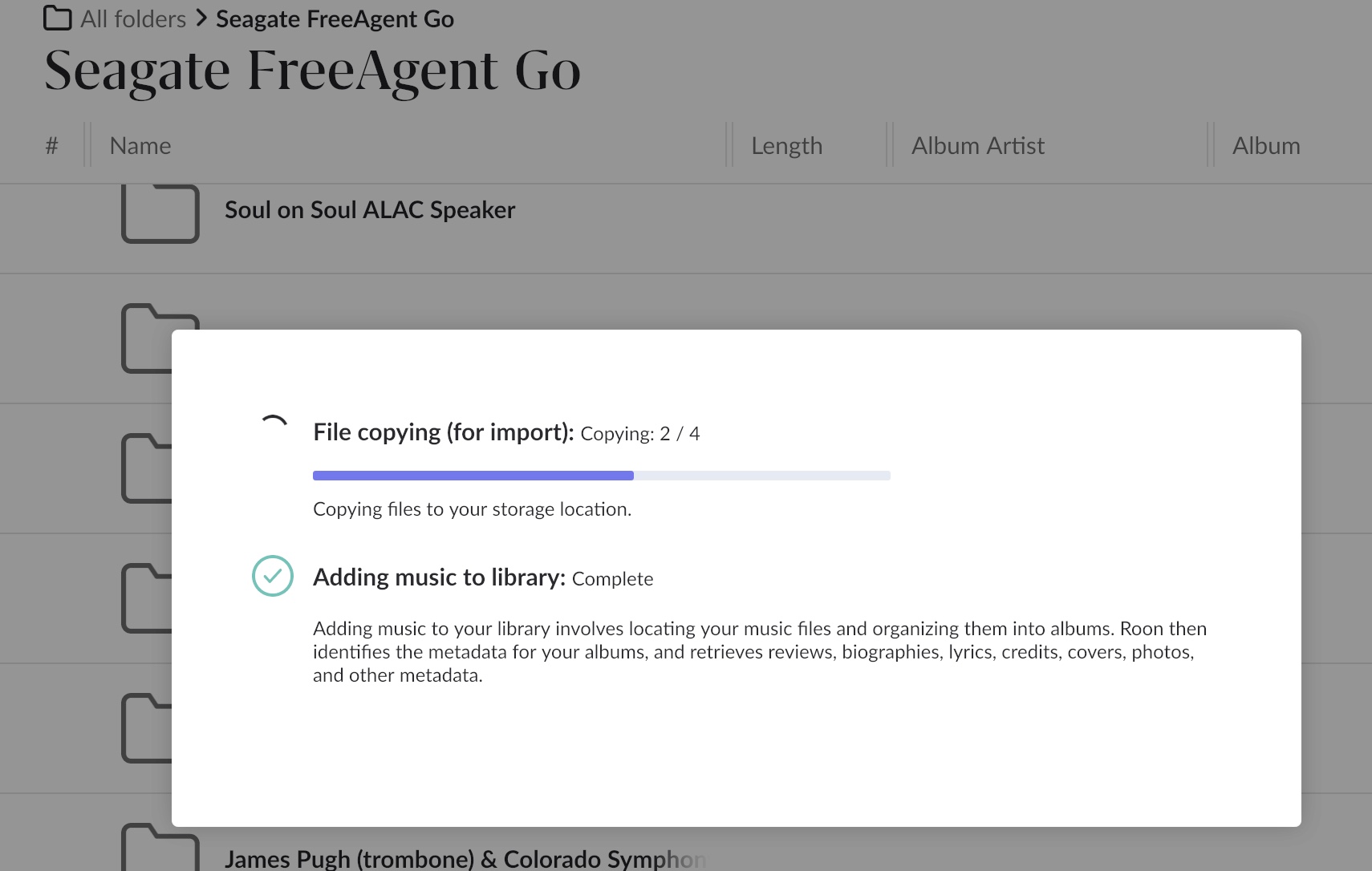
I am trying to add a few files to a disk drive that is attached to my Nucleus One. I drag them on to Roon and the “gear” starts spinning and this is what it shows:
I never get to see the files on the drive, even though is says “adding music to library: complete”. I am confused as to what IS happening and what is SUPPOSED to be happening.
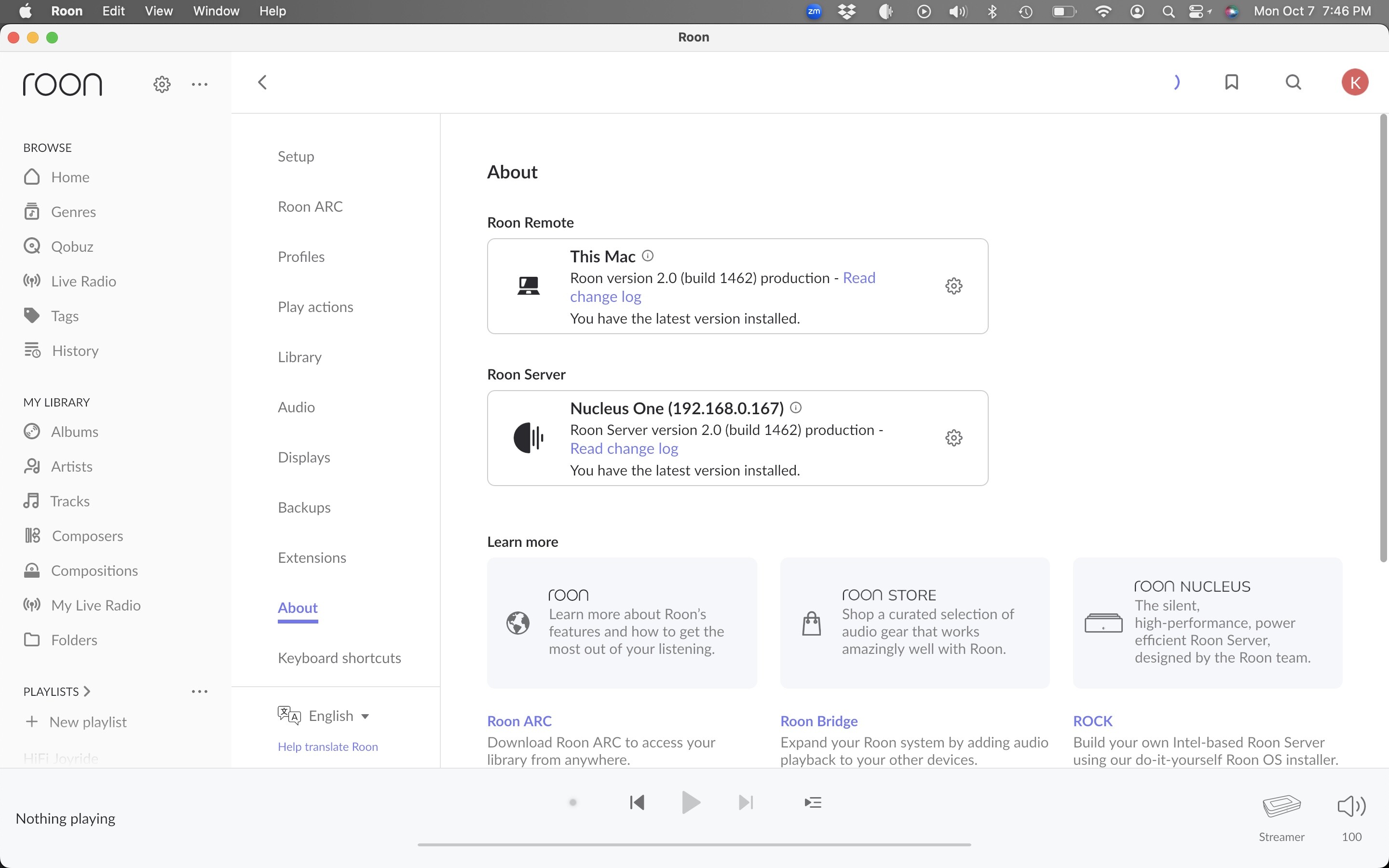
Thanks for taking the time to write in! Based on your account information, we’re not seeing the Nucleus communicating with our servers, we’re only seeing your Macbook pro, which is also running Roon Server.
How is your Nucleus connected to your router / network?
Here’s more info on how to add music to your internal storage SSD on your Nucleus
You can access your Nucleus by going to File Explorer on your PC and entering \\NUCLEUSONE\Data\Storage\InternalStorage
@Kerry_Farrell Just a few thoughts from reading your post.
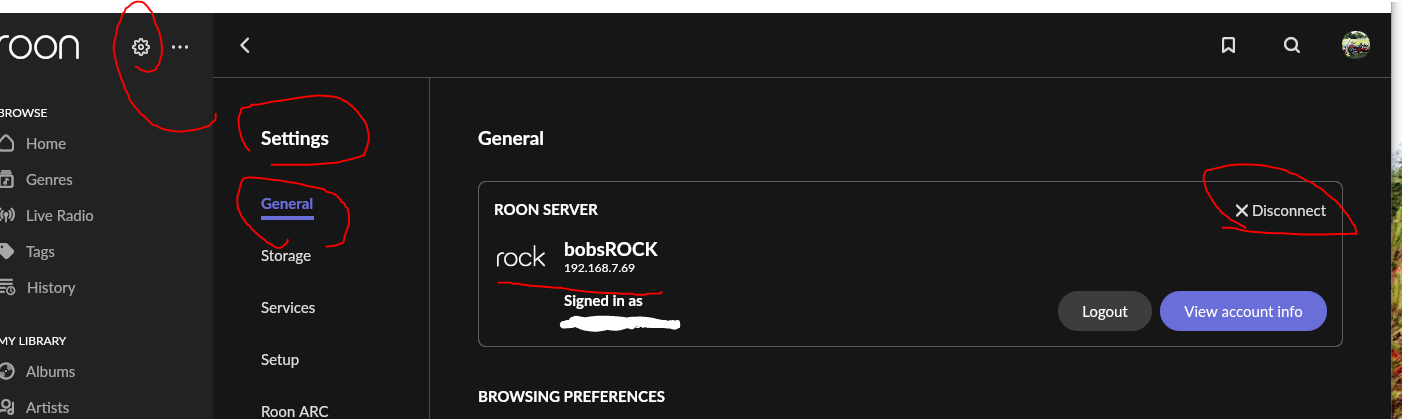
If Roon support is not “seeing” your Nucleus One and only your Macbook Pro. I would look in Roon under “settings/general” and see what it says for the server you are connected to.
I suspect you are connected to a server running on your Mac and not to the Nucleus one. If this is the case you would need to first disconnect from the server running on your mac and then re-connect to the server running on your Nucleus One. You also may need to shutdown the server running in the background on your Mac.
If you are trying to put files onto an external USB drive connected to the nucleus you would need to navigate to the drive with your file browser. You can map the drive to make this easier.
The USB drive should show up in the \NUCLEUSONE\Data\Storage\usb_name-xxxxx.
For me on ROCK (similar to Nucleus) it looks like this (on windows):
So it looks like you can add files and create a folder for your music from your Mac to the drive.
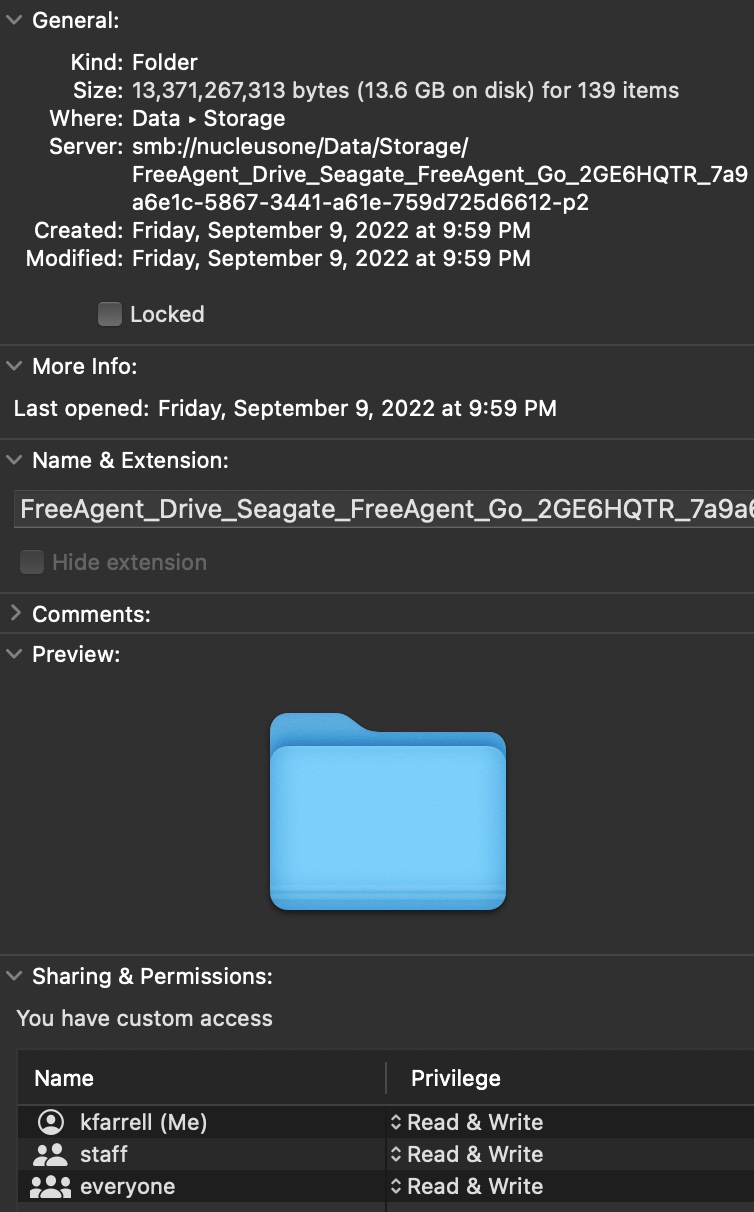
at this address (if the “freeAgent_drive_seagate…etc.” is your usb drive?):
Then add the folder you create as a “watched folder” in Roon.
I am not a Mac user but i think you should be able to access it using Finder?
Like this maybe?
To access a network drive on a Mac using Finder, open the Finder, go to “Go” in the menu bar, select “Connect to Server”, then enter the network address of the server in the “Server Address” field, and click “Connect” - this will allow you to browse and access files on the shared network drive within the Finder window.
Key steps:
Open Finder: Launch the Finder application on your Mac.
Go to “Connect to Server”: In the menu bar, navigate to “Go” > “Connect to Server”.
Enter network address: In the “Server Address” field, type the network address of the shared drive (usually in the format “smb://server_name/share_name”).
Click “Connect”: Click “Connect” to access the network drive.
Important points:
Authentication:
If required, you will need to provide your username and password to access the shared drive.
Keyboard shortcut:
You can also open the “Connect to Server” window by pressing “Command + K”.
Sidebar access:
Once connected, the network drive may appear in the Finder sidebar for easy access.
What is the format type of the external hard drive. If it was previously on a MAC then it might be formatted in HFS+, Mac OS journaling, which Linux, and especially ROCK, cannot write to. It can read the format fine, but not write to it.
If this is the case, then you can either, a. copy the music off and reformat the drive to exFAT and then copy the music back, or, remove the drive from the Nucleus and attach it to a Mac to add new music. Then move it back to the Nucleus once the music has been added.
I had one side of that disk as FAT32 and the other as MAC Journal Extended or whatever it is called. I thought it would be able to read the DOS side, but obviously it was not working. So I formatted the Journaled side to DOS and it works fine now. THANK YOU!