Mac Mini M1.
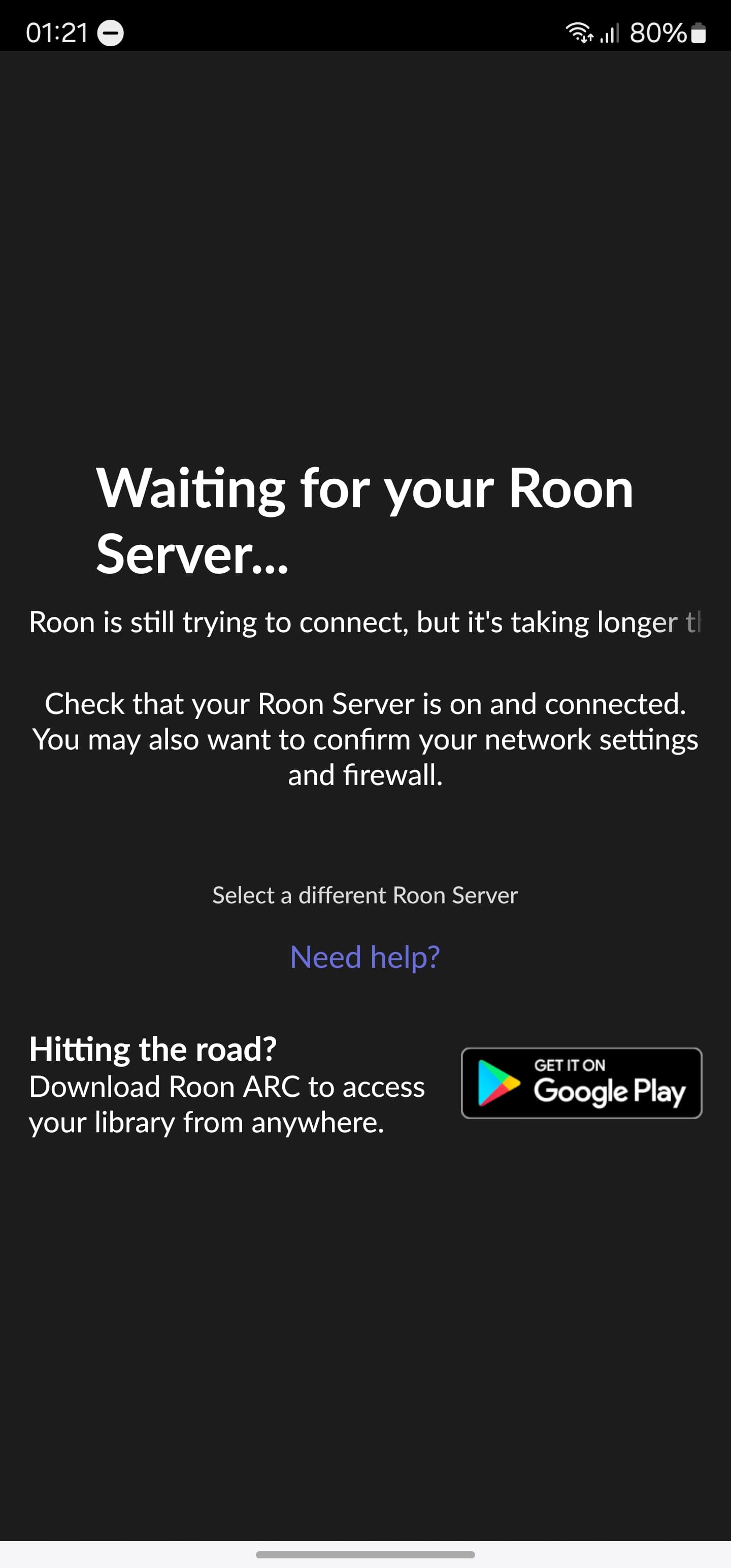
After updating to the latest version, I no longer see the Core from the Roon Remote.
I have Roon Server installed on the Mac Mini M1 and it is set so that when I turn it on I don’t have to do anything else.
The Mac is not connected to the TV and I have no GUI. I have to do something? Thanks
Suedkiez
November 15, 2023, 12:37am
3
Did you try clicking Select a Different Roon Server? Try to see if yours shows up.
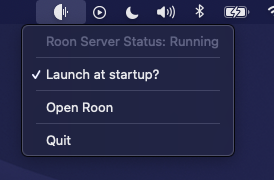
Also make that your Roon Server is running in the taskbar.
If it wasn’t, launch it and try again. You then may still have to click Select a Different Roon Server.
1 Like
Robert_F
November 15, 2023, 12:39am
4
@Gianluca_Schiavone , have you confirmed that Roon Server is running on the Mac mini M1?
1 Like
Do I have to confirm the launch at startup?
Suedkiez
November 15, 2023, 12:40am
6
I just edited my post above for this
2 Likes
Suedkiez
November 15, 2023, 12:43am
7
@Gianluca_Schiavone The new update for Roon separates the Roon Server, so in some cases it can be necessary to enable the server explicitly
With our newest production release, build 1353, we are changing the way MacOS and Windows devices handle Roon. All Mac and Windows Roon Cores/Servers will automatically be upgraded to our recommended software configuration - all you need to do is update like you normally would.
For a more detailed breakdown on why we’re doing this, check out our Why change? section on the release notes:
With this release, there’s an exceptionally small subset of user setups we expect may encounter issues. It…
So I have to confirm the launch at startup on Mac and pair Roon server to the remote I suppose
Suedkiez
November 15, 2023, 12:47am
9
Probably. It works automatically in most cases, but in some cases it needs help
noris
November 20, 2023, 7:53pm
10
It’s not the same problem…maybe yours is just a little bit complicated. I only need to restart Roon from Mac manually, choice the Mac as a Server, pair the remote to the Mac address and launch at startup. Everything ok
system
November 20, 2023, 7:53pm
17
This topic was automatically closed 36 hours after the last reply. New replies are no longer allowed.