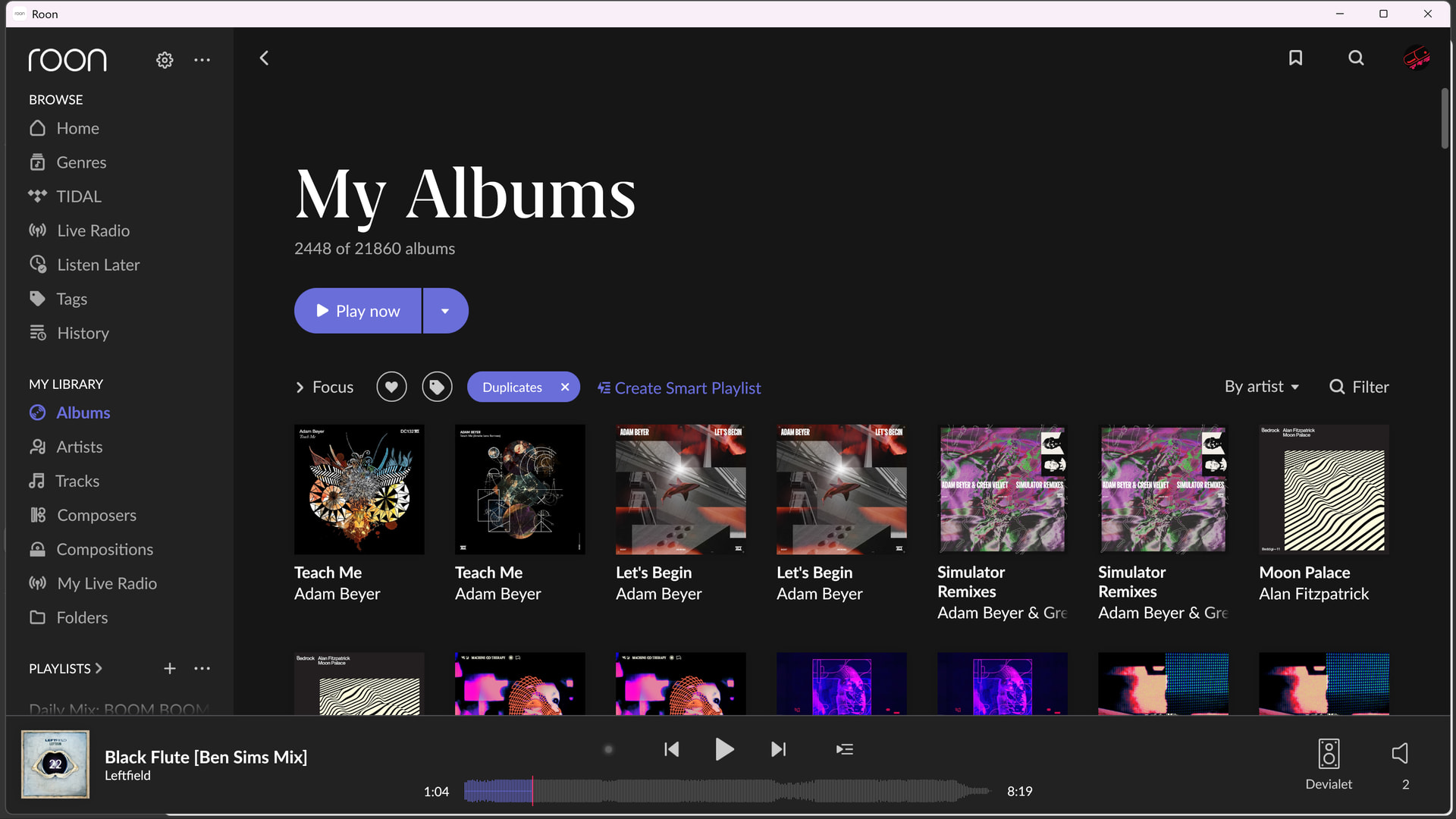
I have a lot of this kinda scenario happening. How can I get roon to understand duplicates?
I want to do this for my whole library at scale, not one by one!
Did you set Settings > General > Show hidden Tracks and Albums > No?
Then I don’t know. It’s very rare for me that I have to group manually. Are these albums identified? Maybe you should open a support ticket
They are identified. I do have multiple copies. I’d like Roon to not show them as separate
I understand that. I have no explanation for this behavior when the “show hidden” setting is “no”. Like I said it’s very rare for me that duplicate albums aren’t recognized as versions of the same album. If it happens then usually because they have some wild difference in the metadata or the track order. If you can’t find the cause, then I’d suggest opening a tech support case to have official staff take a look:
one thing looks odd , Teach Me has different album art for the 2 versions ?
I can’t find these albums on Tidal to see what they look like
can you post the HDD file structure of these duplicates , there may be something odd there
Do you mean that you submitted a request for technical assistance by following this link to provide the details of your case to Technical Support: Technical Support Request ?
Because I don’t see any resulting post from you being auto-generated in Support . I suggest that you try again.
Respond to the prompts there to ensure that you’ve performed basic troubleshooting and to ensure Technical Support has the full details necessary to expedite Technical Support’s investigation into the case.
Your responses will create a ticket on Roon’s support tracking system and auto-generate a Community thread in the appropriate section.
Because this Community thread will be in a public forum, please do not include any personal information, such as your email address, postal address or telephone number in your submission.
Thank you.
Both versions are on Qobuz, as separate releases. This is not an album, but one is an EP, one a single, and the version with alternative artwork is a remix. As the tracklisting is different, and so is the release, I would not expect roon to group these as alternative versions but show separate releases.
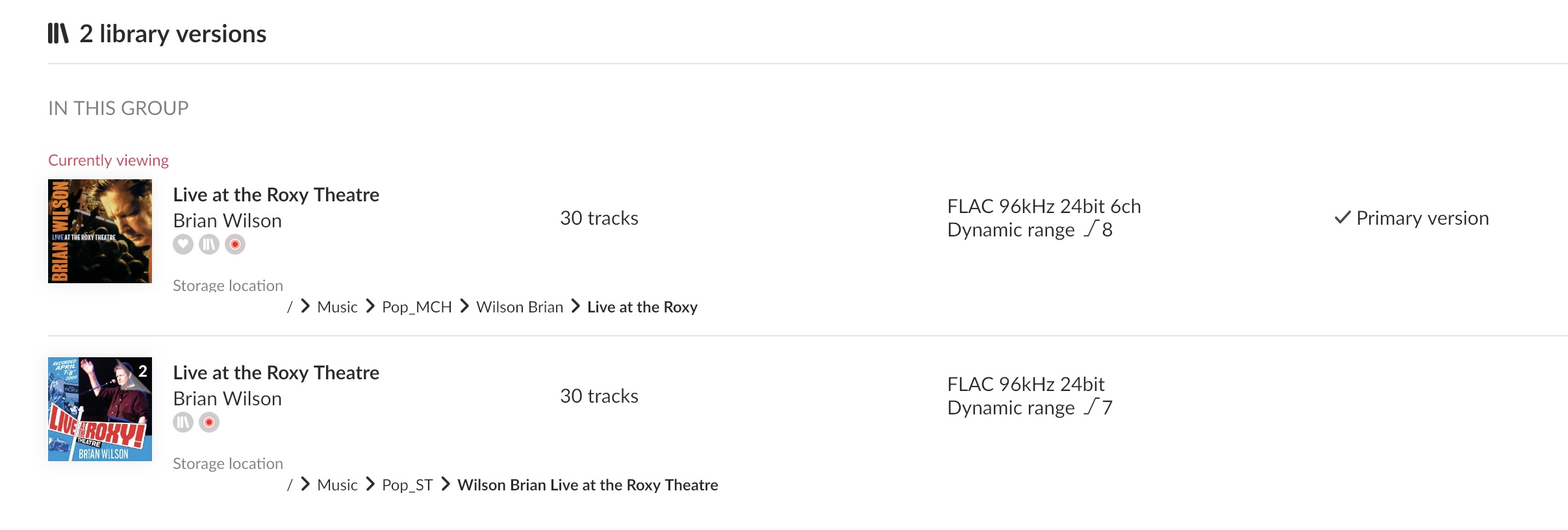
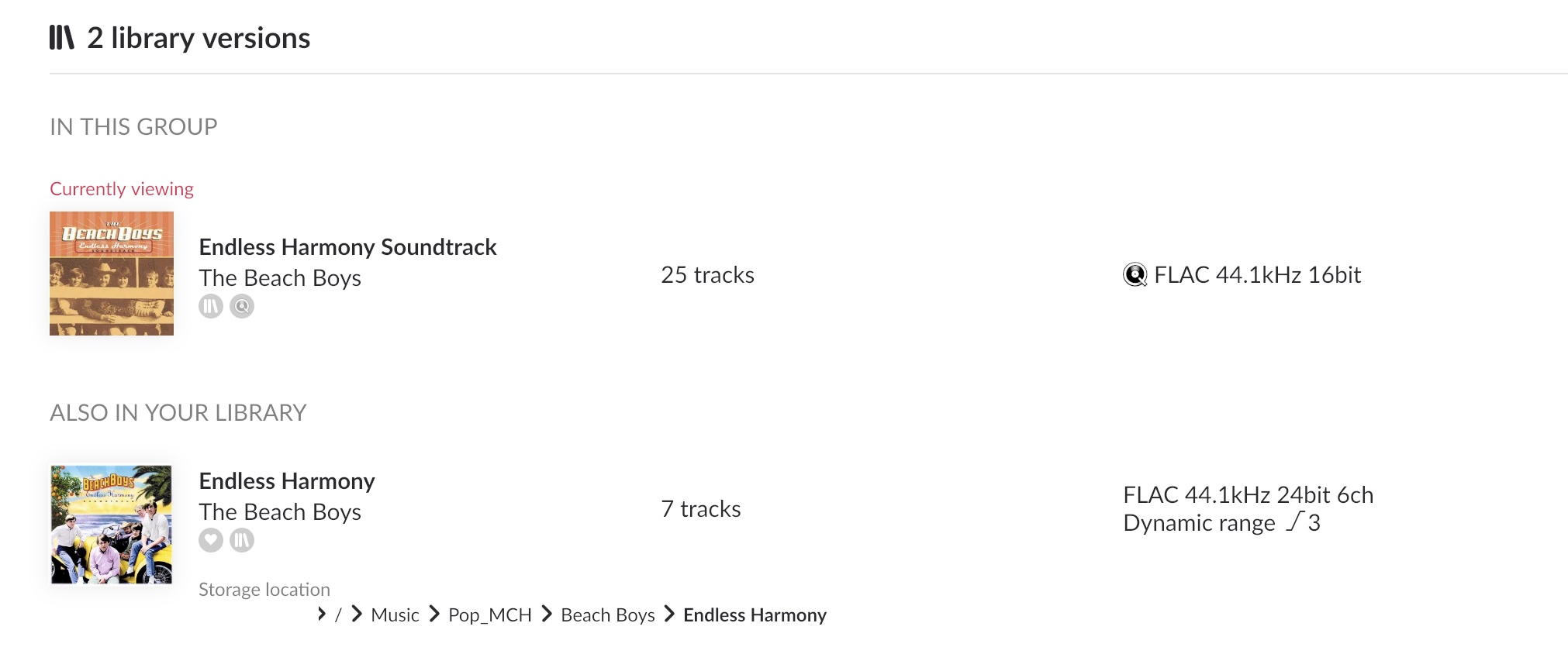
If tracklisting is identical, and roon manages to identify the album as the very same release (including release date and source media), it should automatically understand about duplicates. If anything is not identical (like download vs. CD version), the album will appear in the versions page of the album not as ´In this Group´ but as ´Also in my library´. Examples (Live at the Roxy has identical tracklisting, Endless harmony soundtrack has not):
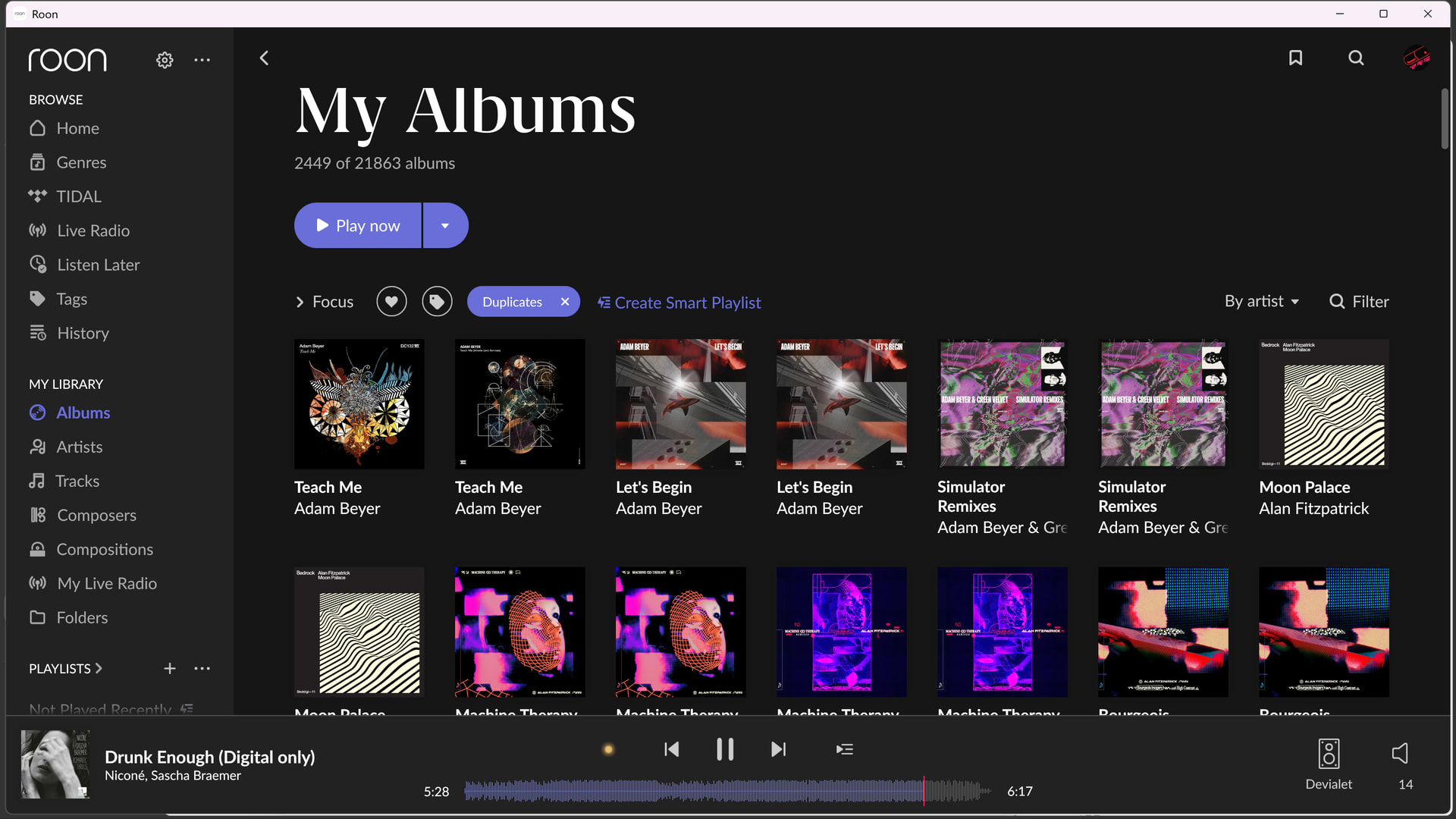
Are both versions of an album, which roon correctly identifies as duplicates, shown in the album overview if you DON´T focus on duplicates? Me thinks, having the duplicate focus filter activated, makes roon show the duplicates which are hidden under normal circumstances. Again the Brian Wilson example:
Note that ´Live at the Roxy´ is NOT listed twice (true duplicate in the same group), but Endless Harmony is. It is a subtle yet pretty tricky differenciation.