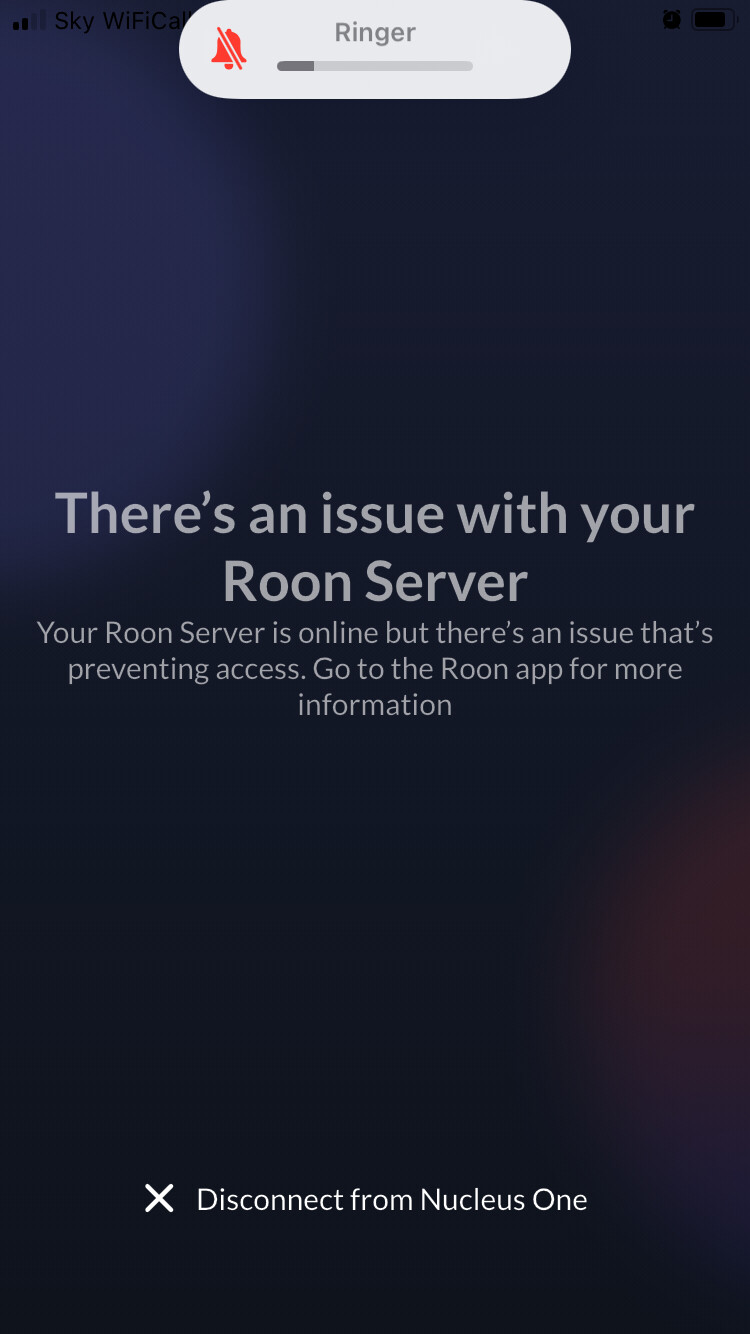
Hello, I have a Nucleus and started using Roon a few months back. I tend to use Tidal in the car but there are times when I suddenly fancy listening to one of my albums on my Melco. I open up Roon ARC and every time it comes up with the same message - there’s an issue with your Roon server. Other than a software update the Roon Nucleus is never not working.
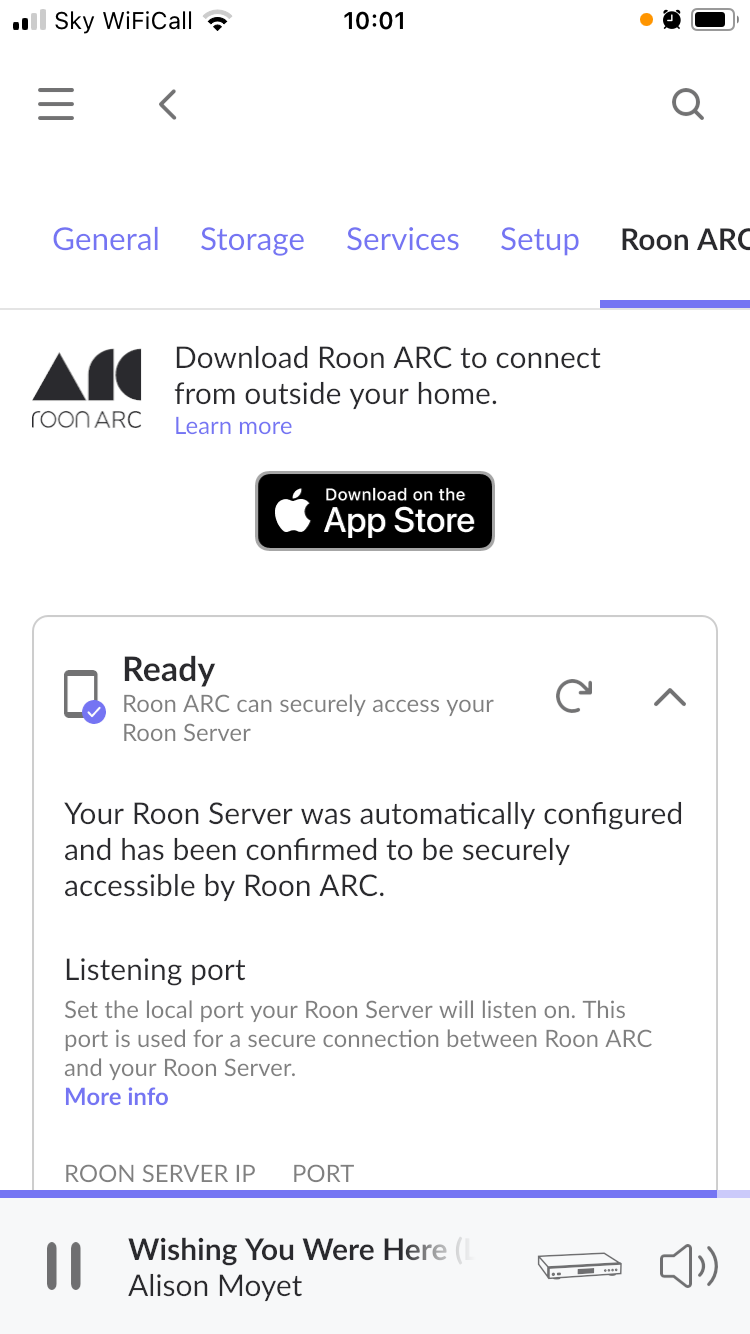
I am sat here in my working and listening space with Roon Nucleus playing through my DAC and main system and Roon ARC says there is a problem with my server. However in Roon app it says the opposite - Roon ARC can securely access your Roon Server?! I have done the deinstall app and reinstall but don’t want to have to do that every time to work it.
Is there something obvious I am missing in how to use Roon ARC? I was under the impression that wherever you are it can connect back to the Roon Servers?
I have read that ARC is unreliable has its issues but want to reach to the community to get input and insight.
Regards,
Chris.
I am sorry you’re having issues with ARC. I used to have a setup with cable Internet in which I had to set up port forwarding in order for ARC to work outside of my LAN. Recently, I switched to a fiber ISP, with a router that doesn’t let me set up port forwarding. So now, I’m using Tailscale and I find much better, more reliable connectivity and performance. All of the instructions are here: https://help.roonlabs.com/portal/en/kb/articles/arc-and-tailscale-connect-to-roonserver-without-port-forwarding
Ok thanks @NickMaz
I will look at this.
Are the symptoms of my issue pointing to this being an issue with the router and need for VPN through tailscale?
Post the error message from the Roon Arc screen in Roon settings. It may give a clue as to what’s going wrong.
Or does this mean there is no error?
99% of users who don’t use ARC properly have the following reasons. This occurs because the network port forwarding of the place where the ROON server is located is not properly configured. Except for situations where port forwarding is not possible due to structural reasons such as firewalls for security. In other words, VPNs such as Tailscale may not be required. However, many users don’t port forward, so they have no choice but to rely on such VPN services. ARC is a very well-made system. I can’t agree 100% with the user that there is a structural problem.
In your case, the router of the Roon Server device is port-forwarded and will recognize it as listening, but the Mother router that goes outside can block it. If you can check whether the internal device is accessible from outside with a protocol such as FTP or Webdav, the answer can be surprisingly easy.
That would be my guess. Having said that, even with the right settings, with port forwarding, my connection to my home Roon ROCK was never stable on cable. Once I switched to a fiber ISP, it’s all been rock solid with Tailscale. I stream CD quality files without any issues whatsoever. I also lucked out on my USB DAC, which happens to work flawlessly with the ARC USB driver. Quite a few stars need to align for ARC to work well, unfortunately.
My Roon ROCK had been originally installed with legacy BIOS, so it lacked Tailscale. I had to reinstall the Roon OS using UEFI on my 10th gen. NUC to enable Tailscale. I was under the impression that that was the only way.
ARC is pretty but if you want easy and reliable, connect your music library to Plex and use PlexAmp. Works everytime, no port forwarding. Roon at home, plexamp on the road, happy user.
Yeah, Plex works, but the OP said he uses a Nucleus. Is Plex available on the Nucleus? Or does it need a separate server?
What’s odd here is that you’re still on WiFi and it doesn’t work.
Could you post a screenshot when on mobile data.
Could be a wifi that’s not the home wifi. Or, if home wifi, could be one of the issues that require a reinstallation of the ARC app
All this means is as follows:
“Sky Wi-Fi Call” means your iPhone is using Wi-Fi to make calls, thanks to the Sky Mobile service enabling the Wi-Fi calling feature. This allows you to make and receive calls, and send texts, over a broadband connection, which is particularly useful in areas with poor or no mobile signal.
This could still be home wifi or not
@Suedkiez not sure I understand your point.
The phone shows two things - it is connected to my home network and that it is using my home network to make calls.
Arc still says there is an issue preventing access and go to room app for more information. but Roon is saying Roon ARC can securely access you Roon server. So entirely conflicting statements! There are no error messages other than the one I am showing. I have run the test again in Roon Settings for ARC and no issue.
I am wondering if Tailscale is the only way to go.
The point is that we need to be sure what the network situation of the phone is. The „wifi“ showing in the phone‘s notification bar doesn’t tell us for sure that the phone was connected to your home wifi. It could have been on the wifi at work or some other wifi network like a friend‘s home or a café or whatever.
The possible failure causes differ between home wifi and foreign wifi. On foreign wifi and on cell networks, it would require port forwarding (or Tailscale) to reach the Roon server at home, which is NOT the case if the phone is connected to the home wifi.
In other words, the „Roon ARC can securely access you Roon server“ is only relevant for accessing ARC from a foreign network. It is not relevant if the phone is connected to the home wifi. If the phone is on the home wifi, ARC should work even if port forwarding wasn’t working at all.
Now that we are sure that the phone is on the home wifi, it means that the „Roon ARC can securely access you Roon server“ may well be entirely correct (but is currently irrelevant) and the problem is elsewhere, most likely in the ARC app itself.
For instance, this can happen if a backup was restored on the Roon Server. In this case, the ARC app may recognize it as a different server now, and that could be the cause why it can’t connect. There are also cases where the ARC app gets confused for other reasons.
I would try uninstalling and reinstalling the ARC app. This often solves these kinds of problems. You will lose your downloads in ARC though.
I have deinstalled and reinstalled the ARC app a couple of times previously but can try that again.
I think you can very easily determine if your Nucleus and phone are on the same wifi network. Download a free Network Analyzer app from the app store and do a LAN scan. Both your devices should show to be on the same LAN. You will be shown their IP addresses. Sometimes, especially with more complex wifi setups with extenders, etc., ARC and Nucleus may have a hard time finding each other. Report back once you’ve done the scan. Thanks.
That’s also new information which we have not known previously. If it does not help, you should open a proper support ticket to get official support to investigate. Click here → Support and then click the big Get Help button.
I have been through quite some frustration with Roon ARC and eventually it got stable. I found a few things with network setup that tended to upset it.
- Using two routers - I used to have two routers - the main router supplying a couple of access points and another router fed by the main router feeding an outbuilding (not setup as an access point, but as a router) ARC didn’t work with this setup - I had to setup the second router as an access point as well to get it to work.
- I setuo a new network with just one main router fed by the ONT - the Router then distributed the signal to a bunch of APs. The router was a Xiaomi AX router (Wifi 6) - ARC never worked and I could never figure out why - I thought it has something to do with uPnP - and I didn’t want to fiddle with these settings as I am not an expert. I changed routers to a TPLink - also Wifi6 - nothing else change, stock default settings, ARC worked. This is TP Link Archer AX53.
In my view - if Roon ARC isn’t working - I would start by looking at your network setup. 90% of my issues were linked to network setup.
just chiming in to say that 50% of the time ARC works 50% of the time. the other 75% is just doesn’t- the app fails to load new content, or fully download what’s already there, or freezes, or…
at the end of the day its just too much trouble to try and trouble shoot while I’m driving, so I’ve deleted it. wish there was a way to turn it “off” at the server.
seems unlikely ARC will ever become the single remote app Roon intended.
ah well…