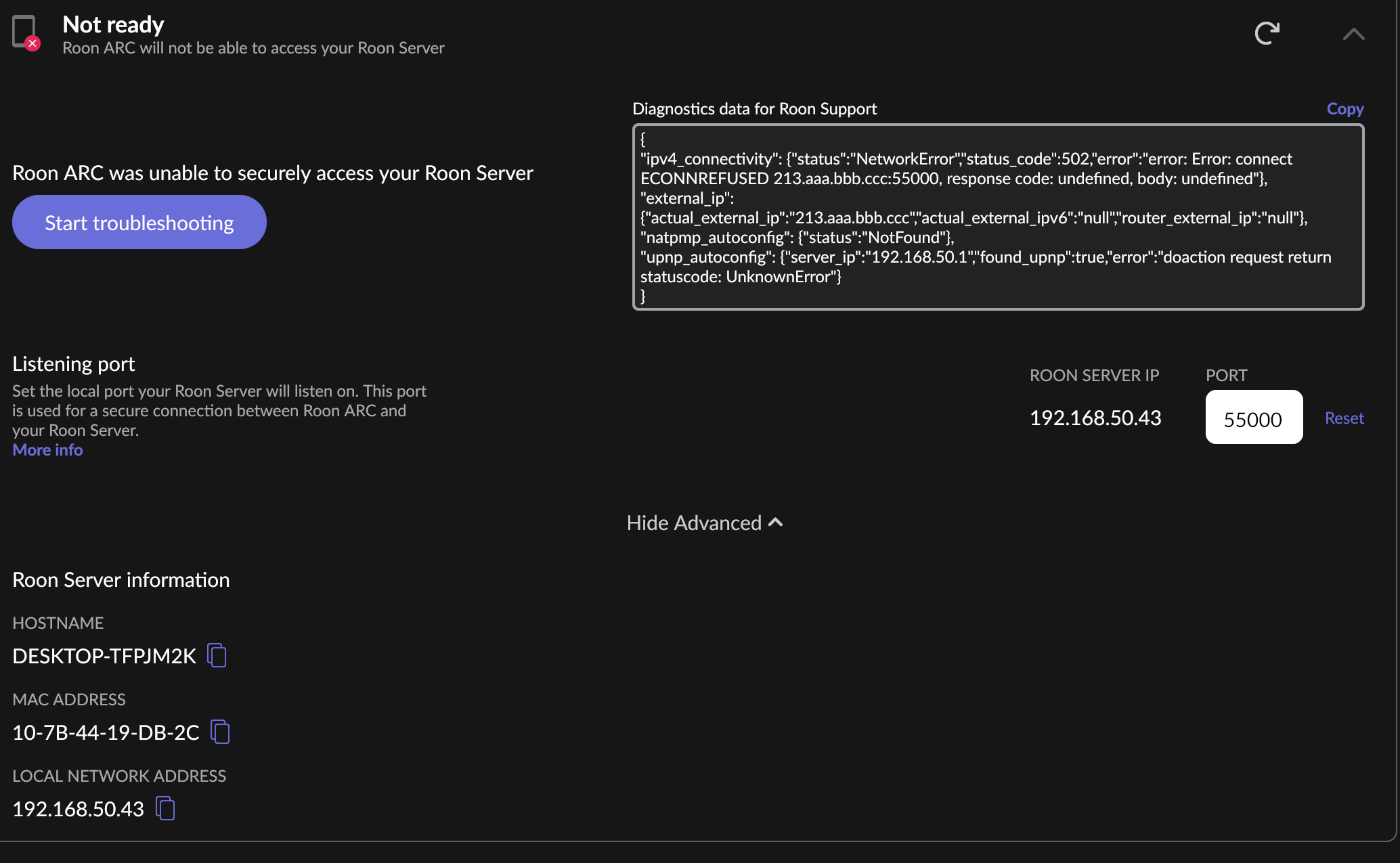
but i had the ip adress that was in roon typed in the router. this one is my true ip adress? i’m new to all this.
You entered the private LAN IP, 192.168.1.10 but you need to find and enter the external (WAN) IP under which the router is known on the Internet:
This can be one out of many possible addresses, but it probably starts with 213 as reported by the ARC error (and it’s definitely not 192.168.x.x. because those are reserved for private LAN usage):
Are you aware that instead of messing around with port forwarding you can instead use the Tailscale solution? This might be easier, depending on what you are using as the Roon Server.
i cant find it? is it subnet mask? my router is asus RT-AX82U
No. Your router has two IPs.
On the LAN, the router is known probably as 192.168.50.1, because this is the IP that was seen in the UPnP error. The IP addresses 192.168.x.x are reservered for private usage on the LAN, they are not visible on the Internet.
On the Internet, the router is probably known with an address 213.x.x.x. This address will be shown somewhere in the general Internet connection information of the router.
The router has two addresses because it sits on the border of two networks, and its very purpose is to “route” traffic between these two networks:
- The LAN (addresses starting with 192.168, which can’t be used on the Internet). It is connected to the LAN as 192.168.50.1 (probably).
- The great Internet, so it needs a second address with which it identifies itself there, probably 213.x.x.x
if its not the subnetmask then i have no idea where to find it. i looked online with no luck.
no idea what that is? i would like to use roon at work. for that i need arc correct ? since my pc at home runs roon.
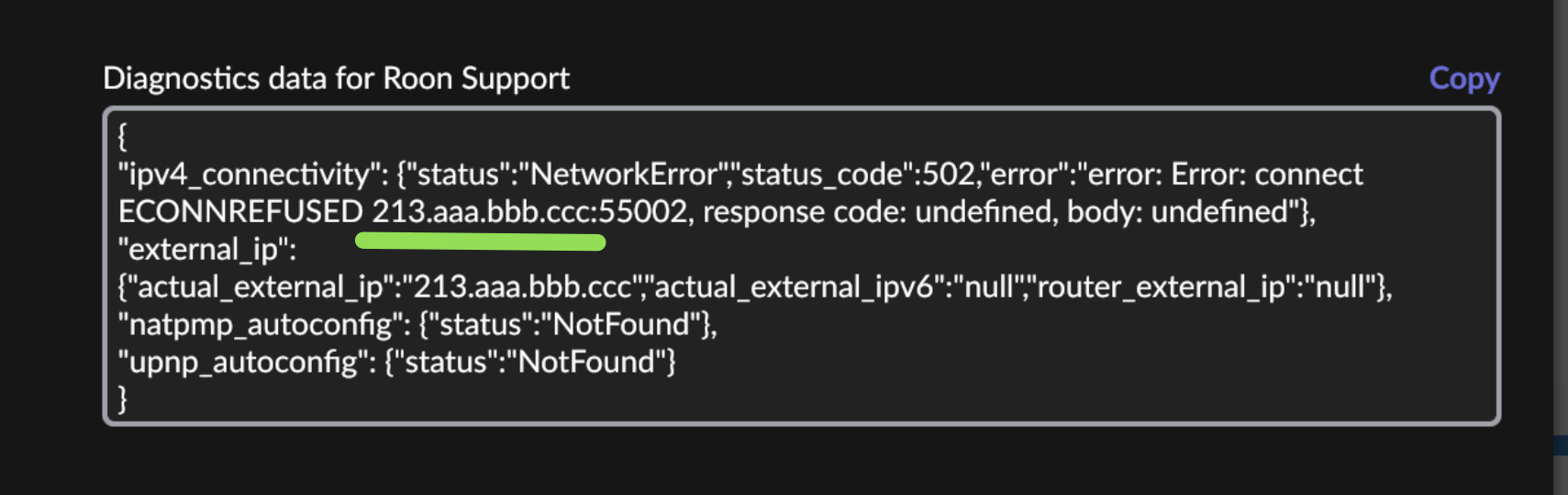
{
“ipv4_connectivity”: {“status”:“NetworkError”,“status_code”:502,“error”:“error: Error: connect ECONNREFUSED 213.aaa.bbb.ccc:55002, response code: undefined, body: undefined”},
“external_ip”: {“actual_external_ip”:“213.aaa.bbb.ccc”,“actual_external_ipv6”:“null”,“router_external_ip”:“null”},
“natpmp_autoconfig”: {“status”:“NotFound”},
“upnp_autoconfig”: {“status”:“NotFound”}
}
i found the external ip and still not working
Tailscale is a VPN (virtual private network) that makes it look to ARC on the phone as if it were logged into the home network. Therefore, port forwarding on the router isn’t necessary, and Tailscale is an officially supported alternative method.
It’s very simple to set up if your Roon Server runs on Nucleus One or Titan, a recent ROCK installation, Windows, Mac, or Linux. (With the older Nucleus and older ROCK installations, it would be necessary to change some hardware settings and reinstall Roon OS from scratch, so it’s not so easy).
Instructions start here. Follow from there to the specific instructions for your Roon Server platform:
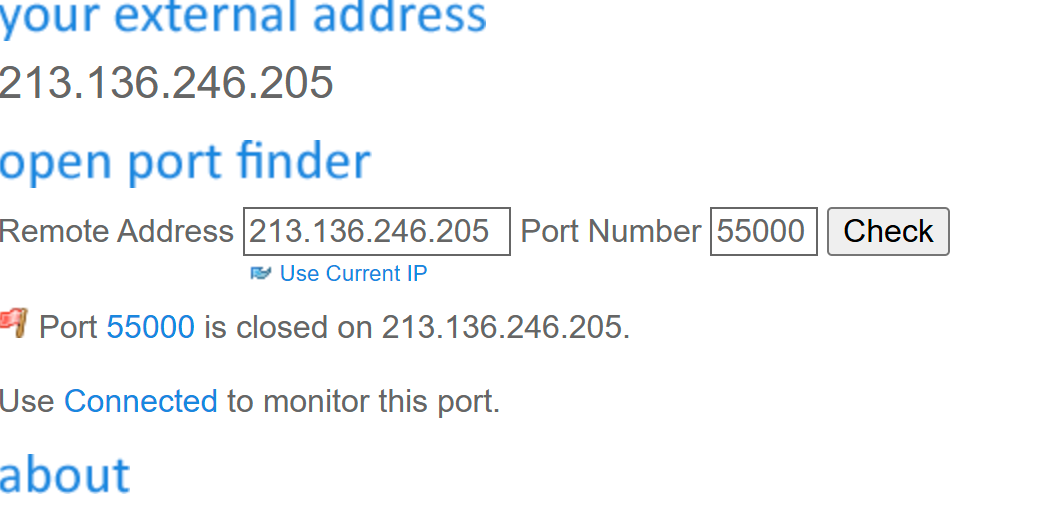
Did the Open Port Check Tool website report the 55002 port as “closed” on the external IP? Then you are probably better off using Tailscale, see my other post
i just dont understand why its not working when we have coverd everything.
I don’t know, can’t spot anything. It could be caused by your ISP and how they provide your IPv4 address.
IPv6 is disabled.
If I change to 55000 do I change it in the router also ?
Internet provider? Multimedia.
{
“ipv4_connectivity”: {“status”:“NetworkError”,“status_code”:502,“error”:“error: Error: connect ECONNREFUSED 213.aaa.bbb.ccc:55002, response code: undefined, body: undefined”},
“external_ip”: {“actual_external_ip”:“213.aaa.bbb.ccc”,“actual_external_ipv6”:“null”,“router_external_ip”:“null”},
“natpmp_autoconfig”: {“status”:“NotFound”},
“upnp_autoconfig”: {“server_ip”:“192.168.50.1”,“found_upnp”:true,“error”:“doaction request return statuscode: UnknownError”}
}
It may or may not be, depends on some things. I am on macOS and am using Private Relay (Apple VPN), so this page shows a different external IP when I visit the page in the browser than what the router knows as its own external IP. Hence why I suggested to look in the router’s own info.