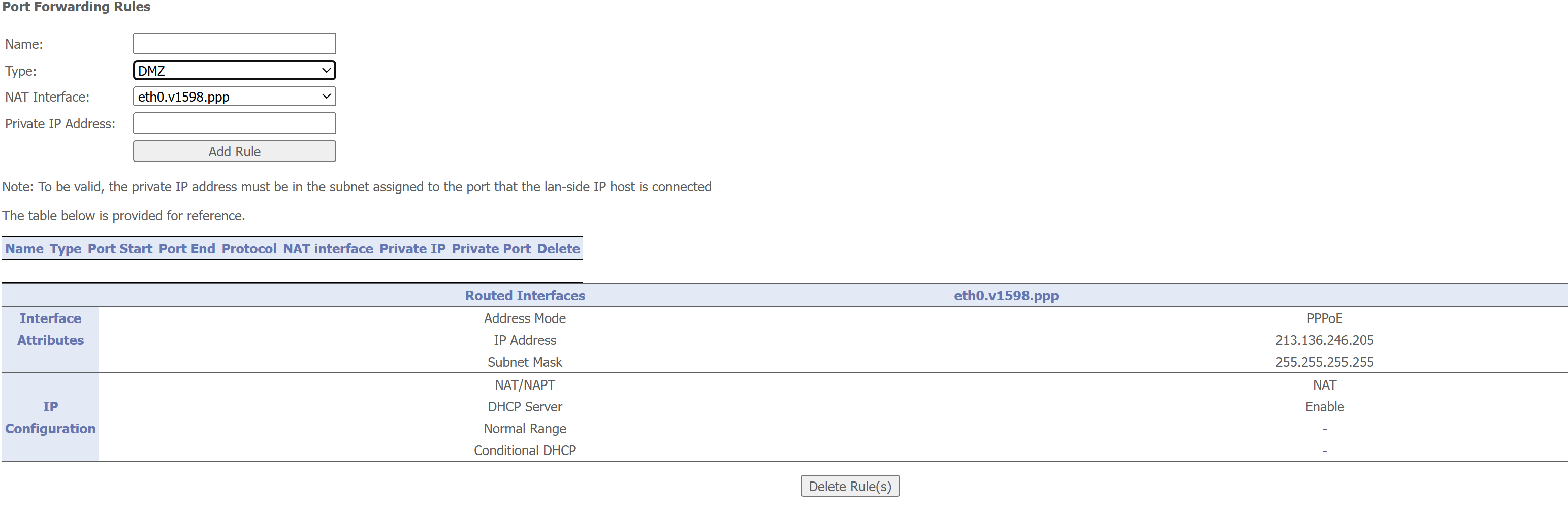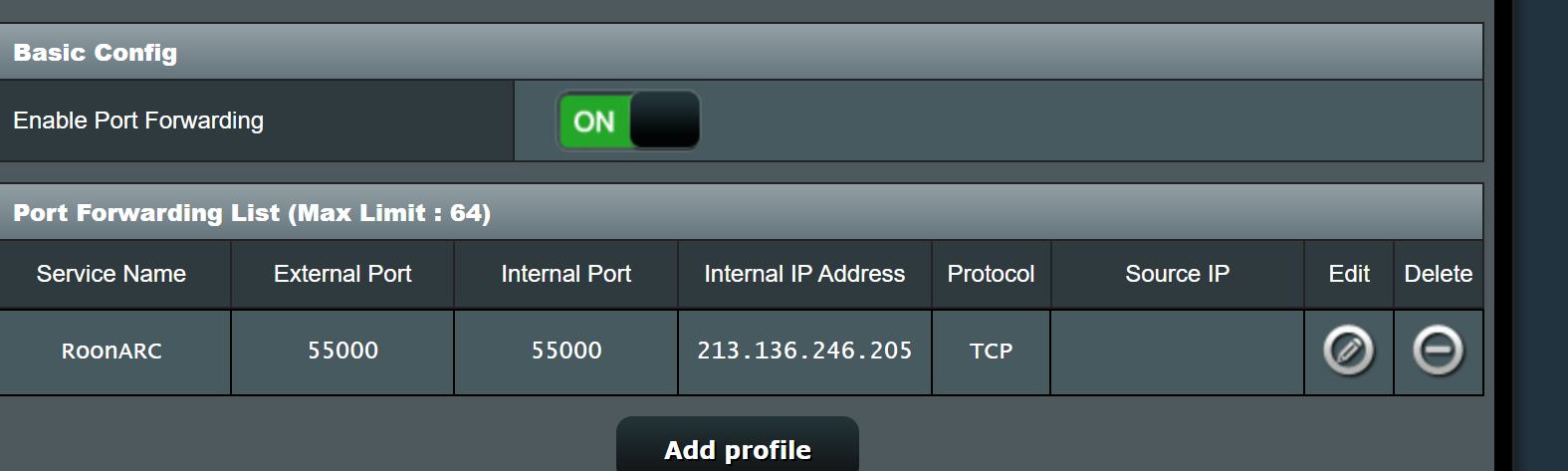
ok ill close it
{
“ipv4_connectivity”: {“status”:“NetworkError”,“status_code”:502,“error”:“error: Error: connect ECONNREFUSED 213.aaa.bbb.ccc:55000, response code: undefined, body: undefined”},
“external_ip”: {“actual_external_ip”:“213.aaa.bbb.ccc”,“actual_external_ipv6”:“null”,“router_external_ip”:“null”},
“natpmp_autoconfig”: {“status”:“NotFound”},
“upnp_autoconfig”: {“server_ip”:“192.168.50.1”,“found_upnp”:true,“error”:“doaction request return statuscode: UnknownError”}
}
Now you configured the rule to use the router’s external IP in the internal IP field. This is wrong:
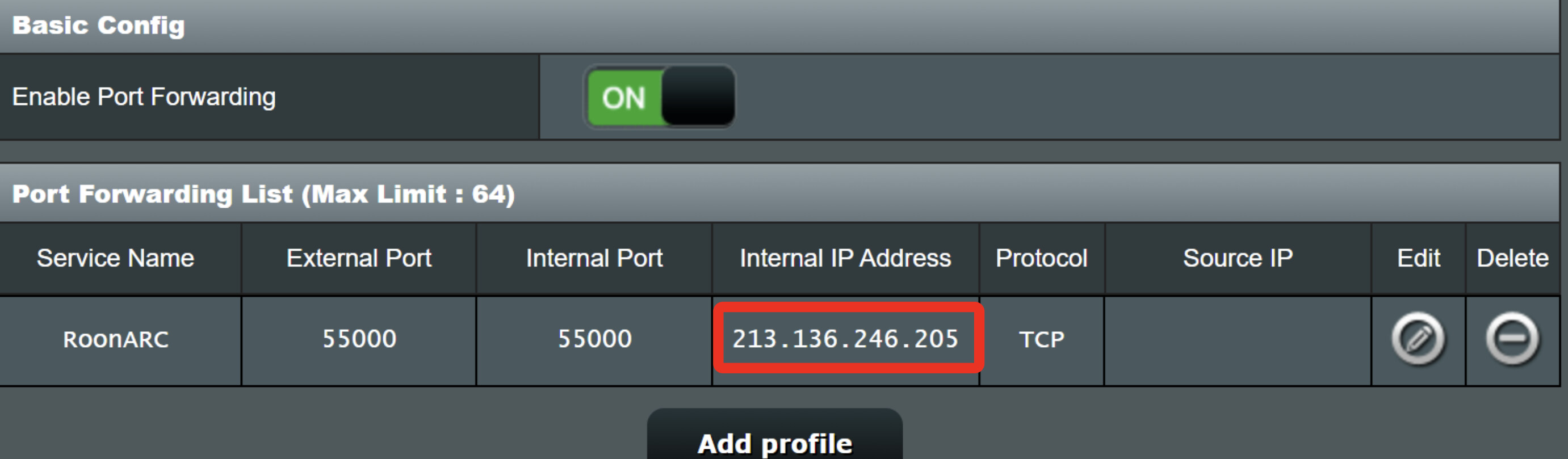
You need to tell the router to which internal IP it needs to forward the traffic, i.e., the Roon’s server’s IP. You had that right earlier:
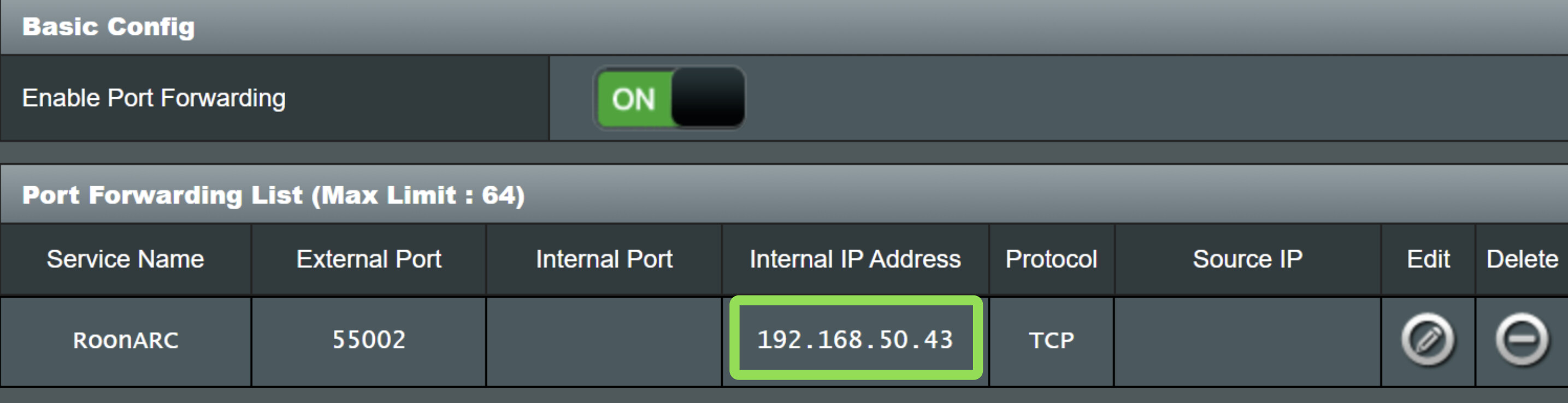
Port Forwarding List (Max Limit : 64)
Service Name External Port Internal Port Internal IP Address Protocol Source IP Edit Delete
RoonARC 55000 55000 192.168.50.43 TCP
changed it and nothing happens
ok going to check and reboot router.
win 1o
gtx 1080
i77700k
and nothing. !! ive been at this all day. my head hurts lol

That’s fine, it just tells the router that it gets its external IP automatically from the ISP. Don’t mess with that. (Theoretically, if you configured it to NOT use an automatic WAN IP, you would have to tell it which one it should use, and you don’t want that)
Could also try to set the Roon ARC port (in Settings) to any port number between 1025 and 65535 that isn’t already in use in the network (probably none are)
i’ll ask a buddy tomorrow he works there. thanks for all the help. i remember it worked a couple years ago. maybe ite the asus router. its hooked up to the multimedia router for better wifi
i’ll try all the port numbers lol thanks again.
modem. i got the router because a buddy said it will work alot better meaning wifi and it has.
Hey @Ketchup,
Thanks for writing in and sharing your report, and thank you @anon15113244 @Suedkiez and @Wade_Oram for all the help so far!
Certainly let us know if you end up getting any additional information that may help.
As @Suedkiez had mentioned previously, if you end up without success, Tailscale may very well be an easier solution for you -
Happy to provide additional details there as well if interested. We’ll be monitoring for your reply, thank you! 
Have not looked into it any further. I’ve tried everything. And my internet provider dose not block anything on my end.
I got a new asus router lately and got it to work. I had to set a port forward in both the isp modem/router AND a port forward in the asus router too.
In my isp router: the asus is known under LAN IP 192.168.0.195
This IP gets forwarded in isp router.
In my asus router: my Roon NUC is known under LAN IP 192.168.50.52
This IP gets forwarded in the asus router.
In asus router PORT FORWARDING is enabled somewhere. I believe theres a OPEN NAT to enable, much related to port forwarding.
Both port forwards point to the very same port number, the one also in Roon Arc settings.
I’ll get pictures later today.
PS all devices are plugged in the asus!
In my isp router is only plugged the asus router.
Just to clear add some clarification to the above post:
Whilst this is a LAN IP address of the Asus router with respect to your ISP router, this is the WAN side ip address of your Asus router.
This implies the the Asus router is managing a 192.168.50.0/24 subnet (which is the default setting for many Asus routers) and thus the LAN side ip address of you Asus router is 192.168.50.1 (which is the ip address that you will use to access the admin pages of your Asus router).
It’s not the ip address that gets forwarded. It is (for Roon ARC) TCP connections on the ARC port that get forwarded to the ip address. I.e. The ip address is the destination.
So my ASUS router is hooked up to the modem that I got from my internet provider. Have I been doing it wrong the whole time ? Where I have been trying all this in my asus router instead I should have been doing it in the modem that was provided from the internet provider ?