Just to confirm — have you already tried fully reinstalling the ARC app on your Pixel 9 Pro since this behavior started?
If not, please try uninstalling ARC completely, rebooting the phone, and then installing the latest version again from the Play Store.
After that, please use ARC for a while and let us know whether the Recent Activity section continues to stop updating, or if the issue is resolved.
Thanks — we’ll take it from there once we hear back.
Thank you for the update. Before moving on to the research and development department, please confirm that you are using the same profile on both your phone and your Roon endpoint.
We’ve discussed this with our senior QA and development teams. The team is investigating some possibilities here and, as soon as that investigation is complete, we’ll be sure to follow up ASAP.
You have our apologies for the trouble here, and we’ve greatly appreciated your patience as we continue investigating this tricky issue. We’ll be in touch as soon as we can.
Thank you for your patience. The team is making progress behind the scenes.
We have a few brief tests for you to try at your convenience:
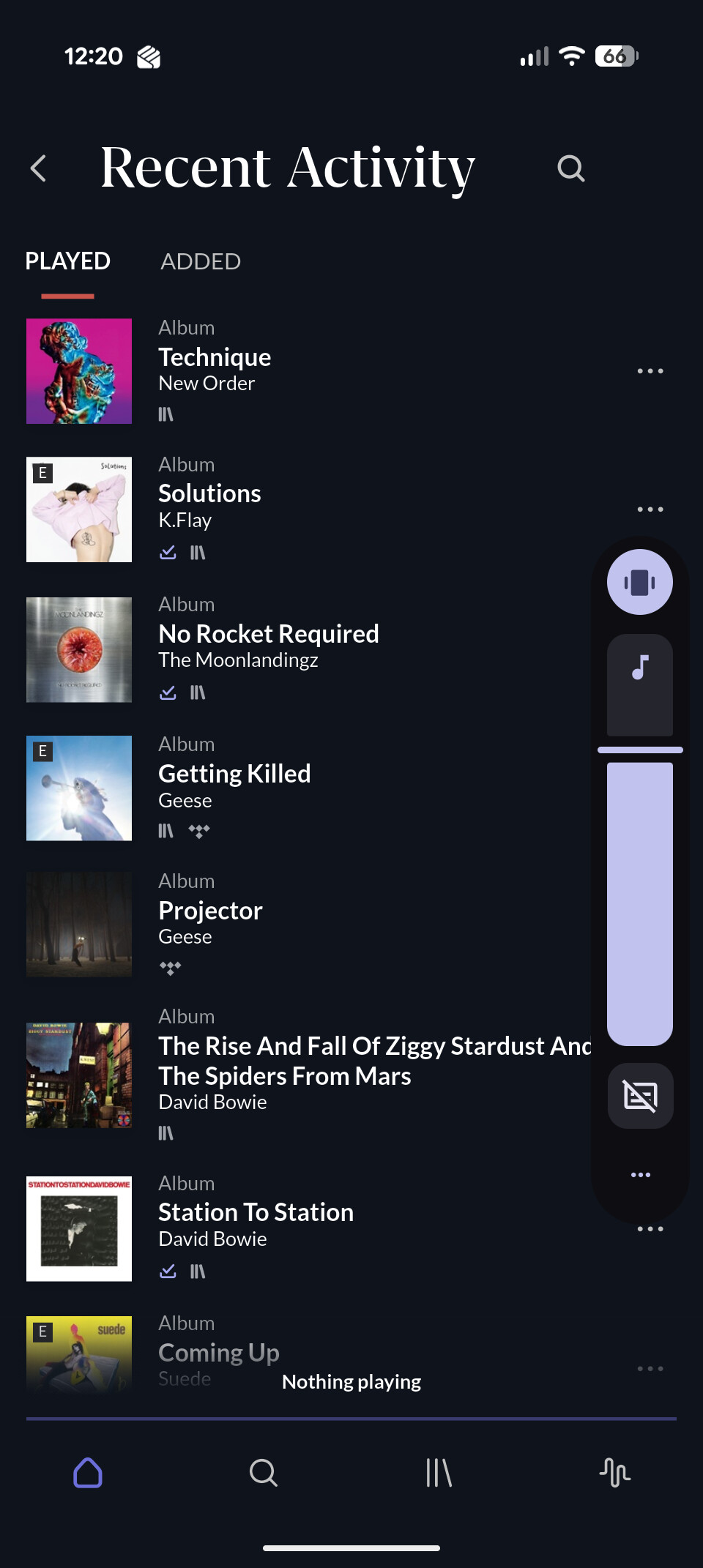
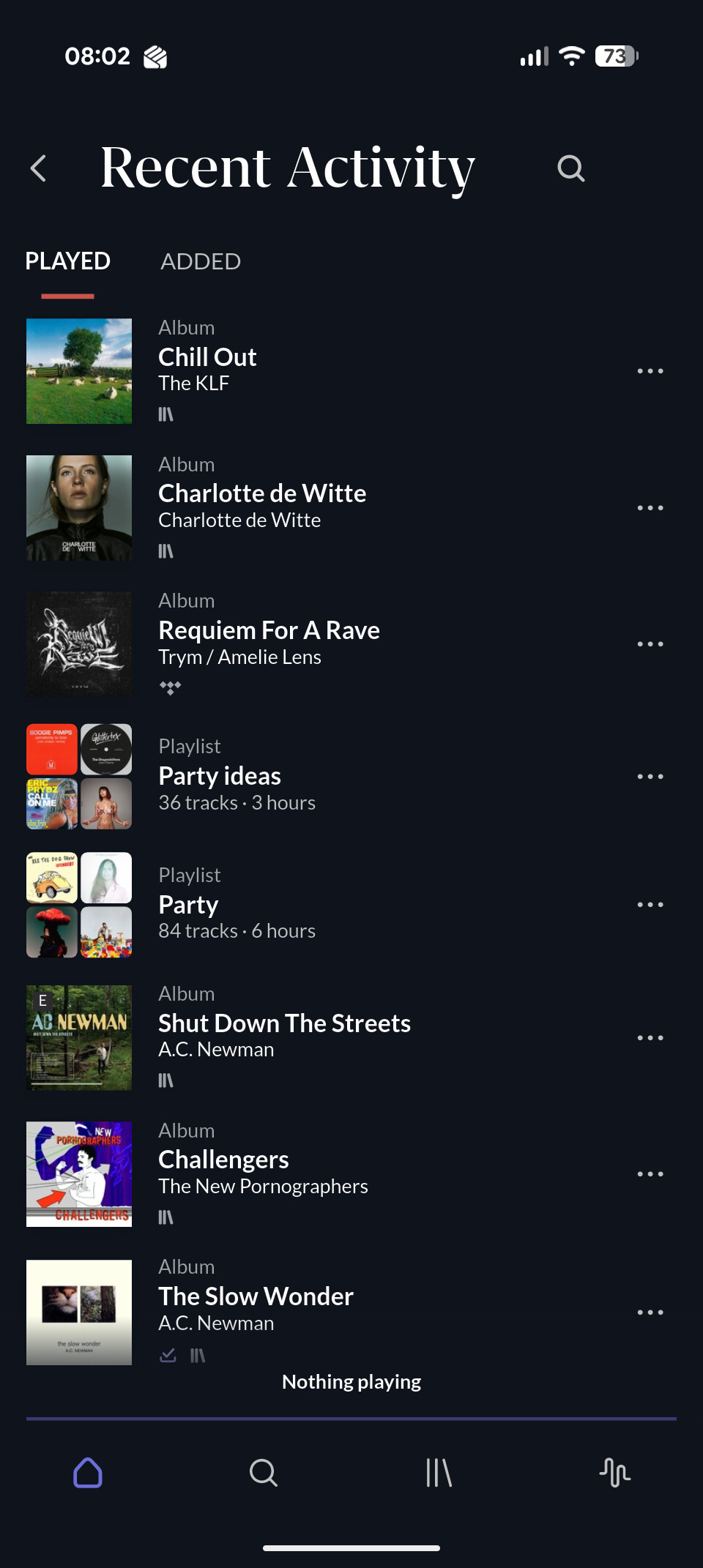
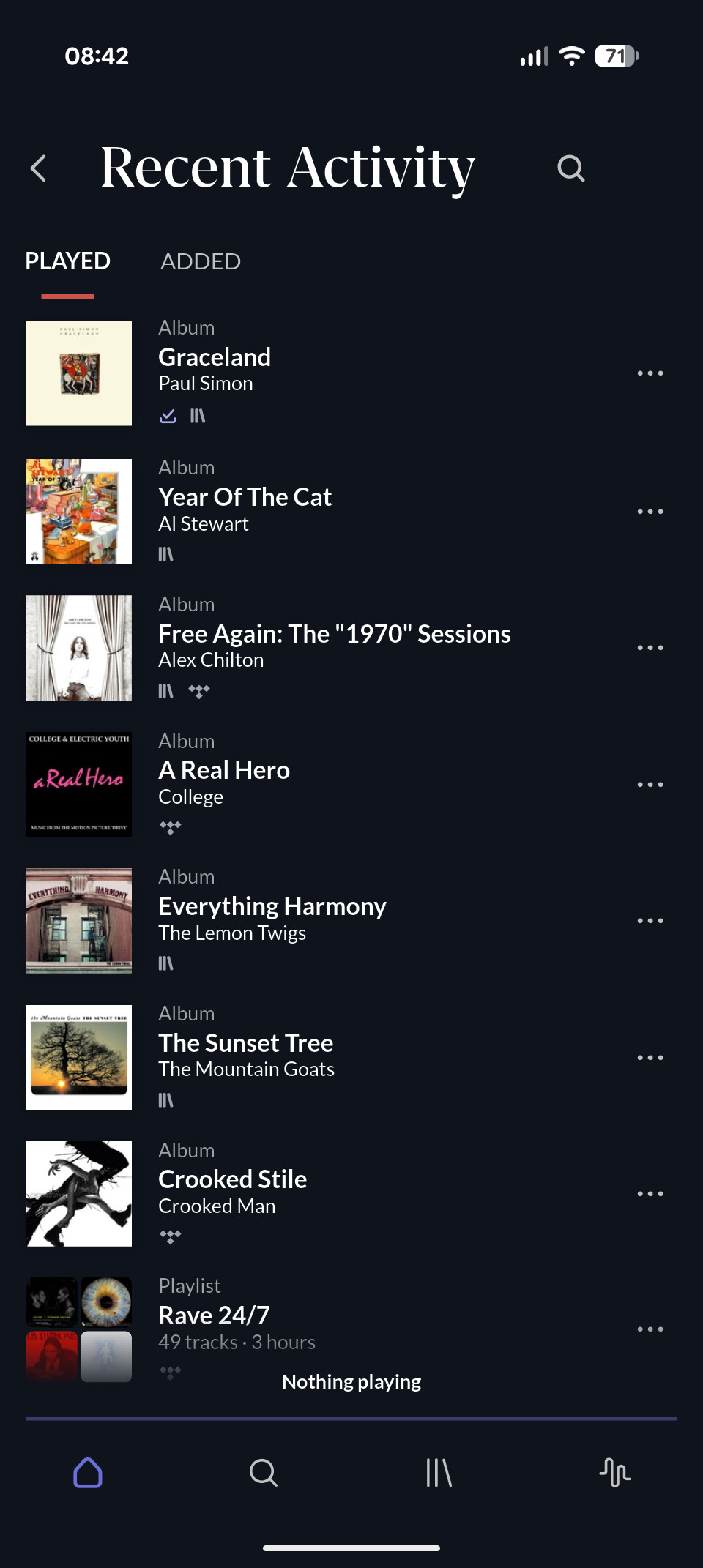
Does switching rapidly between Recently Played and Recently Added on the home screen within ARC update the stale data? What about pressing View More?
What about browsing around in ARC - try opening the tracks browser again and then moving back to the home screen,
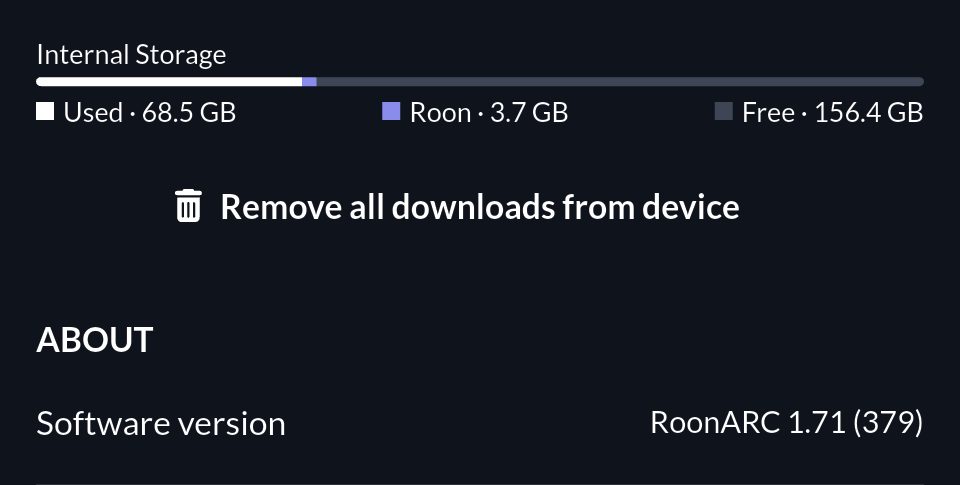
Lastly, for context, how much available storage space is listed on the phone in ARC settings?
We’ll watch for your reply. Even if you’ve tried these tests already, please try them again at your convenience. The team is gathering verbose diagnostic logs for ARC, so these tests should illuminate what’s wrong.
We’re removing the topic timer on this thread so it doesn’t close in case you are away.
We’ll watch for a response and pick up the case at your convenience. Please let us know the results of the two tests shared in my post above if you’ve had a chance to try them.
I just spent a few minutes switching between different views/screens as suggested but it still doesn’t update. On going back to the home screen from a different screen I see the blue bar at the top of the screen indicating it is refreshing, but the played/added don’t update.
Thanks @Henry_Buckle! We’ve shared this information with our development team, who are still investigating things.
Another test for you - when you fall into this state in Arc, what happens if you temporarily enable airplay mode, or sever the connection to your wifi/cellular data, and then reconnect. Does that force any updates in Arc?
Thanks for letting us know! Our team is still investigating things further.
In the meantime, I noticed your Roon Server is currently running Early Access - have you tested to see if this issue persists while running the Production version of Roon?
If not, is this something you’d be able to test in the meantime?
Thank you for your ongoing virtuous display for patience. This issue is taking longer than any of us would like to pin down, but we’ll sync once more with development and respond with next steps as soon as possible.
Please, at your convenience, attempt a reinstall of the app once more and then resync with your RoonServer on home wifi.
Quick update, I did the uninstall/reinstall on Saturday (17-01-2026). It’s taken a while for the issue to crop up as Arc crashed during the week which forced the refresh.
But this morning the Recently played is not updated again.
I also just noticed that playlists are not updated either. I added some new songs to a playlist on the desktop app, but the changes were not reflected in ARC.
The investigation is still ongoing, but thank you for checking in. Once we have more information or updates to share, you’ll be notified directly here.