I’m having persistent trouble getting my AudioQuest DragonFly Cobalt to appear as an endpoint in Roon. Here are the details:
• Core: Mac mini running Sonoma • Remote/Endpoint: Mac mini running macOS Sequoia 15.7.1 • DAC: AudioQuest DragonFly Cobalt • Roon versions: Core and Remote both on the latest build
Thank you for your message. Could you please describe the flickering issue in a bit more detail — for example, when exactly it occurs and what changes on screen?
If possible, please record a short video showing the behavior and share it with us — that would help us better understand what’s happening.
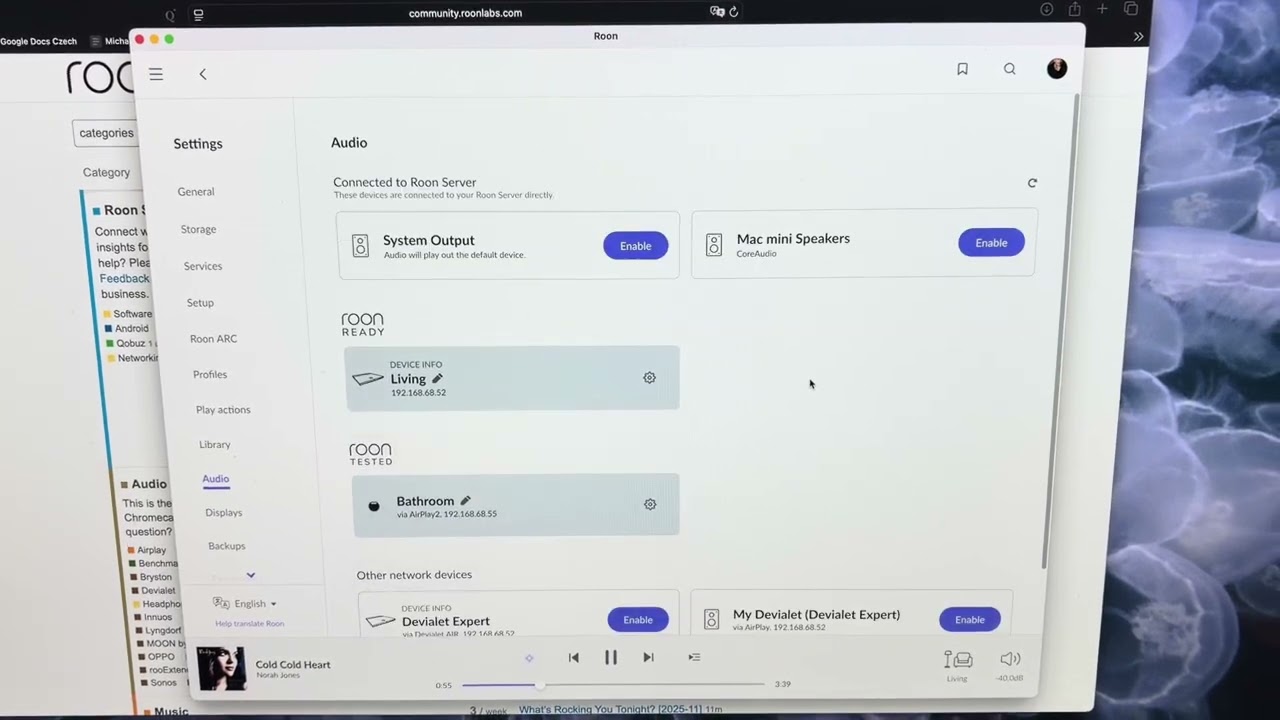
Thanks for getting back to me. As you can see n the video my local MacMini in audio tab at the top comes in and out, It is not persistent. The screen is flickering. As a result I cannot enable any device attached to my Mac mini like for example the AudioQuest Dragonfly Cobalt which is working fine otherwise. I saw that permissions have changed on Tahoe and it is possibly causing the issue with Roon, You can download the video here: Unique Download Link | WeTransfer
What shall I do ?
Alain
MacOS Sequoia, which you appear to be using on the Remote machine, has tighter network restrictions than other MacOS versions.
For due diligence, please try toggling Local Network permissions on for Roon in your MacOS settings under System Settings → Privacy & Security → Local Network.
Hello,
I have done the above and it does not help.
It was on and I ttoggled off and on the Local Network persmissions but same flickering.
What else should I do?
Alain
It does not change anything. The issue persists. My Roon core runs also on MacMini but I had to downgrade to Sonoma to avoid the Privacy Issues in Tahoe. I believe it is an issue of Roon with latest MacOs. What can I do?
Alain
To confirm, does this happen no matter which macOS machine you’re using?
What happens if you temporarily set up the mac running Roon remote (Mac OS X 15.7) as a temporary server as well - using that Mac as an all in one setup? Do you see the same flickering?
Or, does it only happen when you use your usual server setup?
Interestingly when I setup Roon on the same machine running Mac OS X 15.7 as a temporary server, the flickering goes away and I can see my AudioQuest DragonFly Cobalt and enable it but when I come on same machine with Roon as remote the flickering is back. Frustrating..
What can I do?
Alain
Thanks for the additional information! So, the issue only occurs when connecting to your primary Roon Server - the MacMini 8.1.
I see this machine is running Mac OS X 14.8.2 while your remote mac (no issues) is running Mac OS X 15.7.2 - perhaps updating the mac may help here?
Another option would be to refresh your RAATServer database to see if that helps -
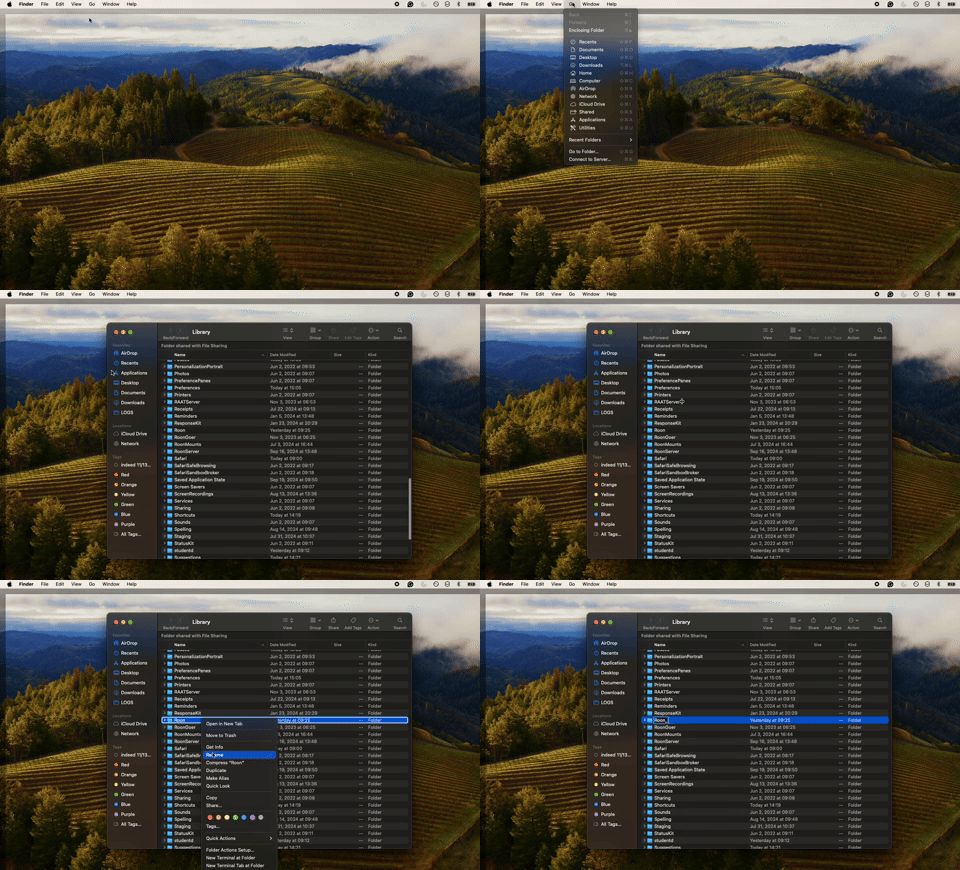
You can generate a new RAATServer instance on your device by following these instructions, but please be aware that this will reset your Roon Settings -> Audio Tab to factory settings and I would advise making a backup of any custom DSP settings you have:
Let me clarify the situation:
My Roon server runs on Mac OS X 14.8.2 on a MacMini and my Roon Remote runs on Mac OS X 15.7.2 also on a MacMini. The flickering happens on the Roon remote.
By the way, I have generated a new RAATServer instance on my Mac OS X 14.8.2 but it does not help. There are no RAATServer on the Roon remote.
Do we understand correctly that if you Run Roon Server on your remote 15.7.x mac and plug the Dragonfly to it - everything works okay.
But if you put the Dragonfly to your 14.8.x mac and host Roon server there you have a flickering on your 15.7 mac used as remote and dragonfly is not visible ?
If so, could you please reupload the video of the issue with WeTransfer (as the previous link seem to be expired) ?
Also, do you consider updating your 14,8 Mac to the version 15.7 to match your other Remote mac ?
And if you have another remotes, like phone or iPad, do you see any issues there other than absence of Dragonfly when put to the 14,8 mac ?
And lastly, does any other app (apple music f.i.) capable of playing to dragonfly from your 14.8 mac ?
I have installed Roon Server as well on my Mac running 15.7.2 and the flickering is still there. See video here - https://shorturl.at/ktSgt Do download it and see for yourself.
I do not wish to upgrade to 15.7 as there are security issues which force me to ttoggled off and on the Local Network persmissions for Roon Server to see devices in the Audio tab every time I start my Mac mini.
I have other remotes on my Ipad and iPhone and I do not have any issue.
My Dragon Fly works fine when I output music directly to it through the Mac interface like with Apple Music.
Thanks for cofnirming. Have you tried to perform a full reinstall of Roon on the affected remote? To perform the reinstall, you can use the below instructions on the remote:
Hello,
I have just done it and it does not help at all.
What else could I tr? It does not seem I am an isolated case. What do you think?
Do you need remote access to my machine?
Alain
Thanks so much for giving that a try — we really appreciate you working through these steps with us. Did you by any chance use migration assistant or time machien to restore form one Mac to the other? If so, we’ve just sent you another quick test to try via private message, let us know if it helps!
Yes, please open a ticket with your R&D. Here is the link to the video:
Hopefully you will find a resolution soon to this flickering which does not enable me to see my DAC and then enable it within the Audio section of the Roon Remote.
Thank you for your patience. A few next steps in the meantime as we investigate internally.
Unfortunately, you still need to toggle Local Network access on for Roon on the machine running Tahoe, even if you are only using it as a remote.
Please take this step on any machine running Tahoe, particularly if you have reinstalled the app.
We need to see if RAATServer is crashing when the flickering occurs. Logs indicate that it might be crashing. To test this, please navigate to Applications → Utilities and open the Activity Monitor on the MacOS remote exhibiting the flickering in Roon. Search for “RAATServer” - it should be running as a background process if Roon or RoonServer is open.
Now open Roon and reproduce the flickering issue. Do you see RAATServer crashing in the background in the Activity Monitor?