The blue spinning circle has not stopped since April 17th.
I assume Roon is making requests to api.roonlabs.net to identify albums so it seems to be more than a UI nuisance: it’s using local and remote system resources?
Requesting assistance to 1) figure out why the album identification retry queue does not clear and 2) steps I can take to address the issue.
The earliest lines found in the logs are from April 17, 2026 with 4175 albums queued for identification.
04/17 05:01:56 Trace: [identification] retry queue has 4175 albums but none ready for retry yet
On April 30th, I shutdown Roon and used SongKong with the Roon profile enabled to clean up the metadata.
On May 2nd, I started Roon and it logged far fewer albums queued for identification
05/02 05:01:23 Trace: [identification] retry queue has 49 albums but none ready for retry yet
By May 3rd, the retry queue had grown again and continues to grow
05/03 00:15:41 Trace: [identification] retry queue has 1163 albums but none ready for retry yet
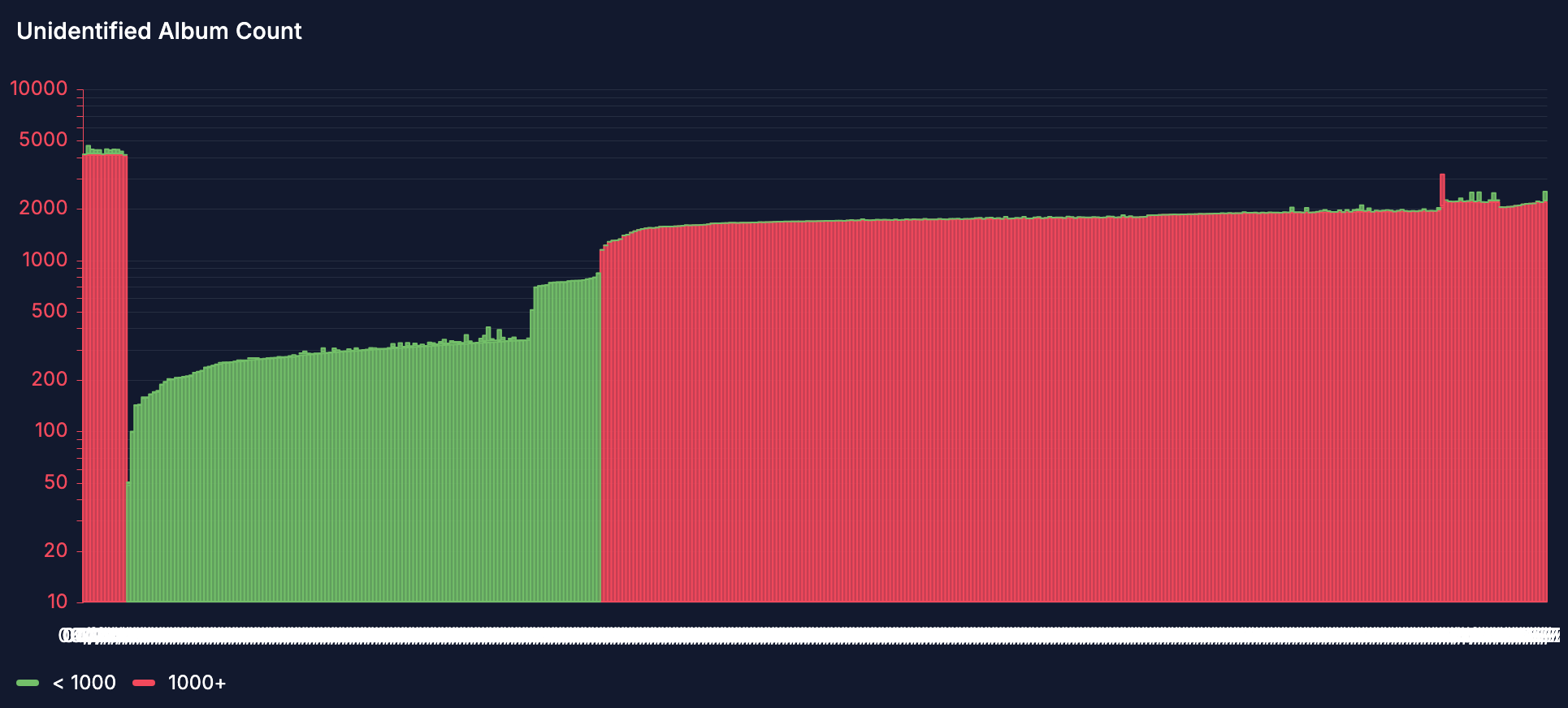
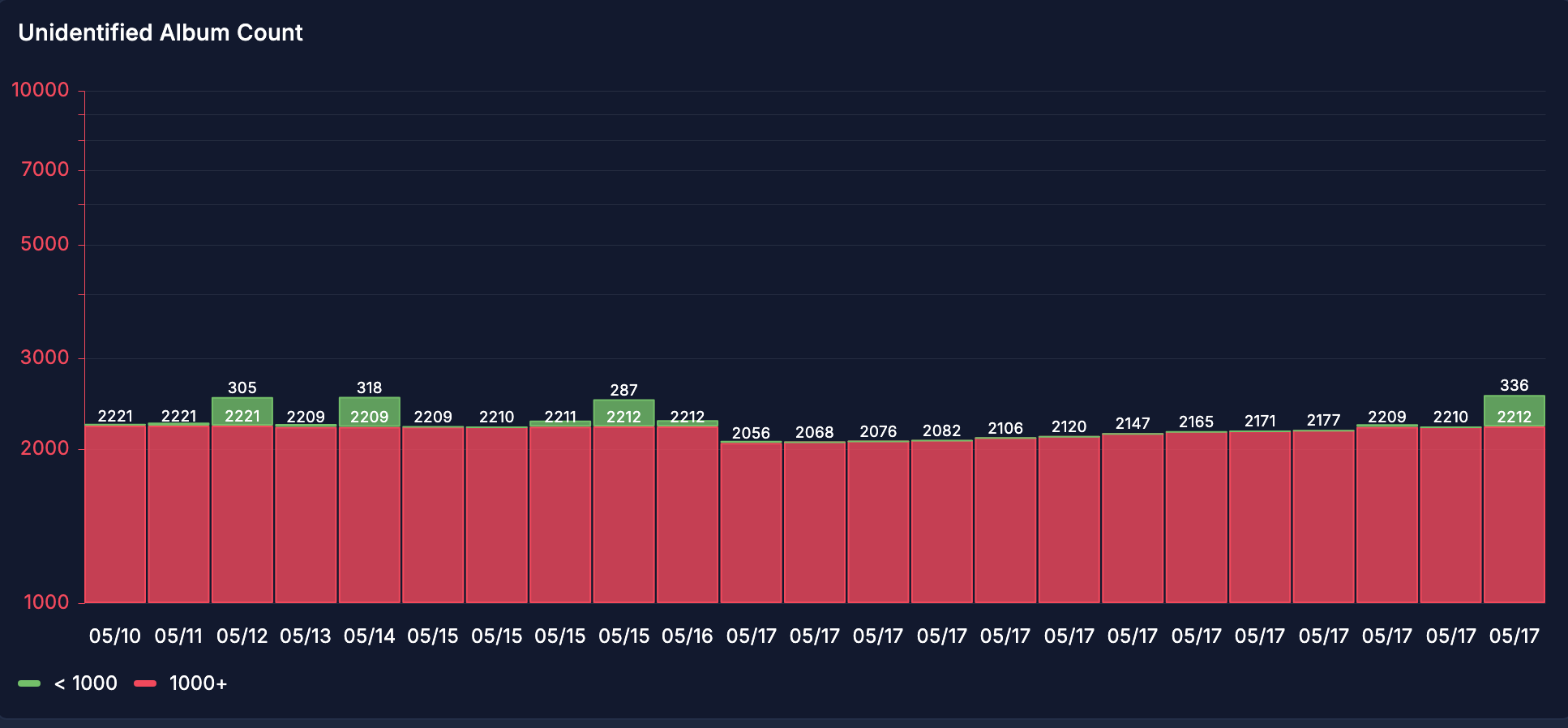
This chart shows the album identification queue from April 17 - May 17
The green rectangles can be ignored - they just show the number of times the phrase “[identification] retry queue has NNNN albums but none ready for retry yet” was found
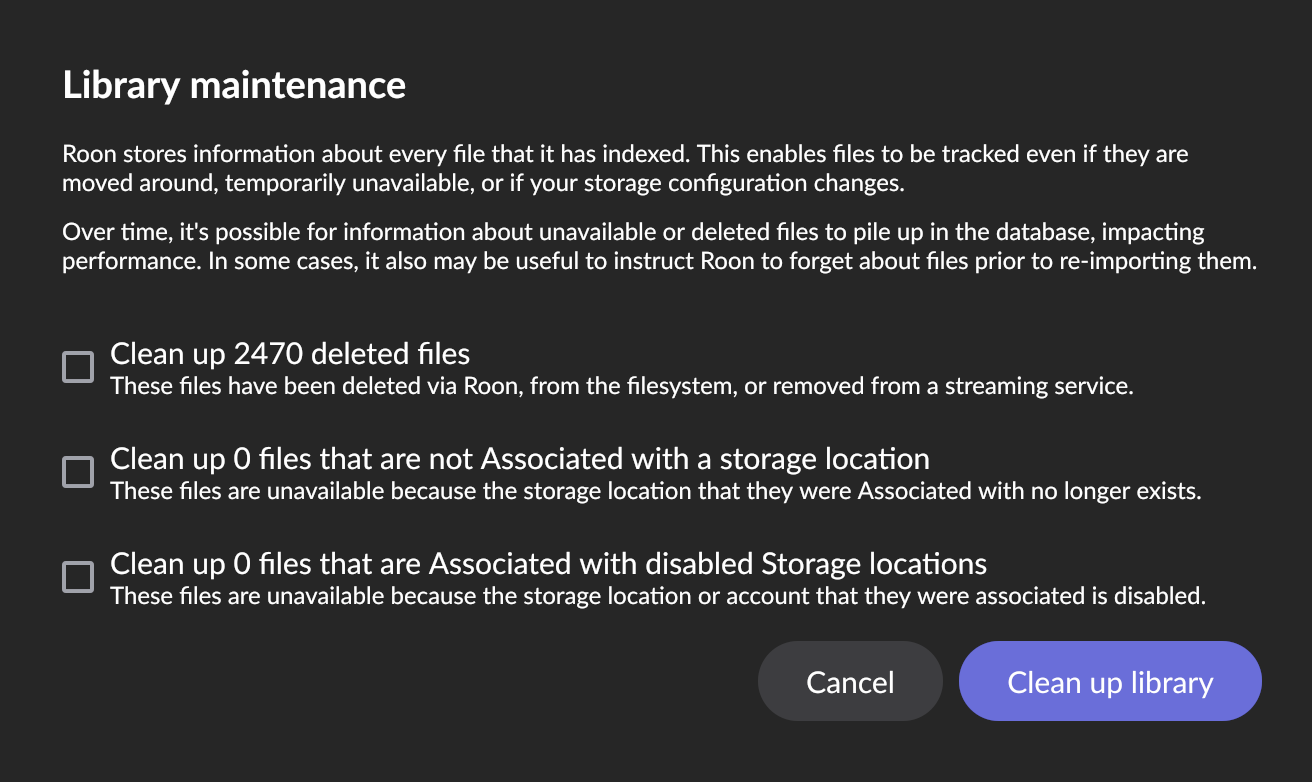
I have taken the following actions to reduce the album identification retry queue.
From logs, Roon is choking up on samples from a pro audio library. Audio analysis is part of background work. Here’s an example from logs:
05/17 12:17:57 Trace: [analysis] Track Unknown Artist - Electronic Drums - Big Room - Snare_1_BigRoom_GB
05/17 12:17:57 Warn: [analysis] failed with exception for trackid=12314418: Sequence contains no elements
Roon won’t identify things that don’t exist in a distribution catalog somewhere upstream. If you’ve got a production library in a folder that’s also configured to be watched by Roon, I recommend removing that entire Watched Folder location and then re-adding it without the sample tracks. Roon will otherwise retain the object in the database even after deleting it.
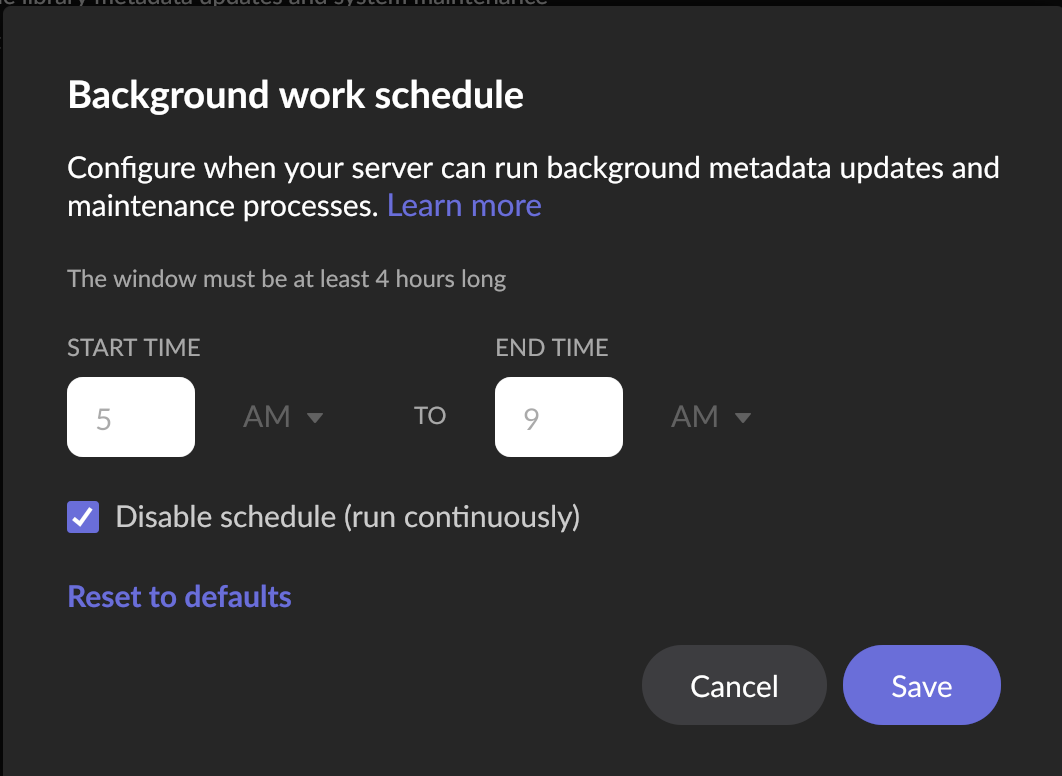
A quick clarification: if your goal is to minimize scanning during your daily interaction with Roon, then by disabling Background Work scheduling, you’re configuring Roon to continuously scan metadata in the Background rather than restrict it to certain hours. Are we interpreting your screenshot correctly as your current setting (ie. the “Disable" box is checked)?
@connor great troubleshooting and thanks for diagnosing the problem! The issue you highlighted was a directory full of Logic Pro samples. I’ve moved several non-music folders out of the Roon home music directory and am waiting for a scheduled cleanup/analysis to run in a few hours. I’ll report back what I observe.
My Roon home music folder had the following structure:
~/Music
 |_ Some folders
 |_ Logic Pro Library.bundle
 |_ Some more folders
Will Roon not scan the ‘Logic Pro Library.bundle’ directory if it’s in the “Ignored paths” from Settings → Storage, or does it have to be physically outside of ~/Music to avoid being scanned?
Is it a problem if the ~/Music directory contains non-music folders with files like .txt, .log, .ini, .db, .strings ?
By disabling Background Work scheduling, I was thinking Roon would scan continuously - that working through a retry queue of thousands of albums would go faster if the identification process was happening throughout the day rather than a scheduled window of 4 hours once a day.
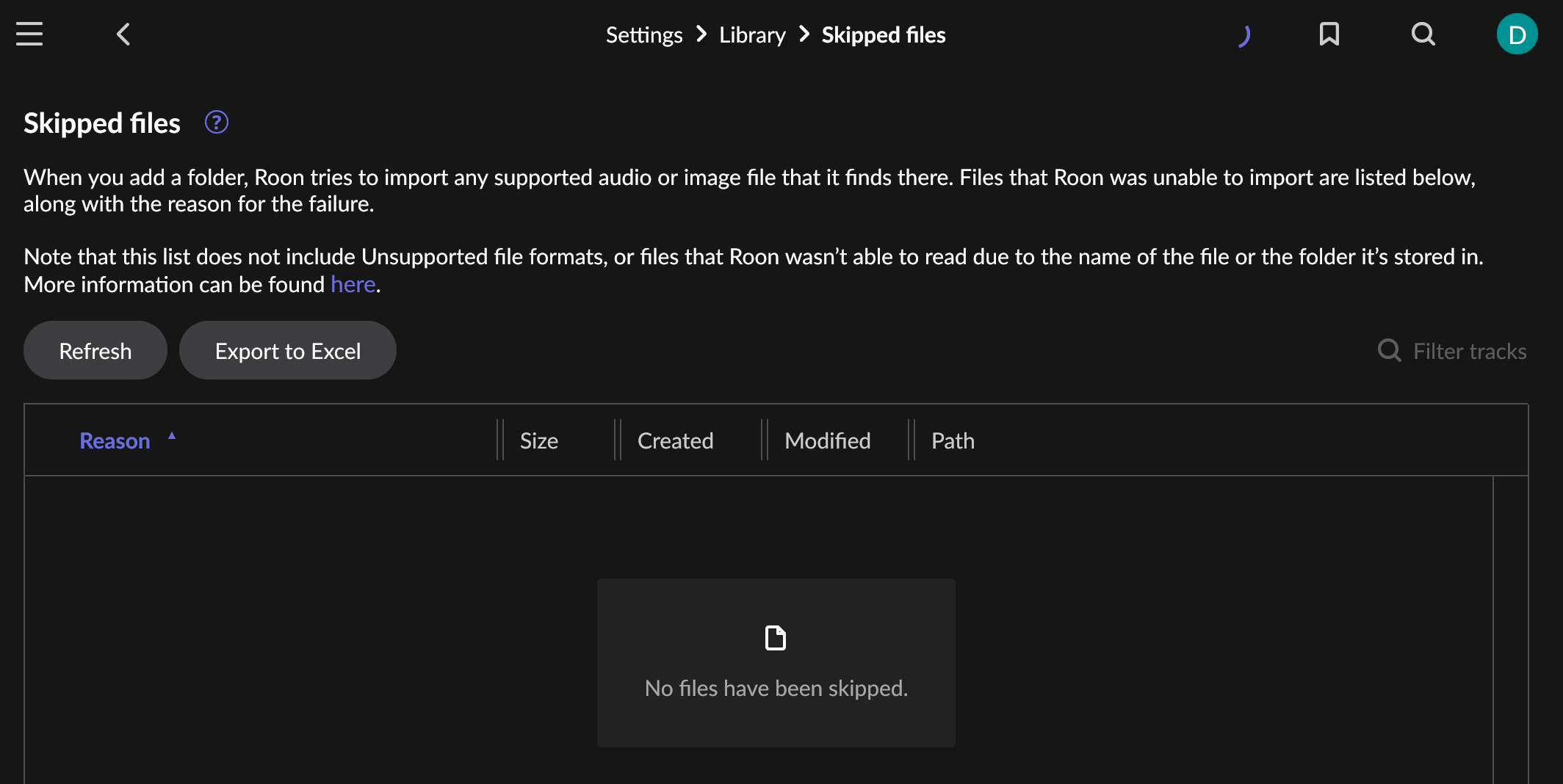
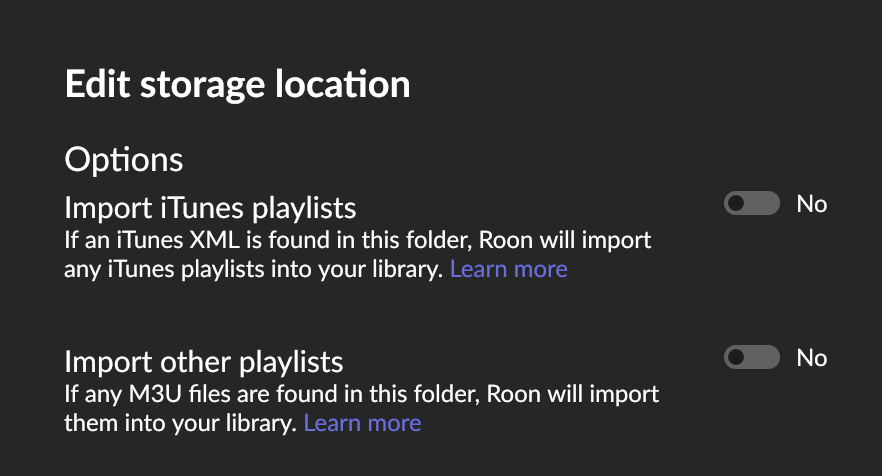
@connor I removed all physical files and folders that might be problematic for Roon’s scanning, but the blue circle kept spinning. Now that you showed me what to look for in the logs, I saw I/O failures for tracks that were being analyzed. Turns out that the file names were in an *.m3u playlist but the files themselves don’t exist because they were moved (by SongKong?).
I turned off importing playlists and now the blue spinning circle no longer appears.
Great to hear and thanks for the update! Please keep us posted if this returns and we’re happy to inspect logs again.
This is true. If necessary idenfitication or indexing doesn’t complete, it would be delayed until the next background scan interval. You’d eventually get a warning about stale metadata. Future releases might contain some work related to indexing/background scheduling that will hopefully make these situations a less little opaque. Thank you!