Yeah, I saw that, but as of a few posts back the thread seemed to also be about not being able to use //ROCK, etc.
I was trying to remove a variable that seemed to still be a hangup. 
Yeah, I saw that, but as of a few posts back the thread seemed to also be about not being able to use //ROCK, etc.
I was trying to remove a variable that seemed to still be a hangup.
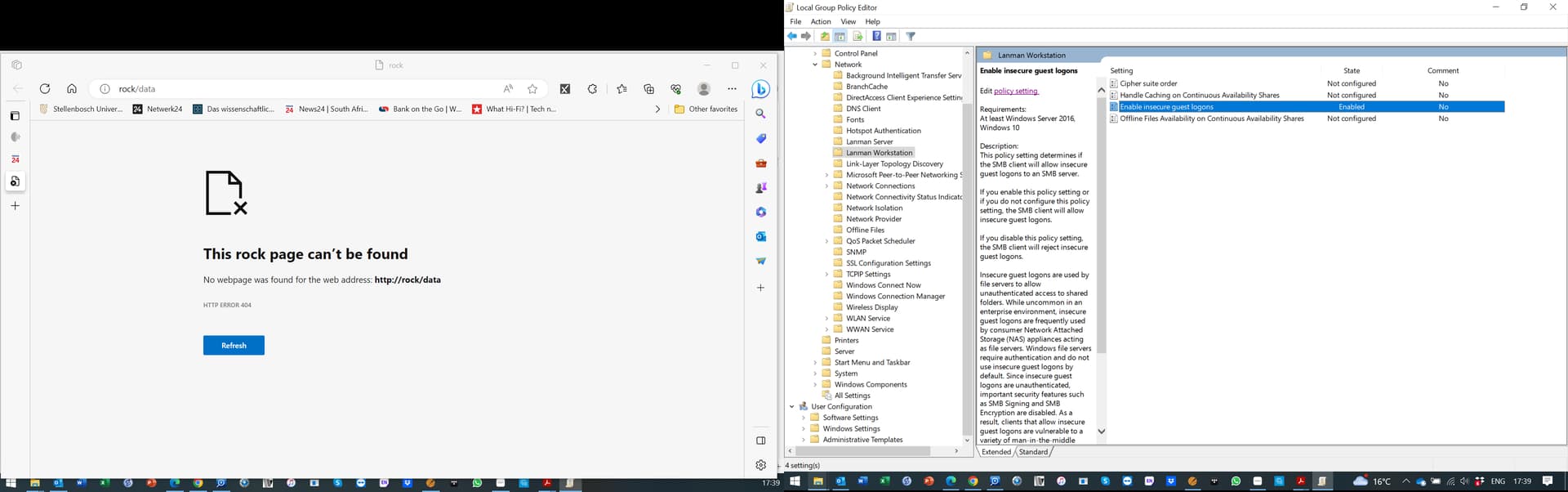
Thank you guys for bearing with me. At this point, I am stuck. I double check that the insecure logins are enabled (I and restarted the computer twice). See the first screen shot.
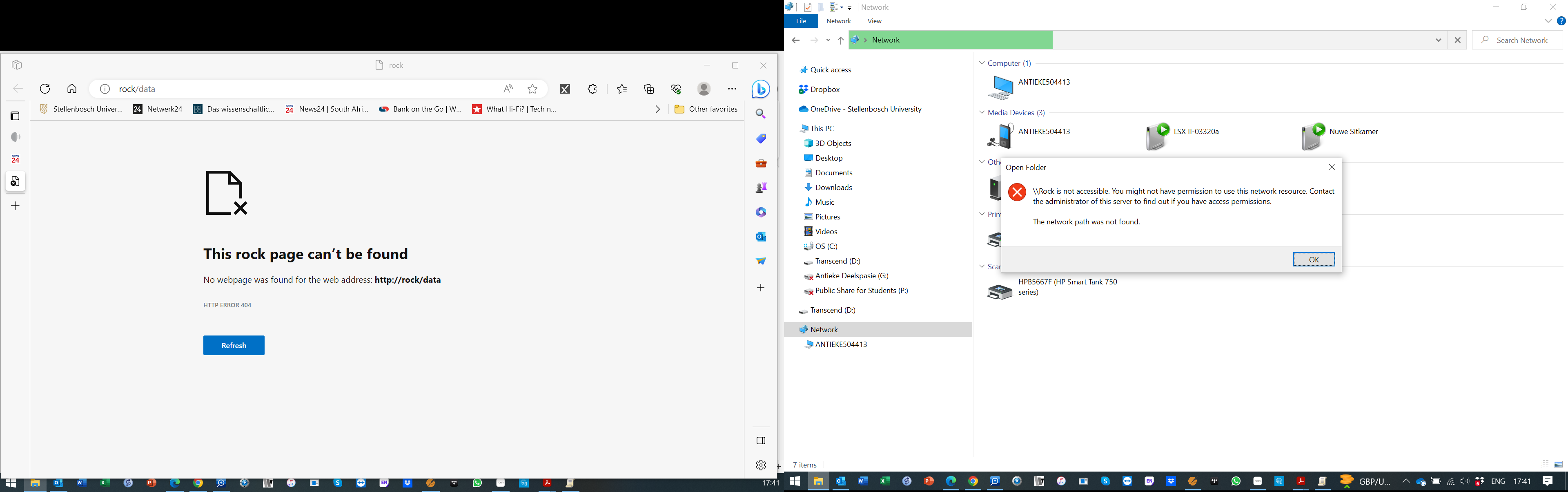
Nevertheless. I still get the error message on the second screenshot.
At the risk of beating a dead horse, try the solution I suggested up above. At this point, what have you got to lose?
The message you posted might not have anything to do with permissions.
I’ve had trouble using //ROCK on my system, which is why I use the IP address instead.
I indeed tried, but to no avail.
Your new screenshots show that you entered http://rock/data in your web browser again. This is not expected to work. In the browser, all you can do is go to http://rock. This then shows the admin website, and we have seen this to be ok
However, you can’t go to the data folder on the ROCK.
Accessing the data folder is exclusively done in the File Explorer
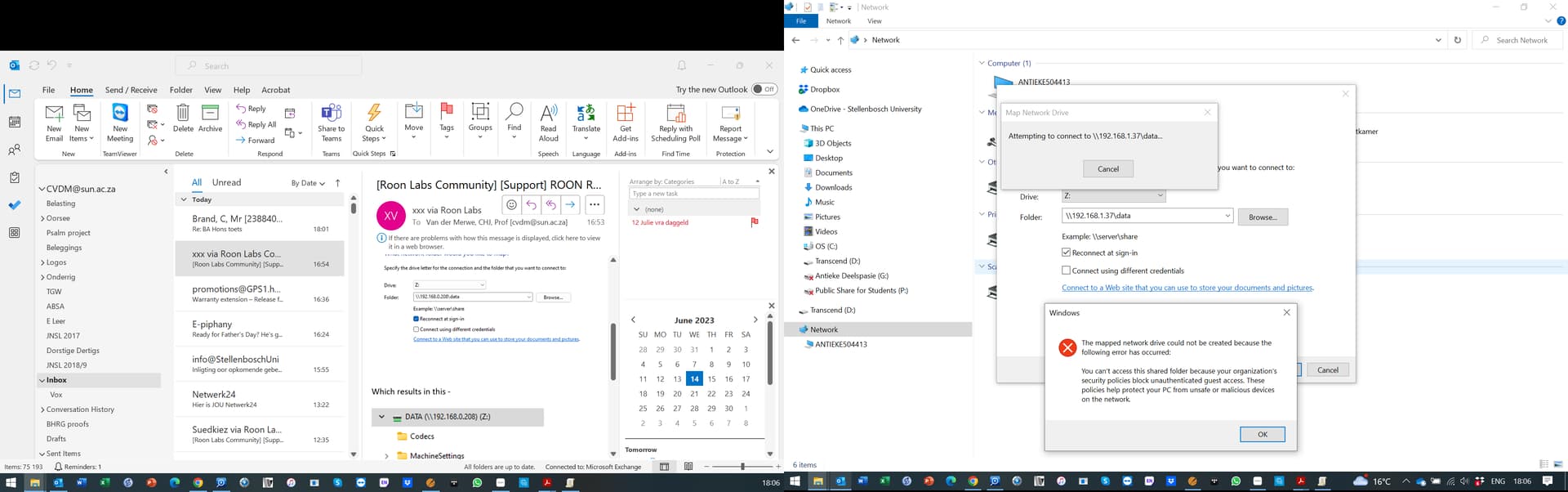
Sorry, the print shots on the left are that of my second screen - and must be ignored. The only relevant screen shots are those on the right hand of the screen
My last comment, now I’m out.
Good luck.
@Christo_van_der_Merw - This video was very helpful for me:
If you understand German 
Torben
PS: Good luck
Thanks. I do understand German. I will try to find the video for Windows 10 Enterprise - which is running on my PC
Last option to try. Can you check to see if the value has changed in the registry?
On the keyboard, press: Windows + R - In the Run box type: regedit
Go to:
HKEY_LOCAL_MACHINE\Software\Policies\Microsoft\Windows\LanmanWorkstation\
AllowInsecureGuestAuth
To set the value without using Group Policy, set the following DWORD registry value to 1 (insecure guest auth enabled) or 0 (insecure guest auth disabled):
HKEY_LOCAL_MACHINE\SYSTEM\CurrentControlSet\Services\LanmanWorkstation\Parameters
AllowInsecureGuestAuth
To set the value without using Group Policy, set the following DWORD registry value to 1 (insecure guest auth enabled) or 0 (insecure guest auth disabled):
Another option is to open POWERSHELL and type:
Enable-WindowsOptionalFeature -Online -FeatureName SMB1Protocol
This is an addon/following on from Rugby’s post:
The irony of this thread is that you probably don’t even need the codecs.
The codecs are only necessary to decode certain file types and, since you can play music, you probably don’t have those types.
Also, it used to be the case that in certain (obscure) circumstances, the codecs could be needed to parse strings. Don’t know if that’s still true.
Sorry, my OCD is forcing me to keep picking at this scab. 
I find that most fellow users need the codecs to play Internet Radio Stations which are usually MP3.
THIS WORKS!!! Thank you guys. It then seems one has to enable the group policy "manually:/
Yay! Finally!
I’m glad it worked. Sorry it’s taken so long…
Well done - bl**dy Microsoft - their own tools don’t work properly it seems…
This topic was automatically closed 36 hours after the last reply. New replies are no longer allowed.