Connect the Nucleus in my Windows 11 Explorer

Roon Server Machine

Nucleus

Networking Gear & Setup Details

Connected Audio Devices

Number of Tracks in Library

Description of Issue

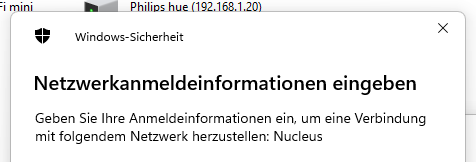
I can find and connect the Nucleus within my Windows 10 Desktop. But now, i got a Windows 11 Mini PC and the Nucleus is not shown in my Network-View in the Windows Explorer. If i although try to connect him by “\Nucleus\Data” i get a window to input login-Data for my network and my user-name is shown. What can i do to connect my nucleus storage as a share within my windows 11 pc like i did for my windows 10 pc?
See the troubleshooting steps in this article:

1 Like

Sorry, it is ok. I found the soloution here: Nucleus Internal Storage

Glad to hear it @bern_steiner - happy listening! :raising_hands:

This topic was automatically closed 24 hours after the last reply. New replies are no longer allowed.