Have a connection problem after the update on my Win10 PC.
On the Android tablet all is working fine.
@Jan_Goormans, instead of piggybacking on an existing topic, please open a new support thread. Thanks.
Moreover, to receive appropriate help, it would be really helpful if you could complete the template included in your opening posts, and also provided below. Please be sure to include details of your core, network, storage location of your media files, and any messages displayed by Roon. Thank you.
Roon Core Machine
<!‐-Include your operating system and machine info (Model, CPU, RAM)-‐>
<!‐-Write below this line-‐>
Networking Gear & Setup Details
<!‐-Your network gear (model of routers/switches) and if on Wi-Fi/Ethernet, are you using VPN-‐>
<!‐-Write below this line-‐>
Connected Audio Devices
<!‐-Specify what devices you’re using and their connection types, like USB/HDMI/Chromecast, etc.)-‐>
<!‐-Write below this line-‐>
Number of Tracks in Library
<!‐-Tell us how large your music library is, e.g. “30,000 tracks”-‐>
<!‐-Write below this line-‐>
Description of Issue
<!-‐Tell us about the problem you’re having in as much detail as possible. Screenshots are always appreciated!-‐>
<!‐-Write below this line-‐>
Including these details in your first post helps resolve your issues faster.
Roon Core Machine
Nucleus+ (all using the last update)
Networking Gear & Setup Details
High speed network, working perfectly for everything (also movies and …)
Connected Audio Devices
Android tablet and Win10 PC as interface.
Number of Tracks in Library 6000
The Nucleus is working OK after the last update, I can use Roon using the Android tablet and phone.
Playing music right now.
But on the Windows10 PC after/during the restart Roon could not find the Nucleus.
The Nucleus (internal storage) is visible in the Windows Explorer.
(Network is OK, just like before the update)
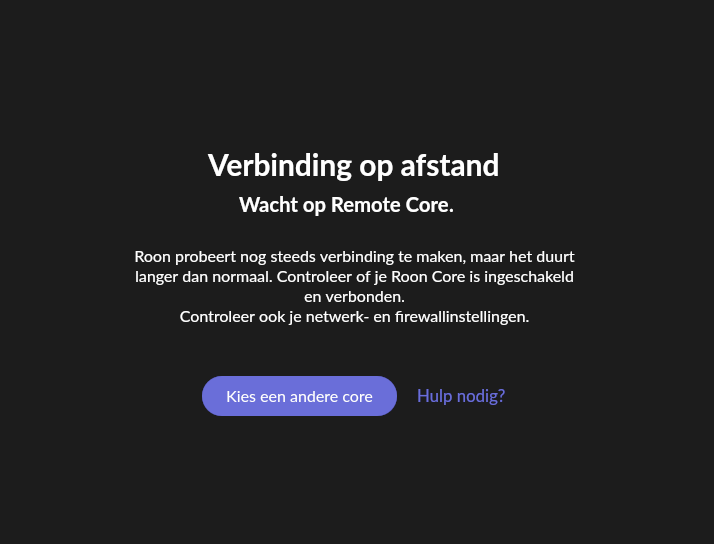
He keeps asking to use another core.
Did a reboot of the Nucleus, nothing changed.
Reinstalled Roon on the PC , nothing changes.
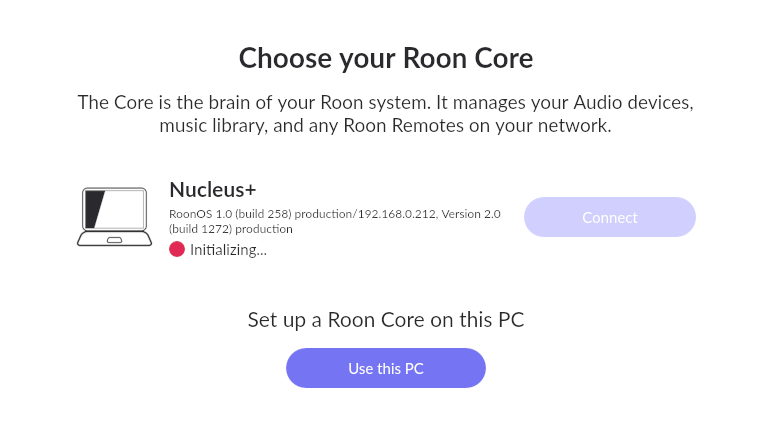
It’s stuck on this page, seems for an Win connection the Nucleus is initialising.

A post was split to a new topic: Incompatible version
Hi @Jan_Goormans ,
How did you reinstall Roon on the PC? Did you also remove the old application install? If not, you can use these instructions to do so:
- Create a Backup of your current database
- Exit out of Roon
- Navigate to your Roon Database Location (on the PC under %localappdata%, not the Nucleus database).
- Find the folder that says “Roon”
- Rename the “Roon” folder to “Roon_old”
- Reinstall the Roon App from our Downloads Page to generate a new Roon folder
- Try to connect to Nucleus
hi Noris
just did all what you proposed and got stuck on this page
this time in white
this is from the info page, seems to be OK
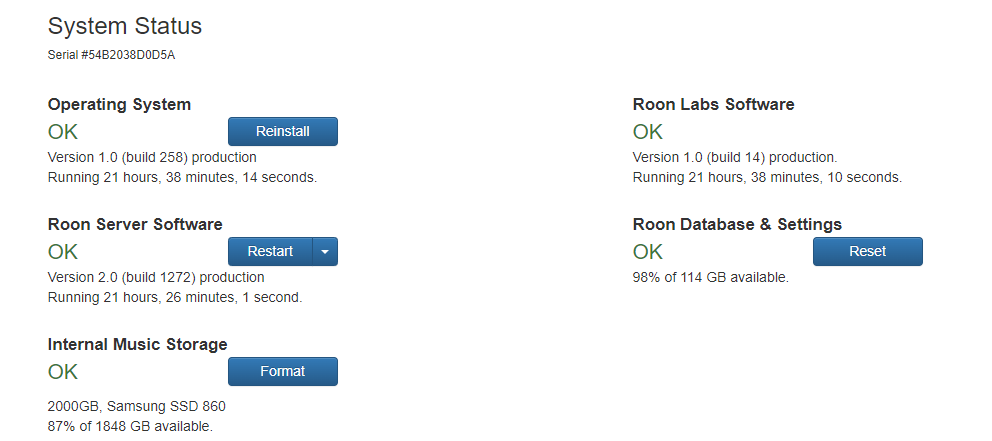
what should I do next ??
(ps : with android all is working fine, just can’t connect with the PC anymore)
thanks
Jan
1 Like
Give it time to initialize
Norman,
it is initializing for 2.5 hours now
how much longer ?
Thanks
Jan
Don’t know the answer to that. Sometimes, I’ve left it overnight and have been pleasantly surprised in the morning! Over to @support!
I also have these errors in Windows 10 PC after the 1272 update. After starting Roon, Windows no longer has a network connection and nothing works anymore. It works with android.
Ive got my Macs running and will try a windows 10 PC
Works fine on my Windows 10 PC
My nucleus + had already been updated via my Mac and all i had to do was update the PC itself
I don’t want to open a new topic now because I’m having the same problem. I have the Roon server on an Intel NUC with Linux. After starting Roon version 1272 on the Windows PC, it freezes. Nothing works anymore. If I then start Android Roon on the tablet, the PC can be operated again. How can I reinstall the previous (version 2.0 build 1259) for the PC? it worked perfectly…
This is a different problem seems to me.
In my case nothing freezes on the PC, only the initializing freezes or keeps on working.
I can use the PC for all other things while the Roon Installation freezes.
@Uwe_Kohr, welcome to the Roon community.
Whilst the symptoms may be the same, Roon support prefers each user to open a separate Support thread. If they believe the issue is the same, they will merge the various threads.
Problem solved , I already had renamed the Roon folder to Roon old, but now I deleted the yesterday installed Roon folder in Explorer.
And the I reinstalled Roon again, this did work.
Don’t know what could be the difference but the problem is solved.
1 Like
For me it was the Roon shortcut on the desktop. There was an incorrect or not updated specification of the directory: C:\Users\Uwe\AppData\Local\Roon\Application\200001272
The last digits or version numbers were incorrect or not updated.
1 Like
This topic was automatically closed 36 hours after the last reply. New replies are no longer allowed.