I’m using a T8 with HQ player and I’ve found 2 issues with it. It will randomly sound as if it’s on fast forward for a few seconds about twice an album (buffer issue?) and also HQ player seems to lose the T8 as NAA in the output settings. You have to toggle NAA on the T8 off then on again, sometimes requires a HQ player restart. Any ideas on this? I also use a holo red which has always been rock solid. This bugginess is a deal breaker for me.
Rebooting the T8 can help. This happens when the NAA software module there has crashed.
Overall, if you encounter any issues, please contact Eversolo support about those. You can also record logs on your T8 while reproducing the issues and send those to Eversolo.
Thank you. The T8 was completely unlistenable via NAA, experienced constant drop outs. I’ll report this on the zidoo forum.
If they make a device with 1 bit direct mode I will be buy it 100%. It would replace most of my gear and work great with HQP.
Maybe one day…
1 Like
I am think of swapping my WIIM Ultra for an Eversolo, which I am currently utilizing for music and TV. I would love stream directly to my Cyan 2 without disconnecting any cables, since the auto input selection does not work they I hoped ok the Cyan 2.
Does anyone know if the volume control dials work on the Eversolo models playing the NAA endpoint?
Yes, for the internal DAC. But not for an external DAC.
You can also control Eversolo’s volume through Roon → HQPlayer → Eversolo NAA path.
Thank you for the clarification. The volume dial would have been a real advantage over a RaspberryPi.
Not that anyone cares (but maybe someone has a solution), i’ve kinda given up on HQPlayer on the T8.
I feel like I can get similar results with Roon’s built-in sample-rate conversion and EQ functionality. (I’m sure some will disagree with that, but to my ears, it sounds really good.)
The problem wasn’t the sound, it was simply the fact that roon seems to “lose control of the audio device” during nearly every listening session. I’d need to go to the mac mini running HQPlayer and close and restart HQP, and then I’d be back in business for a while.
The fixes above that Jussi recommended (“Idle Time” setting, etc…) seemed to help with certain things, but other issues kept popping up. I’ve been using HQP on and off for probably four years (previously with a Raspberry Pi running RoPieee, which unfortunately yielded similar issues), but I think I just don’t have the patience anymore.
But, if someone else can point to why this might be happening, I’m all ears!
1 Like
Any errors in HQPlayer log? How does standalone HQPlayer playback (without Roon) work?
So is the issue you are experiencing HQPlayer ↔ Roon, or is it HQPlayer → DAC?
What kind of output format are you generally using? For example regarding DSD upsampling, Roon will never do multiples of 48k DSD output, while HQPlayer allows you to do this if you enable the corresponding settings. But whether this works depends on the specific hardware.
Archimago, quite a while ago, looked at upsampling with Roon, and his conclusion was that Roon‘s upsampling was quite allright.
2 Likes
Thanks for posting that again Paul. I think I read it back in 2019 and completely forgot that I had.
I can now see where my chosen settings for default Roon upsampling come from
1 Like
Hello, community,
I bought the Eversolo T8 and wanted to test the new Eversolo-NAA, which I haven’t been able to do yet. I use HQ Player embedded 5.16.1, which I start on my computer with a USB stick. The Eversolo NAA appears in the NAA list on the tablet, but it doesn’t play. What am I doing wrong?
Do I need to change something in the “Input” settings? What?
I have already read that DAC correction does not work with the Eversolo NAA – will there be a solution in the future?
I currently use HQ Player with the streamer (also the T8) in the following way: Using any audio source with HQPlayer - Spotify, Amazon, Apple Music, YouTube Music, Deezer, Soundcloud [2023] - #1037 by Harry_Hirsch
The DAC correction also works here (T+A DAC 200). The only thing that’s annoying is the stuttering and spluttering when the rate changes automatically for a new piece of music – the old piece of music continues to play. Is there a solution for this now, or a setting I could use?
Would there be a difference in sound quality if I used the Eversolo NAA? In any case, it would be less effort…
Thanks for your answers.
1 Like
I had a play with an A6 yesterday. It could have been me but I couldn’t get 48 rate signals to work. It would just hang. That was into a Holo Spring which is fine with the 48 rate family.
Yes, I believe it should be already implemented. But I don’t know when it comes out as a release.
Hello, community,
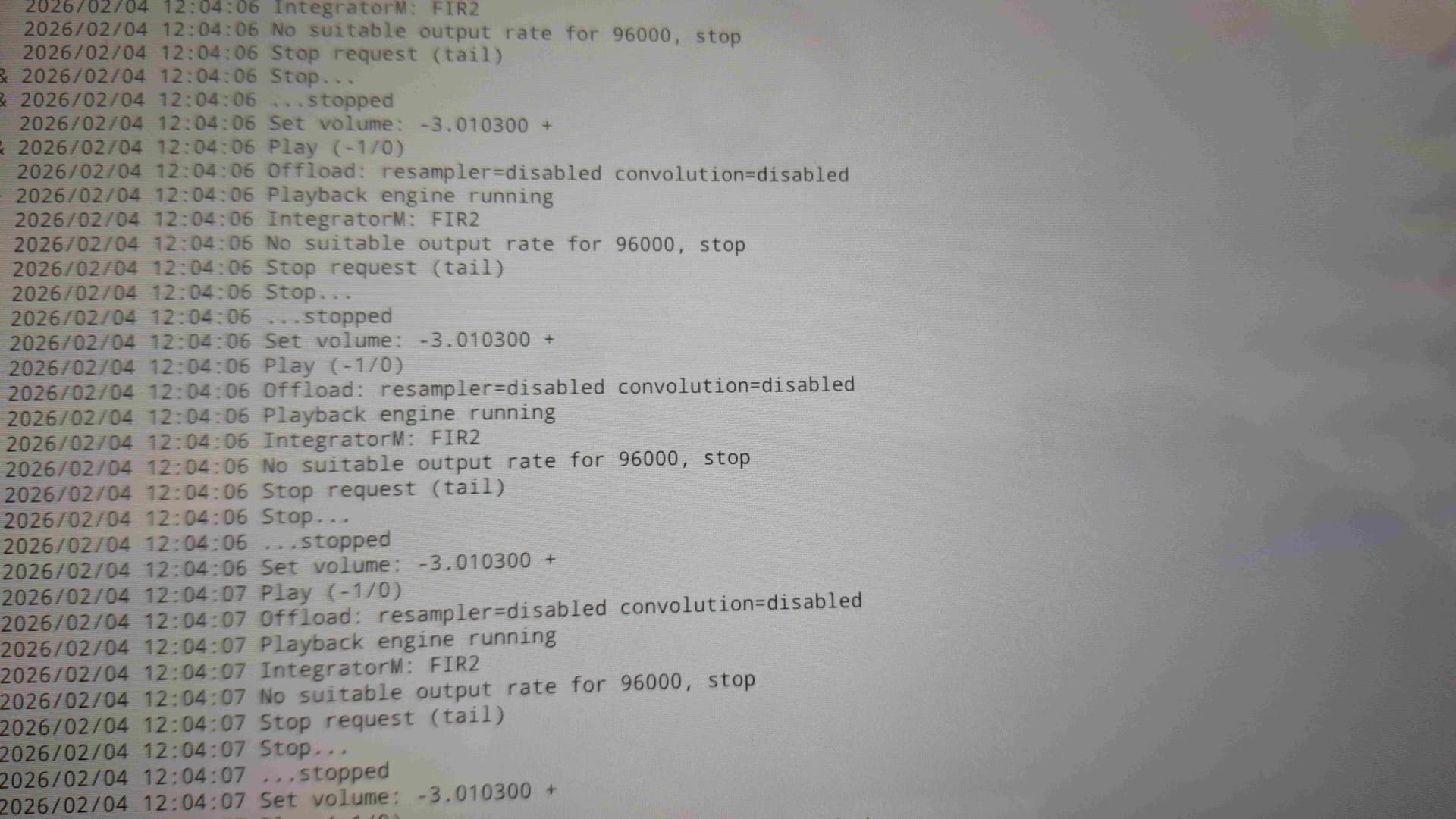
I’m still having problems getting Eversolo NAA to work on my system. Roon won’t even play HQplayer, and Bubble UPnP plays without sound. Here is the HQPlayer log file. What am I doing wrong?
Best regards
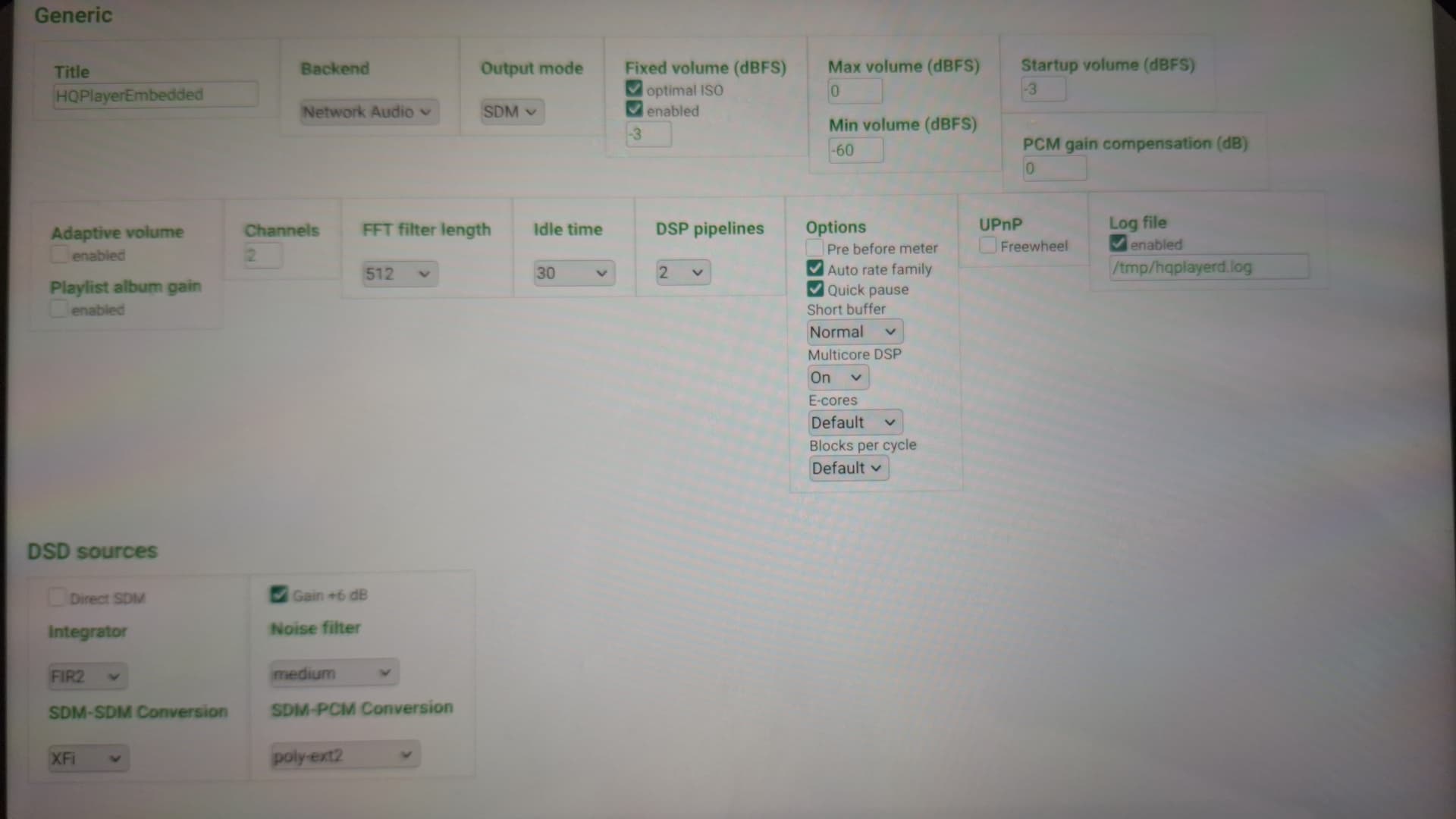
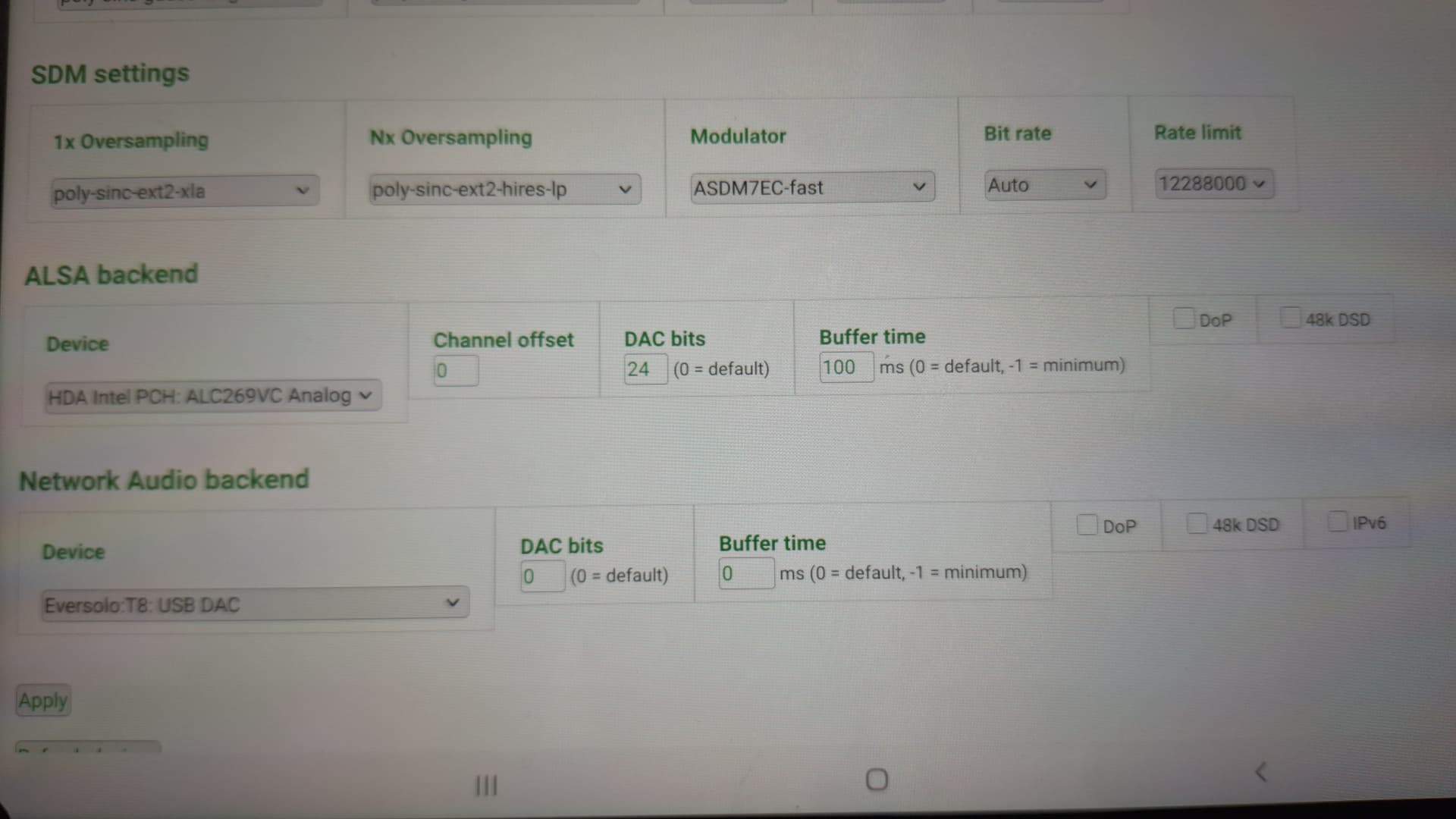
Network Audio backend, select/enable 48k DSD
Hi Deano,
That’s exactly what I tried yesterday – today it worked – for 5 minutes. Then I wanted to reproduce the error, and after that nothing worked anymore. The log file showed the same error as in the first image - now with 48k DSD enabled… I’ve had enough and will probably reconnect my USB hub with RIp4 NAA… This type of connection has the advantage that DAC correction can be used and all T8 content (including CD-Player) runs on the HQ player…
It should either work or not. Maybe the Eversolo has a buggy 48k implementation, just a guess as I don’t have one.
Try setting the bit rate and rate limit the same (11289600) in SDM settings, uncheck “Auto rate family” in the Options section, and uncheck 48k DSD in Network Audio backend.
See what happens, that forces DSD 256 x 44k to the dac.
Hi Deano,
Great, it works. The key tip was to synchronize the bitrate and rate limit. If the bitrate is set to “auto,” Eversolo NAA does not work.
The “Automatic Rate Family,” 48k DSD, and IPv6 can now also be activated. Great—the HQplayer now also plays up to DSD 512 (because DAC correction cannot be used). I hope that Eversolo will offer an update soon—the difference is audible on the T+A DAC.
Thank you very much for the important tip.